Writing an application for a SIM card
Greetings everyone! I think many of you have heard the statement that a SIM card is essentially a full-fledged specialized computer. And since a SIM card is a computer, then, obviously, there must be software for it. How about trying to write something and make it work directly o
Editor's Context
This article is an English adaptation with additional editorial framing for an international audience.
- Terminology and structure were localized for clarity.
- Examples were rewritten for practical readability.
- Technical claims were preserved with source attribution.
Source: original publication
I think many of you have heard the statement that a SIM card is essentially a full-fledged specialized computer. And since a SIM card is a computer, then, obviously, there must be software for it. How about trying to write something and make it work directly on the map? Let's figure it out.
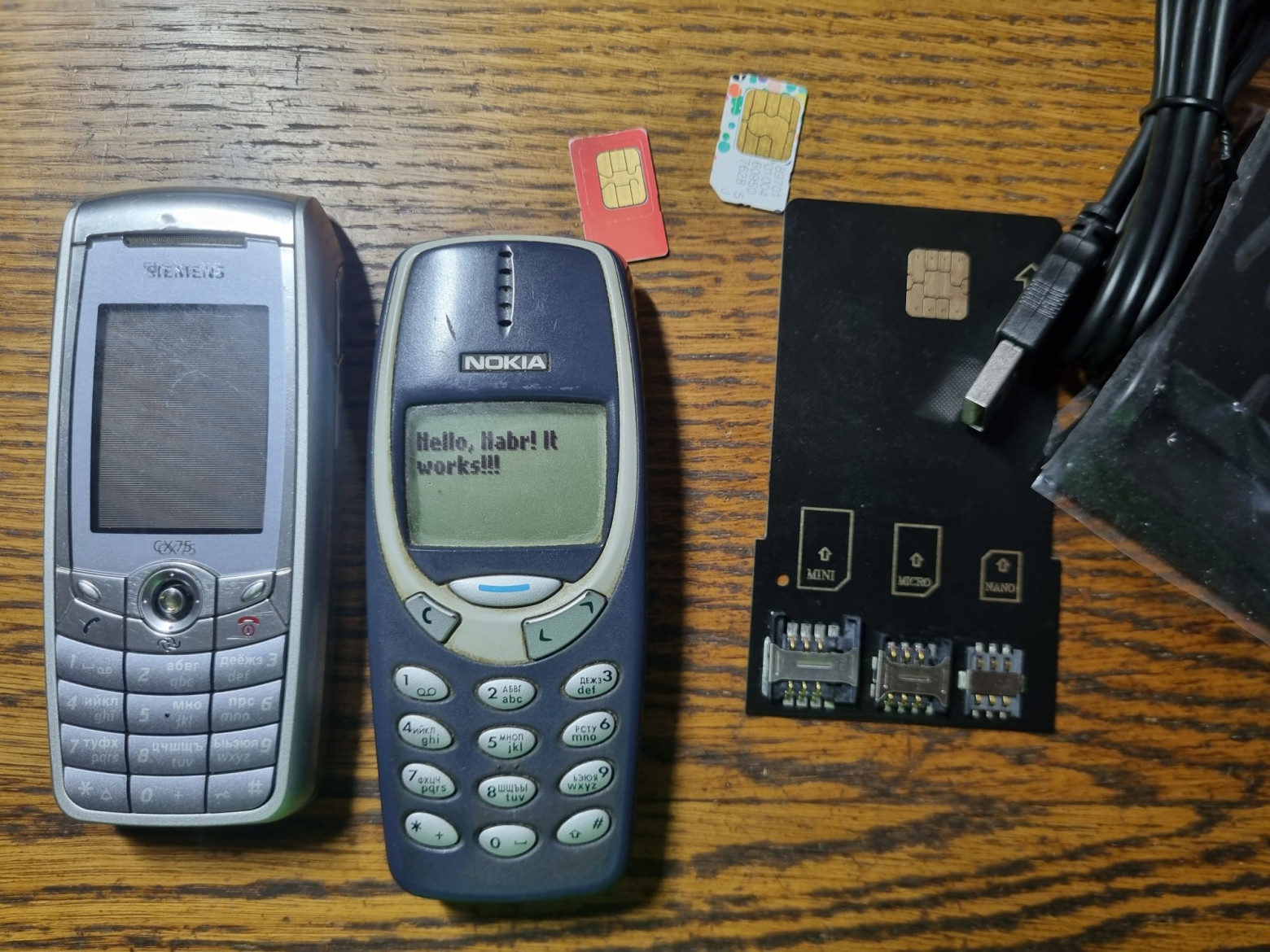
So, in today’s article we’ll talk about this rather rarely mentioned side of cellular communications. We'll learn how to write applications so that they run on all phones, from Nokia 3310 to the latest iPhones. Along the way, we’ll find out how to load them into SIM cards and how difficult it is to do it, and, of course, we’ll write our first applet. As usual, there will be a lot of interesting things.
❯ The point is this
According to an already established tradition, every year on the tenth of January I roll out a post about cellular networks. And if earlier I traditionally talked about antennas, transceivers, base stations, then this time we will take a look at a rather rarely considered component of mobile communications: SIM cards and everything connected with them.
If you are at least a little interested in cellular communications, then you probably know that a SIM card is not just an EEPROM chip in the form of a card, but in fact a full-fledged system on a chip that has its own processor, memory, ROM, peripheral controller and other components. And I’ve always wondered who writes the software that runs on such a computer, how this even happens, and how it is deployed on SIM. Before that, all my acquaintance with cards was limited only to those with a magnetic stripe and (slightly) contactless EMV.
VasiliyLiGHT understandswhat am I talking about
Surprisingly, for some reason there is little sensible information about SIM cards. So it took a lot of fiddling around before I was able to make it all work and be able to tell the world about it.
❯ A Brief Introduction to Contact Smart Cards
If you have never encountered such things in your life, now I will quickly tell you about them.
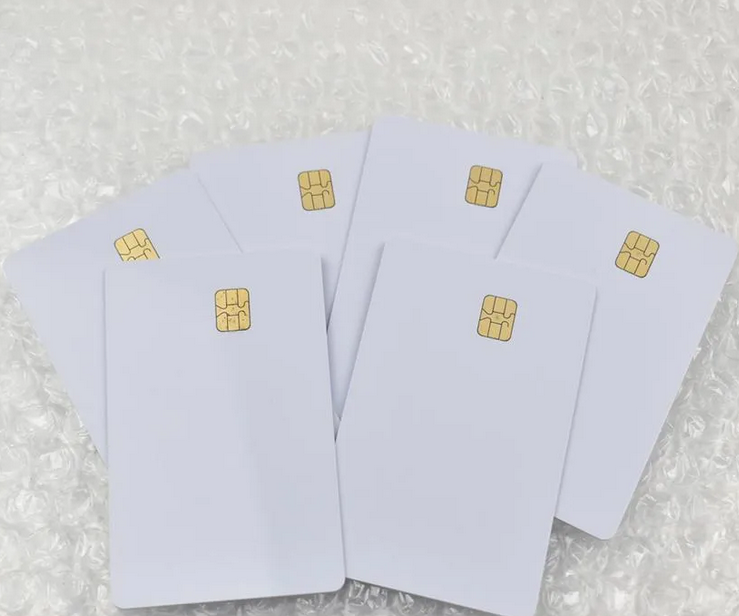
I think many of you have noticed that the SIM card, not yet removed from the plastic card, is exactly the size of a bank card (and fans of retro phones will remember the full-size cards used in the first GSM handsets). Access cards, electronic passes and much more have exactly the same properties. So, this is no coincidence. A SIM card is a special case of a contact smart card, and almost all of them comply with the ISO7816 standard. It determines the pinout of the card, the location of the chip on it, the exchange protocol and much more.
When the reader starts working with the card, it activates power and sends a reset signal. In response to this, the card sends ATR (Answer to Reset) - a string of bytes that allows the host to determine what kind of card it is and what it does. Once the connection is established, the reader can communicate with the card using APDU (Application Protocol Data Unit) commands. What these commands are and what data they transmit depends on what the card is intended for and what applications it has.
What kind of applications are these? Depends on the smart card. They can be divided into two types:
- Native. Inside there is essentially an ordinary microcontroller (most often it is a small PIC with a memory chip, there may also be some additional peripherals such as a cryptoprocessor) with an ISO7816 interface controller. Accordingly, the programmer needs to manually process APDUs coming to him. These were the first SIM cards, as well as the old chip bank cards of the “Golden Crown” type (they, by the way, were based on the MC68000 processor core). These smart cards are also of some interest, but we’ll talk about them later.
- JavaCard. These specimens are much more complex. They have a much more powerful processor core, memory with its own file system, and much more. But the most important thing is that they run a Java machine (due to the need for total resource savings, quite seriously reduced when compared with PCs, J2ME and other devices), which allows you to write applications (applets, also known as cardlets) in a much higher-level language. These applications are loaded into the card's memory and called from there by the host. At the same time, the developer no longer needs to deal with nonsense like working directly with the interface controller, everything is much simpler here. It is these cards that we will talk about.
Applications can be absolutely anything, at the discretion of the developer. Some areas have their own standards, such as EMV cards. There is one for GSM too, and it’s called STK.
❯ SIM Toolkit
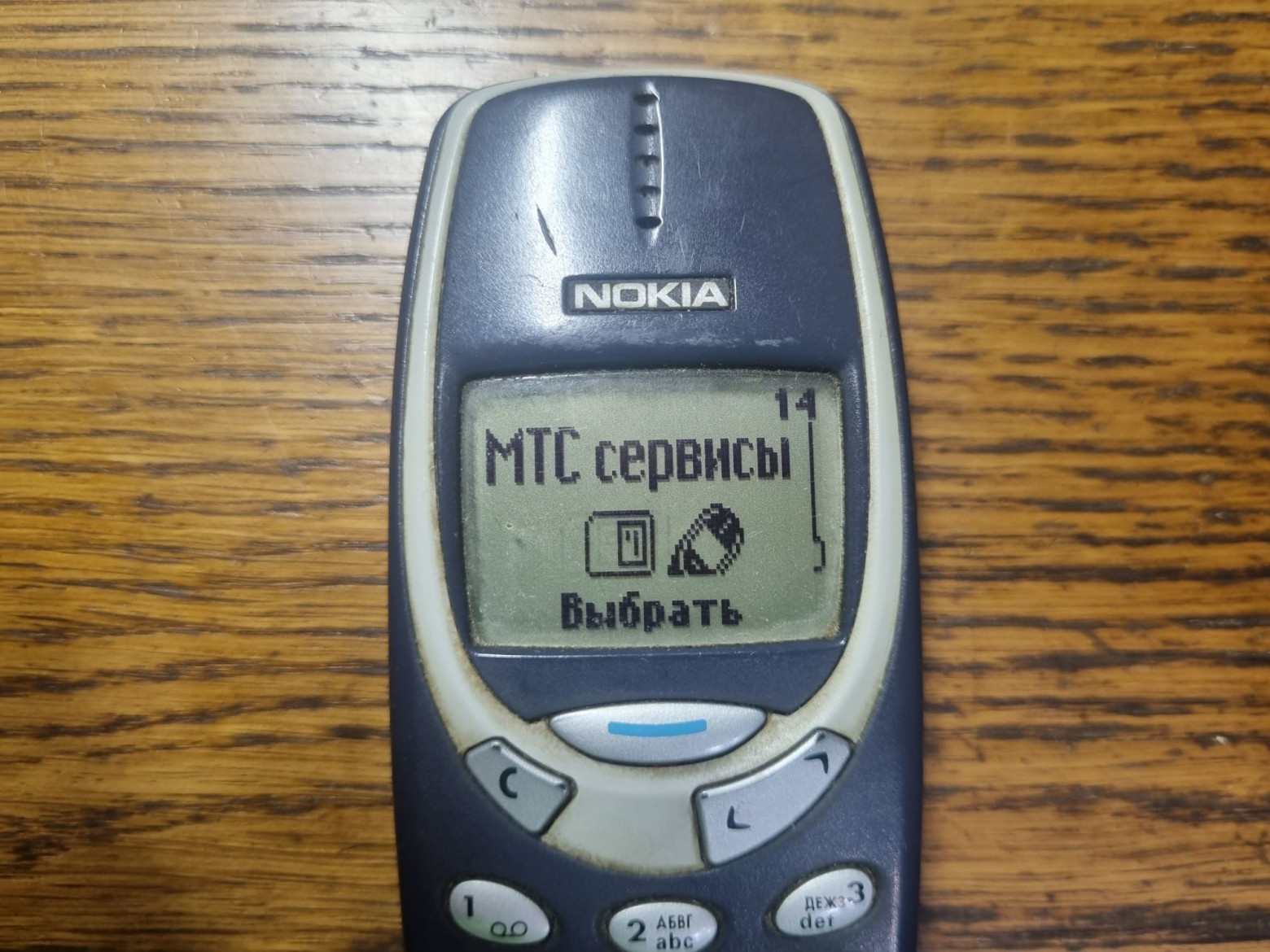
For the average person, SIM applications are not associated with anything good. It is thanks to this function that the “SIM menu” works in the phone. This is the very section where you click awkwardly (especially if the phone was given to children), and now you are already subscribed to a bunch of “interesting facts” 18+, jokes, some news and other heresy. But, of course, STK’s functionality is not limited to just the menu. It is thanks to it (more precisely, one of the applications) that when inserting a SIM card into a new phone, the configuration of access points for the Internet is requested, it is STK that allows you to display pop-up notifications about new services on top of the screen (which at one time really infuriated Tele2), and it is with its use that lower-level applications are written that implement all the other functions of the SIM card. Also, installed applications may have nothing to do with cellular communications at all, for example, working with a qualified electronic signature using a pre-charged SIM card. Banks and other organizations that have a contract with the operator can provide something similar. And finally, it is the SIM Toolkit that implements the main function of a SIM card - storing keys and authorization on the network. The implementation of STK is the same for all phones, so it does not matter to the applet developer which handset the SIM card is inserted into. As you might guess, this is the software we will be working on today.
❯ What do you need to write your software onto a SIM card?
Let's move on to the most important thing: what do you need to launch your application? Before getting to know this topic in detail, I imagined that there would probably be a bunch of insurmountable nuances for the average person, such as documentation for an NDA that was never leaked or the need to get some special cards and equally rare software to work with them, but, as it turned out, the barrier to entry is not the highest - you will need to know Java at a level a little more than “Hello, world!”, have an idea of what Python is, and be able to work with the console in Linux. From the hardware you will need to get a smart card reader, as well as a SIM card with known administrative keys. Of course, no one will give such keys for a “working” card, and they are known only to the operator who issued it. Therefore, as in experiments with LTE, programmable ones will be needed. Their selection is pretty sad.
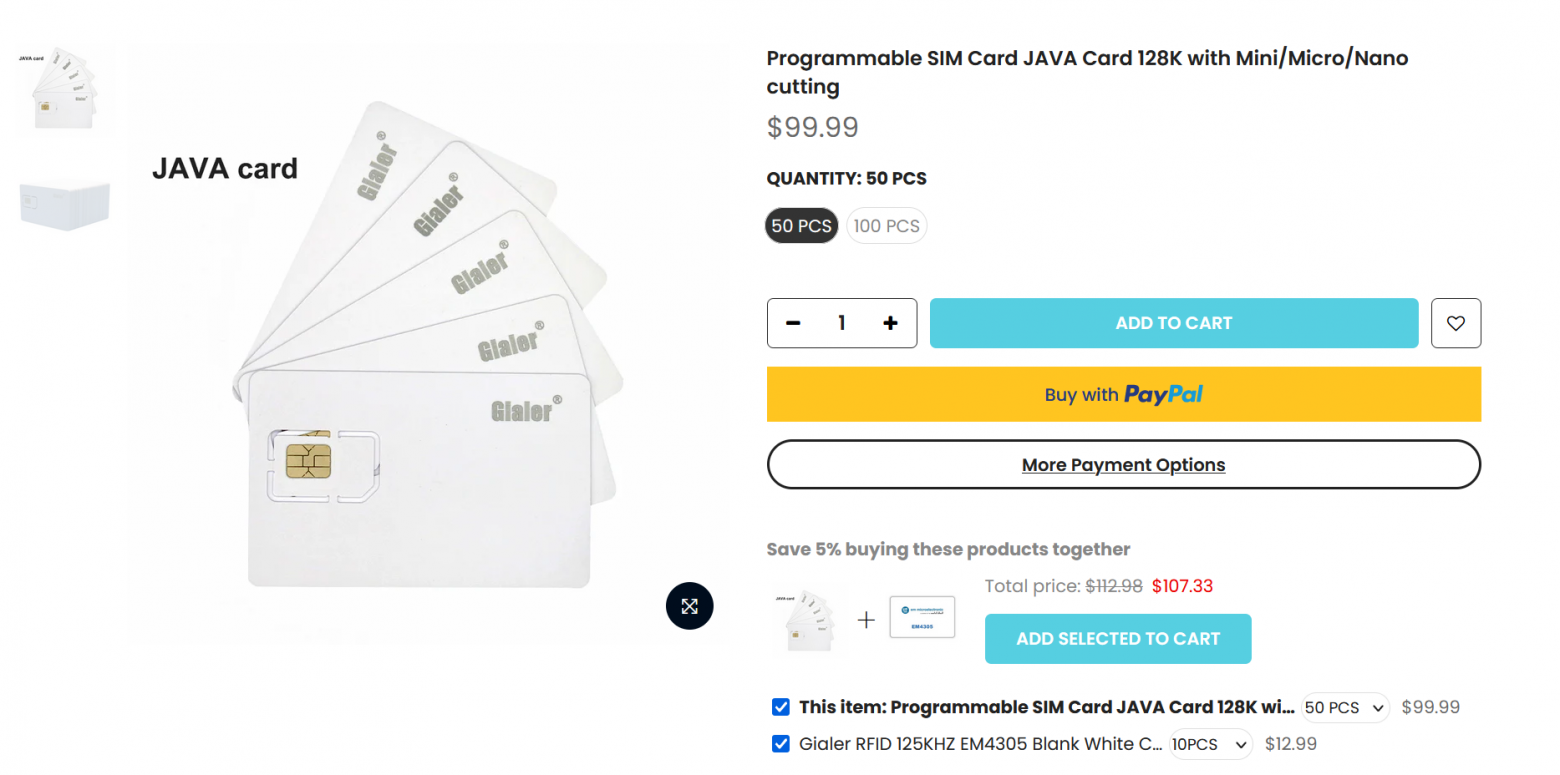
The first option is the already mentioned Gialer. You need a version with JavaCard support, the basic one will not work.
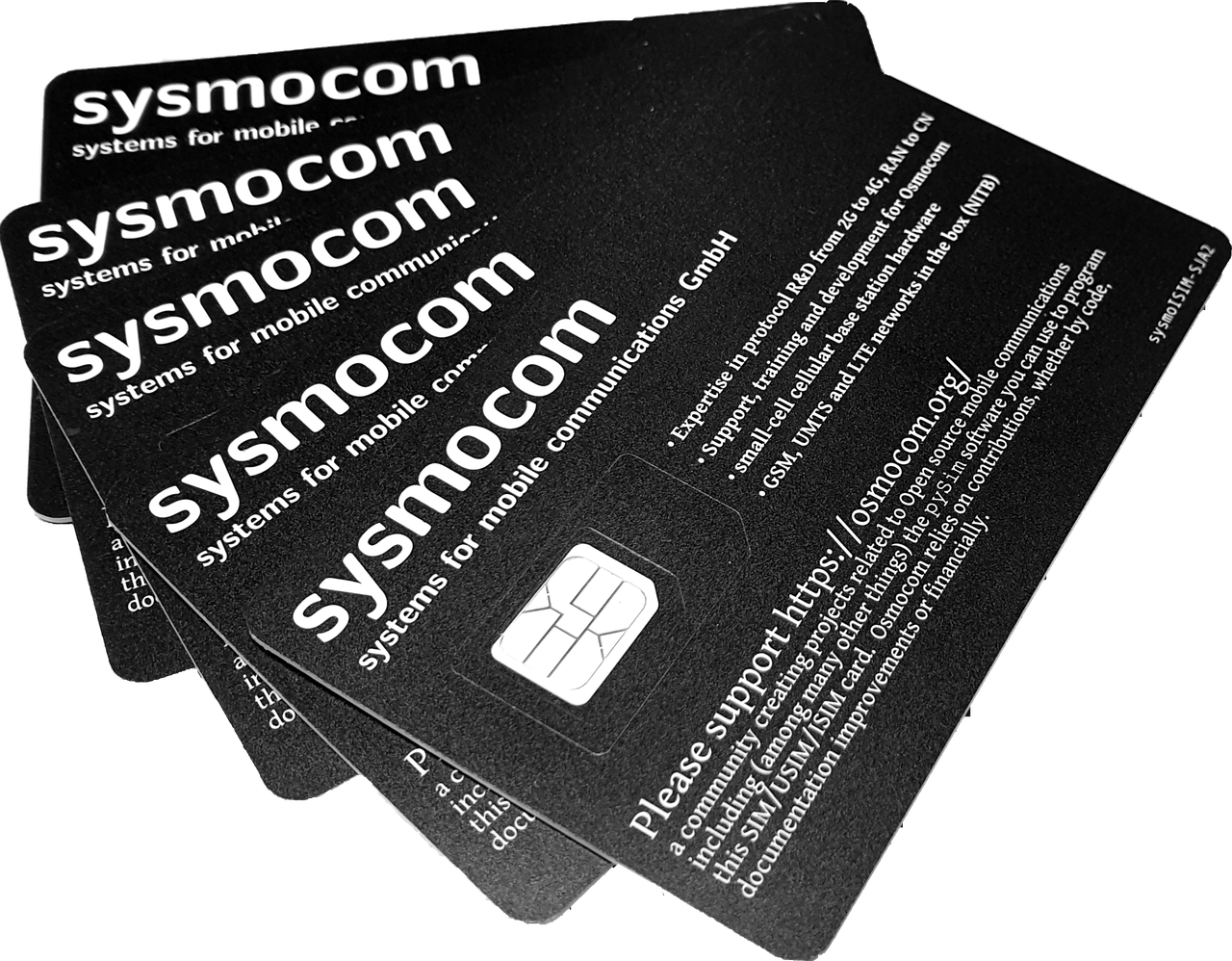
The second option is no less famous in the narrow circles of Sysmocom. Their SIM cards support JavaCard even in the cheapest version. There are quite a lot of different modifications, almost any will do (except eSIM, of course).
In fact, this is the whole difficulty - not everyone can get such artifacts. But I have them, so let's start experimenting.
❯ Equipment overview
Finding such cards turned out to be quite difficult. But in the end a friend helped axilirator, for which he is deeply grateful.
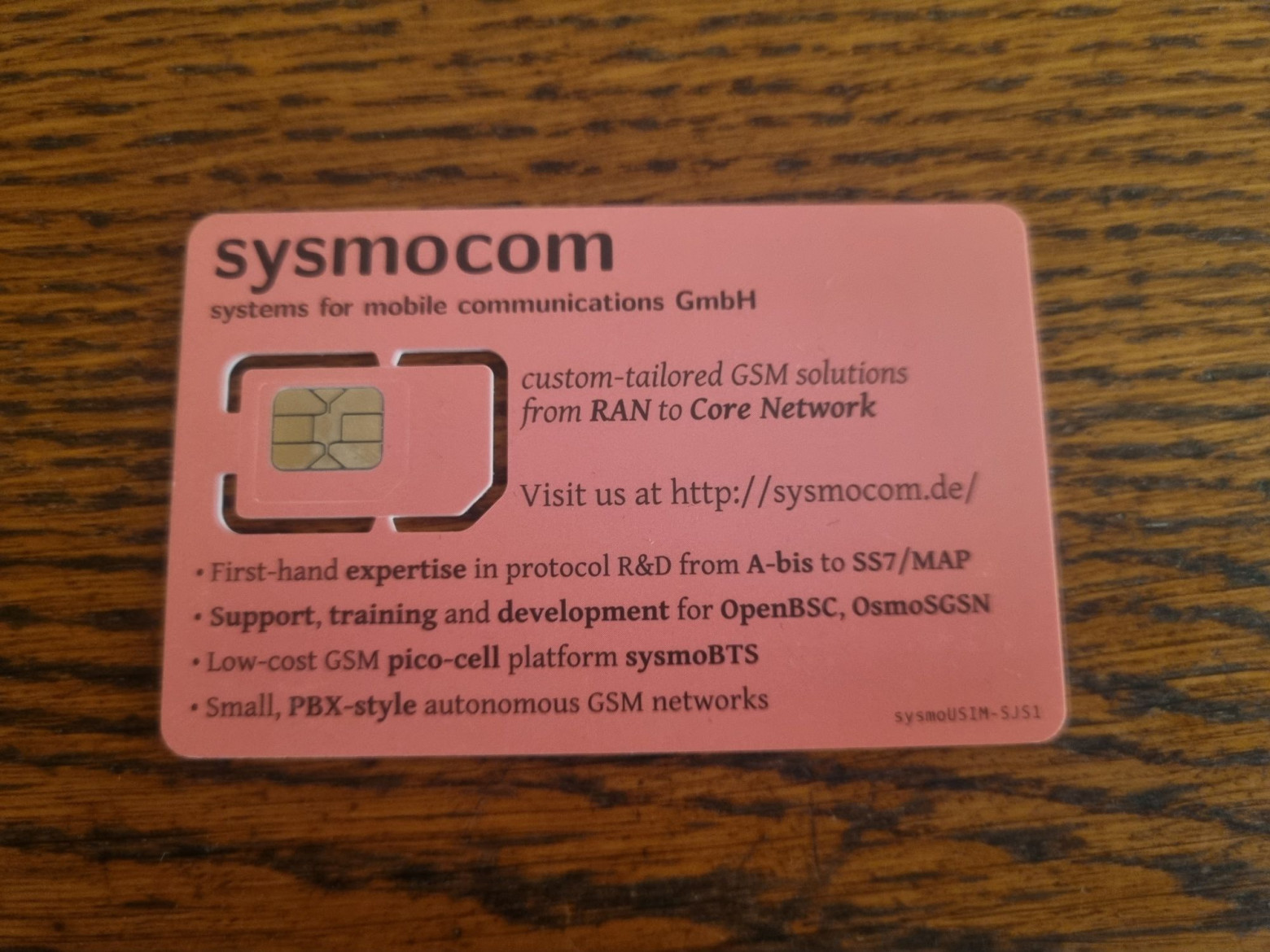
And here is our SIM card. This is a fairly old model sysmoUSIM-SJS1. It does not have a number of functions inherent in new SIM cards (in particular, it does not have SUCI support, which is necessary for 5G), but now this is not so important.
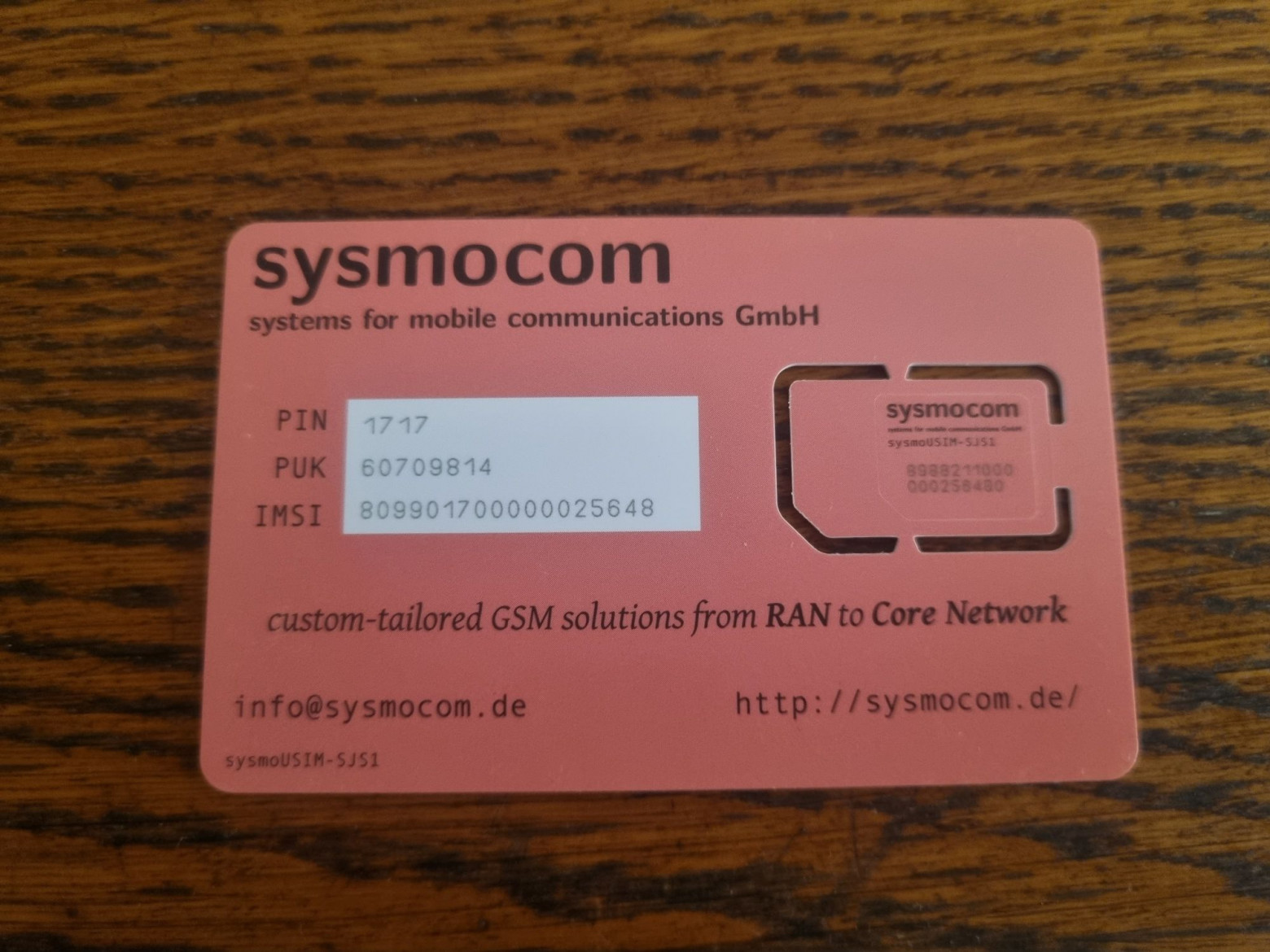
Reverse side.
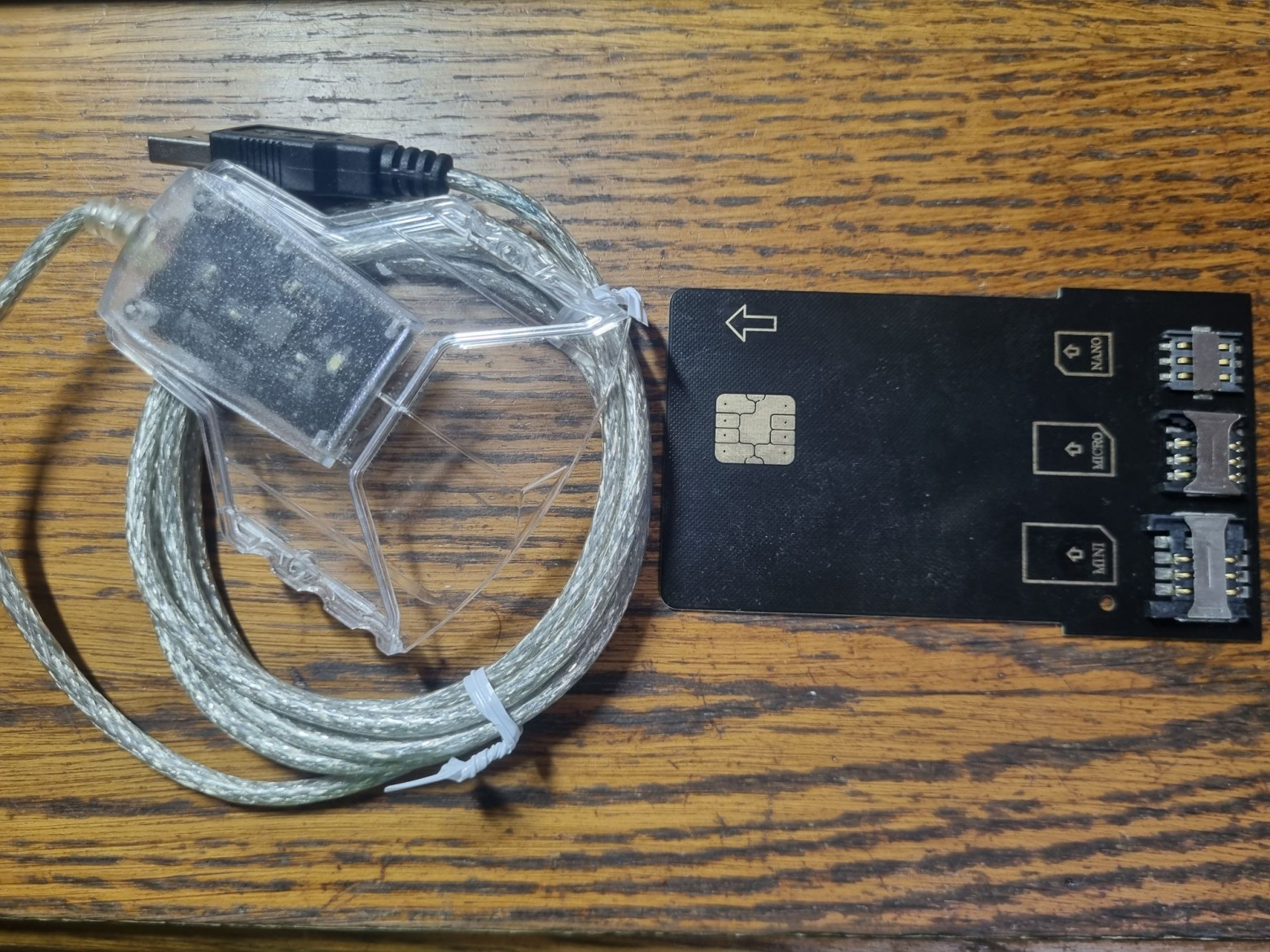
The smart card reader and adapter board are the same as in previous experiments.
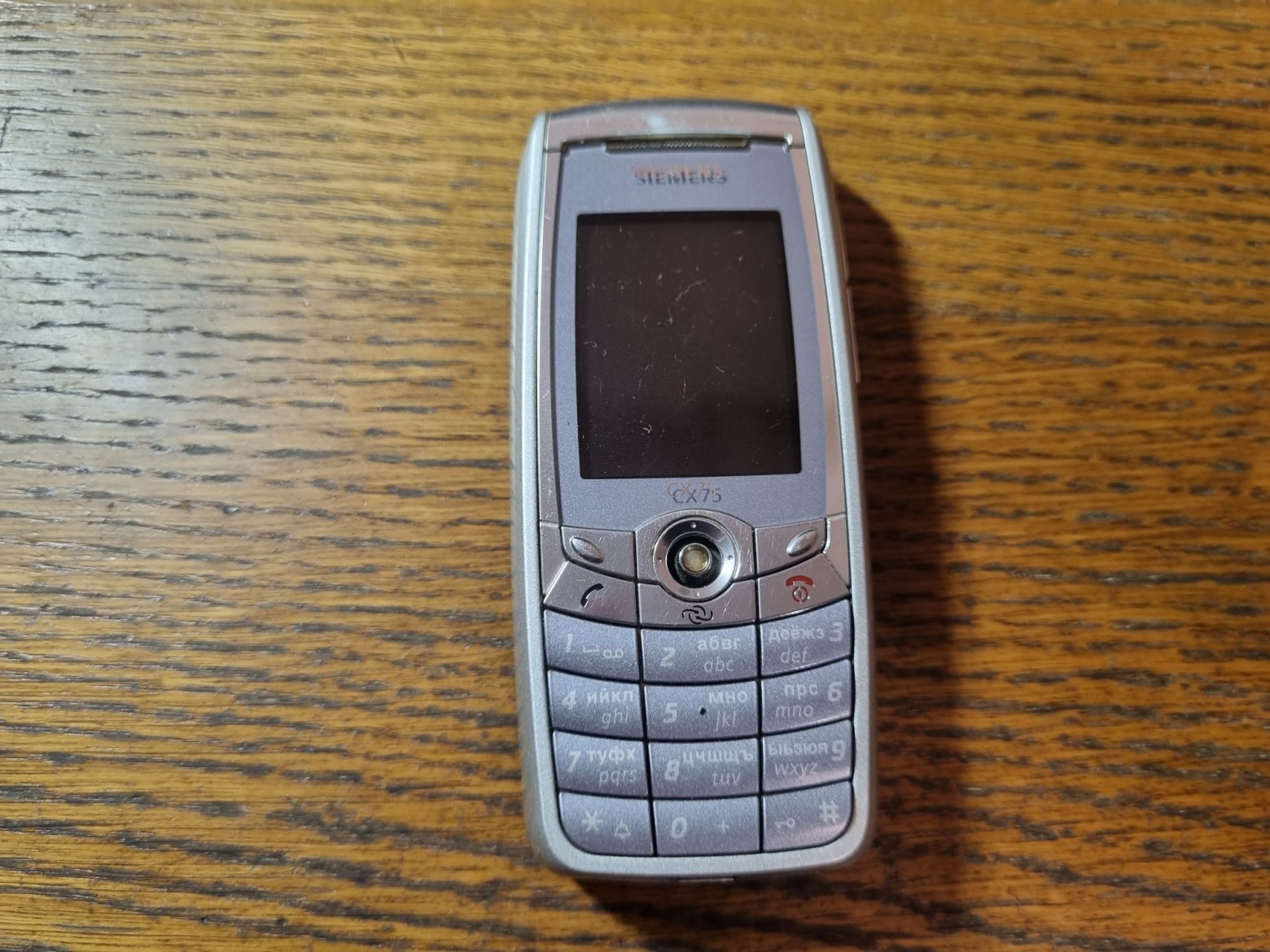
We will also need phones in which we will test our card. For example, the legendary Siemens CX75.
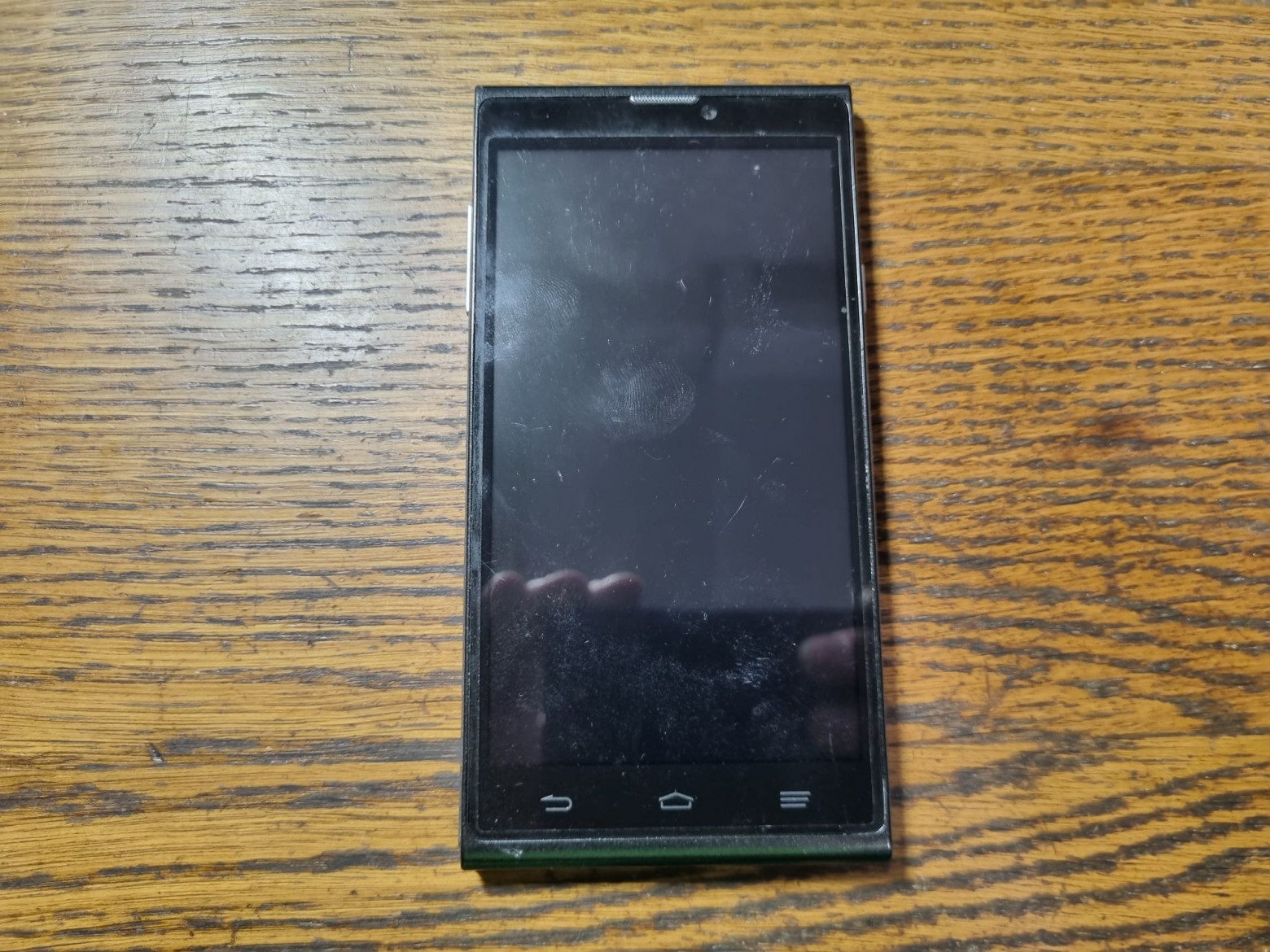
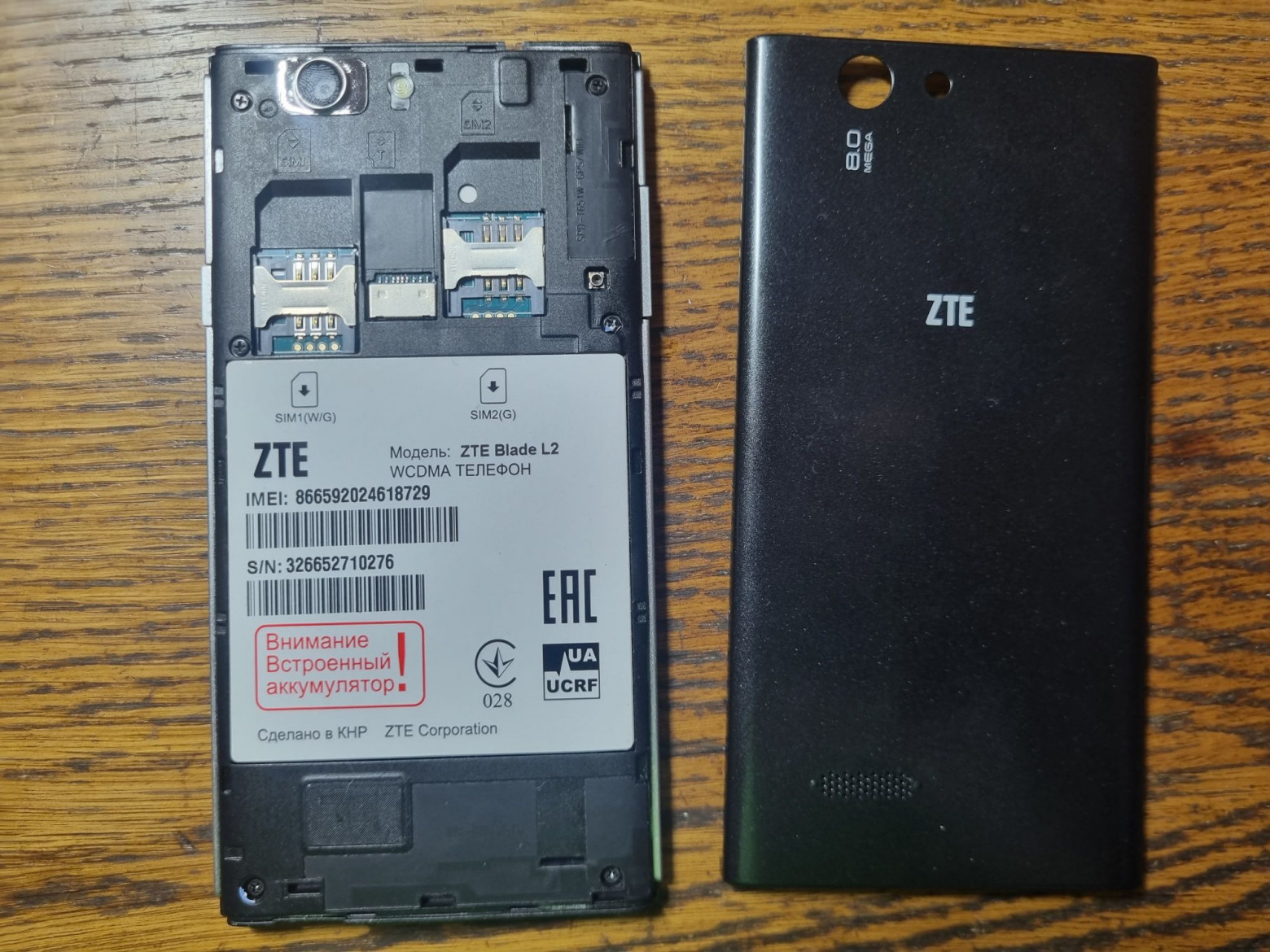
And here is an old ZTE smartphone.
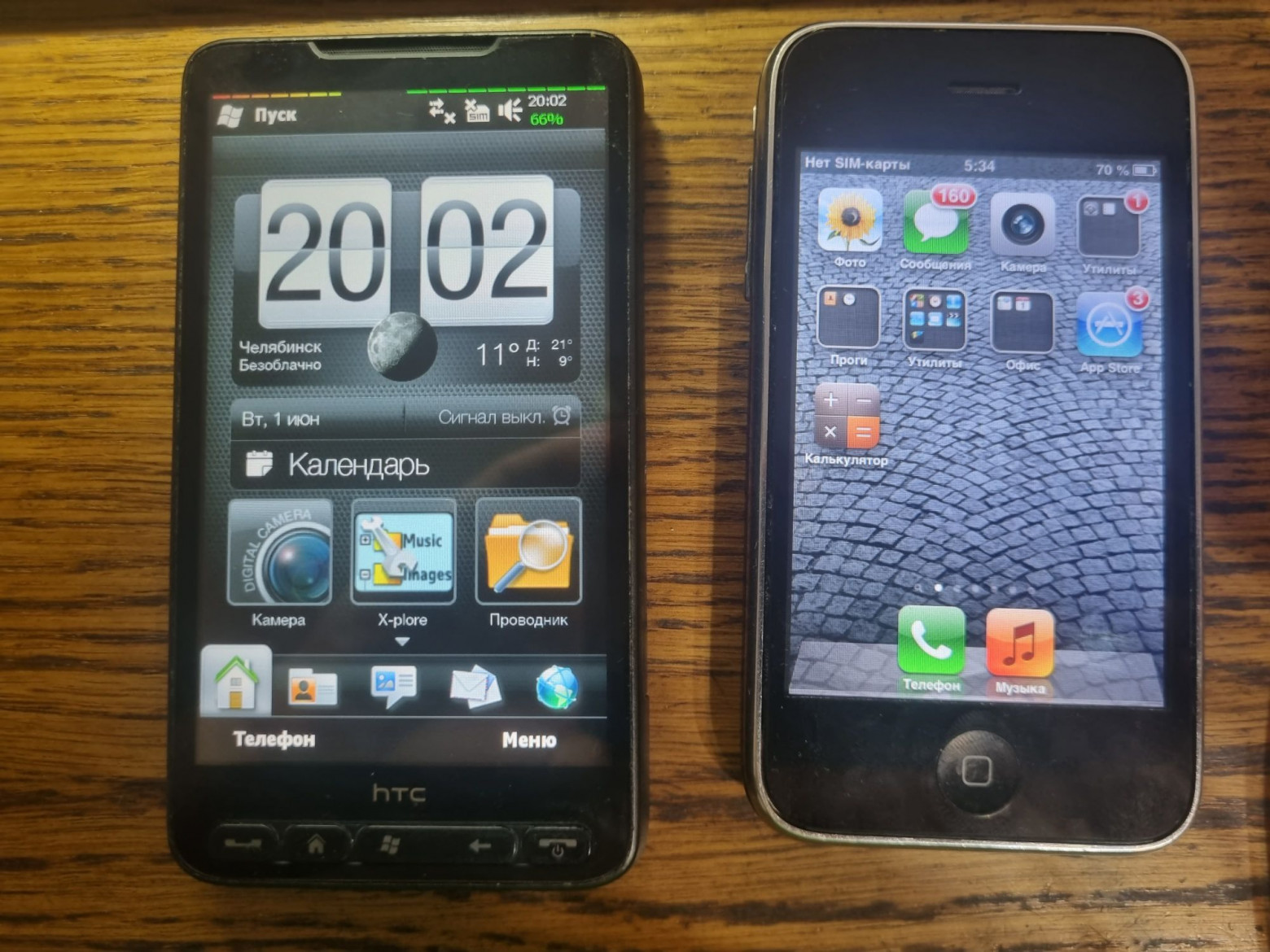
A few more pipes.
❯ Install the software
Now it's the software's turn. It would seem that everything is simple: download what was in those instructions, execute the commands, and off we go. But, you understand, if it were so, this article would not exist. Osmocom advises downloading a certain shadysim.py, but there is a problem: it is very old and has not been updated for a long time, which cannot be said about the dependencies. The script, written for Python2, collects hundreds of errors when trying to run it and stubbornly turns out to work. You can, of course, try to upload it to an older system and try it there, but there is a better way: one friend ported it to Python3, where at the time of this writing it starts perfectly. So we'll try. Of course, for the experiments you will need a machine with Linux. I used Linux Mint, but any other distribution will do.
So, we install the dependencies and clone the patched software:
sudo apt-get install python3 python3-pip pcscd libpcsclite-dev pcsc-tools
pip3 install setuptools pyscard pycryptodome
git clone https://github.com/cheeriotb/osmocom-sim-tools
Next is the software for development for JavaCard:
sudo apt-get install openjdk-11-jdk openjdk-11-jre ant
git clone https://gitea.osmocom.org/sim-card/hello-stk
Here we download the JDK (JDK 11 is required; the applet does not compile with later versions), and clone the JavaCard SDK and test program from the Osmocom repository.
❯ Writing the first program
Well, it's time to try to assemble something and launch it! So, in the HelloSTK folder we find HelloSTK.java, which looks like this:
package org.toorcamp.HelloSTK;

import javacard.framework.APDU;
import javacard.framework.Applet;
import javacard.framework.ISOException;

import sim.toolkit.EnvelopeHandler;
import sim.toolkit.ProactiveHandler;
import sim.toolkit.ToolkitConstants;
import sim.toolkit.ToolkitException;
import sim.toolkit.ToolkitInterface;
import sim.toolkit.ToolkitRegistry;

public class HelloSTK extends Applet implements ToolkitInterface, ToolkitConstants {
	// DON'T DECLARE USELESS INSTANCE VARIABLES! They get saved to the EEPROM,
	// which has a limited number of write cycles.
	private byte helloMenuItem;

	static byte[] welcomeMsg = new byte[] { 'W', 'e', 'l', 'c', 'o', 'm', 'e', ' ',
                                            't', 'o', ' ', 'T', 'o', 'o', 'r', 'C',
                                            'a', 'm', 'p', ' ', '2', '0', '1', '2' };

	static byte[] menuItemText = new byte[] { 'H', 'e', 'l', 'l', 'o', ',', ' ', 'S', 'T', 'K'};

	private HelloSTK() {
		// This is the interface to the STK applet registry (which is separate
		// from the JavaCard applet registry!)
		ToolkitRegistry reg = ToolkitRegistry.getEntry();

		// Define the applet Menu Entry
		helloMenuItem = reg.initMenuEntry(menuItemText, (short)0, (short)menuItemText.length,
				PRO_CMD_SELECT_ITEM, false, (byte)0, (short)0);
	}

	// This method is called by the card when the applet is installed. You must
	// instantiate your applet and register it here.
	public static void install(byte[] bArray, short bOffset, byte bLength) {
		HelloSTK applet = new HelloSTK();
		applet.register();
	}

	// This processes APDUs sent directly to the applet. For STK applets, this
	// interface isn't really used.
	public void process(APDU arg0) throws ISOException {
		// ignore the applet select command dispached to the process
		if (selectingApplet())
			return;
	}

	// This processes STK events.
	public void processToolkit(byte event) throws ToolkitException {
		EnvelopeHandler envHdlr = EnvelopeHandler.getTheHandler();

		if (event == EVENT_MENU_SELECTION) {
			byte selectedItemId = envHdlr.getItemIdentifier();

			if (selectedItemId == helloMenuItem) {
				showHello();
			}
		}
	}

	private void showHello() {
		ProactiveHandler proHdlr = ProactiveHandler.getTheHandler();
		proHdlr.initDisplayText((byte)0, DCS_8_BIT_DATA, welcomeMsg, (short)0,
				(short)(welcomeMsg.length));
		proHdlr.send();
		return;
	}
}
Let's figure out what's going on here. The code itself is easy to understand even for those who have never written in Java, but I will still describe something.
Immediately after the applet is on the map, it is not ready for use. Before this, it needs to be registered, for which a special method is called register. There is also a function that processes APDUs, but it is hardly used in STK. And finally the most important thing: the STK event handler. There is nothing special in this example, just displaying text if a menu item was selected.
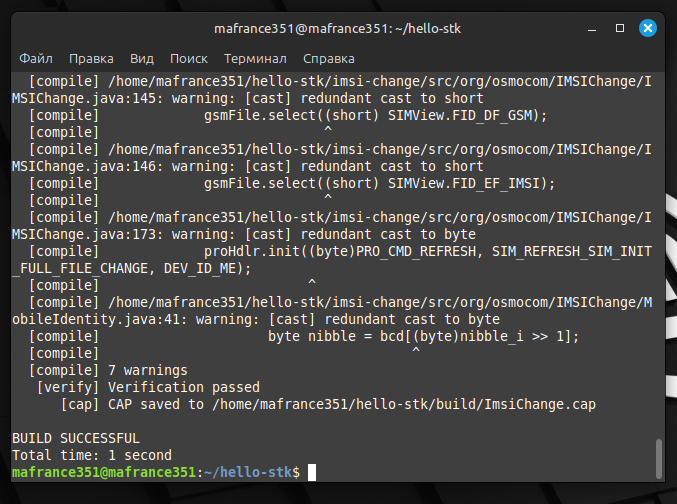
Now we assemble it with the team ant.
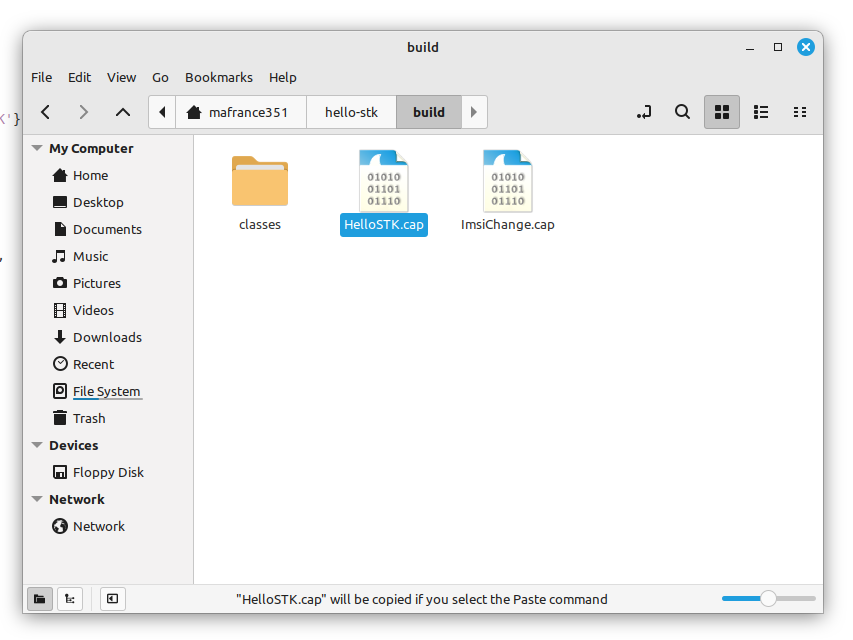
After this, we will receive an applet (with *.cap extension), ready to be uploaded to the card.
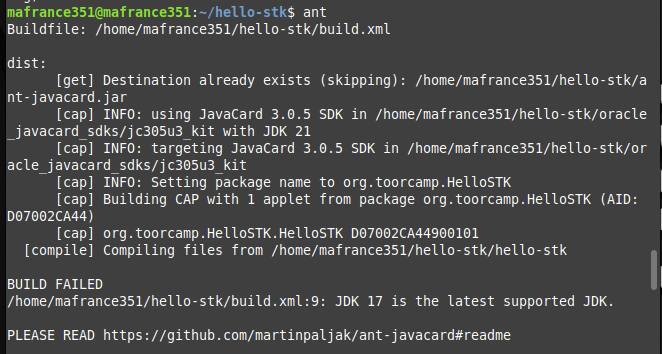
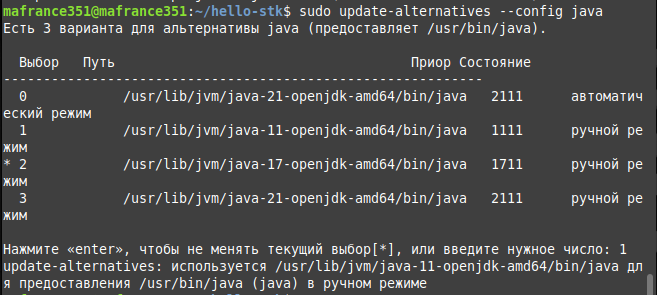
If you get an error when trying to build, it means that you have a newer version of the JDK installed, with which the downloaded JavaCard SDK is incompatible. To select the one you need, enter the command:
sudo update-alternatives --config java
Now all that remains is to select the one you need from the list:
I don’t know how commercial applications for SIM cards are debugged, since I haven’t found any SIM ToolKit emulators. There is, of course, software like jCardSim, but it does not have STK support; you need to add it yourself. Something closer to the truth was included in the Gemalto Developer Suite, but the software was not preserved in the Web Archive, and all the links found in the open spaces led either to viruses or to outright garbage like the website informer.com. Of course I'm not real
❯ KIK, KIc and KID
Now let's look at the most interesting thing - how applets get into the SIM card's memory. This happens with the help of secure packets - APDU of a special structure, which are sent either by the phone (if configured over the air) or by the smart card reader where the SIM card is inserted. To carry out any operations you need to know administrative keys. For regular SIM cards, they are known only to the operator, so we won’t be able to use them. So it's time to find out how the programmers are doing. If you have Gialer SIM cards, then the configuration (as well as the installation of applets) is done using their software; in the case of Sysmocom, all data is sent when ordering (as indicated by the inscription Key material has been sent to the e-mail address entered during webshop order on new SIM cards). If you don't have the keys, you can't get them again. By the way, a long time ago Sysmocom sold its SIM cards a little cheaper without providing administrative keys. This option won’t suit us today either; if you have exactly these, you’ll have to order new ones.
There are only three keys associated with this most important process:
- KIc. This key is the most important. It encrypts the contents of the protected packet.
- KID. The verification key is used to perform three operations called RC/CC/DS (Redundancy Check/Cryptographic Checksum/Digital Signature).
- KIK. In some ways it resembles KLK in payment terminals (although it differs from it in purpose). The KIc and KID are encrypted with this key for their secure transmission. In new versions of the standard it is called DEK (Data Encryption Key).
Thanks to the latest key, it is possible to download applications and files over the air. That is, if the operator changes some settings, he, having administrative keys, will update this data in the SIM card over the network; a subscriber’s visit is not required for this.
There are only two processes for accessing SIM card data - RFM (Remote File Management) and RAM (Remote Applet Management). During the first, files are added or changed to the FS of the card, during the second, applets are downloaded, installed or removed.
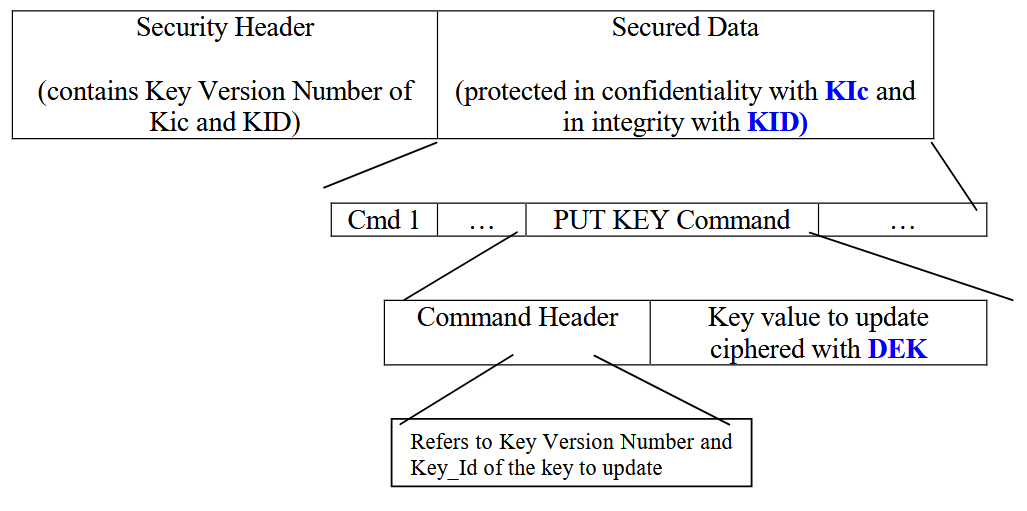
And here is the structure of the protected package.
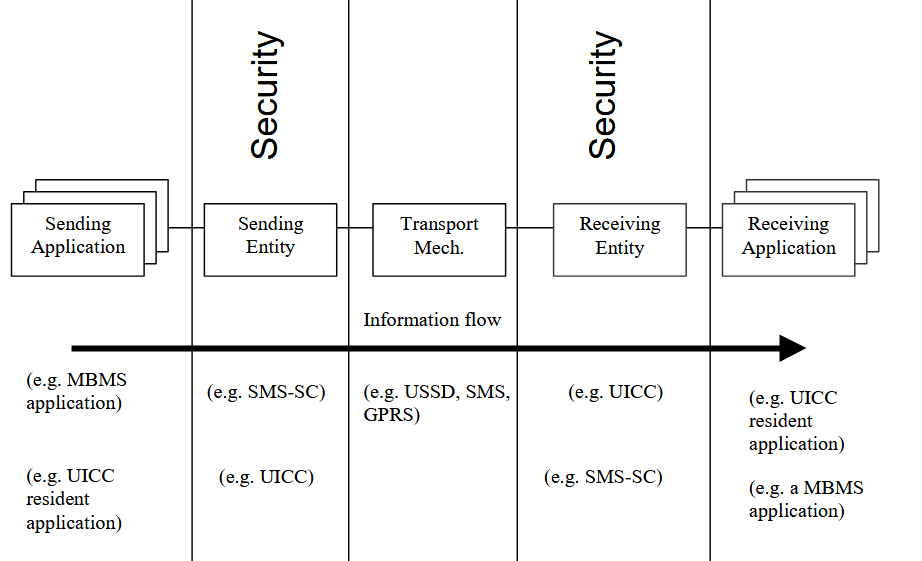
The operator can transmit these same packages via GPRS, USSD or service SMS. For the user, everything is absolutely transparent, this process is invisible to him.
❯ Loading the applet
Now let's return to that very script shadysim.py. He will help us load our application into the card’s memory.
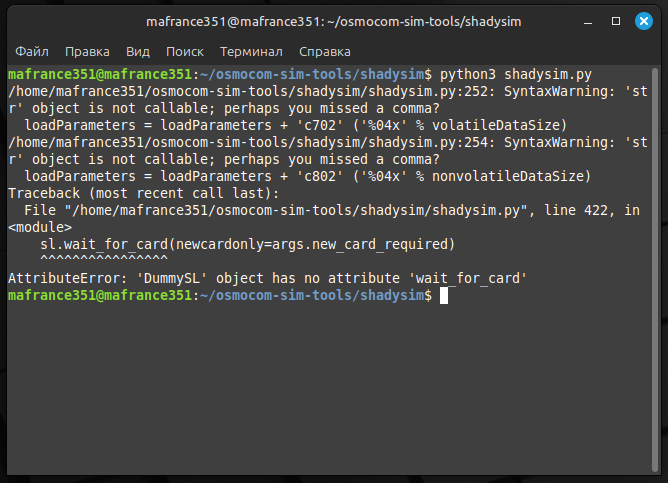
If you run it without a connected reader, an error like this should appear.
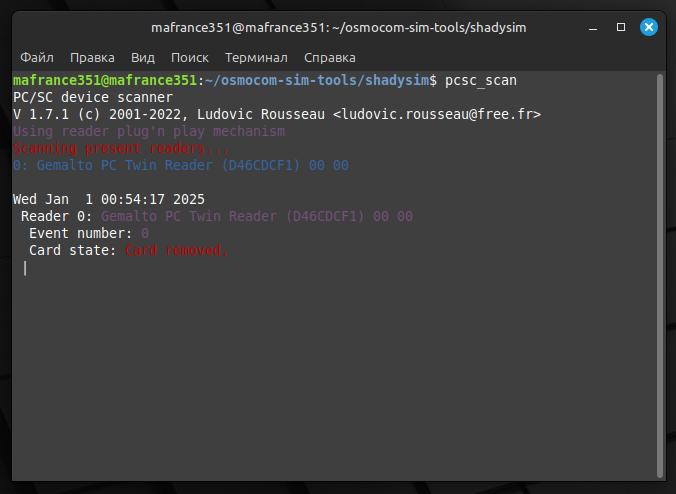
We plug the card reader into the computer. To make sure it works, enter:
pcsc_scan
If there are no problems, it will appear in the list of available readers.
Now you need to insert the card and run the following command:
python3 shadysim.py --pcsc -l HelloSTK.cap -i HelloSTK.cap \
          --enable-sim-toolkit --module-aid d07002ca44900101 \
          --instance-aid d07002CA44900101 \
          --nonvolatile-memory-required 0100 \
          --volatile-memory-for-install 0100 \
          --max-menu-entry-text 15 \
          --max-menu-entries 05 --kic KIc1 \
          --kid KID1
Here the file name is the very applet that we need. This script immediately downloads it (that is, copies the applet into the SIM card’s memory) and installs it (registers and activates it). An equally important parameter is AID - the application code (Application ID), by which it can be uniquely identified (it can be set in the build.xml file, here we indicate it when loading). If you try to install two applications with the same AID, the card will throw an error. Of course, KIc and KID need to be replaced with your data. A SIM card may have several groups of such keys, select the first one.
It would not be superfluous to recall that all administrative keys and codes have properties similar to those of PIN and PIN2. If you enter any of them incorrectly three times, the card will either die or lose some of its functions (for example, if you block the ADM key, you will never be able to change IMSI, Ki, OPc and other similar data). Please check that the entered data is correct before performing anything.
So, we will assume that the codes you indicated are correct. We execute the command, and if no abnormal situations occur during the process, something like the following should appear in the console:
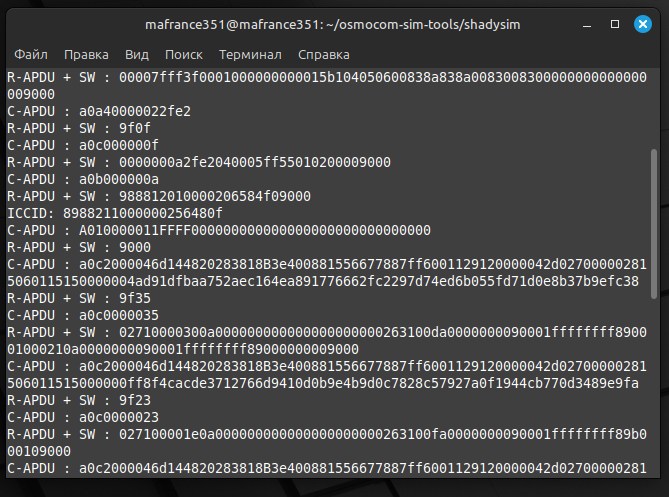
Time to test. First of January, five o'clock in the morning. The city is falling asleep, the mafia also wants to sleep. Well, for now, we take out the SIM card and plug it into the phone.
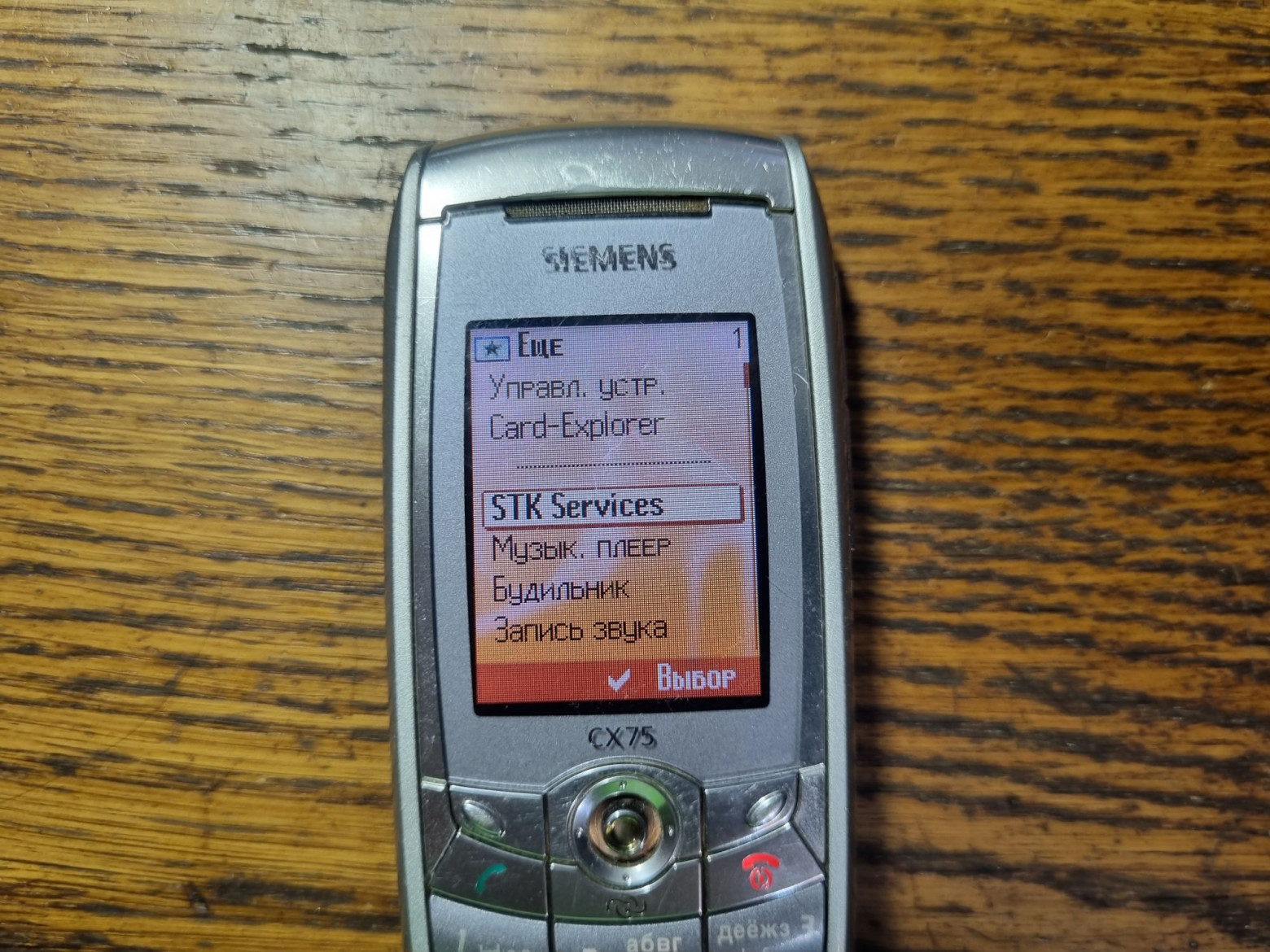
We turn it on, and if the applet is successfully installed, the SIM menu should become active on the phone.
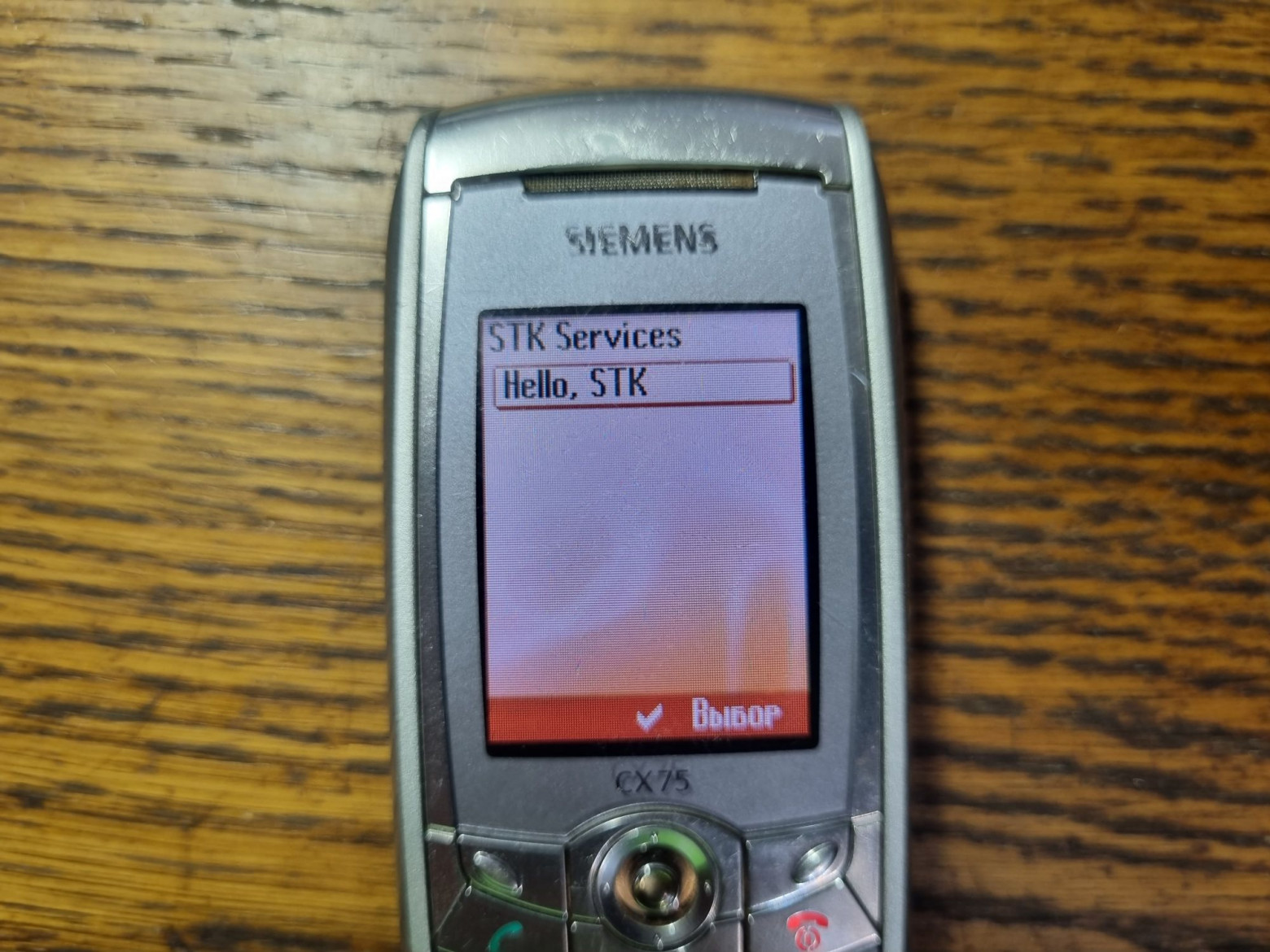
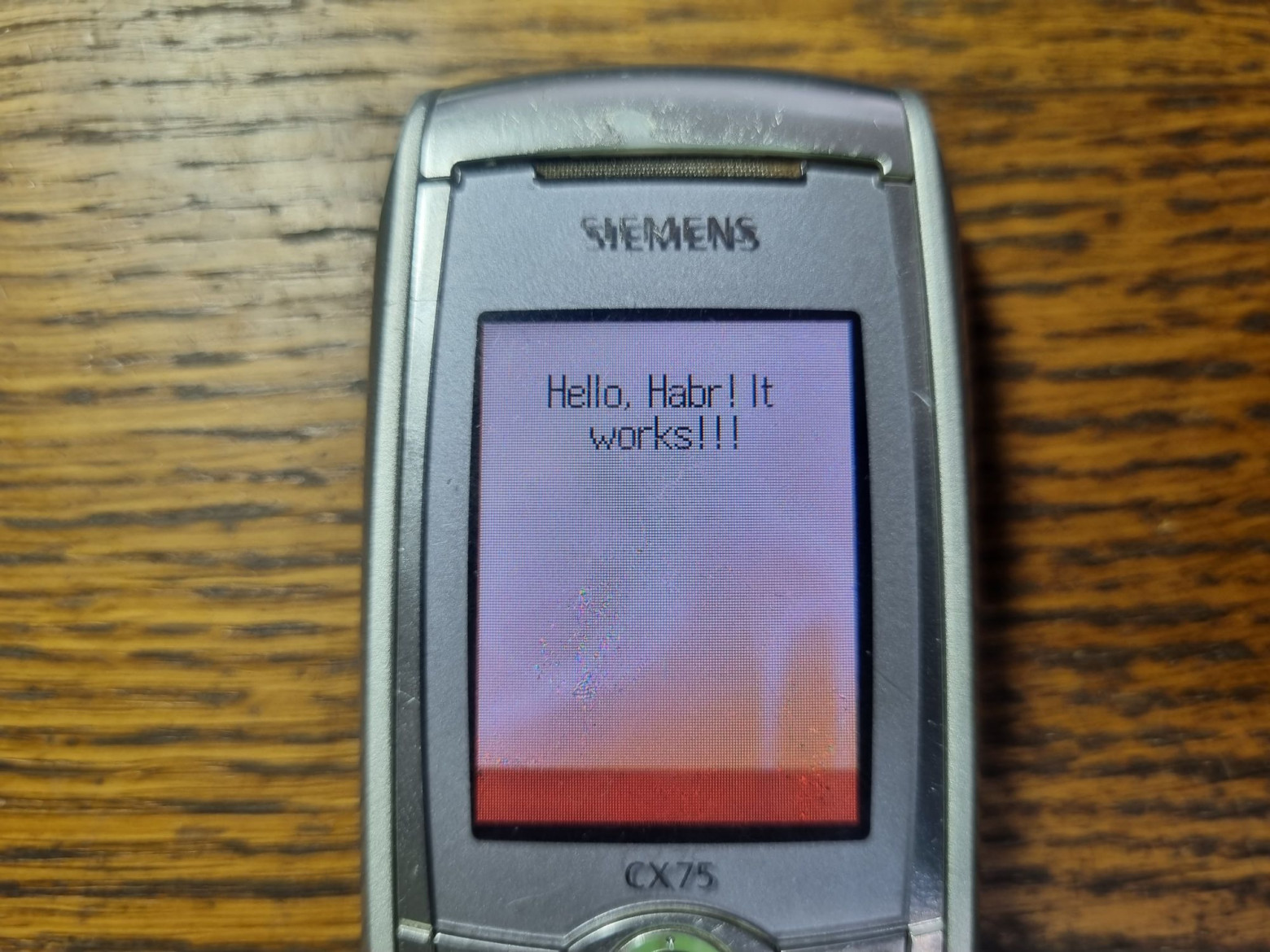
Well, it works!
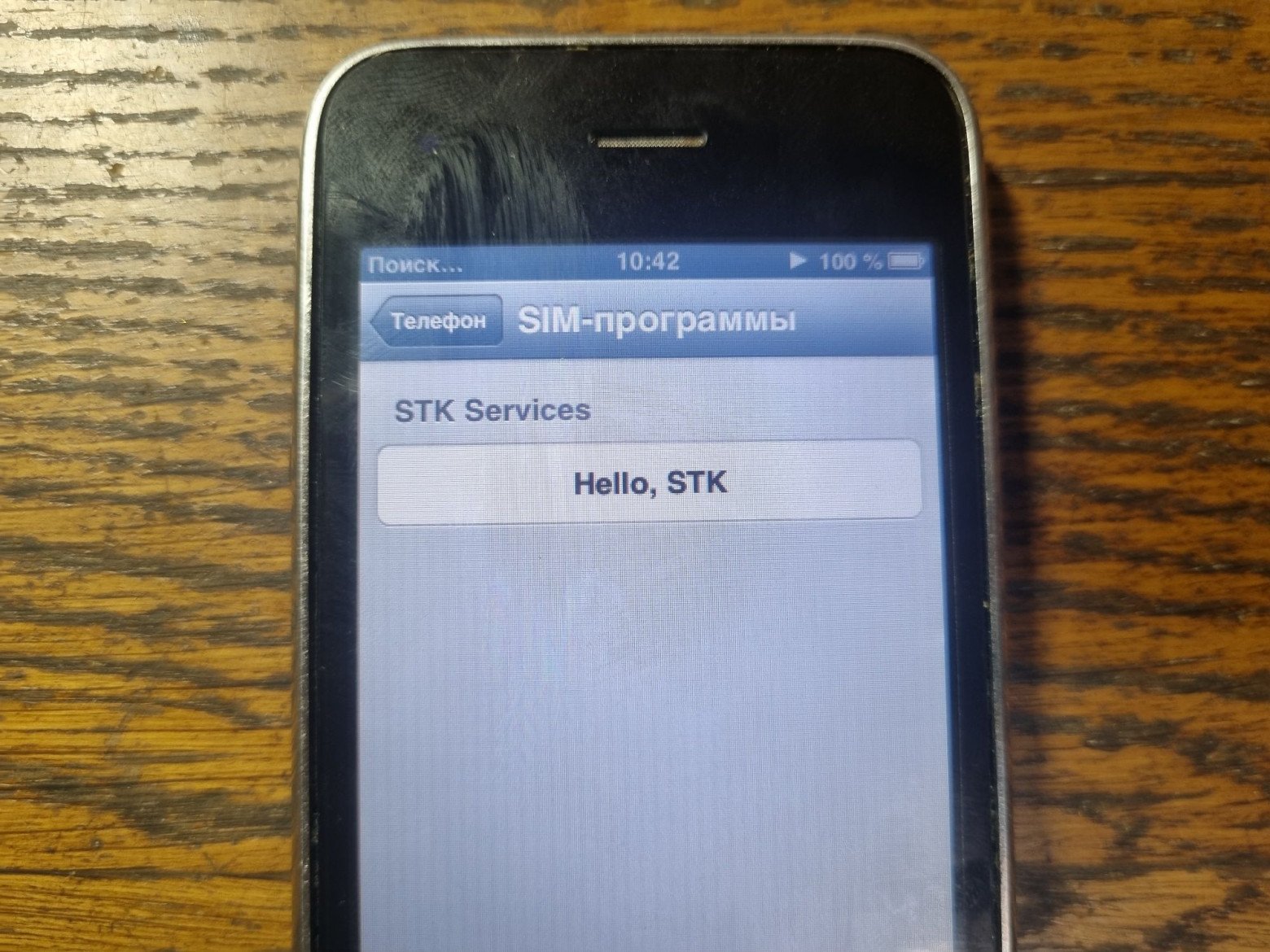
In the same way, you can insert the card into any other phone and make sure that everything starts there too.
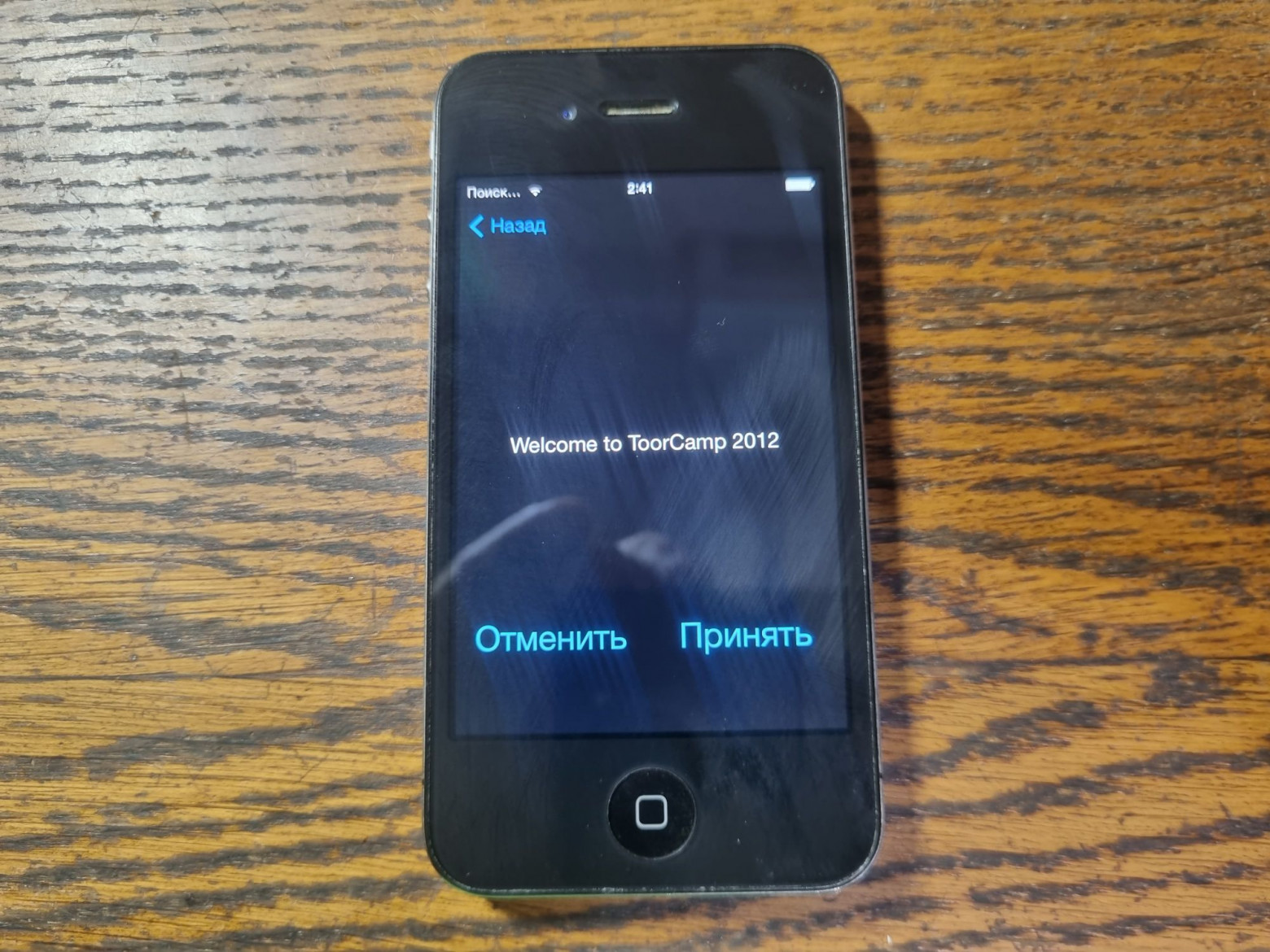
And on the third phone too. This is because the application runs on the SIM card itself, and the phone only sends commands to it.
❯ Removing the applet
As I said earlier, you cannot roll one applet on top of another. Therefore, to download the new version, the old applet must be demolished.
And first, we get a list of installed applications on the card:
python3 shadysim.py --pcsc --list-applets --kic KIC1 --kid KID1
After running the command, the console will display something like this:
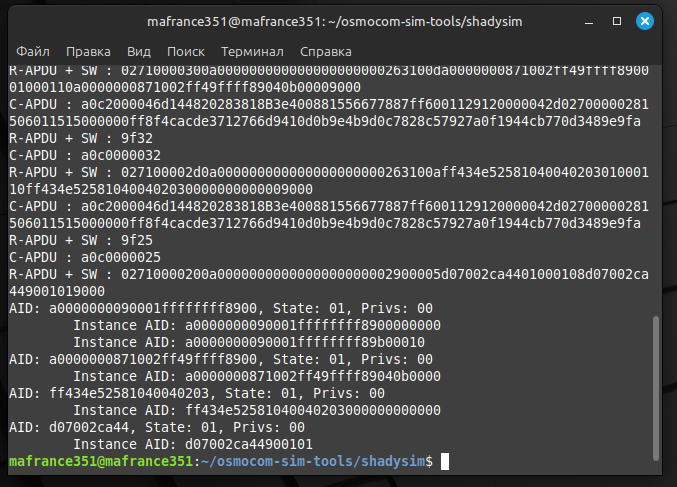
The last AID in the list is our HelloSTK. Above are system applications.
It can be removed quite simply:
python3 shadysim.py --pcsc -d AID --kic KIC --kid KID
This command will make the applet disappear from the map.
❯ Errors
As you know, only in tutorials like this is all the code written jokingly and works the first time. Therefore, it is worth talking about mistakes.
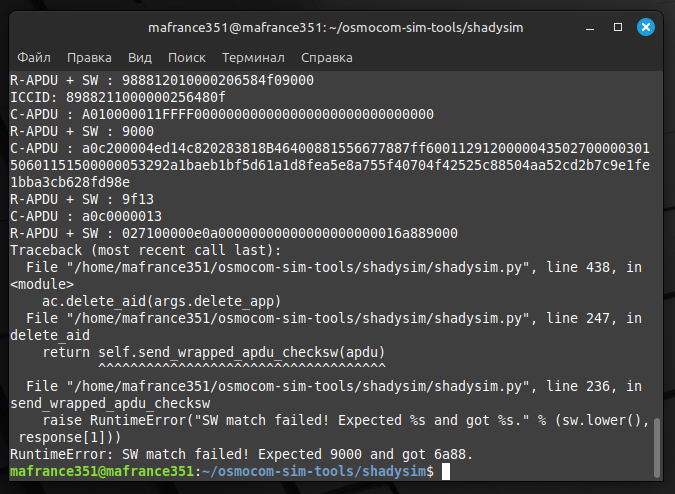
If after executing the script you see a line like this at the end, it means something went wrong. Unfortunately, I was unable to find detailed documentation about what each error code means (neither on the Osmocom website nor in the Sysmocom manual). But we managed to discover a certain pattern:
- 6985 is a duplicate AID. Simply put, an attempt to install an applet that is already installed. Eliminated by demolishing the old applet and rolling a new one.
- 6A88 - missing AID. Typically occurs when deleting an applet that does not exist.
- 6A86 - error in parameters. It helped to reinstall the applet.
- 6438 - probably an exchange error. It was possible to get out of it only by reinstalling the applet using a different reader.
If anyone knows where to find a more detailed description, I would be glad to read it.
❯ What's the end result?
Frankly, I didn’t expect that assembling and loading a simple applet would turn out to be such a tedious task. But it was very exciting to understand these cards, readers and software.
The scope for experimentation here is simply huge, starting with simple applets and ending with some text quest with menus that works entirely on a SIM card. While I was figuring it out, I found about a dozen examples of different applications, some that worked and some that didn’t. But we’ll talk about what else remarkable things you can write for a SIM card in the next article.
Such things.
News, product reviews and competitions from the Timeweb.Cloud team - in our Telegram channel ↩

Links:
- Osmocom SIM tools
- Osmocom SIM toolkit guide
- Sysmocom USIM manual
- Javacard SDK
- Another applet example
- Conference DEFCON 21. “The secret life of SIM cards.” Eric Butler, Karl Kosher
Read also:
- ➤ New Year's garland for a transport lover
- ➤ DIY LED Cube: turning Arduino Nano into ESP32 (was it even possible?)
- ➤ City of childhood: what will happen if you continue playing SimCity 2000 after 25 years
- ➤ Hack a Soviet musical doorbell
- ➤ Winter literary tops: from horror to children
- ➤ New Year's garland for a transport lover
- ➤ DIY LED Cube: turning Arduino Nano into ESP32 (was it even possible?)
- ➤ City of childhood: what will happen if you continue playing SimCity 2000 after 25 years
- ➤ Hack a Soviet musical doorbell
- ➤ Winter literary tops: from horror to children
Why This Matters In Practice
Beyond the original publication, Writing an application for a SIM card matters because teams need reusable decision patterns, not one-off anecdotes. Greetings everyone! I think many of you have heard the statement that a SIM card is essentially a full-fledged specialized computer. And sin...
Operational Takeaways
- Separate core principles from context-specific details before implementation.
- Define measurable success criteria before adopting the approach.
- Validate assumptions on a small scope, then scale based on evidence.
Quick Applicability Checklist
- Can this be reproduced with your current team and constraints?
- Do you have observable signals to confirm improvement?
- What trade-off (speed, cost, complexity, risk) are you accepting?
FAQ
What is this article about in one sentence?
This article explains the core idea in practical terms and focuses on what you can apply in real work.
Who is this article for?
It is written for engineers, technical leaders, and curious readers who want a clear, implementation-focused explanation.
What should I read next?
Use the related articles below to continue with closely connected topics and concrete examples.





