Why Files Got Smaller: Photo and Video Formats Explained
Modern image and video formats like JPEG, HEIC, and AV1 have made identical content occupy dramatically different file sizes. This article breaks down how each compression standard works and why the evolution from JPEG to AV1 represents a fundamental shift in how we encode visual information.
We photograph with smartphones, share images through messengers, and upload videos to the cloud — rarely questioning why identical content can occupy significantly different file sizes while maintaining visual fidelity. The answer lies in decades of codec evolution, driven by the harsh realities of storage costs and network bandwidth.
Historical Background
Uncompressed images would consume hundreds of megabytes each, making transmission over 1990s internet infrastructure completely impossible. JPEG emerged as a revolutionary solution using lossy compression with the Discrete Cosine Transform (DCT), achieving approximately 10× compression by discarding data the human eye cannot detect.
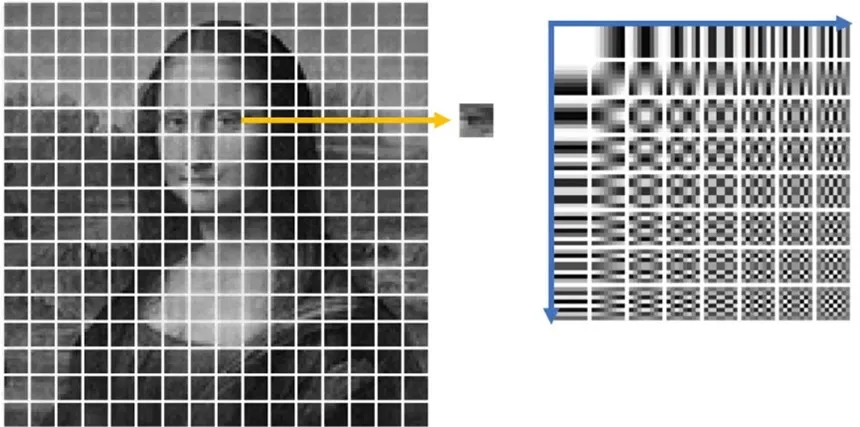
The format divided images into 8×8 pixel blocks, converting pixel values into frequency components. High-frequency components — fine details and noise — could be discarded without noticeable quality loss. Progressive mode allowed low-resolution images to display first, gradually improving quality as more data arrived, which was essential during the dial-up modem era.
By the mid-2010s, JPEG showed its limitations as mobile cameras captured tens of megapixels and 4K video became standard. Apple introduced HEIC, based on the HEVC (H.265) video codec, offering twice the compression efficiency, 16-bit color support, and the ability to store complete scenes with Live Photo effects and lighting variations in a single file.
AV1 followed, developed by the AOMedia alliance (Google, Mozilla, Microsoft, and others) specifically to escape patent restrictions. It compresses approximately 15% more efficiently than HEIC while remaining completely royalty-free. YouTube, Netflix, and all major browsers now actively implement AV1.
How JPEG Compression Works
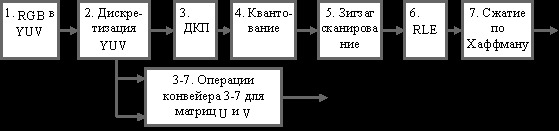
JPEG is fundamentally an algorithm, not merely a file format. Most JPEG files use the JFIF (JPEG File Interchange Format) container wrapper. The compression process works in several stages:
- Convert from RGB to YCrCb color space, separating brightness (Y) from color channels (Cr, Cb). Human eyes perceive luminance changes far more sensitively than minor color variations.
- Apply chroma subsampling — storing color data at lower resolution than brightness data, discarding detail the eye cannot perceive anyway.
- Divide the image into 8×8 pixel blocks.
- Apply DCT to each block, converting pixel values to frequency components. Low frequencies represent shapes and backgrounds; high frequencies represent noise and fine details.
- Quantization — the critical lossy step where DCT coefficients are divided by values in a quantization matrix and rounded. Stricter quantization produces more zeros, stronger compression, but introduces visible artifacts.
- Zigzag reading and Huffman entropy coding to further compress the resulting data.
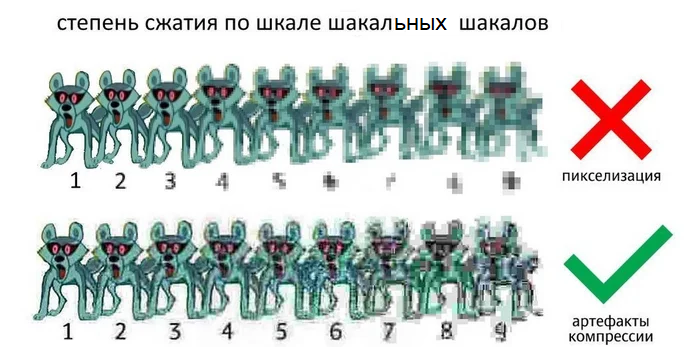
The result is 5–15× compression without perceptible quality loss at moderate settings. Aggressive quantization introduces the characteristic 8×8 blockiness and Gibbs artifacts (ringing) around sharp edges that mark heavily-compressed JPEGs.
How HEIC Compression Works
HEIC is a container format (based on HEIF) that typically uses HEVC intra-coding for its compression. Introduced by Apple in iOS 11 in 2017, it quickly became dominant in mobile photography. The key differences from JPEG are profound:
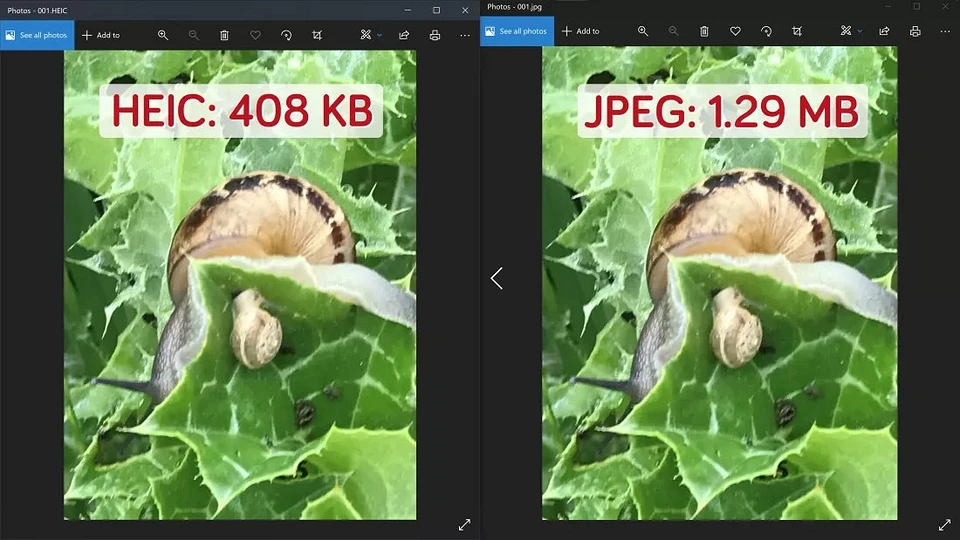
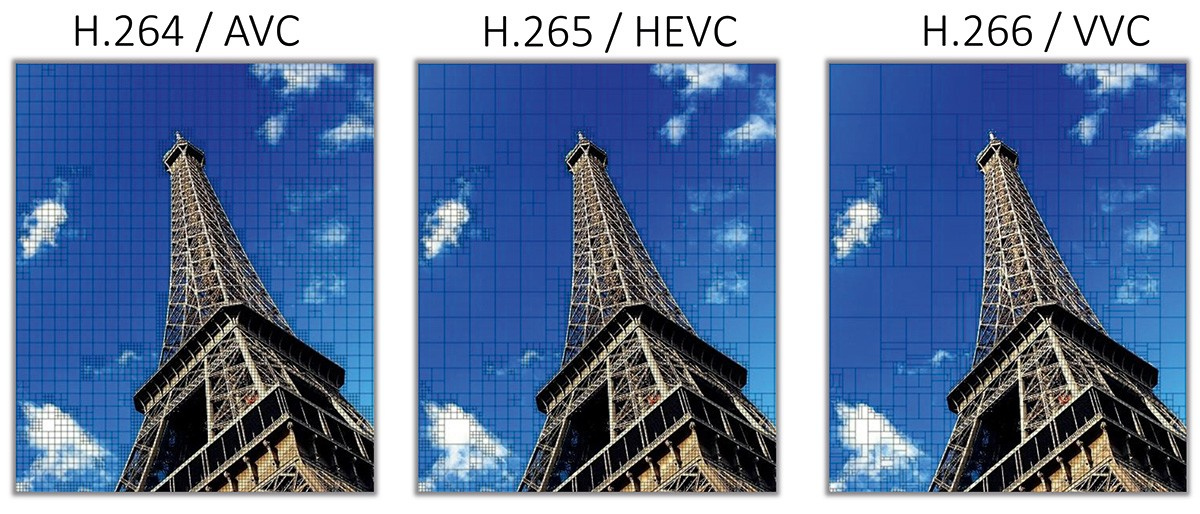
Rather than JPEG's fixed 8×8 blocks, HEIC uses variable-sized blocks — allowing the codec to use large blocks for uniform areas and small blocks for complex details, preserving fine structure far more efficiently. It applies advanced intra-frame prediction methods and CABAC (Context-Adaptive Binary Arithmetic Coding) entropy encoding instead of static Huffman coding. Files are typically 40–50% smaller than JPEG at equivalent quality.
- Supports up to 16-bit color depth per channel and HDR metadata
- Stores multiple images, Live Photos, depth maps, and alpha channels in a single file
- Includes fully editable metadata (EXIF/XMP) and supports non-destructive editing
- Built-in deblocking and SAO (Sample Adaptive Offset) filters that actively reduce blur and distortion
The main limitation is HEVC's complex licensing structure, which requires additional codec extensions on some platforms — notably the Windows HEVC extension — and has slowed web adoption.
AV1: The Next Generation
Released in 2018, AV1 represents the next major evolution beyond both VP9 and HEVC for internet streaming and high-resolution content. Its technical feature set is extensive:
- Non-fixed block structures with multiple size variants and transform shapes
- Both intra-frame and inter-frame prediction with sophisticated motion models
- Variable macroblock sizes and adaptive quantization — allocating bits where they matter most
- 10-bit color and HDR support
- High quality even at very low bandwidth
The initial trade-off was encoding complexity — AV1 demanded substantially more CPU power than its predecessors. However, hardware acceleration integrated into modern GPUs and SoCs has largely resolved this, and browser support is now universal.
AVIF — the image format that packages AV1 frames in ISOBMFF containers — delivers superior compression with extended capabilities compared to HEIC. The AOMedia consortium has already announced AV2, with an anticipated late-2025 release, promising approximately 30% reduced bitrate at equivalent quality plus improvements for AR/VR content and screen-capture material.
Format Comparison
| Feature | HEIC (HEIF + HEVC) | JPEG | PNG |
|---|---|---|---|
| Compression Type | Lossy (intra-coding), lossless optional | Lossy (DCT + quantization) | Lossless |
| Color Depth | Up to 16 bits/channel | Typically 8 bits/channel | 1–16 bits/channel |
| Transparency | Supported (HEIF container) | Not supported | Supported (alpha channel) |
| Animation/Multi-frame | Image sequences in container | Single image only | Supported (APNG) |
| Metadata | Extended (Exif, XMP, HDR, depth, editing) | Basic (Exif, IPTC, XMP) | Text chunks |
| Compatibility | Good on iOS/Android; partial on web/Windows | Universal | Widely supported |
| Typical Use | Smartphone photos, compact storage | General photography, sharing | Graphics, logos, transparency |
| HDR Support | Possible (implementation-dependent) | Limited | Limited |
| File Size (equal quality) | Smallest | Medium | Largest (lossless) |
Why Files Actually Got Smaller
The reduction in file sizes is not the result of a single breakthrough but the convergence of several trends:
Codec evolution. Older formats targeted the computational and network realities of their era. HEVC and AV1 employ predictive coding where portions of an image or video frame are reconstructed from adjacent blocks or previous frames, eliminating redundancy that older codecs ignored. Variable macroblock sizes, adaptive quantization, and sophisticated motion models replace the rigid fixed-block approaches of JPEG and H.264.
Computational power. CPU performance growth and dedicated hardware accelerators — encoder/decoder blocks embedded in smartphone chipsets and graphics cards — enabled algorithms that would have been impractical in 1995. iPhones, Android devices, YouTube, and Netflix all leverage hardware-accelerated HEVC or AV1 behind the scenes, processing complex compression in real time.
Codec profiles and presets. A codec profile defines which features are available; presets balance encoding speed against compression quality. Smartphones select fast HEIC presets for immediate cloud upload or messenger delivery. Archived photos use lower-compression profiles preserving higher quality. Video streaming services select presets dynamically based on device type and network conditions.
Traffic economics. Messaging platforms — Telegram, WhatsApp, Instagram — automatically re-encode files during transmission, reducing resolution and bitrate through optimized profiles to ensure instant loading with minimal bandwidth overhead.
The Broader Format Landscape
Beyond the three main formats, the ecosystem includes formats for every niche:
- PNG — Web graphics standard; lossless compression with full transparency support
- GIF — Animation and limited-color images (maximum 256 colors)
- WebP — Google's versatile format supporting both lossy and lossless compression, animation, and transparency
- AVIF — AV1-based image format with superior compression and extended capabilities
- TIFF — Professional photography and printing; lossless, layered, full color-profile support
- RAW — Unprocessed camera sensor data; maximum information for flexible post-processing
- SVG — Scalable vector graphics without quality loss at any resolution
- BMP — Uncompressed Windows raster format (produces very large files)
On the video side: H.265 (HEVC) offers better efficiency than AVC but faces adoption friction from licensing fees; VP9 is Google's codec with strong compression; VVC (H.266) promises higher compression than AV1 but is similarly encumbered by licensing.
Practical Compression Benchmark
To make the trade-offs concrete, consider a test encoding 700 JPEG photos (~2,825 MiB total, approximately 4000×3000 pixels each) on a Pentium Gold dual-core system with 32 GB RAM, running two parallel processes with encoder multi-threading disabled:
- AVIF-AOM-s9: 2 min 05 sec → 488 MiB
- WebP-m4: 6 min 48 sec → 502 MiB
- AVIF-AOM-s8: 8 min 07 sec → 479 MiB
- WebP-m6: 12 min 16 sec → 467 MiB
- AVIF-AOM-s7: 18 min 08 sec → 470 MiB
- AVIF-RAV1E-s9: 39 min 05 sec → 695 MiB
- AVIF-SVT-s9: 53 min 31 sec → 653 MiB
AVIF using the libaom encoder and WebP demonstrated the best speed-to-compression balance. JPEG-XL variants generally underperformed on both metrics in these tests. Notably, encoder implementation matters enormously: RAV1E and SVT-AV1 encoded far slower than libaom without producing superior results.
The practical conclusion: WebP remains an excellent default for compatibility and fast decoding. AVIF with libaom offers the best compression when encoding time is acceptable. When selecting formats for production use, weigh compression metrics alongside the availability of reliable, well-maintained encoder and decoder implementations for your specific infrastructure.



