The Mystery of Amazon's Dropdown Menu
Ben Kamens discovered that Amazon's 'Shop by Department' dropdown menu responds instantly without the usual hover delay — and the clever triangle-based algorithm behind it turns out to be a brilliant, rediscovered piece of UX engineering.
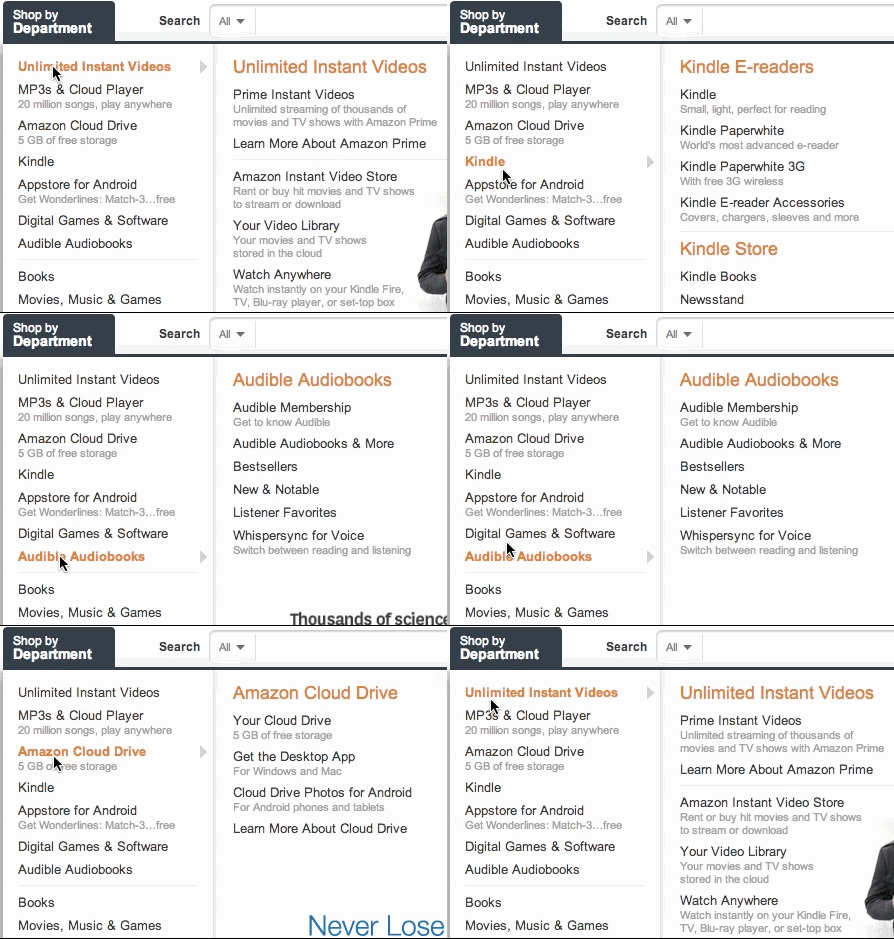
Ben Kamens discovered that the "Shop by Department" dropdown menu on Amazon's website responds to hover incredibly fast — with absolutely no delay whatsoever. This violates an old rule established back in the 1990s: before displaying a submenu item, there should be a so-called hysteresis — a brief delay.
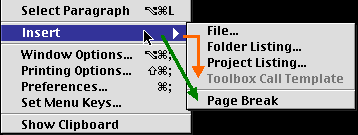
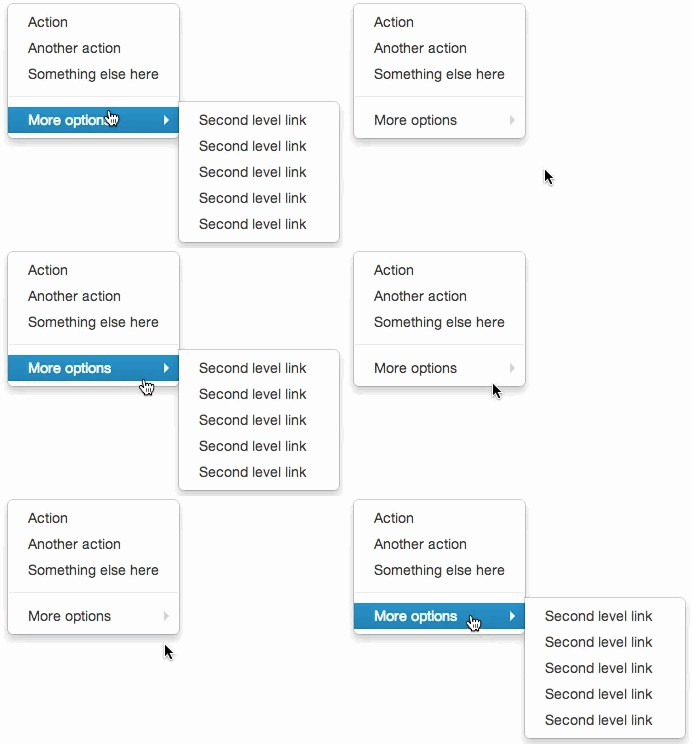
The delay is necessary not only to conserve the user's machine resources, but also for usability reasons: without a delay, moving the mouse cursor to an open submenu becomes inconvenient. You'd have to move it strictly horizontally into the submenu without accidentally touching other menu items, and only then select the desired sub-item.
An example of this problem in Mac OS. Due to the lack of delay, the green path wouldn't work in NEXTSTEP and widgets inherited from it.
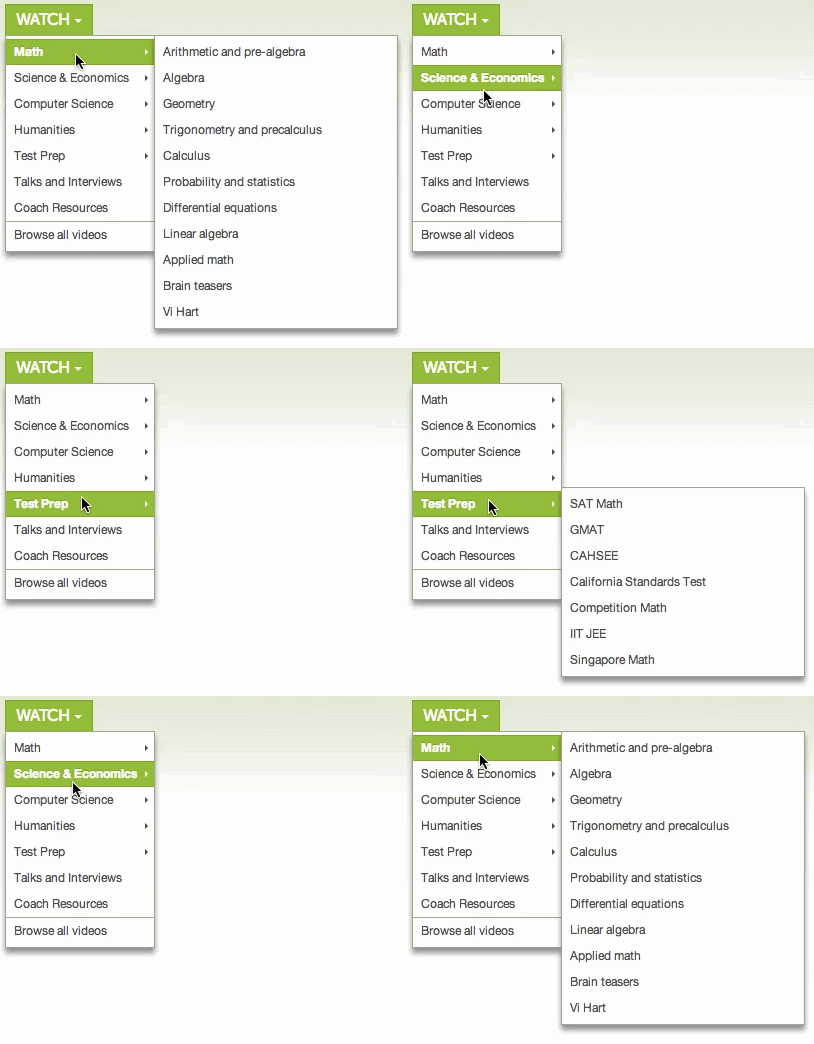
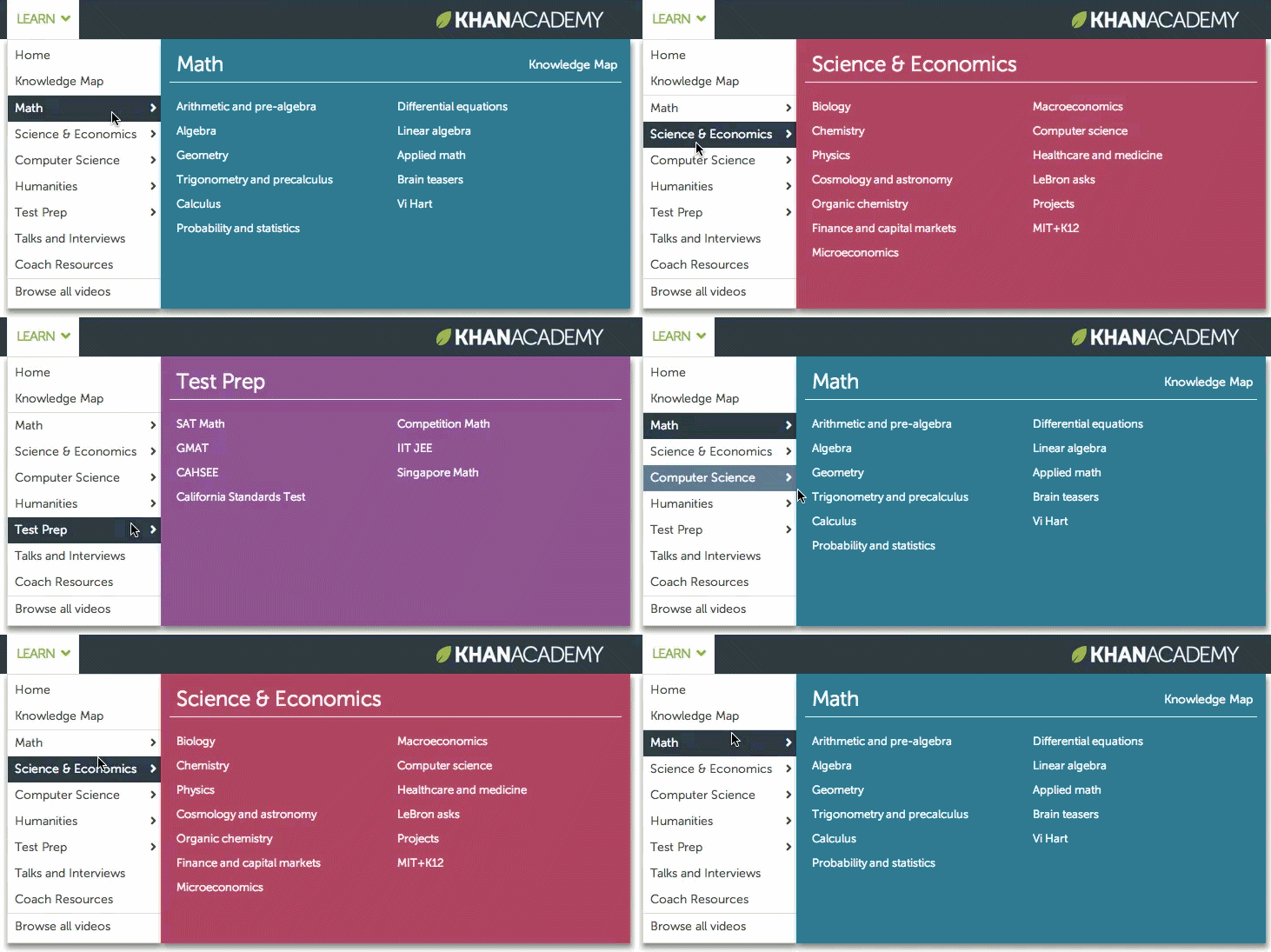
This delay exists in virtually all menus with dropdown elements — for example, on the Khan Academy website.
Ben was deeply puzzled by how Amazon solved this problem. The question sent him into a trance, much like the physicist crossing the road in the XKCD comic "Nerd Sniping" — drawn in by a seemingly useless problem about calculating the resistance between two points of an infinite grid of one-ohm resistors. After all, if there were no delay, hovering over a different menu item would trigger a new submenu, making it impossible to reach the one you'd already seen. This is exactly what happens, for instance, in Twitter's Bootstrap.
So what did Amazon do with their website? Ben figured out that the cursor's path is determined in a special way.
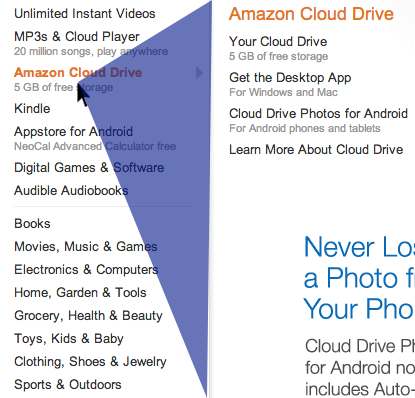
For each cursor position, a triangle is calculated with vertices at the cursor's location and the upper and lower corners of the currently open submenu (highlighted in blue in the illustration). If the cursor lands on a different menu item while still within this blue triangle, the currently open submenu will change, but with a delay that gives the user a chance to move the cursor into the submenu area. There's no point in immediately switching the submenu to "Appstore for Android" just because the cursor crossed it — the user might be heading toward the "Learn more about Cloud Drive" option. However, if the cursor is outside the triangle, the submenu switches immediately, with no delay.
This essentially minor detail — once invented, forgotten, and rediscovered — inspired Ben to write a small jQuery plugin called jQuery-menu-aim, which implements the same principle for dropdown submenu behavior. It's already being used on the Khan Academy website.
FAQ
What is this article about in one sentence?
This article explains the core idea in practical terms and focuses on what you can apply in real work.
Who is this article for?
It is written for engineers, technical leaders, and curious readers who want a clear, implementation-focused explanation.
What should I read next?
Use the related articles below to continue with closely connected topics and concrete examples.





