Sony Produce: An Amazing Device That Looks Like a Laptop
An exploration of the Sony Produce 100 and 200 — specialized Japanese word processors (wapuro) from the late 1980s that were often mistaken for laptops, designed specifically for the unique challenges of Japanese text input.
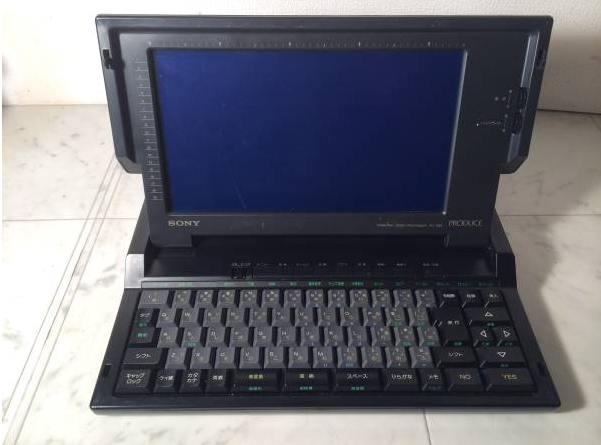
The other day, scrolling through listings on the country's most famous classifieds website, I accidentally stumbled upon an extremely interesting lot. The seller had titled it "Very rare vintage Sony Produce 200 laptop," and in the description complained that he couldn't find any detailed information about it anywhere. Intrigued by this device, I set out to research it — and indeed, neither popular search engines nor even neural networks knew almost anything about this mysterious gadget. But with persistence, I finally figured out why. First, it's not a laptop at all. And second, the device is quite specific, which is why Google and Yandex don't know about it... But let's take it from the top.
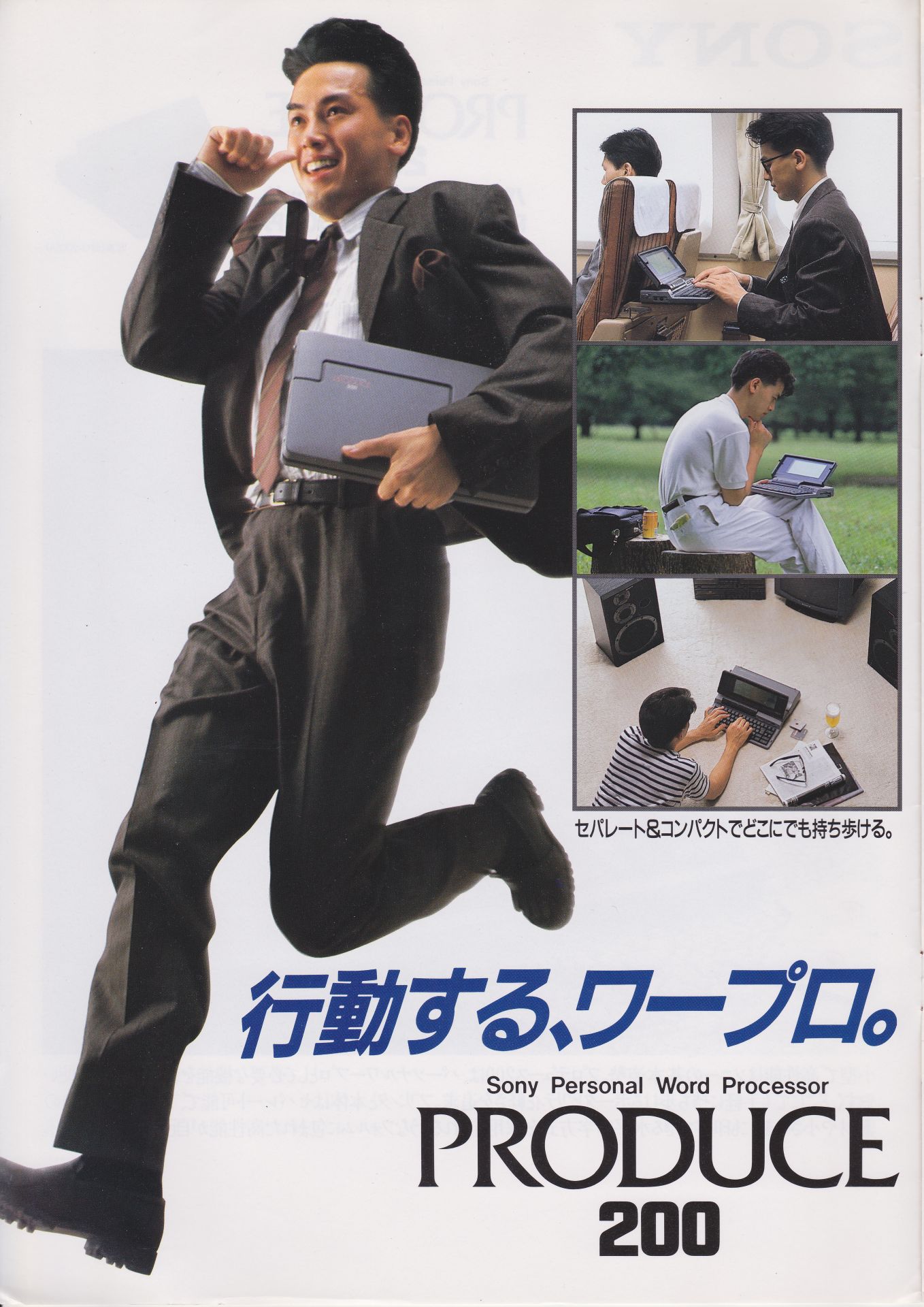
Japan, 1987: A Different Path
Let's travel back to 1987. In the USSR, perestroika was in full swing, 18-year-old German pilot Mathias Rust landed his plane on Red Square in Moscow, and in the capitalist world, the first mass-market laptops were gaining popularity: the IBM Convertible and Toshiba T1000 — with the notable exception of Japan, which, characteristically, was confidently following its own path.
While employees of European firms collectively hauled noisy typewriters to the dump — their place on office desks taken by personal computers with dot-matrix printers — the Japanese stubbornly clung to the idea of specialized devices. The reason was simple: in Japan, text is not just text. It's ideograms, syllables, context, and aesthetics. Try making an IBM PC from 1986 quickly and conveniently input — let alone display on screen — kanji characters, and you'll understand why Japanese engineers decided that laptops were not for them.
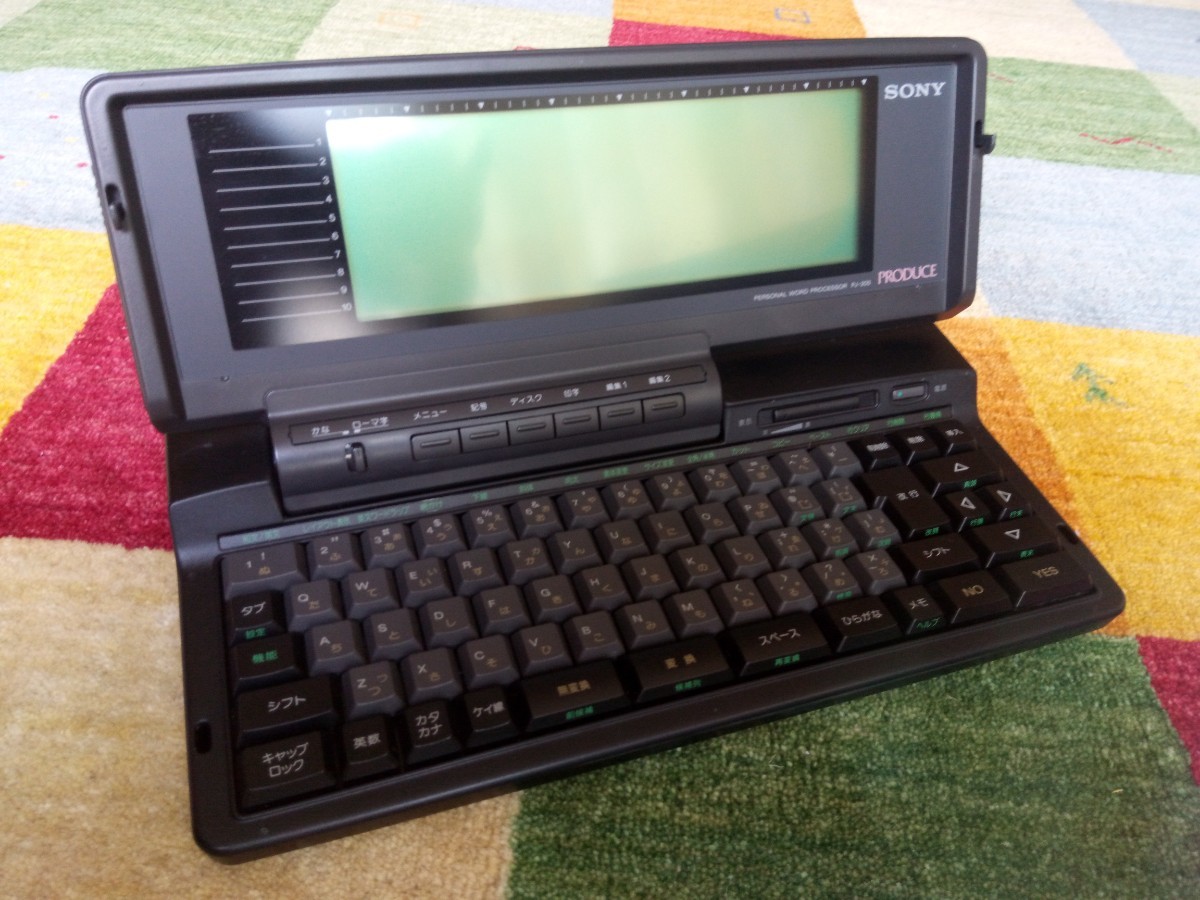
The Rise of Wapuro
As an alternative, Japan developed so-called word processors, or ワープロ ("wapuro") — specialized text processors: elegant devices that outwardly resembled a cross between a laptop and a typewriter. They were indeed easy to confuse with a laptop: full-size keyboard, small LCD display, built-in disk drive. But architecturally, this was still a typewriter — albeit a very advanced one with a large number of built-in functions beyond simple text input and editing. They worked very fast: turn it on, and in a second you're typing. No boot-up, no drivers, no operating systems, no programs to launch. Everything was tailored for one task: to quickly, beautifully, and error-free type a document... in Japanese.
The popularity of these devices can be explained by several factors. First, Japanese companies and government institutions in the 1980s were drowning in paperwork. Documents, letters, reports, internal directives — everything was printed, signed by managers, and these papers needed to be formatted beautifully, since the appearance of documents holds cultural significance in Japan. Second, personal computers with English interfaces seemed too complex for ordinary secretaries, clerks, and office workers who often didn't speak foreign languages. And here was a compact device with a simple Japanese menu and a built-in kanji dictionary. And finally, Japan simply adored everything compact, functional, and technologically refined. Text processors fit perfectly into this aesthetic — small, light, convenient, emitting a melodic beep or quiet click when keys were pressed. By the mid-eighties, every Japanese firm, editorial office, medical institution, and even school had several such machines.
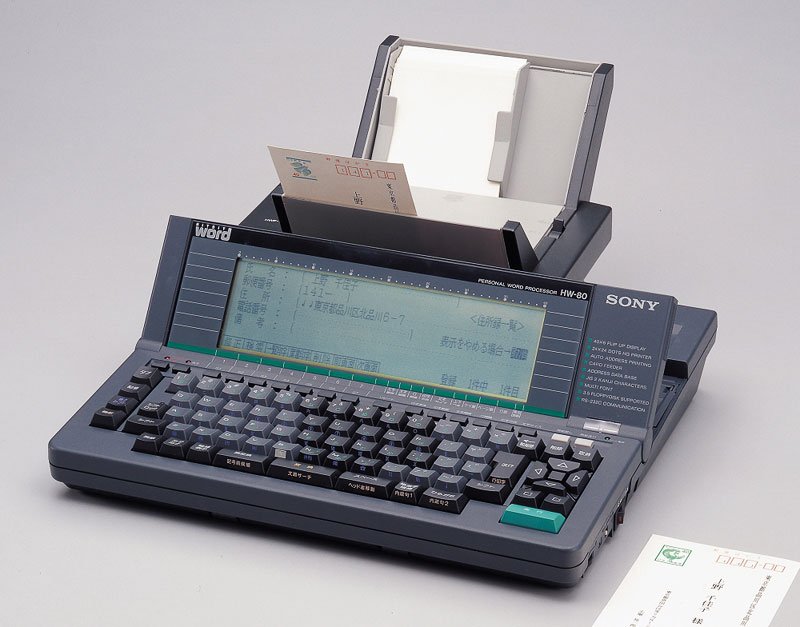
Sony Produce 100 (PJ-100)
In September 1987, Sony Corporation released one of the most popular wapuro models: the Sony Produce 100 (PJ-100), which largely inherited the technical capabilities of the previous, less successful model: the HW-80. This text processor had a flip-up LCD display with a resolution of 40 characters x 6 lines, with a separate functional field on the left side that highlighted the current operating mode. In graphics mode, the image was displayed in blocks of 16x16 dots.
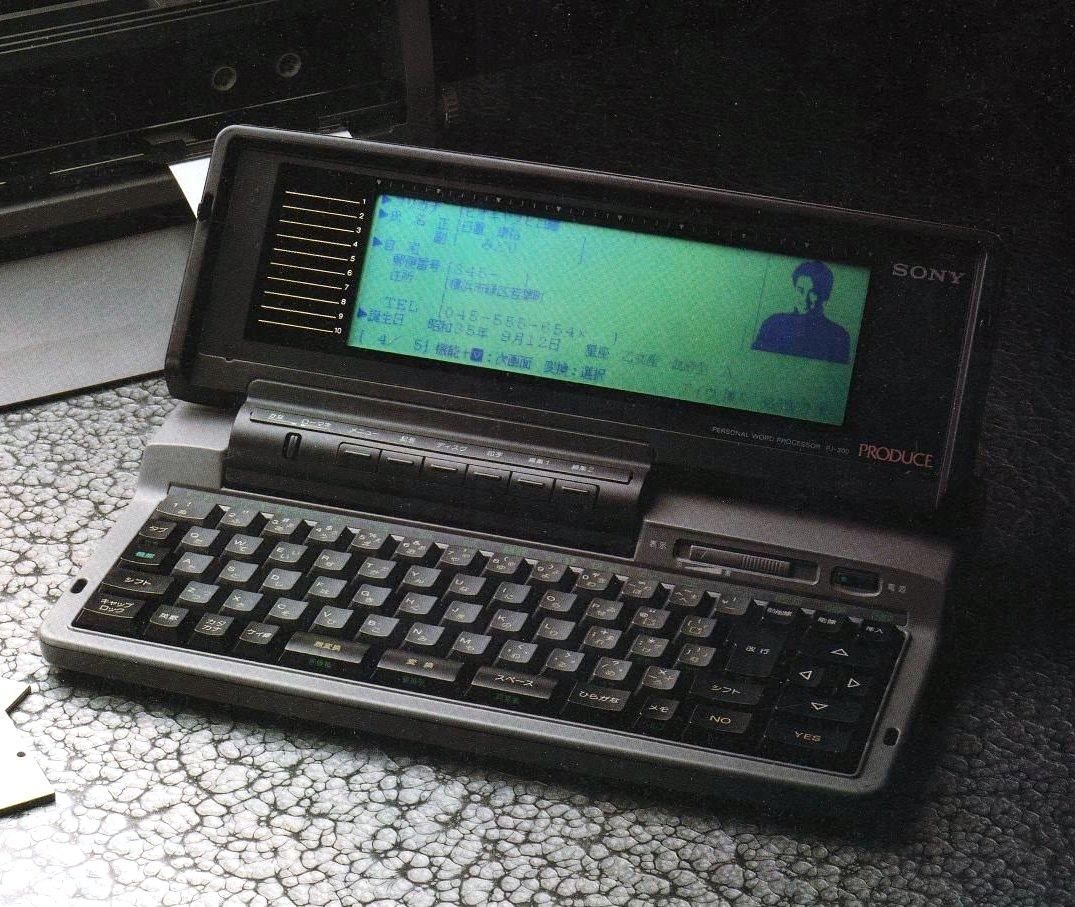
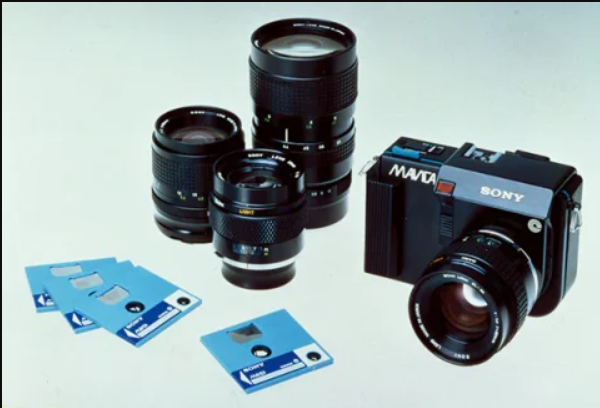
On the side was a drive for two-inch floppy disks — don't confuse it with the standard 3.5" computer disk drive. This was another local peculiarity: these specialized diskettes were used as storage media in early Japanese digital cameras made by Canon, Minolta, Fuji, Matsushita, and Sony itself, but were not found anywhere outside Japan.
The device had its own memory that stored fonts and dictionaries, and could hold up to 3,000 characters of user-entered text (the rest could be saved to diskette). It was powered from the mains through an adapter, but also allowed connection of an external nickel-cadmium battery, which was not included in the standard package and had to be purchased separately.
The Detachable Printer
The most interesting feature of the Sony Produce was the printer. In 1980s Japan, everyone and their brother manufactured wapuro text processors: Sharp, NEC, Toshiba, Casio — but in most models the printer was, firstly, built-in (which added weight and bulk to the device), and secondly, dot-matrix. The Sony Produce 100, like the subsequent model 200, had a printer that was a separate unit connecting to the main block via a special port that looked like LPT but had a different pin configuration.
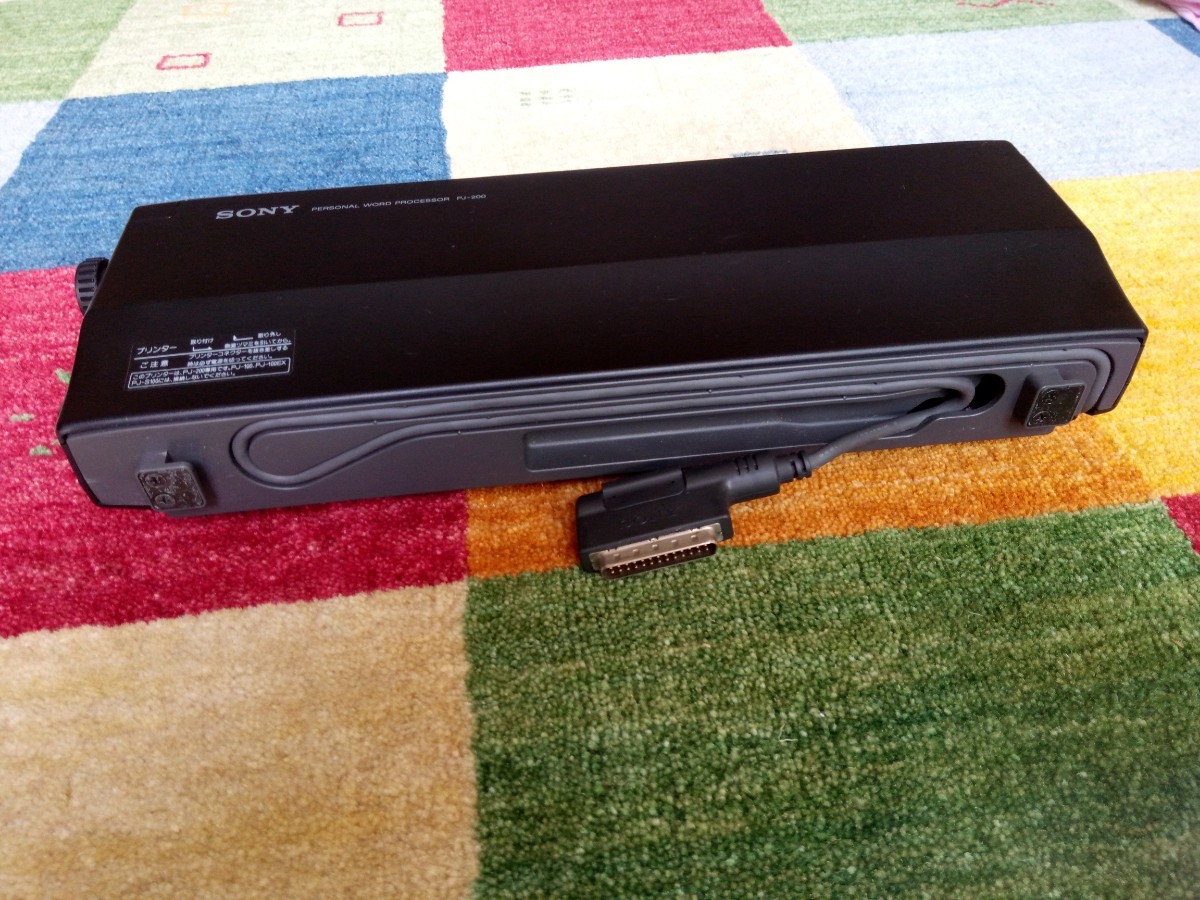
This helped save weight: without the printer, the Sony Produce 100 weighed 3.4 kg. The printer used thermal printing and could be positioned vertically to save space. This also allowed using not only standard office paper but other types: heavy stock, cardboard, printing on stickers, envelopes, index cards, cassette labels — the media passed through the printing mechanism without bending, so you could theoretically feed almost anything into the feeding mechanism.
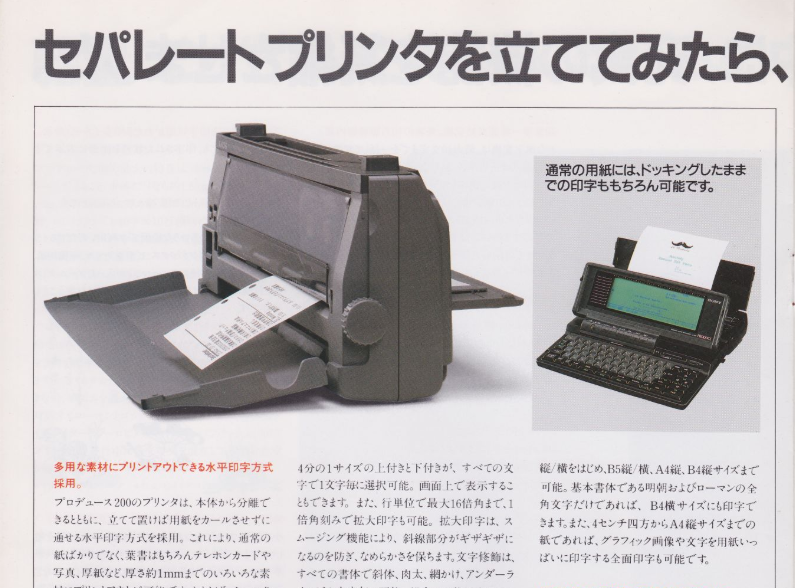
Print speed was 13 characters per second, with a maximum print field width of 257 mm. However, only Sony's own printer could be connected to the Produce 100 (and this printer was also incompatible with other manufacturers' wapuro). Without the printing module, the device truly looked like an ordinary vintage laptop (in the listing that caught my eye, it was being sold exactly this way, as just the base unit), but by itself, without the printer, such a text processor is essentially useless.
The Keyboard and Language Processing
The keyboard on the Sony Produce was spring-loaded, with a rather stiff key action designed for people accustomed not to computers but to electric typewriters. The key layout was Japanese-Latin (kana) — yes, the machine allows typing in the Latin alphabet too. However, the placement of auxiliary keys and punctuation marks was non-standard, and there was no way to change it programmatically since the Sony Produce essentially had no operating system.
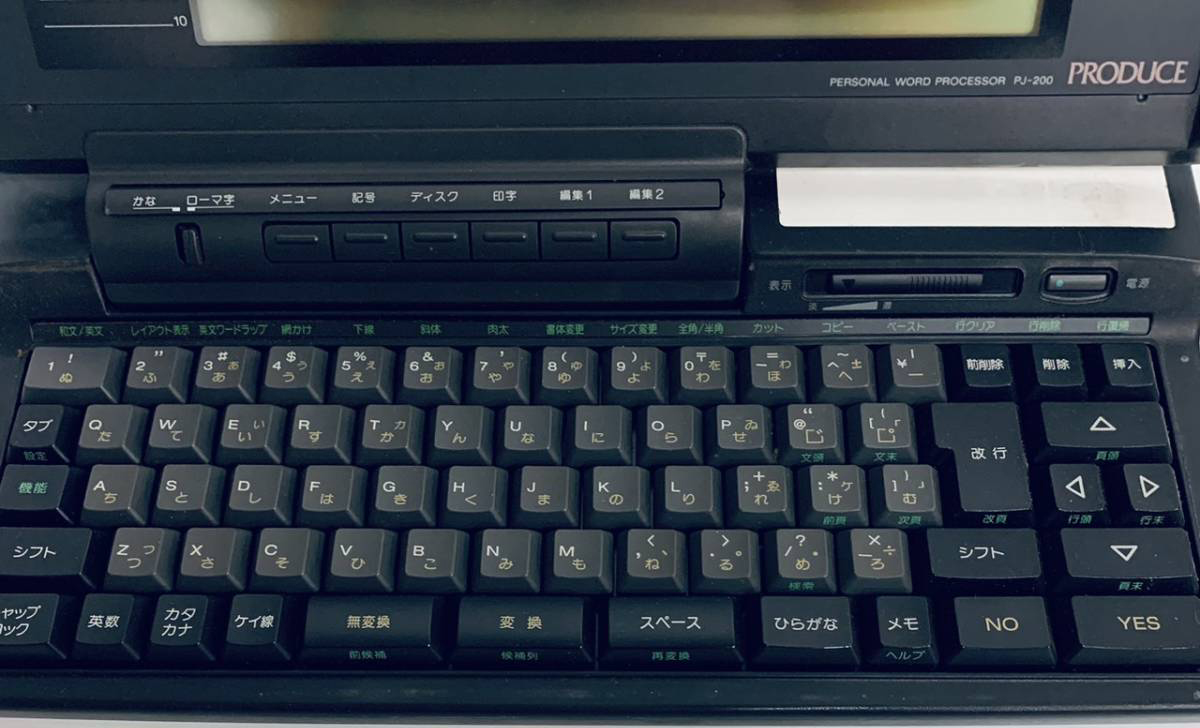
Different Japanese text processor manufacturers went wild with keyboards: some placed the function key row on top, some on the side; special buttons for switching operating modes appeared in unexpected places. The Sony Produce, for example, had three space bars (for different writing variants), as well as special YES and NO buttons meaning "Execute" and "Cancel." Other manufacturers had similar keys, but they were often confused with Enter and Backspace, so Sony decided to label them this way.
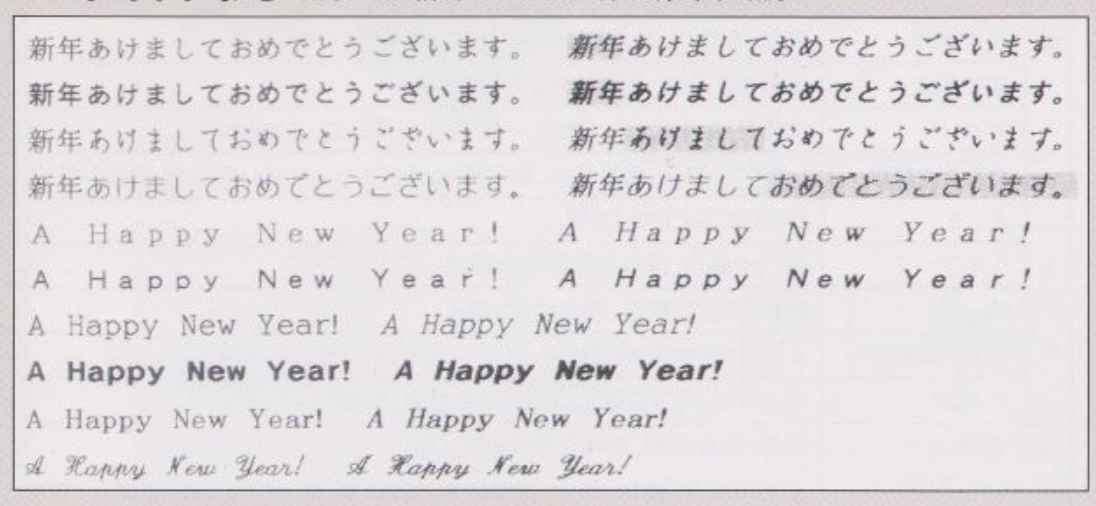
But the most important thing was hidden in the electronic "brains" of the Sony Produce. The device was absolutely and completely, one thousand percent tailored for working in Japanese. In addition to kana, the Sony Produce allowed typing in kanji ideographic script, supported hiragana and katakana. For this, dictionaries built into ROM were used, replacing characters typed on the keyboard (or their combinations) with others. The device could perform automatic "kana to kanji" conversions (in blocks of up to 30 characters), "hiragana to katakana" and back, supported romaji input mode (a method of entering Japanese using the Latin alphabet), and allowed searching text for individual words or whole sentences typed in hiragana or katakana. The device had a built-in dictionary of 150,000 Japanese words, a dictionary of common abbreviations, an idiom dictionary (common phrases), and a user dictionary that could be augmented in any way. The machine had 4 Japanese and 6 Latin fonts built in.
Text could be edited using various formatting options: indents, tabs, alignment in several variants (right, left edge and center of page), variable character and line spacing (80 settings), text search, copy and paste via clipboard within a document, and hyphenation for English text.
This is another reason why this device today can serve only as a curious interior decoration — unless, of course, you're a Japanese person who needs to type and print stacks of documents in Japanese every day.
Sony Produce 200
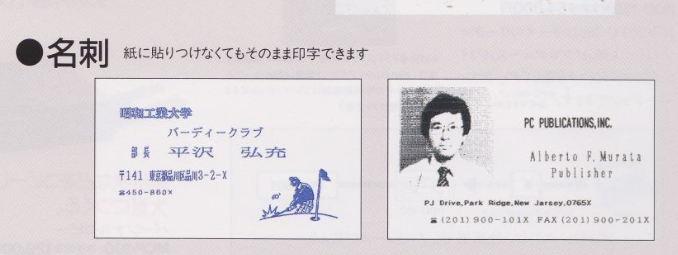
In September 1988, the second model in this family appeared: the Sony Produce 200 text processor, the very one from the listing. Engineers managed to reduce the base unit's weight to 1.8 kg; the display became more advanced: the screen could now hold nearly a full page of typed text (up to 400 characters), and the ability to draw simple geometric shapes and frames was added. The built-in software gained an address book, from which business cards could now be printed (the printer, by the way, remained the same).
Batch conversion of input text improved — up to 40 characters in "kana to kanji" mode, and additional document styling options appeared: font size enlargement (from 1x to 16x), smoothing, inversion, shadow. A special mode for printing addresses on postcards was added (in the Japanese standard, naturally). In all other respects, it was the same PJ-100. Subsequently, Sony released at least 5 more text processor models; some of them, such as the PJ-555, already had quite "laptop-like" screens with large diagonals and built-in hard drives.

Legacy
And what's particularly curious: text processors lived in Japan longer than anywhere else. When they had already been forgotten in Europe and the USA, Tokyo continued producing them right up to the end of the nineties. In an era when the world was actively embracing Windows 95 and the internet, the Japanese were still typing their letters on a Sharp WD-CP1 or Sony Produce 200 — on those very devices that neither Google nor Yandex knows about today.
FAQ
What is this article about in one sentence?
This article explains the core idea in practical terms and focuses on what you can apply in real work.
Who is this article for?
It is written for engineers, technical leaders, and curious readers who want a clear, implementation-focused explanation.
What should I read next?
Use the related articles below to continue with closely connected topics and concrete examples.





