Packing a Project with Heavy Animation into a Single HTML File, or How Windows-1251 Encoding Saved 52MB
The author developed a custom Base223 binary-to-text encoding scheme using Windows-1251 character encoding to achieve 97.5% efficiency, packing 168MB of animation files into a single standalone HTML file — saving 52MB compared to the standard Base64 approach.
This article shares an unconventional approach to bundling a massive animation project with approximately 150MB of custom video format files into a single standalone HTML file that runs in any modern browser without internet or server dependencies.

The Challenge
The project contains 712 files totaling 168MB needed for animation rendering. The task: embed everything into one HTML file while keeping the browser responsive upon opening.

Binary-to-Text Encoding: The Options
The fundamental problem is representing binary data as text within an HTML document. Several standard approaches exist, each with different efficiency tradeoffs.
Base64
The most common encoding with 75% efficiency. For 168MB of data, it produces approximately 223MB of encoded text. Its main advantage is speed — native functions exist in practically all languages. But the 25% overhead is significant at this scale.
ASCII85 / Base85
This encoding achieves 80% efficiency by converting 4 input bytes into 5 output bytes using an 85-character alphabet. The mathematical basis: 2^32 < 85^5. For 168MB of data, the result would be approximately 210MB. Better than Base64, but still relatively low efficiency.
Base96
A theoretical improvement achieving approximately 82.1% efficiency by using 46 bits of input converted to 56 bits of output (7 bytes). However, it requires handling fractional bytes and extensive BigInt operations in JavaScript, making it impractical for performance-sensitive applications.
Base122
This approach encodes binary data into UTF-8 byte structures with a variable efficiency of 80–87.5%. However, it has a critical flaw: UTF-8 contains forbidden character ranges that can invalidate the text. The author describes it as having "unstable efficiency and being unsafe for HTML with high risk of encountering unexpected decoding problems."
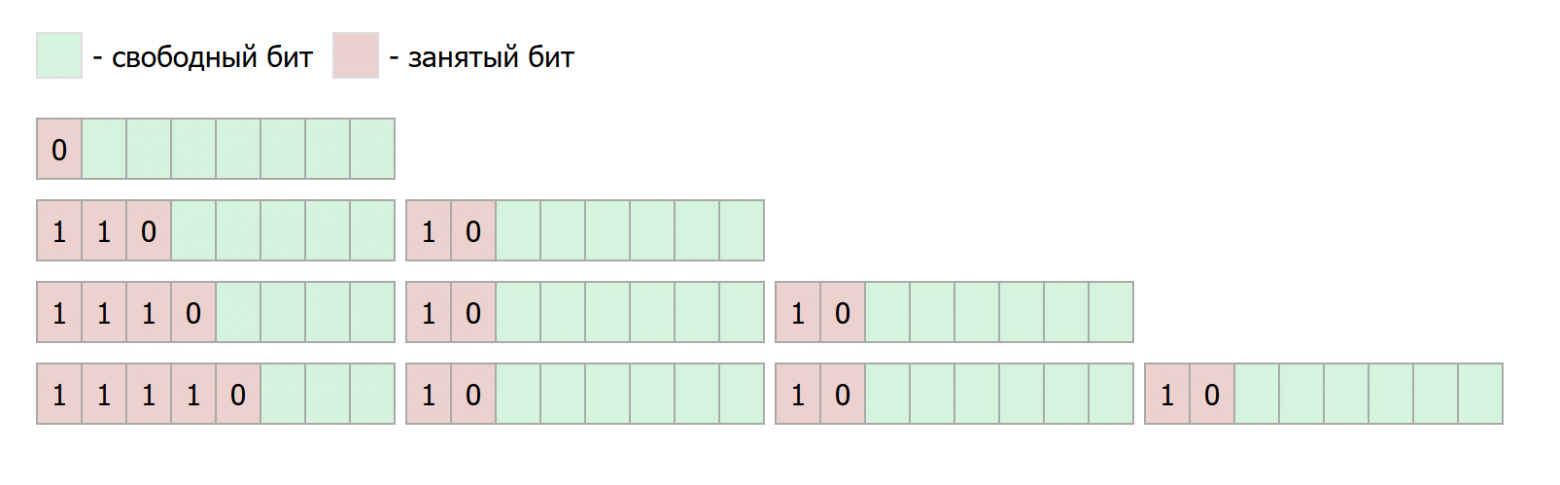
The Custom Base223* Solution
The key innovation: using Windows-1251 encoding instead of UTF-8. Windows-1251 is a single-byte character encoding that provides 223 valid HTML-safe characters out of the 256-character ANSI set — far more than ASCII's 96 printable characters.
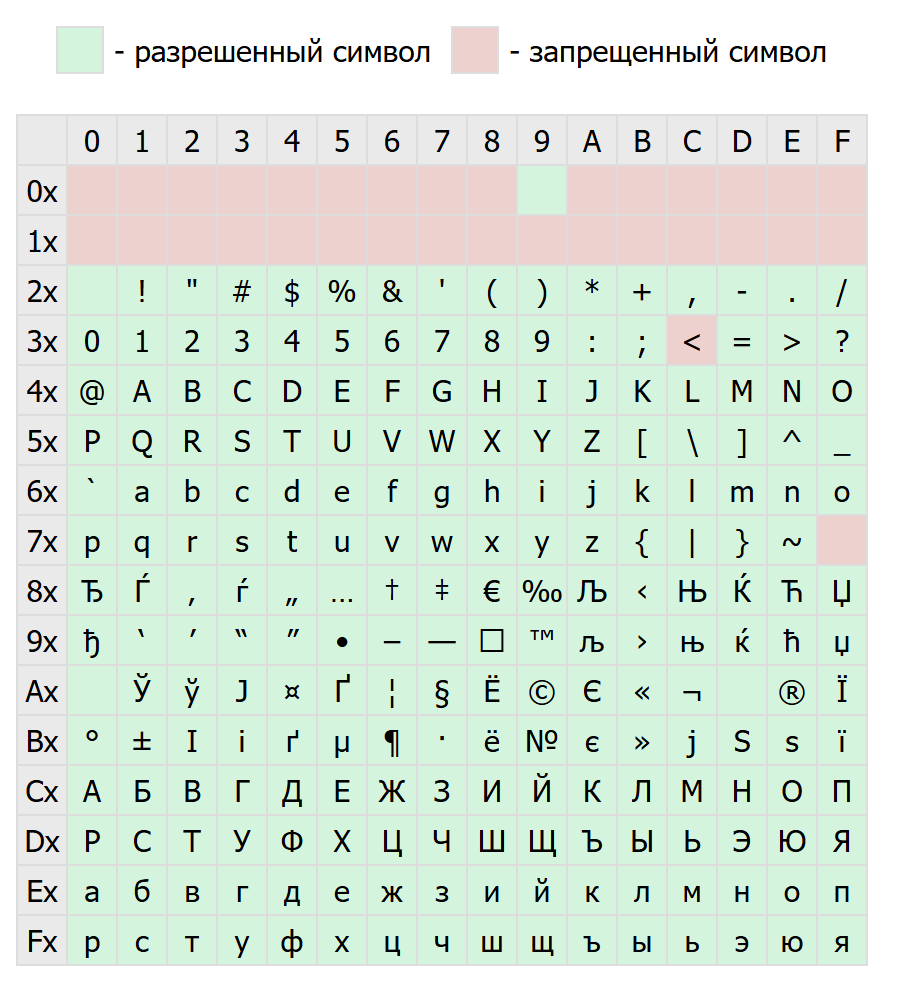
The mathematical basis: 39 bits of input can be encoded into 5 characters of the 223-symbol alphabet, because 2^39 < 223^5. This yields an efficiency of 97.5% — for 168MB of data, only approximately 172MB is needed. That's just 2.3% overhead compared to Base64's 22.3%.
The Encoding Algorithm
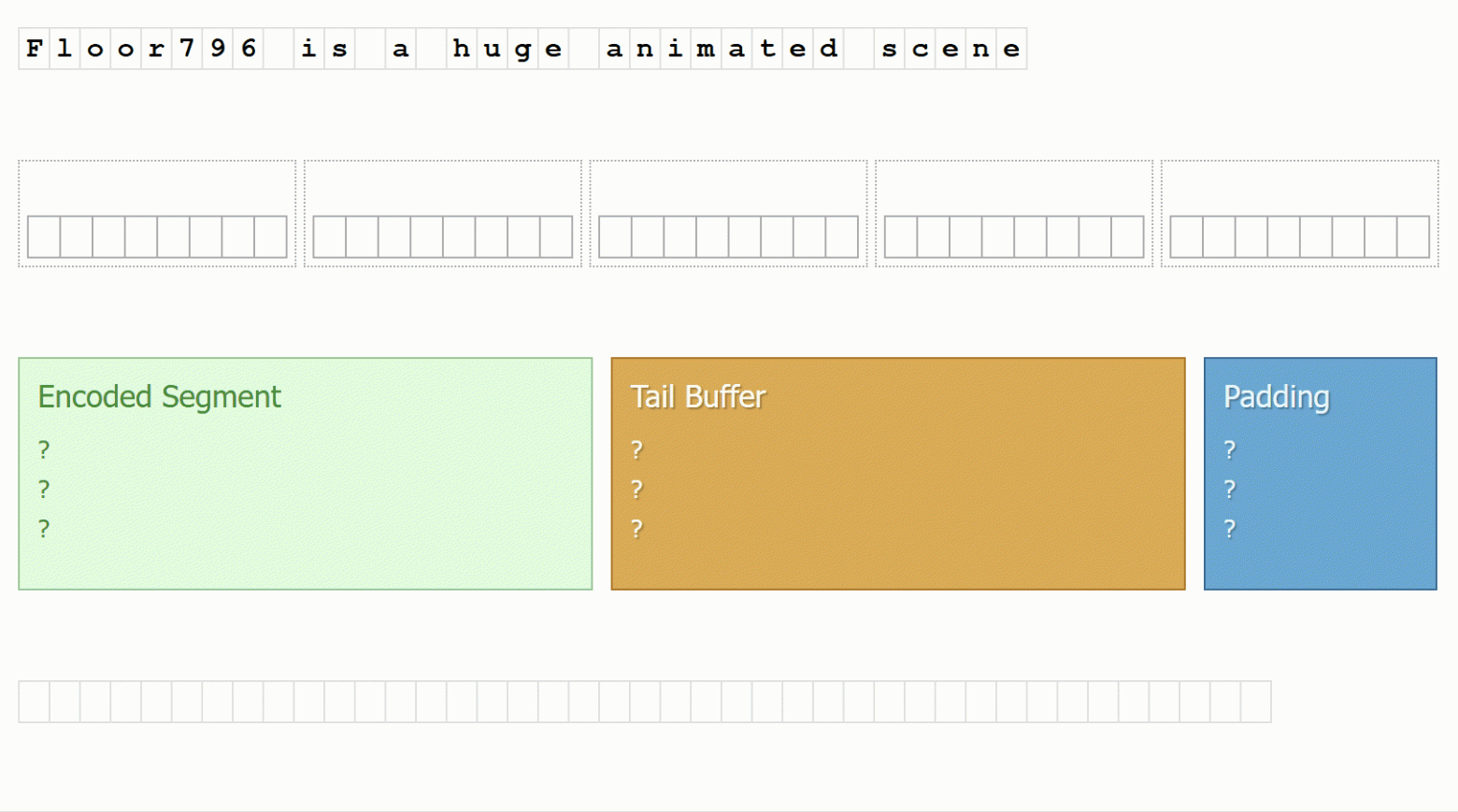
The Base223* algorithm processes data in 5-byte chunks:
Step 1: Read 5 bytes from the source stream.
Step 2: If fewer than 5 bytes remain, pad with 0x00 bytes and record the padding count.
Step 3: Extract the leftmost 39 bits from the 5-byte (40-bit) sequence.
Step 4: Represent the 39-bit value as an unsigned 64-bit integer.
Step 5: Perform positional encoding by iteratively dividing by powers of 223:
- c0 = floor(x / 223^4); accumulator = c0 * 223^4
- c1 = floor((x - accumulator) / 223^3); accumulator += c1 * 223^3
- c2 = floor((x - accumulator) / 223^2); accumulator += c2 * 223^2
- c3 = floor((x - accumulator) / 223^1); accumulator += c3 * 223^1
- c4 = floor((x - accumulator) / 223^0)
Step 6: Map the five resulting numbers (0–222) to characters in the alphabet.
Step 7: Store the remaining single bit for subsequent encoding rounds.
Step 8: When 39 bits accumulate or the stream ends, encode as a base-223 number.
Step 9: Append a final character indicating the padding count.
Performance Characteristics
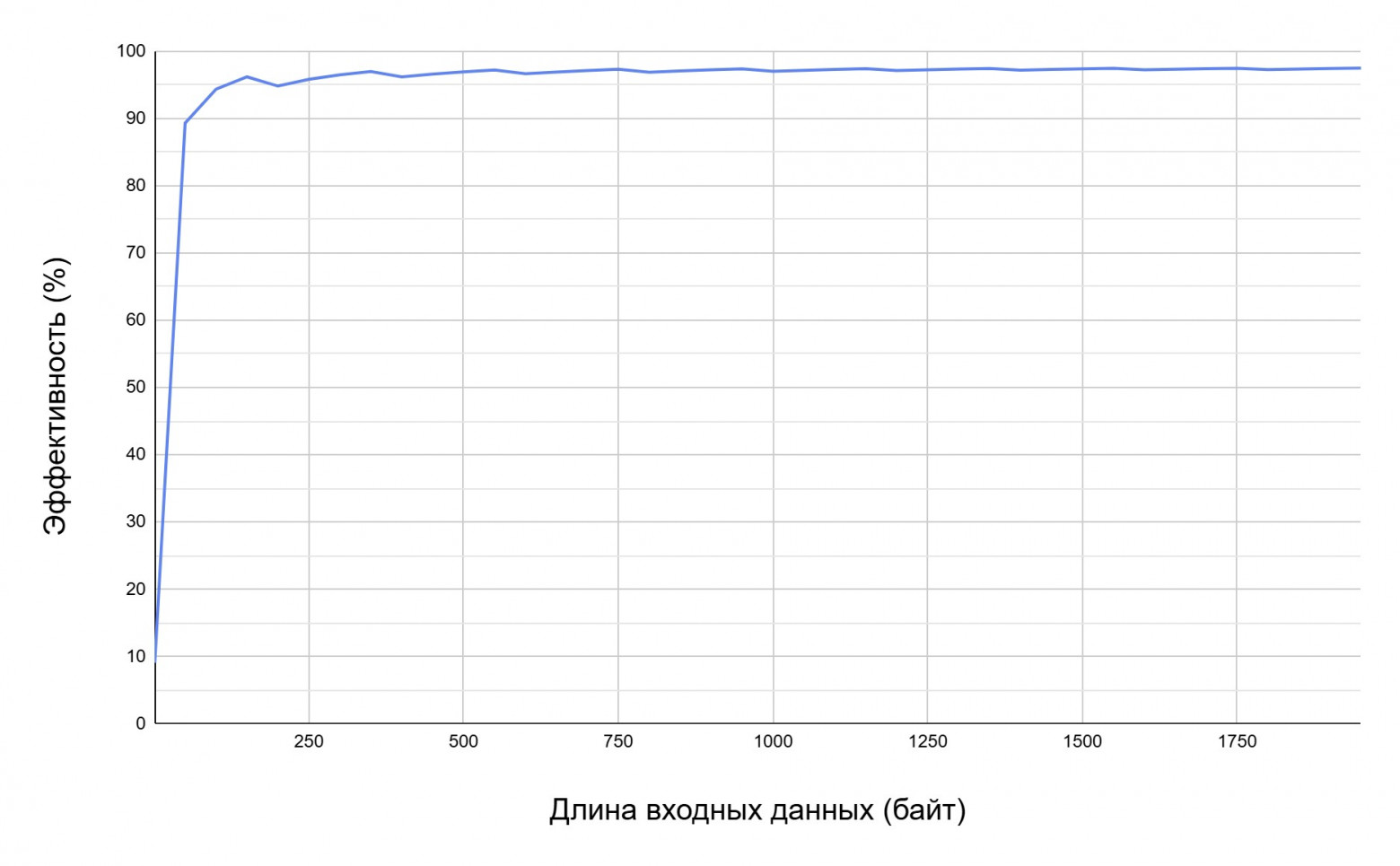
The efficiency reaches a plateau quickly: 97% at 550 bytes, 97.45% at 2KB, and 97.49% at 9.75KB. Time complexity is O(n) linear. An important JavaScript implementation note: any BigInt operation runs 10x or more slower than 32-bit Number operations, so the implementation avoids BigInt where possible.
Encoding Efficiency Comparison
| Codec | Efficiency | Input | Output | Notes |
|---|---|---|---|---|
| Base64 | 75% | 168MB | 223MB | Native speed |
| Base85 | 80% | 168MB | 210MB | 32-bit math |
| Base96 | 82.1% | 168MB | ~205MB | Fractional bytes |
| Base122 | 80–87.5% | 168MB | ~195MB | UTF-8 validity issues |
| Base223* | 97.5% | 168MB | 172MB | Windows-1251 required |
Implementation: File Storage in HTML
Encoded files are embedded in <script type="application/octet-stream"> tags with metadata attributes:
<script type="application/octet-stream"
  data-file="/misc/hello-world.txt"
  data-compression="raw">
  [Base223* encoded data]
</script>
This approach has advantages over HTML comments: no need to exclude the < character from the alphabet, and natural script tag parsing rules accommodate nearly any text content. The only forbidden sequence is the </script> closing tag.
File Loading Workflow
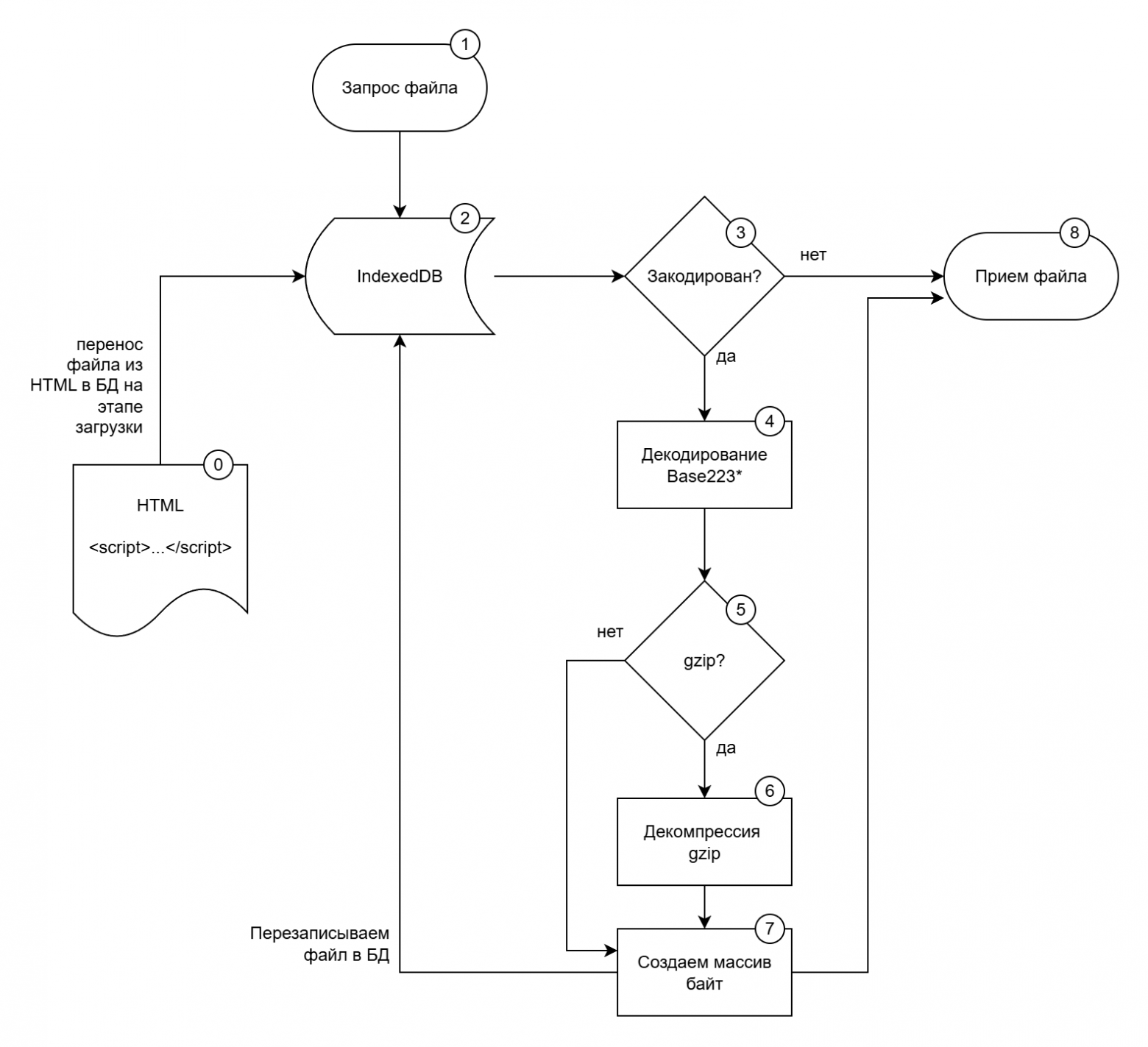
The loading process uses lazy decoding for optimal performance:
- Post-Parse Extraction: After HTML parsing completes, scan all embedded script elements
- Database Migration: Transfer raw encoded strings to IndexedDB without immediate decoding
- DOM Cleanup: Remove script tags from the document tree
- Lazy Decoding: On file request, check storage format — if string, decode Base223* and decompress gzip if needed, storing as Uint8Array; if already Uint8Array, use directly
Benefits: the DOM remains clean, files don't occupy JS memory, and decoding is lazy — only happening when actually needed.
Bootstrap Sequence
The boot sequence starts after the <meta charset="windows-1251"> tag and performs several validation checks:
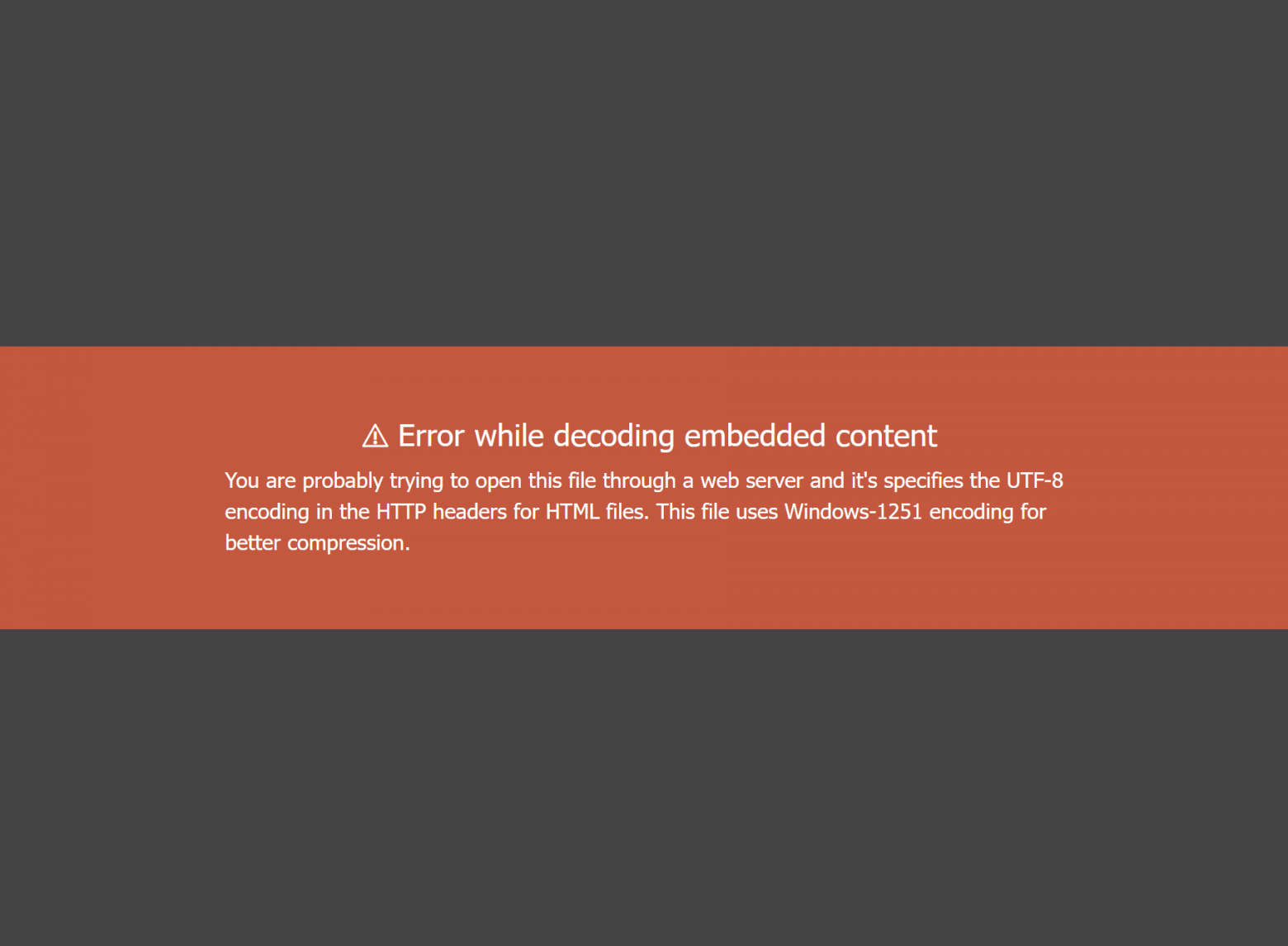
Encoding verification: If the encoding is wrong, the browser will fail to decode a CSS file in the head block — this serves as an automatic detection mechanism.
Browser capability testing using CSS.supports() for: color-mix() function, :is() and :has() selectors, mix-blend-mode property, and background-clip property.
JavaScript API detection: DecompressionStream presence, Element attachInternals() method, and String methods replaceAll() and endsWith().
Progress Tracking
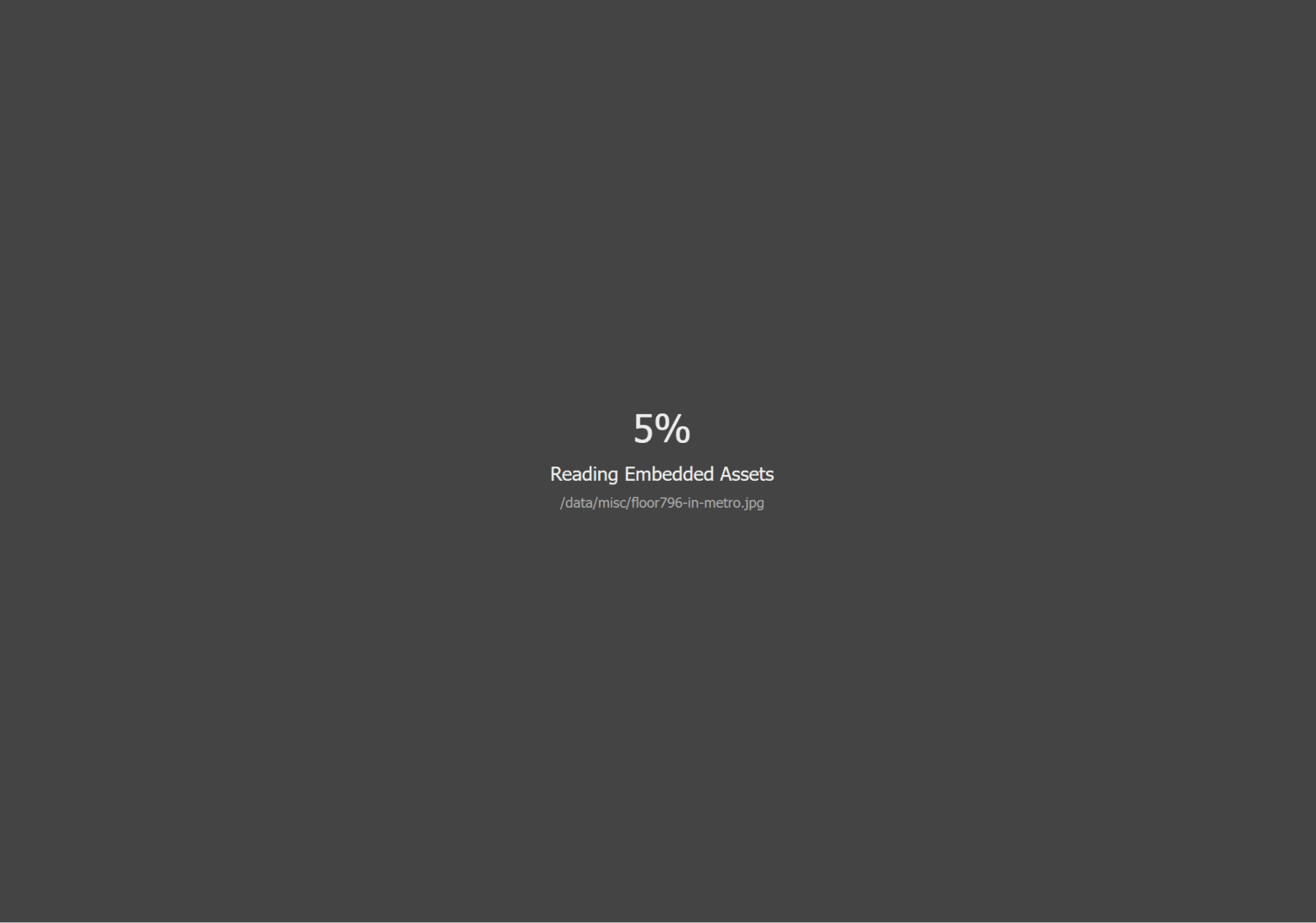
The file uses an interleaved script execution pattern for progress display:
<script type="application/octet-stream" data-file="/fin/[file1]" ...>
  [encoded data]
</script>
<script>
  embeddedProg.updateLoader("/fin/[file1]", 553265);
</script>
The browser parsing pauses between each update call, allowing the progress bar to refresh without blocking the UI.
Why Windows-1251?
HTML5 strongly recommends UTF-8 only. Nevertheless, the HTML5 specification explicitly states browsers must support Windows-1251. The justification for choosing it:
- The project uses only Russian and English text — both covered by Windows-1251
- Single-byte character encoding vs. multi-byte UTF-8
- Expands usable alphabet from 96 (ASCII printable) to 223 (ANSI valid characters)
- JavaScript maintains Unicode independence from document encoding — internal string handling is unaffected
UTF-8's variable-length encoding (1–4 bytes per character) creates forbidden Unicode ranges that invalidate encoded text when decoded, making it unsuitable for this use case.
The result: by choosing an "outdated" encoding, the author saved approximately 52MB compared to Base64 — turning a 223MB file into a 172MB one. Sometimes the best solution isn't the most modern one.
FAQ
What is this article about in one sentence?
This article explains the core idea in practical terms and focuses on what you can apply in real work.
Who is this article for?
It is written for engineers, technical leaders, and curious readers who want a clear, implementation-focused explanation.
What should I read next?
Use the related articles below to continue with closely connected topics and concrete examples.





