I Reverse-Engineered Amazon's Web Obfuscation
A developer reverse-engineers Amazon Kindle Cloud Reader's multi-layered text obfuscation system, using perceptual hashing and SSIM to decode 361 unique glyphs across 184 randomized alphabet sets and recover a full EPUB from a purchased e-book.
I bought an e-book, but the official Kindle app on Android was buggy and constantly crashing. I couldn't export the book to Calibre or download it for offline reading — Amazon had removed those capabilities. Despite paying for the book, I couldn't truly own it. Amazon could delete it from my library at any moment. So I decided to look under the hood of Kindle Cloud Reader.
The Rendering API
When you open a book in Kindle Cloud Reader, the browser makes requests to Amazon's rendering endpoint:
https://read.amazon.com/renderer/renderThe response is a TAR archive containing several files:
page_data_0_4.json   # "Text" (spoiler: it's not actually text)
glyphs.json          # SVG definitions for each character
toc.json             # Table of contents
metadata.json        # Book information
location_map.json    # Position mappings
Layer 1: Substitution Cipher with Randomized Glyphs
Rather than storing readable text, Amazon's system uses glyph IDs. The "text" data looks like this:
{
  "type": "TextRun",
  "glyphs": [24, 25, 74, 123, 91, 18, 19, 30, 4, ...],
  "style": "paragraph"
}
The letter "T" might be represented as glyph 24 in one request, then glyph 87 in another. Both glyphs map to completely different SVG paths, but they render as the same letter. For my 920-page book, the system required 184 separate API requests, each with completely different glyph mappings — making a unified decryption table impossible.
Layer 2: Intentional SVG Corruption
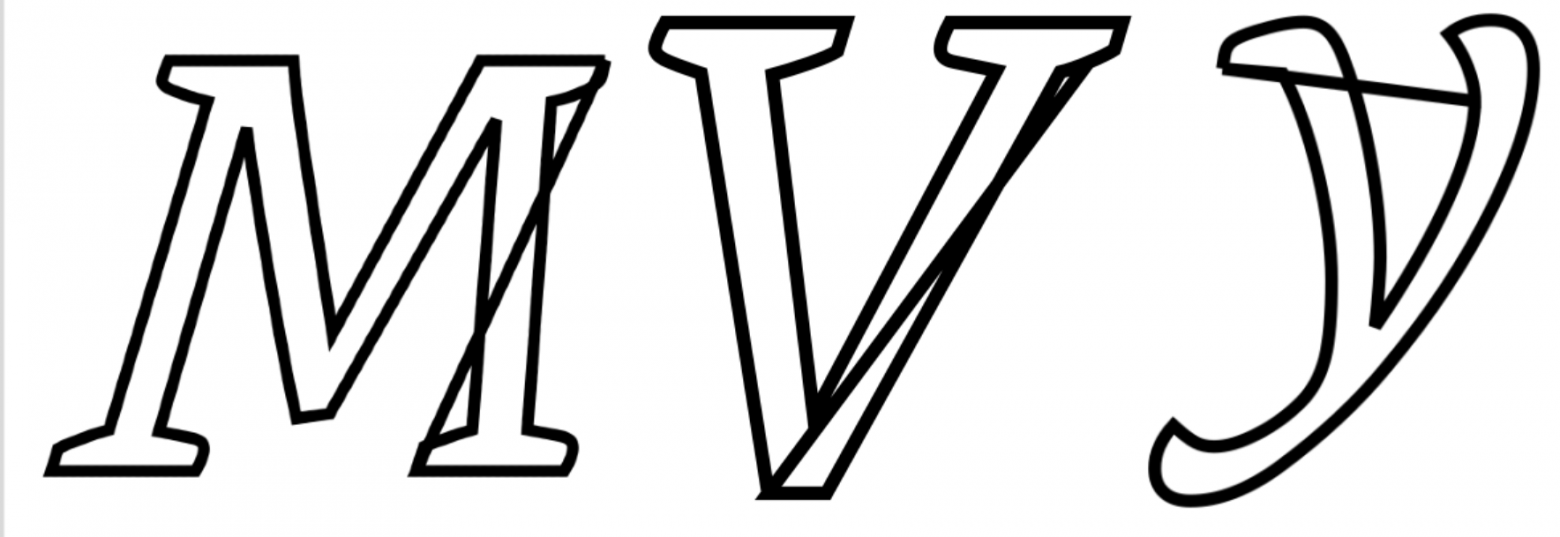
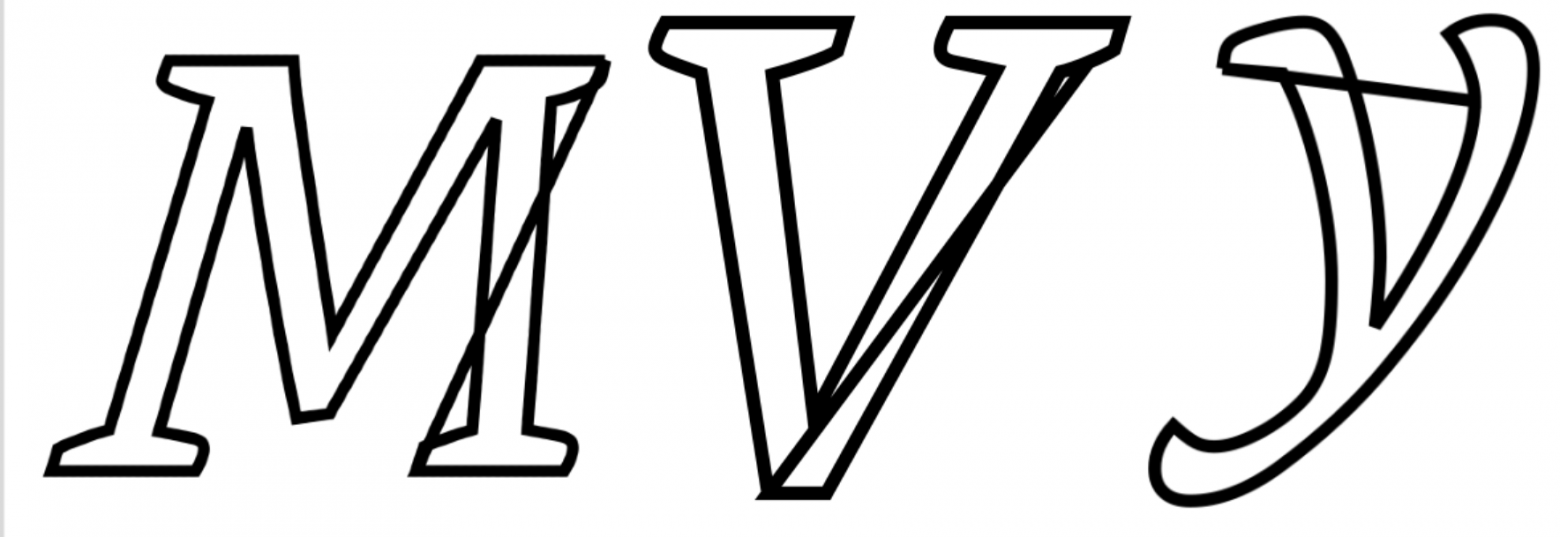
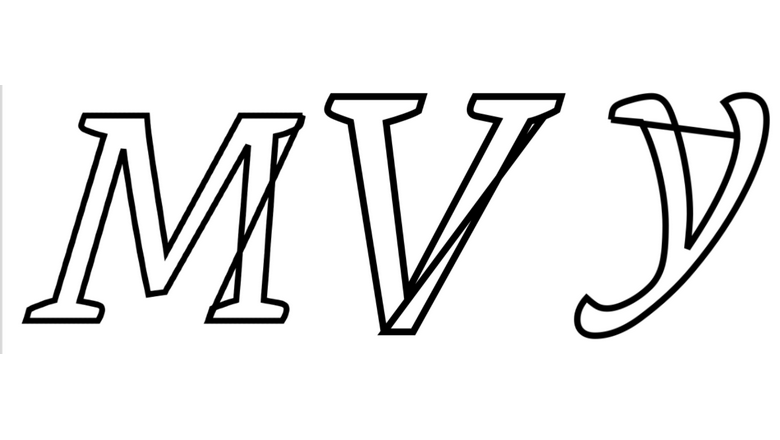
The SVG path definitions contain deliberately malformed "hint" data with extra MoveTo commands:
M695.068,0 L697.51,-27.954 m3,1 m1,6 m-4,-7 L699.951,-55.908 ...While browsers render these correctly (ignoring the extraneous relative moves), Python SVG libraries interpret them literally, creating false connecting lines that corrupt the glyphs. This is an anti-scraping measure designed to break automated analysis.
Layer 3: Font Variants and Ligatures
The system uses four font variants — normal, italic, bold, and bold-italic — plus specialized ligatures (ff, fi, fl, ffi, ffl). This multiplies the number of unique glyphs that need to be decoded.
Failed Approach: OCR
My initial attempt used optical character recognition on isolated glyphs. The result was dismal — only 51% accuracy. OCR systems rely heavily on word-level context, and isolated glyphs provide none of that. This approach was a dead end.
The Solution: Perceptual Hashing + SSIM
The working approach involved four steps:
Step 1: Render SVG glyphs as images. I used the cairosvg library, which correctly handles the corrupted SVG hints, rendering each glyph at 512×512 resolution.
Step 2: Generate perceptual hashes. Each rendered image gets a unique hash — identical letter shapes always produce identical hashes regardless of their glyph ID number.

Step 3: Normalize across all 184 alphabet variants. By mapping randomized glyph IDs to their perceptual hashes, I could create a single unified mapping table across all API responses.
Step 4: Match against reference fonts using SSIM. SSIM (Structural Similarity Index) compares image structure rather than raw pixels, making it tolerant of rendering variations and anti-aliasing differences. I compared each unknown glyph against characters rendered from the book's TTF font files.

Results
=== NORMALIZATION PHASE ===
Total processed sets: 184
Unique glyphs found: 361
Total glyphs in book: 1,051,745

=== MATCHING PHASE ===
Successfully matched 361/361 unique glyphs (100.00%)
Failed matches: 0 glyphs
Average SSIM score: 0.9527

=== DECODED OUTPUT ===
Total characters: 5,623,847
Pages: 920
100% of all 361 unique glyphs were successfully matched. The recovered EPUB preserved formatting, styling, internal links, and typography information from the original layout data.
The text positioning data also carried rich formatting information:
{
  "glyphs": [24, 25, 74],
  "rect": {"left": 100, "top": 200, "right": 850, "bottom": 220},
  "fontStyle": "italic",
  "fontWeight": 700,
  "fontSize": 12.5,
  "link": {"positionId": 7539}
}
This meant the recovered EPUB wasn't just plain text — it retained italics, bold, font sizes, and even internal hyperlinks.
A Note on Ethics
This technique applies only to backing up books you have legitimately purchased. I strongly advise against broader application. The goal here was to exercise the right to actually own what you pay for — not to enable piracy.



