How Apple Patched "Antennagate" in 20 Bytes
A reverse engineering investigation into how Apple fixed the infamous iPhone 4 signal bar drop by changing just 20 bytes of threshold values in the CommCenter binary between iOS 4.0 and iOS 4.0.1.
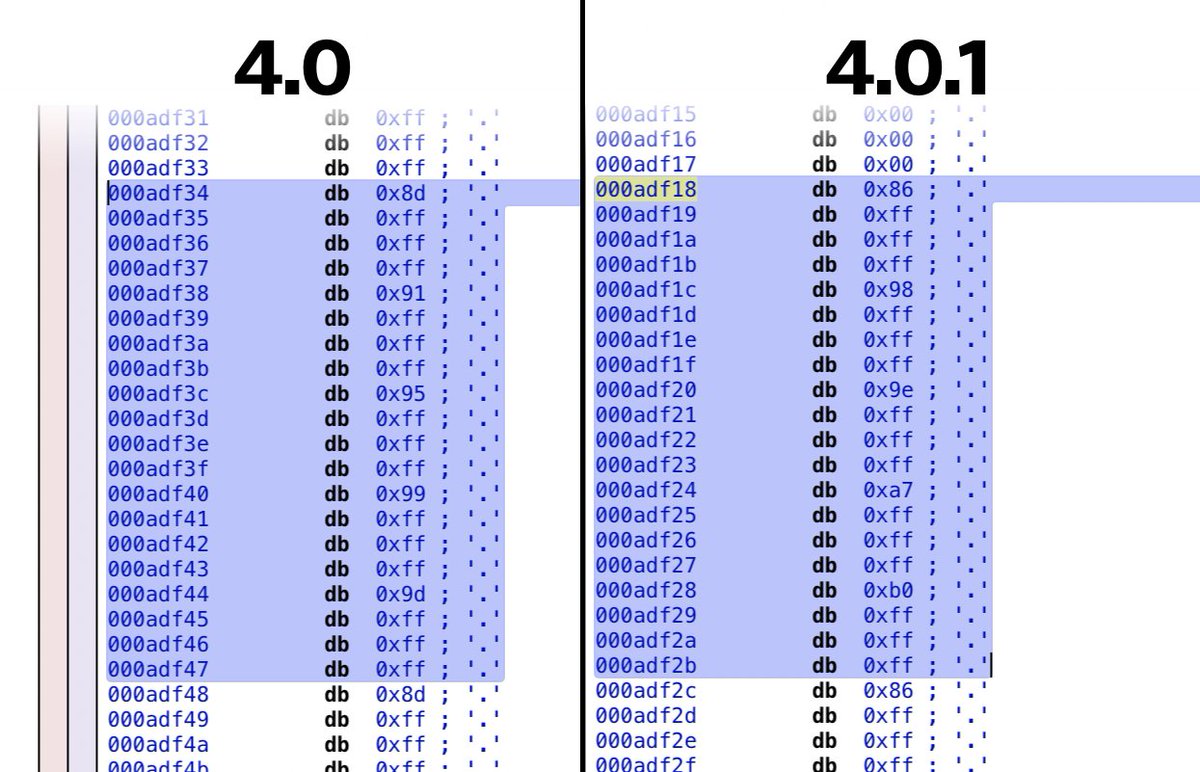
Want to see something curious? Here's how the "Antennagate" problem on the iPhone was fixed in 2010. 20 bytes.
iOS 4.0: 8d ff ff ff 91 ff ff ff 95 ff ff ff 99 ff ff ff 9d ff ff ff
iOS 4.0.1: 86 ff ff ff 98 ff ff ff 9e ff ff ff a7 ff ff ff b0 ff ff ff
Context
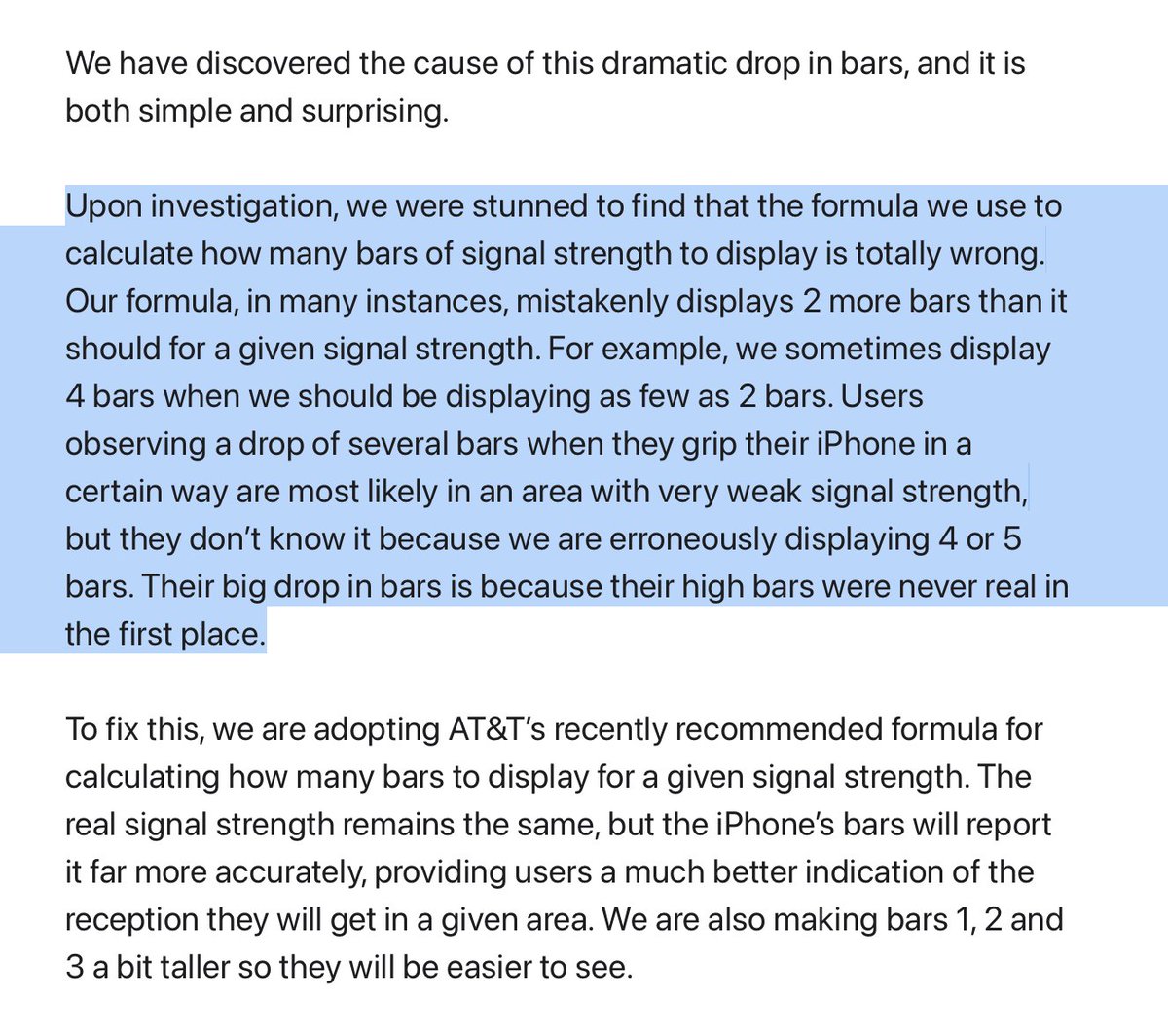
In 2010, when the iPhone 4 was released, users noticed that if you held the phone a certain way, the number of signal bars dropped from 5 to about 2. A few weeks later, Apple published a letter blaming the problem on an incorrect formula.
From the official Apple letter: "Upon investigation, we were stunned to find that the formula we use to calculate how many bars of signal strength to display is totally wrong."
People laughed at this letter plenty, but nobody actually examined the differences in the formula between 4.0 and the 4.0.1 patch. At the time, the author was an eight-year-old kid — but now he owns a disassembler.
The Investigation
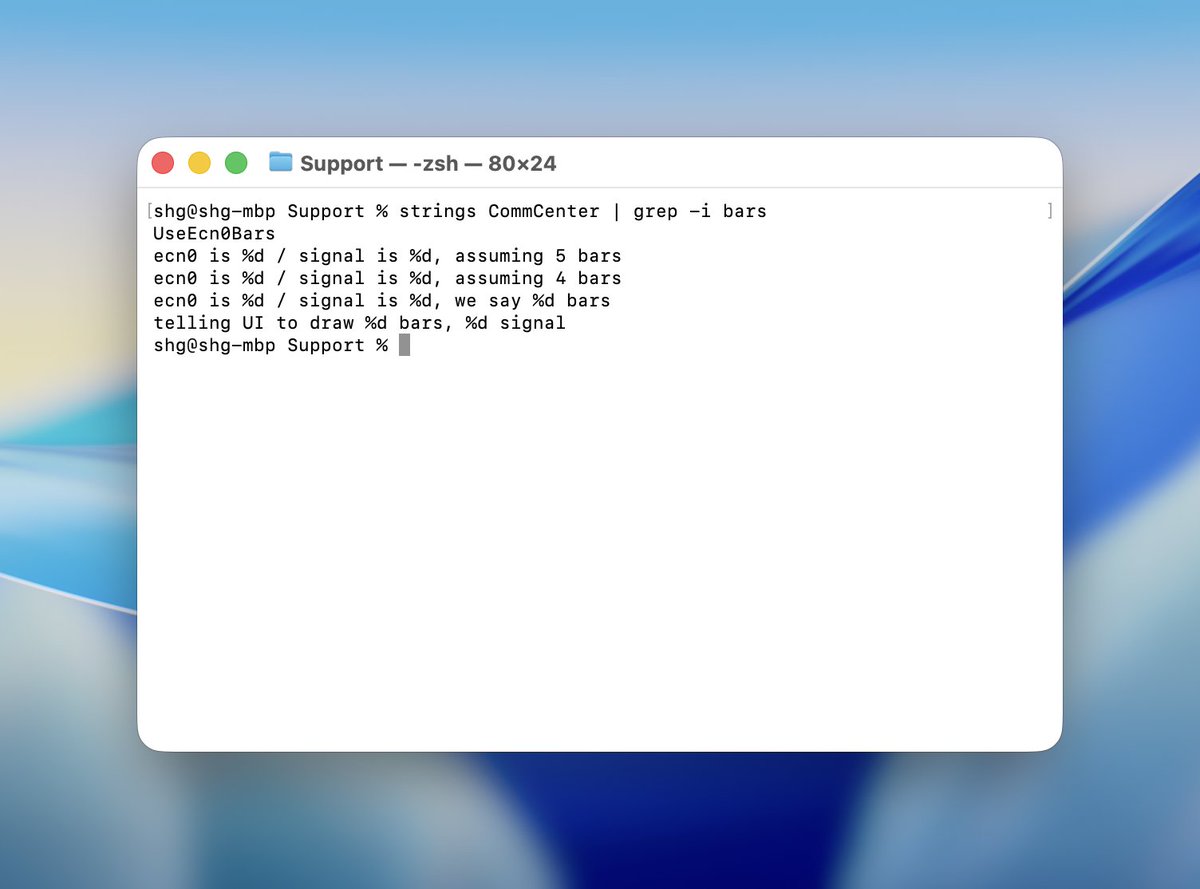
Both firmware versions were downloaded and the investigation began. In the CoreTelephony framework, a promising binary was found: CommCenter. After examining the strings inside it, it was confirmed that this is exactly where the signal bar calculation formula lived.
strings CommCenter | grep -i bars
UseEcn0Bars
ecn0 is %d / signal is %d, assuming 5 bars
ecn0 is %d / signal is %d, assuming 4 bars
ecn0 is %d / signal is %d, we say %d bars
telling UI to draw %d bars, %d signal
The calculation is extremely simple. When converting signal strength to bars, CommCenter loads all threshold values from memory and compares them until it finds the matching range.
The Lookup Table (ARM Assembly)
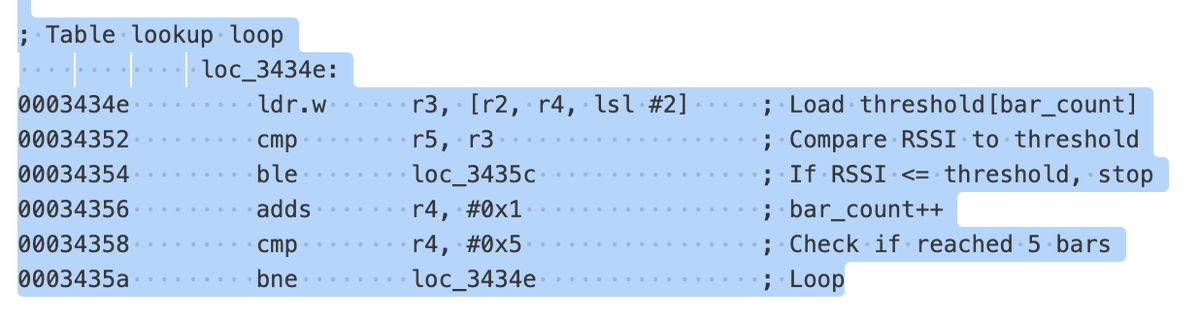
; Table lookup loop
loc_3434e: 0003434e         ldr.w      r3, [r2, r4, lsl #2]     ; Load threshold[bar_count]
00034352         cmp        r5, r3                   ; Compare RSSI to threshold
00034354         ble        loc_3435c                ; If RSSI <= threshold, stop
00034356         adds       r4, #0x1                 ; bar_count++
00034358         cmp        r4, #0x5                 ; Check if reached 5 bars
0003435a         bne        loc_3434e                ; Loop
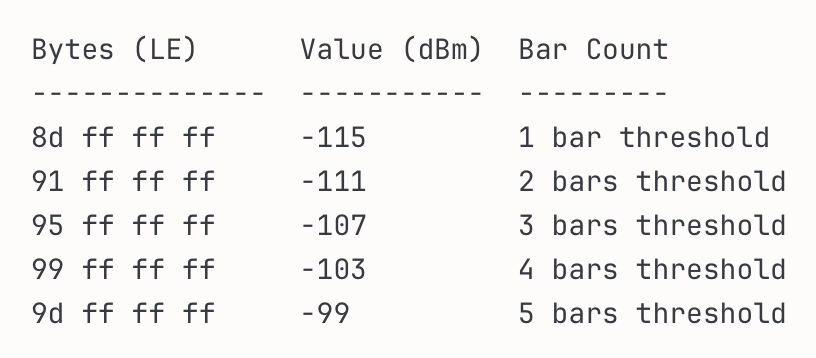
iOS 4.0 Threshold Values
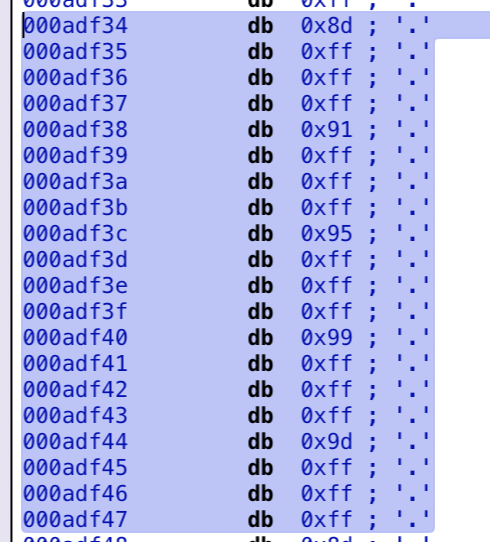
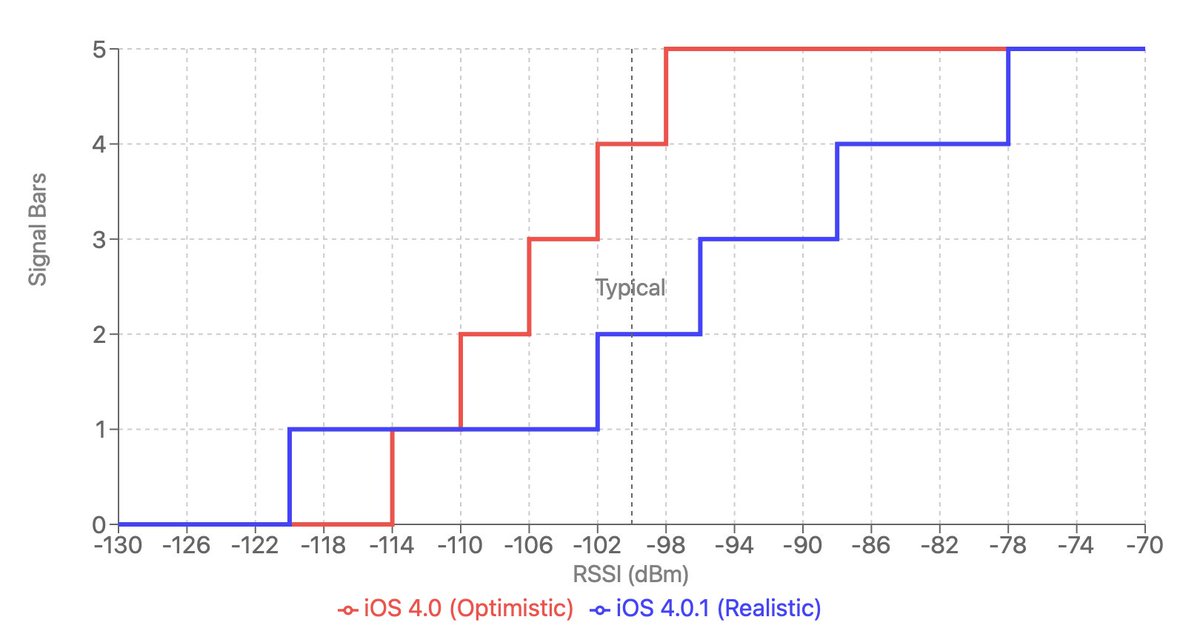
0x8DFFFFFF= -115 dBm (1 bar threshold)0x91FFFFFF= -111 dBm (2 bars threshold)0x95FFFFFF= -107 dBm (3 bars threshold)0x99FFFFFF= -103 dBm (4 bars threshold)0x9DFFFFFF= -99 dBm (5 bars threshold)
iOS 4.0.1 Threshold Values
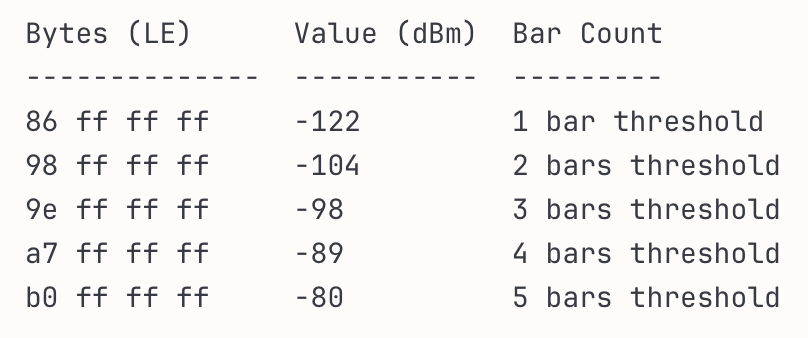
0x86FFFFFF= -122 dBm (1 bar threshold)0x98FFFFFF= -104 dBm (2 bars threshold)0x9EFFFFFF= -98 dBm (3 bars threshold)0xA7FFFFFF= -89 dBm (4 bars threshold)0xB0FFFFFF= -80 dBm (5 bars threshold)
Analysis
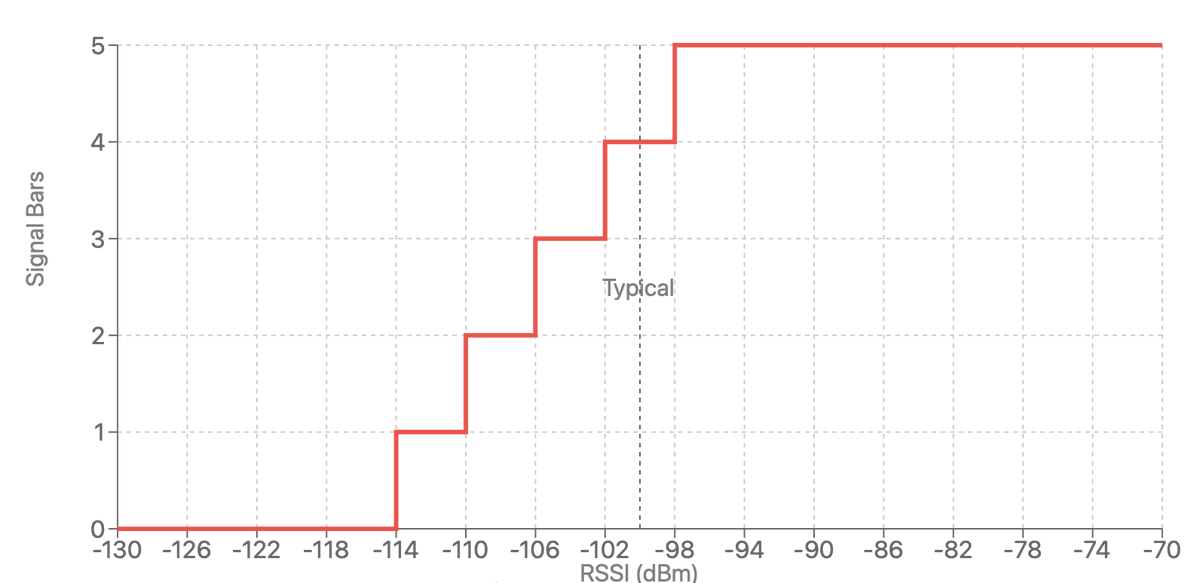
The problem was that the values in iOS 4.0 were far too optimistic. The thresholds were spaced just 4 dBm apart (from -115 to -99 dBm), creating a very steep curve. This meant that even a small signal degradation — like holding the phone wrong — caused a catastrophic drop from five bars down to two.
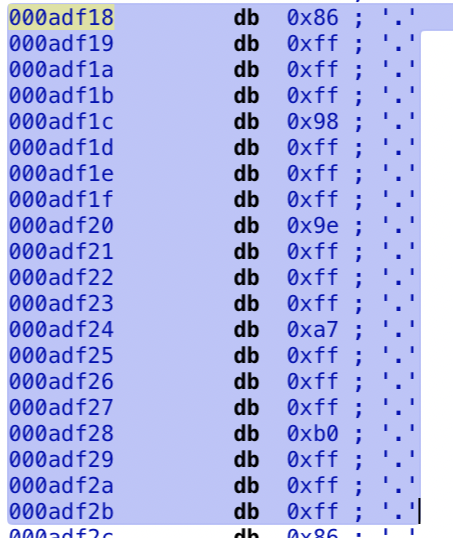
In iOS 4.0.1, Apple spread the thresholds across a much wider range (from -122 to -80 dBm), creating a much smoother curve. Now, dropping from five to zero bars requires a very significant signal drop. Users would less frequently see five bars, but the number of bars would also drop less dramatically.
That's it. 20 bytes.
Oh, and in iOS 4.0.1 they also changed the height of the low-signal bars, making them taller so they'd be more visible.