I Was Forced to Try Vibe Coding
A senior developer with 15+ years of experience is asked by their CTO to build a production app using Firebase.studio vibe coding. What follows is a candid account of what works, what breaks, and why AI coding tools still need human expertise.
I've been using code generation for a long time, going back to the Yii framework days when you could generate a CRUD with a full interface in one click. Nowadays there are plenty of tools for automating development.

The CTO Who Loves Innovation
The company paid for Tabnine subscriptions for developers. The CTO periodically asks how everyone is using it. One day he boasted: "Look, I linked it to Jira, pointed it at a ticket, and it completed the task. And I don't even know JavaScript."
However, tickets generated this way had to be redone from scratch. The author notes that many companies ban AI assistants entirely, fearing code leaks to third-party servers.
Vibe Coding Has Arrived
The CTO proposes: "Build a URL generation project for advertising campaigns. Using Firebase.studio."
The author explains: URL generation is a simple deterministic algorithm that doesn't require AI. But Firebase.studio is full-stack vibe coding. The acceptance criteria concern an important marketing application (several million dollars in annual advertising spend).
After 15+ years of web development, the author is being asked to "just vibe code it."

What is Vibe Coding?
Vibe coding is a paradigm where a developer describes a task in a few sentences to an LLM, which generates the code. The programmer's role is reduced to directing, testing, and refining.
Researcher Simon Willison distinguishes:
- True vibe coding: "If an LLM wrote every line of your code, but you reviewed, tested, and understood it, that's not vibe coding -- that's using an LLM as an assistant"
- Tool usage: coding in Cursor or Copilot is not vibe coding in the strict sense
Day 0
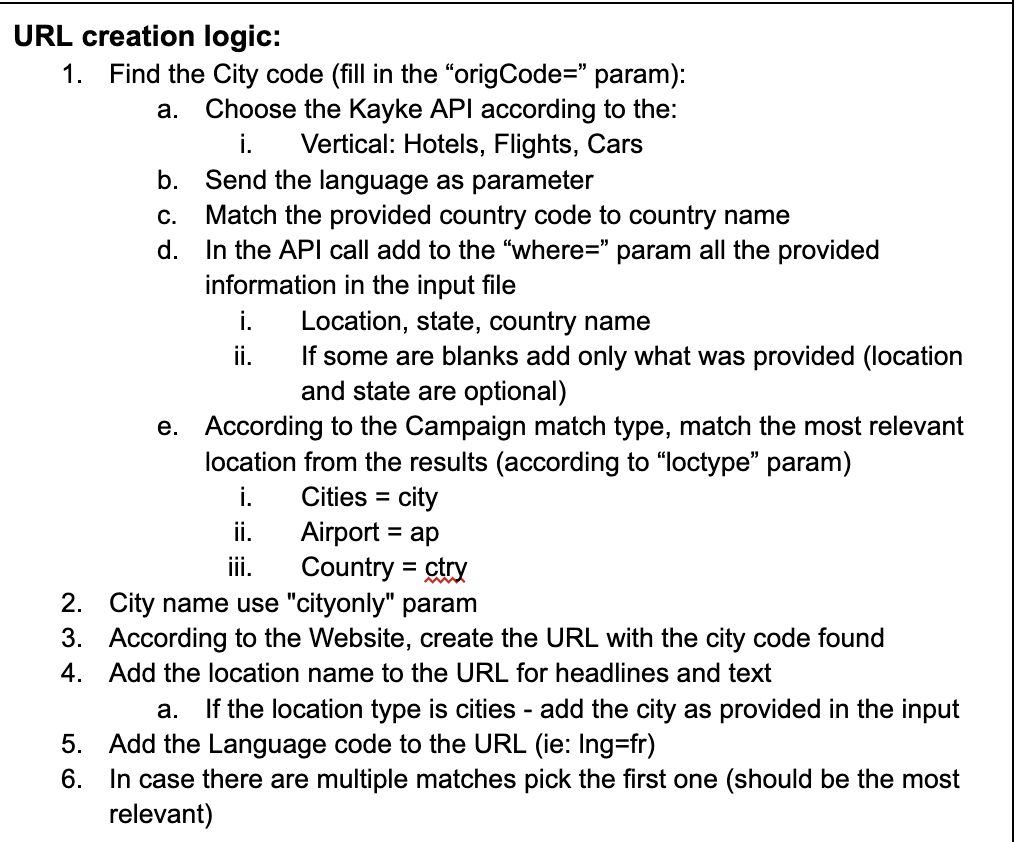
In hand: a Google Doc with technical specifications. The application needs to:
- Upload a CSV file with countries, languages, etc.
- Call a third-party API
- Generate URLs for advertising campaigns
- Create a CSV file with results
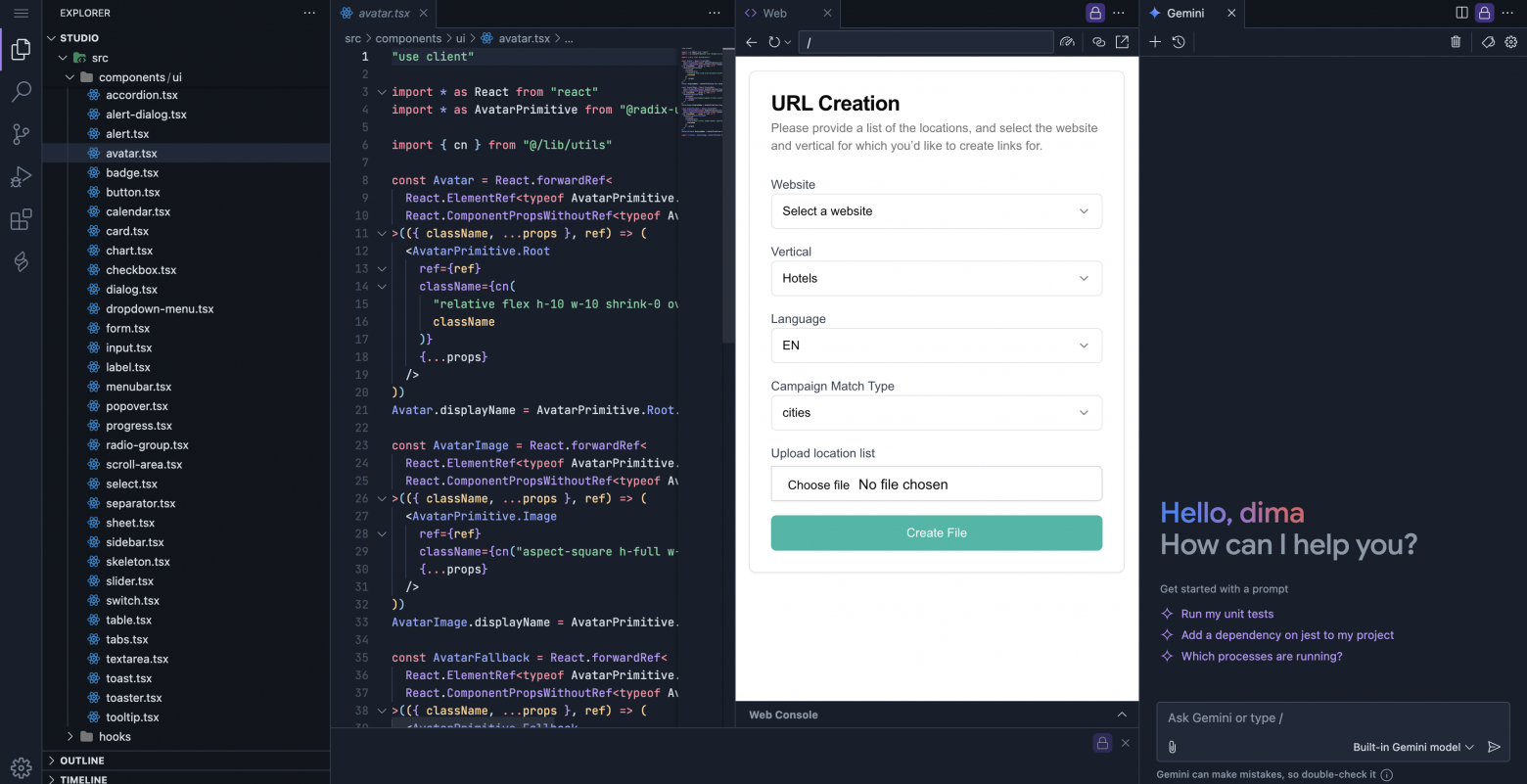
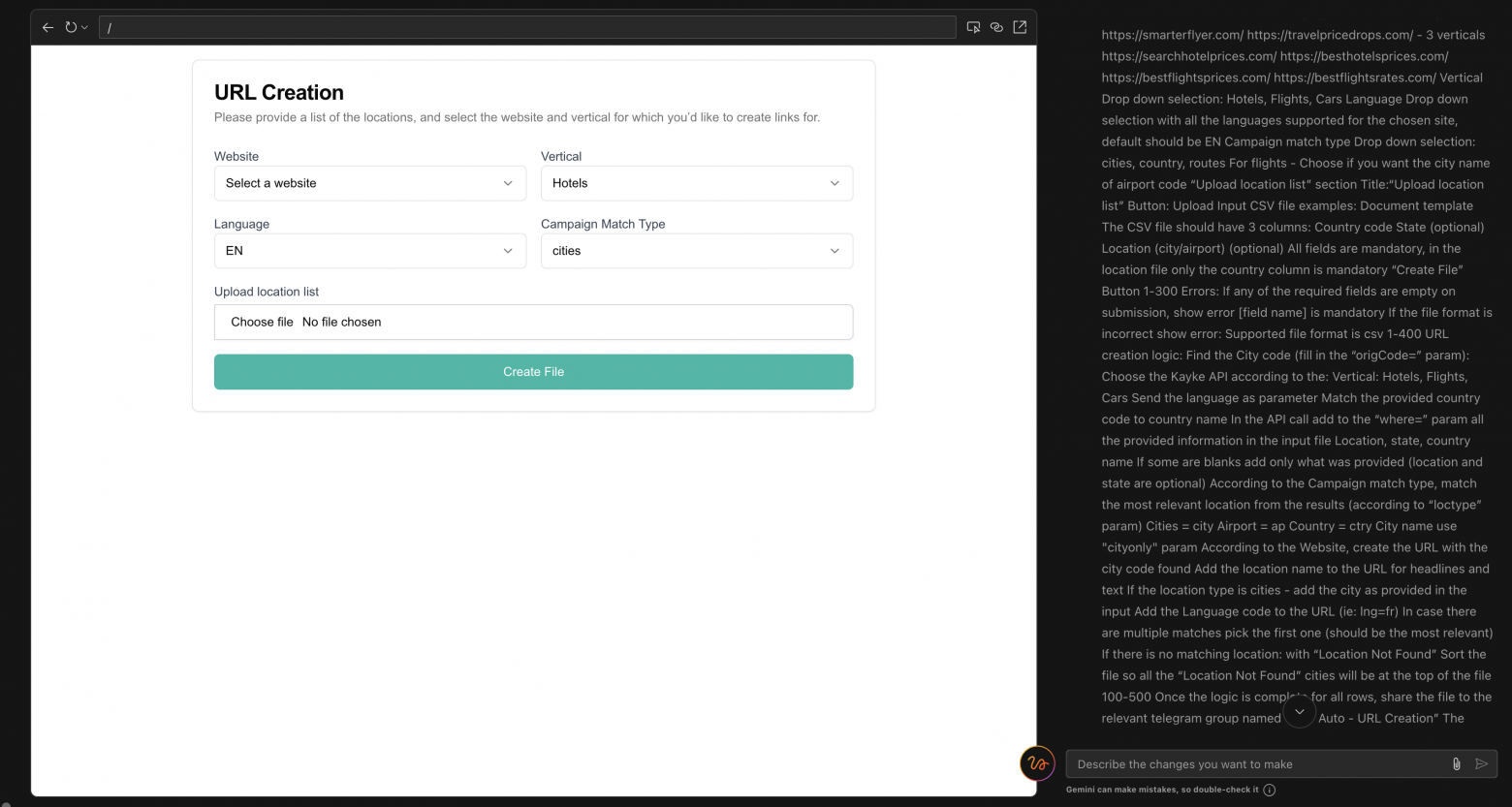
The author copied the entire spec into Firebase.studio. The result: a practically perfect UI on React/Next.js with semantic markup, validation, and toast notifications.

However, testing revealed problems:
- Toasts displayed as transparent or were overlapped
- Validation fired inconsistently
- It took 5-10 prompts for fixes
Firebase has two modes:
- Magic mode -- full generation with no code access (with rollback capability)
- Edit mode -- step-by-step approval of changes (more flexible)
Looking at the code, the author found numerous unnecessary components (Avatar.tsx and others) and "alien" code that was impossible to understand without running locally.
Critical issue: the application wasn't calling the third-party API at all -- it was just generating random data in the CSV.
Takeaway from day zero: "But what if he tries -- and it actually works?)"
The 70% Miracle
AI tools are effective for boilerplate code but fall apart on the last 30%. The "last mile" problem requires human expertise.
AI can produce convincing but incorrect results:
- Hallucinates nonexistent functions and libraries
- Creates hidden bugs
- Doesn't account for edge cases
Steve Yegge compares LLMs to "wildly productive juniors on mind-altering substances, prone to inventing insane approaches."
Key observation: "AI's confidence significantly exceeds its reliability."
AI doesn't create new abstractions -- it reworks existing patterns. It doesn't take responsibility for decisions.
Creative and analytical thinking remain exclusively human tasks. AI is a tool for repetitive tasks, but "human expertise and development knowledge are still necessary."

Approaches to Taming Vibe Coding
Bootstrappers -- launching projects from zero to MVP (Bolt, v0):
- Start with design
- Use AI for basic generation
- Get a prototype in hours/days
- Focus on validation
Iterators -- everyday development (Cursor, Cline, Copilot):
- Use for autocomplete and suggestions
- Apply during refactoring
- Generate tests and documentation
- Work as "pair programmers"
The paradox: experienced programmers use AI to speed up known tasks, refactoring the result. Juniors try to use AI to learn and end up with a "house of cards."
Mistakes When Using AI
The typical cycle:
- You fix a bug
- AI suggests a change
- That breaks something else
- You ask AI to fix it
- That creates two more problems
- The cycle repeats
People without experience can't reason about the causes of errors. The "knowledge paradox": you need to already know in order to use the tool effectively.
Day 1
The author decides to apply an incremental approach -- developing piece by piece, like a real developer, instead of dumping the entire spec at once.
First prompt: "Let's create an empty Next.js app with React and TypeScript, and Storybook, then we will add needed functionality."
Result: errors requiring two fixes. The author stays calm -- this is normal.
Second prompt: add a form to the main page with website selection, vertical, language, and campaign type.
The model builds the form. The author requests refinements:
- Website should be a dropdown with specific options
- Fields should be controlled by logic (vertical depends on the selected site)
- Auto-select the first vertical option
Key discovery: "Hallucinations and bugs are omissions and simplifications in prompts. The model guesses at missing requirements."
When the author asked to add a file upload button without details, the model added a "Max 5MB" restriction on its own -- it filled in the gaps.
Conclusion: all issues in the application came from poorly specified requirements. Requirements are the foundation.
The author gradually adds functionality:
- API understanding based on vertical
- Types for API responses
- API calls during file processing
- Different URL format generation for different sites
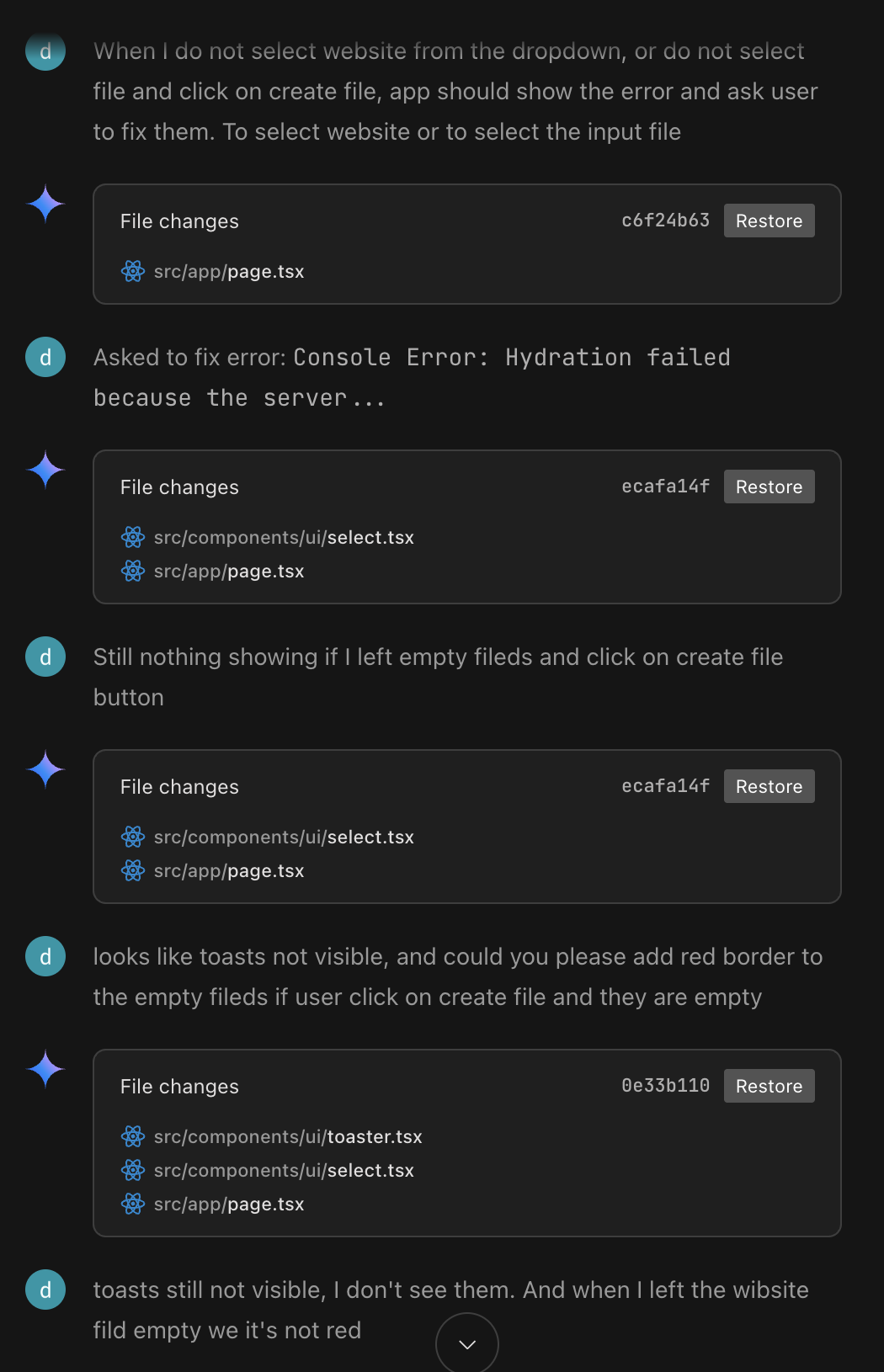
By applying the incremental approach and dosing information, the author minimizes bugs. He becomes a "construction foreman for the LLM model," clearly describing requirements in plain English.
The Code Doesn't Belong to You
Critical point: you won't like the generated code -- it's someone else's code, complex, not up to your standards.
If you follow vibe coding, all edits are made through prompts, in an environment that doesn't belong to you. Editing code by hand is impossible.
The model often refactors unnecessary files, like a junior trying to show off. You don't know the project context -- you have to ask the model to find it.
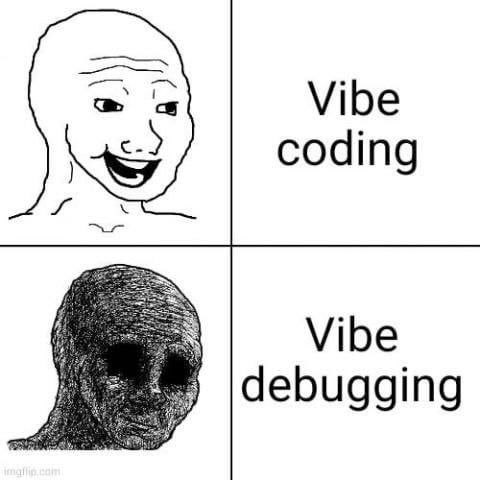
Takeaway: all or nothing. Either you fully commit to the process, or you don't go there at all.
Final Conclusions
The author built the application entirely through prompts, without writing a single line of code. The application works: it parses a file, calls an API, generates an output file.
Vibe coding is genuinely effective for such cases. But it is definitely not a tool for people without experience -- it requires "speaking a language bordering on dry requirements and algorithms, understanding where this magic can fail."
After 15+ years of development, the author barely tamed the tool, treating it with suspicion throughout.
Generated code still has leftover files -- they can be removed through prompts.
The main danger: if the critical mass of an LLM's training dataset consists of its own mistakes, what happens next is anyone's guess.
For more complex systems, the author relies on sketch-programming -- describing simplified syntax that agents transform into valid code. But that's a story for another article.