Everything in Software Is Messed Up and Getting Worse
A frustrated developer's rant about modern software bloat — comparing 20 years of hardware performance gains with the ever-increasing resource demands of operating systems, web frameworks, and Electron apps.
Greetings, users!
I've been reading for about a decade, primarily following development, programming, old hardware, and posts with outrageous ratings. I've seen several posts about website and software bloat. About disillusionment with programming with 2000+ comments. And a post saying that software is fine, but nobody is satisfied — or however it goes. Anyway, I want to share my thoughts and observations on this matter.
Below is a picture of the PCs I've had — not all of them, I simply don't remember a couple of laptops. The evolution of their performance, with single-core performance specially highlighted.

Below is a table showing performance growth compared to the Pentium 166 MMX.
| Processor | Score | vs. Pentium 166 MMX |
|---|---|---|
| Ryzen 5 3500U | 3574 | 49.6x |
| Pentium 2020m | 2512 | 34.9x |
| Athlon II X4 640 | 2317 | 32.2x |
| Athlon 64 3000+ | 903 | 12.5x |
| Duron 800 | 215 | 3.0x |
| Pentium 166 MMX | 72 | - |
Of course, the comparison isn't entirely fair, but a general picture of performance gains over 20 years emerges.
And what do we see? The Ryzen 5 outperforms the Pentium 166 by 50 times. I'm confident this number could easily be multiplied by 2 or 3, since special features, architecture improvements, pipelines, etc. aren't accounted for.
I do have something to say. On the first Pentium, office tasks were handled, movies and games were played. And even — oh, the horror — the internet. Of course, a direct comparison is incorrect. Resolutions increased, video streaming appeared, the web became more complex. Now it's not just text but full applications running in browsers. But on the other hand, all processors from 10+ years ago contain integrated graphics cores with high-definition video acceleration. Graphics are handled by those cores — the processor doesn't need to chew pixels, it only needs to kick the video card with the right data. Overall performance lets us process billions of instructions per second. But... everything is messed up.
Software Bloat
Software that lagged on the first Pentium lags the same way on a Ryzen 5 in the 21st century. Websites are bloated with JavaScript. I'm convinced there's no point blaming the browser — it's just an interpreter of all this garbage that developers created. Framework chasing framework. And no, I'm not some crazy person rejecting them — I'm all for using lightweight frameworks. If that's even possible in web programming. Modern websites simply cannot lag; they have no right to. Clearly, something is wrong in the technology-to-tool-to-development chain. Or in all of them at once.
Perhaps HTML itself and its DOM tree don't allow fast operation. Perhaps JavaScript itself lacks the capabilities to parse and execute quickly.
Remember Doom and Quake? And their software renderer, which allowed comfortable play on the first Pentium at 800x600 resolution. What was the processor doing? 3D graphics rendering, collision calculations, gameplay logic, etc. And you want to tell me this isn't comparable in volume and complexity to a modern website? To display a beautiful interactive page on a JS framework, billions of instructions are needed? Seriously? The video processor draws graphics; the processor only handles parsing and executing JavaScript garbage, yet it's not enough.
The JavaScript and Framework Mess
Essentially, an average page contains JS, CSS, HTML, React, Angular — just don't get confused with framework versions. New frameworks keep coming, rushing into production. Each one does the same thing, but has its own pretty website. And the browser needs not just to parse it all, but to build an awful DOM graph, execute element positioning via CSS settings, and execute the JS. This is billions upon billions of instructions. The page looks simple, maybe minimalist, but behind it stand millions of lines of code the browser must execute.
I can't imagine what magic the Google Chrome developers perform to develop their browser with 1000+ web standards. Plus, you need not just to show the site but for JS to execute fast.

Perhaps it's time to reconsider web standards. Develop efficient web from scratch. Where displaying pages doesn't require SSE1234 and AVX256, 1024, 4096 instructions. Without them, an i7 doesn't cut it. Maybe this is WebAssembly. Let's watch natural selection play out in software. Money and legacy will win. Because economics comes first.
The Almighty Windows
Let's move to Windows. Yes, on my personal laptop I have Windows and Lubuntu.
No complaints about Linux — it works fast, doesn't use much memory. Instant responsiveness of the interface and programs. And I'll note this is on a terabyte HDD. Yes, I know SSD is better and solves many problems with slow loading and program startup. But Windows is on this same HDD, and I have something to say about it.
This is very messed up. So messed up that it can't get worse. But tada — Windows 11 came out, and I have things to say about it too. For now, let's talk Windows 10.
Hello, Windows 10. You square thing. I've traveled a path with you from Windows 3.11. But what you're doing now is a disaster. The system often likes to load the processor and hard drive. Hundreds of important system services — can't do without them — and it feels like they're mining cryptocurrency in turns.


The Visual Studio Download Fiasco
I'll give you an example.
I was downloading Visual Studio Community. In the settings, I specifically told it to download everything first and then install. And what do you think happened? Here's a screenshot of what goes on during a simple download.
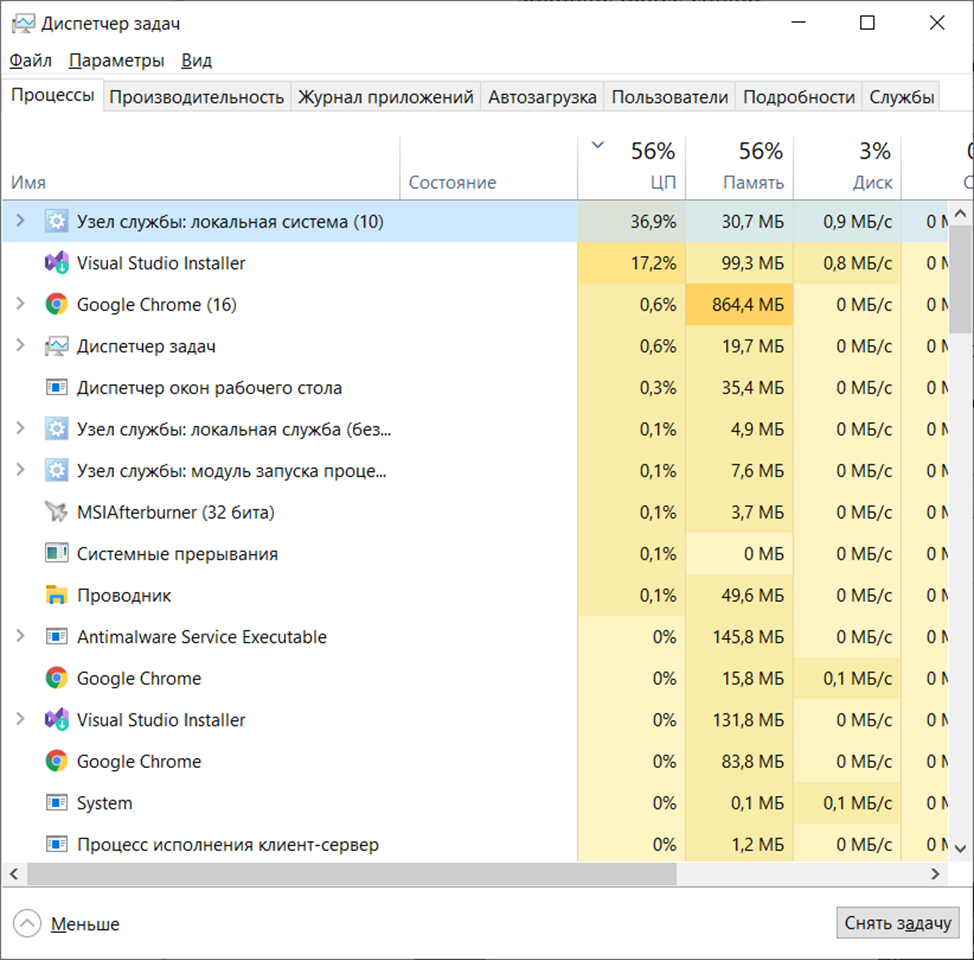
The local system service node loads the processor 36%, and the installer itself 17% — total around 50% load. So let's start counting. 4 cores and 8 threads. That means just downloading loads 2 processor cores and 4 threads. The processor heated the air for about 15 minutes at more than half capacity, just to download files. Come on.
How many resources are needed to run Windows 95 in an emulator and play Fallout 2 in it? Drumroll — exactly as much as downloading Visual Studio. Similar tasks, you understand.
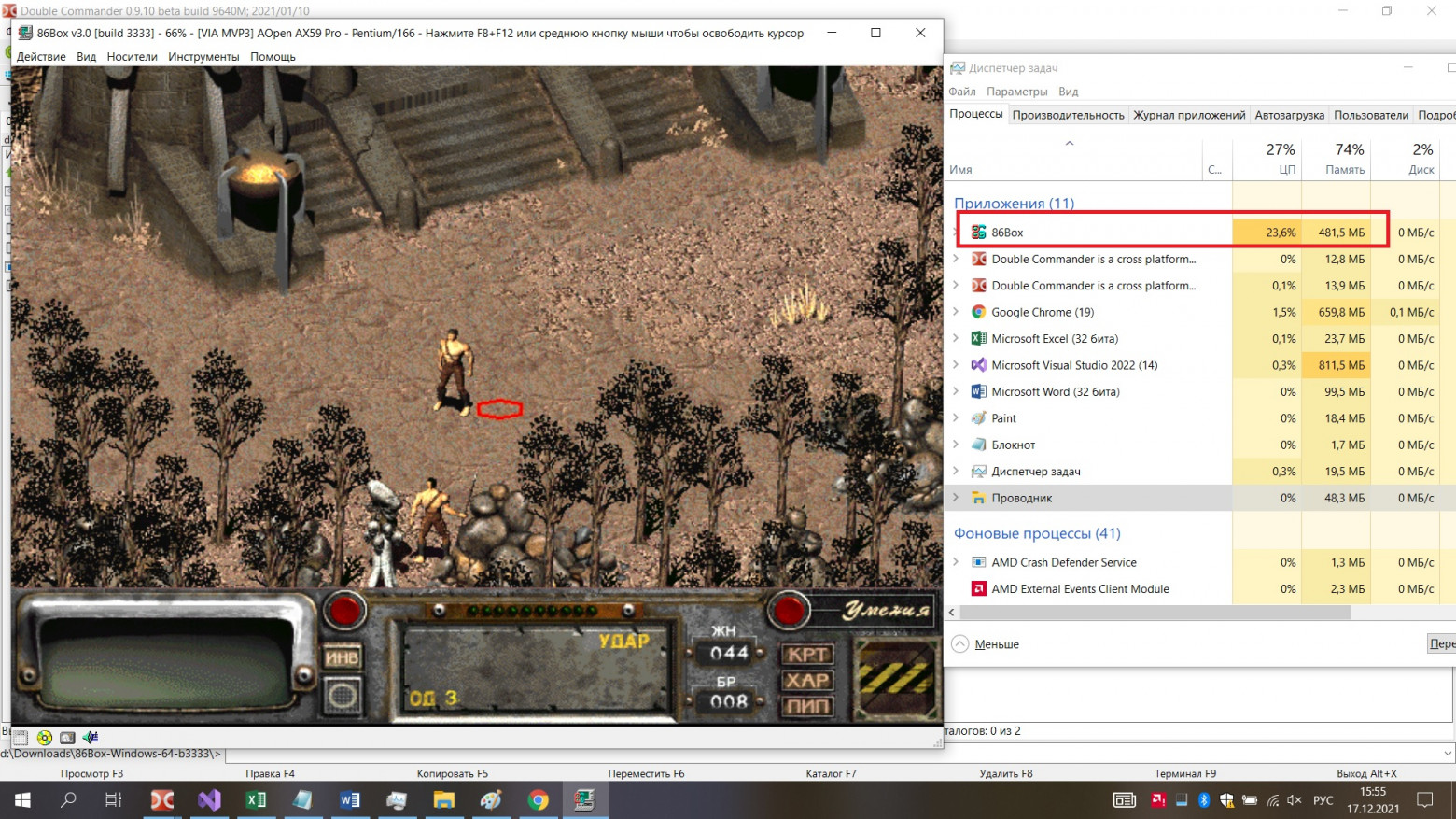

And so it goes with all modern software. Simple things we're used to just heat the processor. Some mysterious input lag. Periodic freezing of the Start button — or more precisely, that tile with an icon in the lower left corner — which often doesn't work on the first click.

Windows 11 and Its Demands
And those hundreds of services, periodically leaking information about me, tormenting the laptop. Input lag everywhere. You enter settings and it lags. You want to change resolution and the drive whirs. This isn't my old 400 MB drive that was in a 386 PC.
Now let's move to our stylish, fashionable, youth-oriented Windows 11. Oh, come on baby. Wait — do you have a TPM 2.0 module installed? No? Sorry, your processor with many cores released just a couple of years ago isn't supported. Yes, we understand your processor handles Cyberpunk 2077, but that's just toys. We're offering a completely new, unique OS with the best interface and all that garbage we rewrote or didn't finish or just slapped on as changes and compatibility layers.
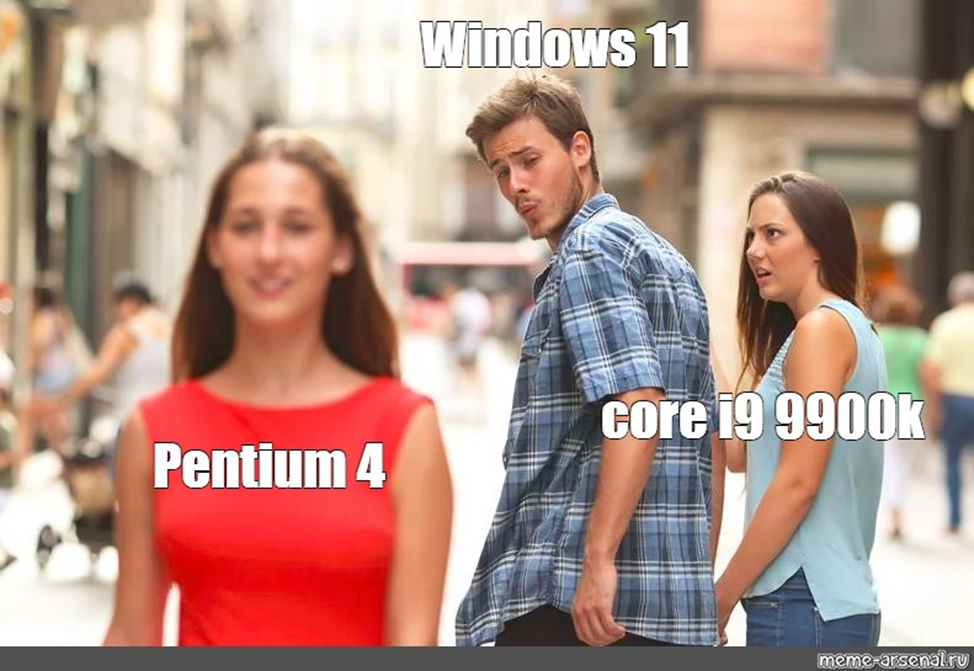
Goodbye to you.

To run your programs, games, and development tools, you need 4 gigs of RAM. 4 gigs on startup plus drivers plus your programs — aren't you guys crazy?
The File Explorer and Memory Absurdity
How much RAM does the Windows 10 File Explorer consume?
Ahem.
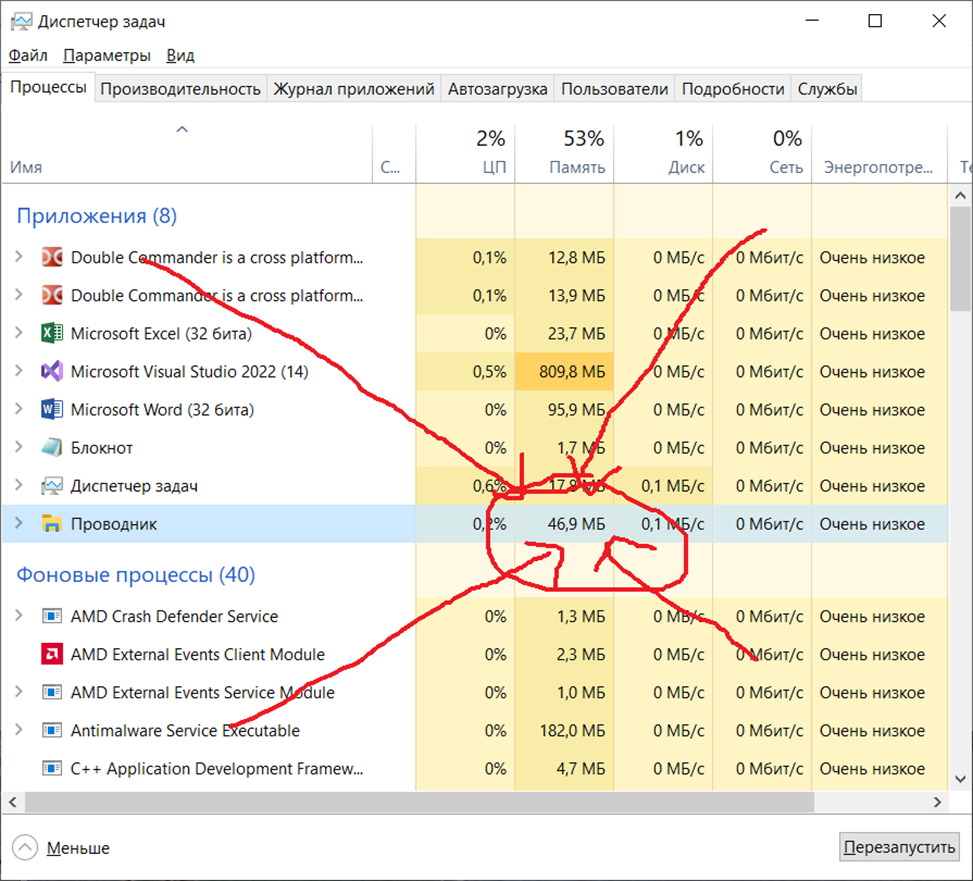
47 megabytes. How much RAM did the PlayStation 2 have? Hmm, 32 megs. File Explorer wouldn't even start there. Windows 95 weighed 50 megs total and contained File Explorer — though why it had it then and still has it now is beyond me — and required only 4 or 8 MB of RAM.
Enjoy.
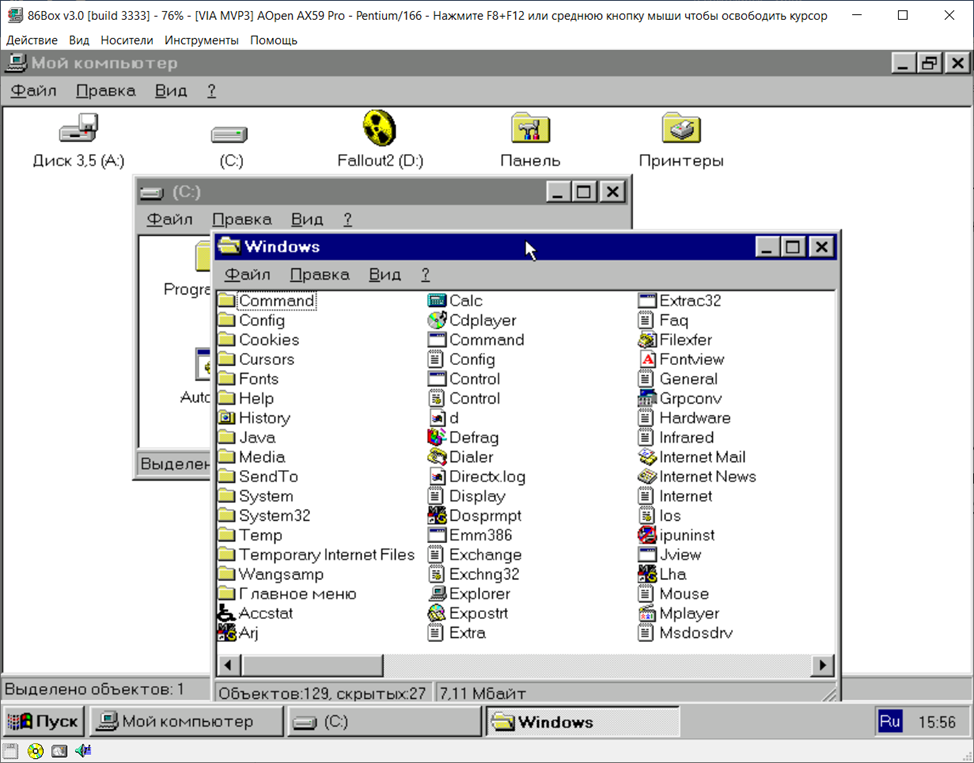
This is victory! Wait, I just remembered Electron. JavaScript running in a standalone browser version, which deploys in an operating system environment, which addresses the kernel and drivers, addressing the processor, which executes CISC commands while being RISC inside. After security patches, it got even slower. The main thing is it doesn't lag — on an i9, it's supposedly fine.
Conclusion
And why should we developers care!

I understand there's legacy code, managers demanding features. Quick feature grinding for the business, etc. I just decided to make a post and speak my mind about what's been bothering me. Slowdowns, slowdowns never change — there just become more of them.
FAQ
What is this article about in one sentence?
This article explains the core idea in practical terms and focuses on what you can apply in real work.
Who is this article for?
It is written for engineers, technical leaders, and curious readers who want a clear, implementation-focused explanation.
What should I read next?
Use the related articles below to continue with closely connected topics and concrete examples.





