Digital Sound on the PC Speaker
How IBM PCs from the late 1980s reproduced high-quality digital sound through their humble PC Speaker using Pulse-Width Modulation and the Intel 8253 timer chip, without requiring expensive sound cards.
I frequently discuss the era when 1980s home computers were just acquiring sound capabilities, and various forms of early computer music created on these machines using software synthesizers, specialized sound chips, or digitized sound players.
I previously covered the PC Speaker's abilities with monophonic square-wave melodies. Today's focus is on reproducing realistic sounds — "digitizations" familiar to us in modern times. This is a note of nostalgia for a technical marvel, when a PC that usually produced sounds barely better than a pocket Tetris game suddenly began convincingly speaking in a human voice and playing full musical compositions. And completely free, without purchasing a sound card.
The Classic Speaker
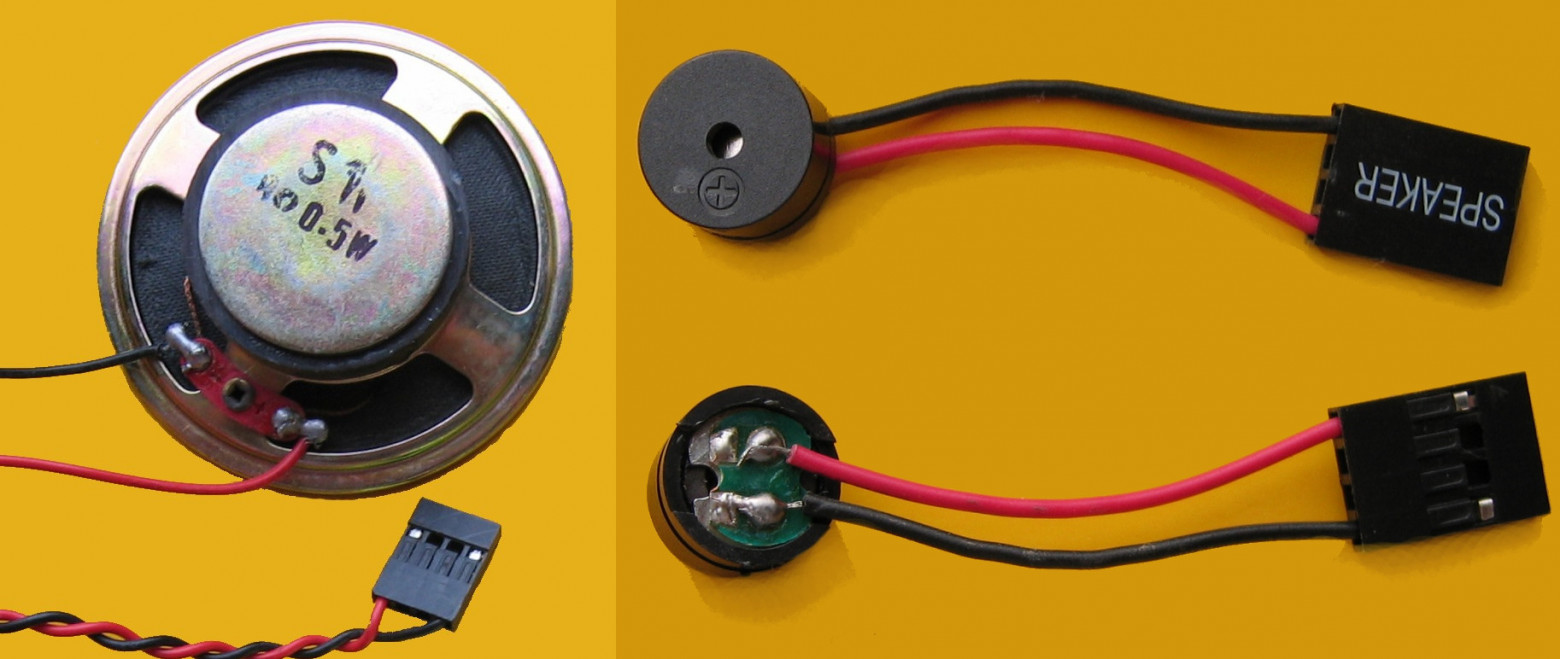
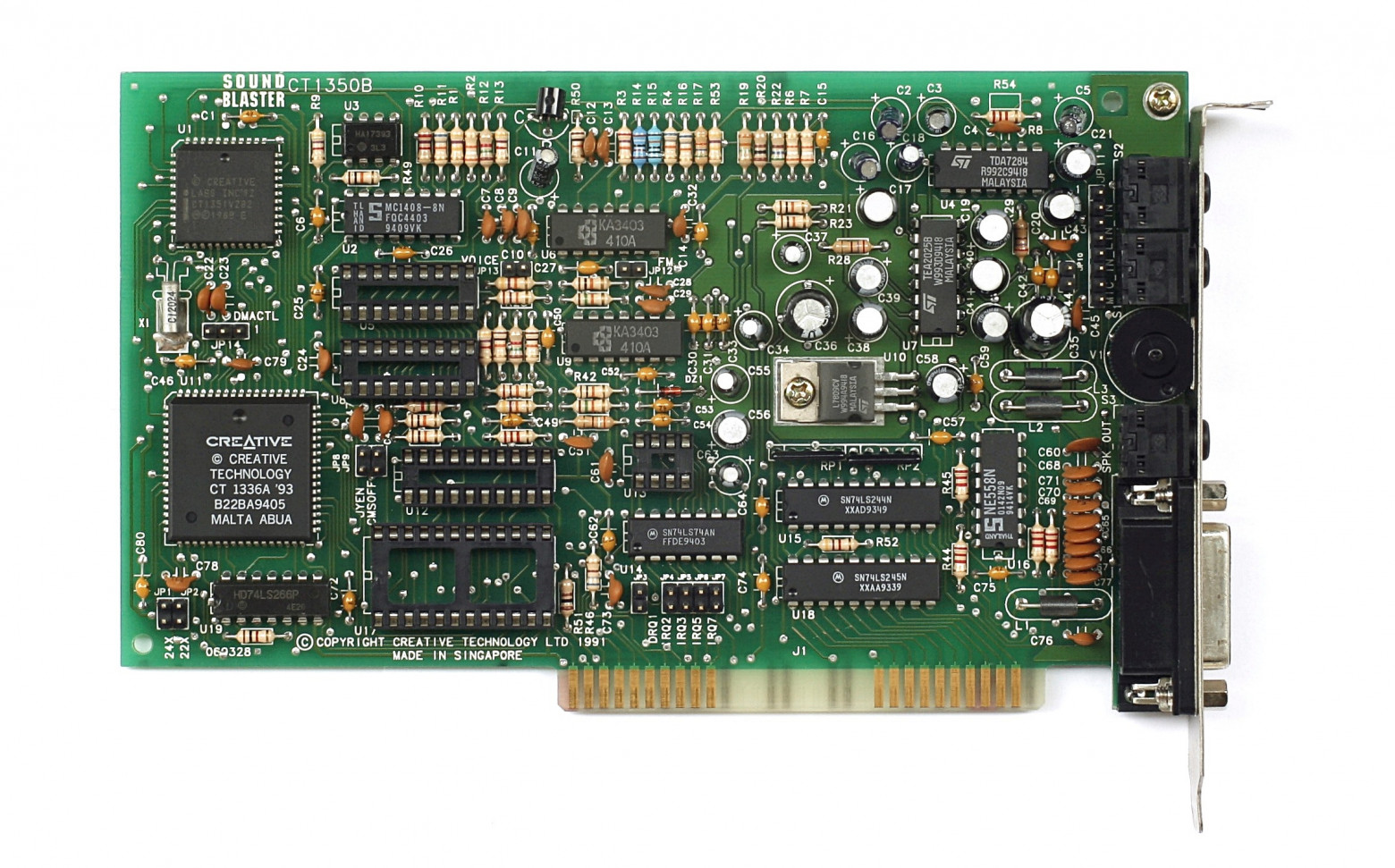
The PC Speaker represents the oldest and initially only sound device equipped on the very first IBM PC model 5150 from 1981. It migrated unchanged through XT and AT models and into millions of clones, remaining present in modern computers to this day.
Unlike the single-bit output on the Apple II or ZX Spectrum, the IBM PC connected the speaker to an Intel 8253 timer channel, enabling generation of the simplest timbre — a "square wave" or "meander" — without CPU participation. The processor only sets the desired frequency and then handles other tasks.
This allowed developers to reproduce simple single-voice melodies without stopping on-screen action. However, unlike Apple II and Spectrum communities that pursued sophisticated software synthesis, PC development didn't embrace this — varying computer performance made consistent sound reproduction across different machines difficult.
Typical attributes of PC Speaker music became the simplest square wave and single voice, with rare polyphony imitation attempts. The best that could be heard on average were melodies in Lucasfilm Games titles, such as The Secret of Monkey Island.
Sound Digitization
The idea underlying digital sound recording on a computer is extremely simple in essence. To record sound, one must measure signal amplitude at the input several thousand times per second and save the sequence of measurement results. For playback, one must establish previously measured amplitude values at the output at the same rate.
Two parameters are crucial: sampling rate and amplitude precision.
Sampling frequency, also called "sample rate," affects the maximum frequency of harmonic signal components being recorded. The Kotelnikov theorem (also known as the Nyquist-Shannon sampling theorem) states that to record a signal with frequency F, one must digitize it at frequency 2F — twice as large. Harmonics exceeding half the sampling frequency (the Nyquist frequency) will disappear from the reconstructed signal or cause artifacts unlike the original.
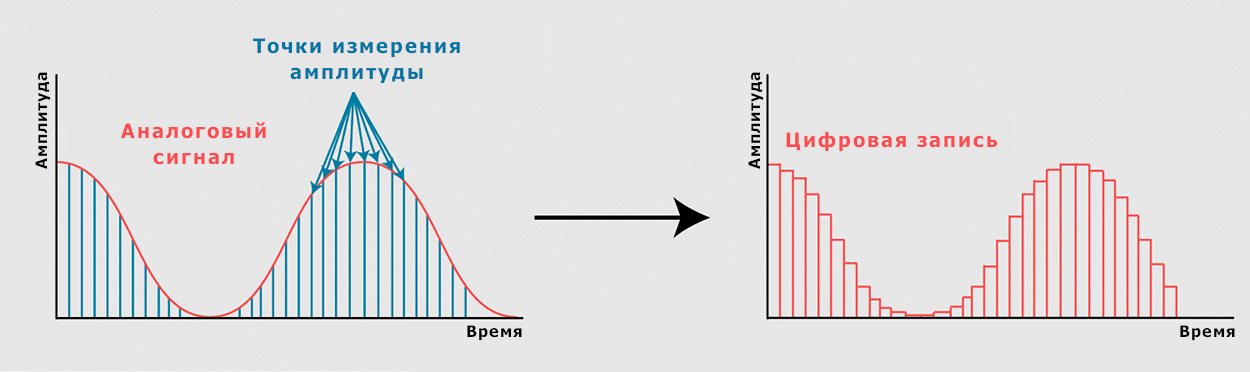
Modern PCs use 16- and 24-bit precision (65,536 or 16,777,216 amplitude "steps"), sufficient for very high-quality sound. On older computers, 8-bit precision was common, providing 256 "steps" — a single measurement result fit in one byte. Such digitized sound was quite noisy, but comparable to cassette recorder recordings.
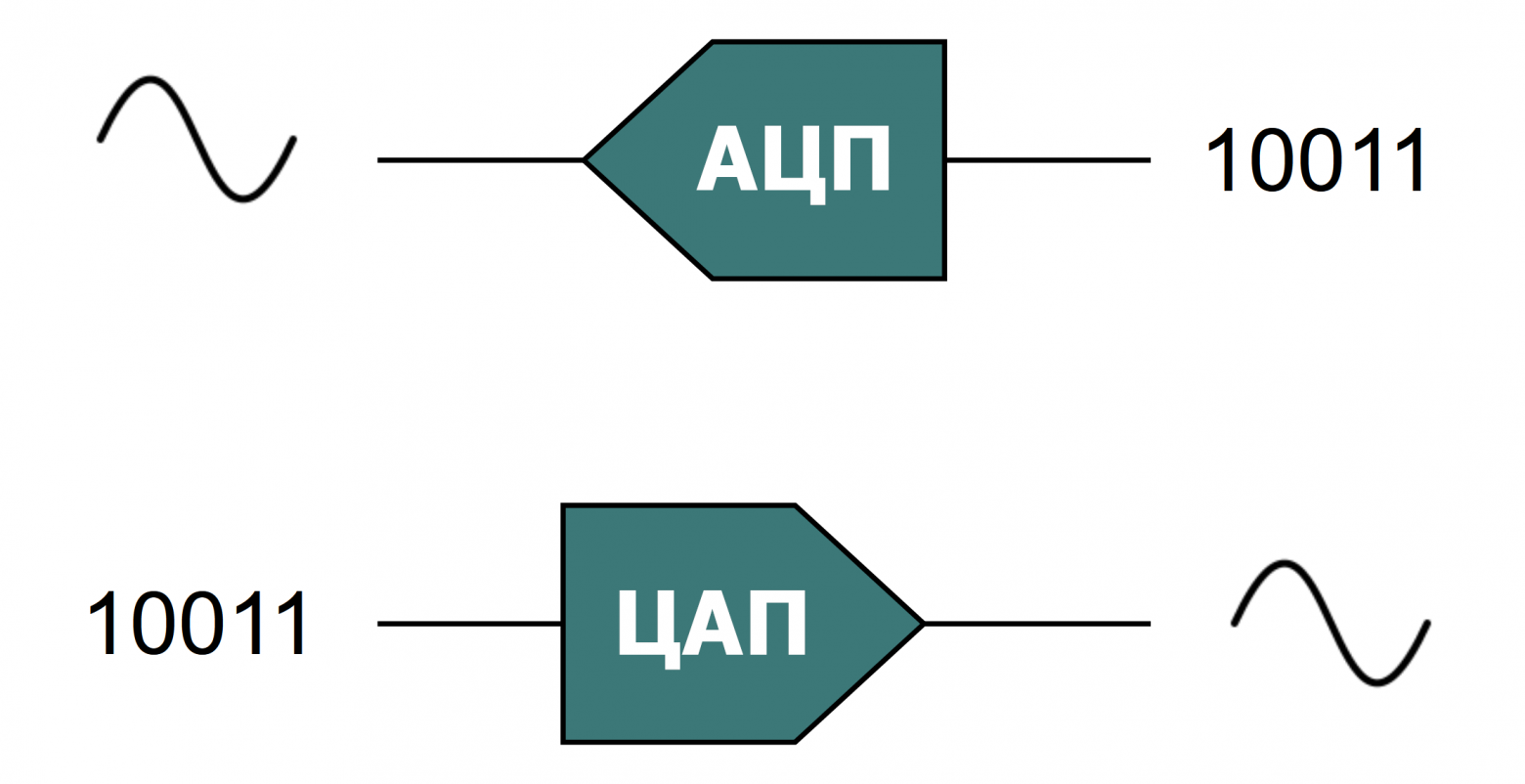
Sound cards combine an Analog-to-Digital Converter (ADC) and a Digital-to-Analog Converter (DAC). The first converts analog amplitude values into digital form, while the second does the opposite, creating output voltage or current of the needed magnitude.
The Speaker as a DAC
If no DAC exists in the computer, one must simply seek it better! Actually, the most primitive DAC is always present in any computer — even if the computer lacks sound devices entirely. And the IBM PC possesses one from the box, so mission accomplished!
The PC Speaker functions as the simplest possible single-bit DAC. Having even a single-bit DAC with sufficient speed and memory, one can play quite decent sound. Or, if resources are limited, one can play something at least.
The simplest naive method is to convert the source file into single-bit and simply output these bits to the speaker port. The simplest way is to take some threshold — values below it are considered zero, above it considered one. This works, but sound quality is very low with a very high noise level.
A more popular method involves constantly changing between 0 and 1, but varying the delay between changes. This requires special file encoding — storing not sample amplitude, but time between changes. The noise level remains the same. This method appeared in ZX Spectrum programs like SpeakEasy.
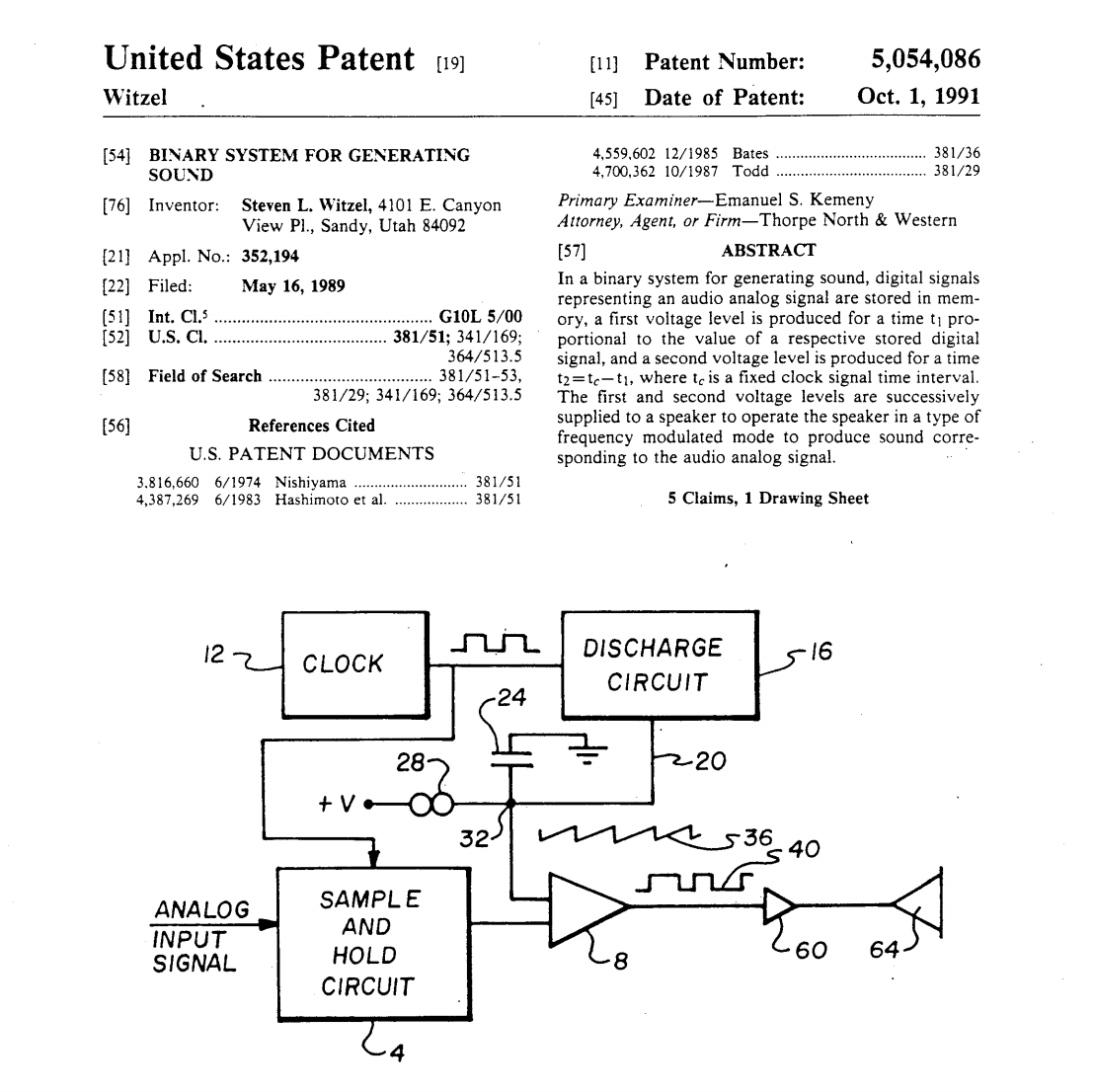
Pulse-Width Modulation (PWM) significantly improves quality. The output bit is set to 1 at equal intervals with some high frequency, and cleared to 0 after a specific time. The longer it remains at 1, the more energy in the output signal and the higher the average voltage.
If the output is smoothed by a resistor-capacitor filter chain, or even the loudspeaker's electromagnetic system inertia filtering unwanted high-frequency components, it's possible to get quite a decent DAC using just one bit. This principle is used everywhere. In modern times, Arduino enthusiasts especially favor it.
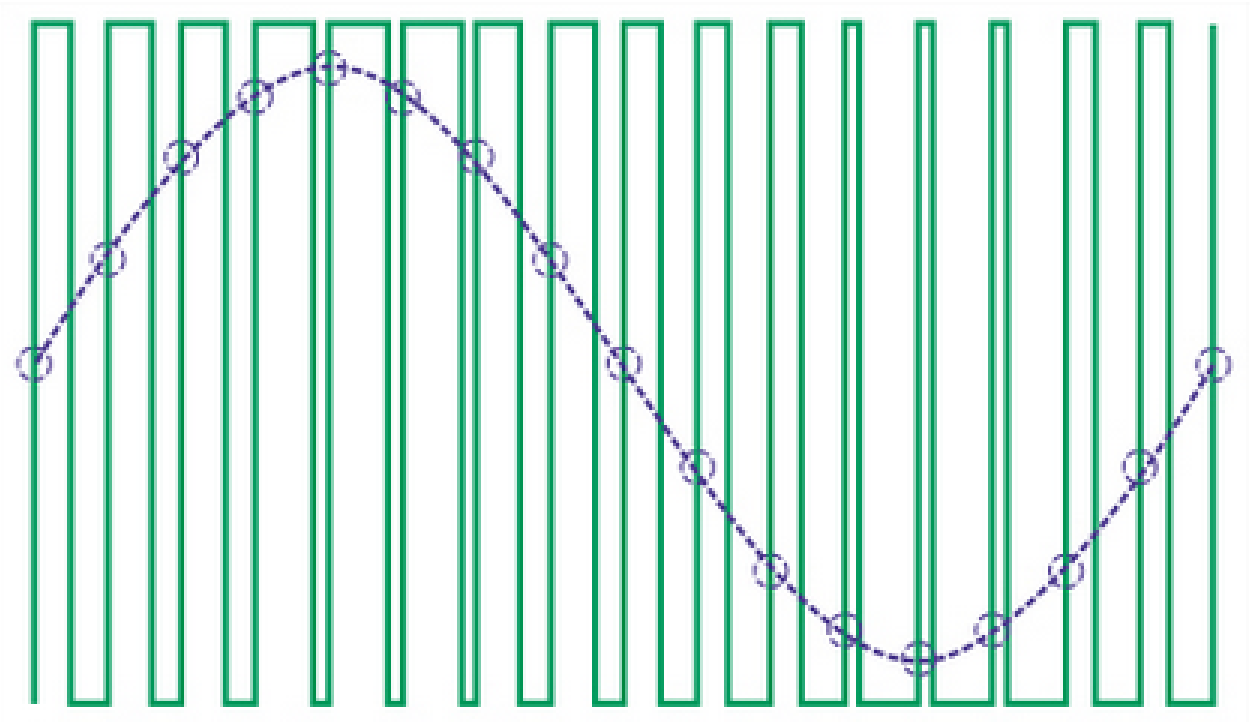
However, PWM implementation hinges on practice. Delays must be set with very high precision to obtain more possible output voltage values, and this must occur at frequencies above the hearing threshold. For weak 1980s computers, this was quite complex but solvable. And precisely in solving this using IBM PC hardware lies the secret of the speaking speaker.
Hidden Timer Talents
One could maintain the needed time periods through precise code execution timing calculation, as on many 8-bit computers. But the IBM PC again faces the problem of configuration diversity, varying enormously in performance.
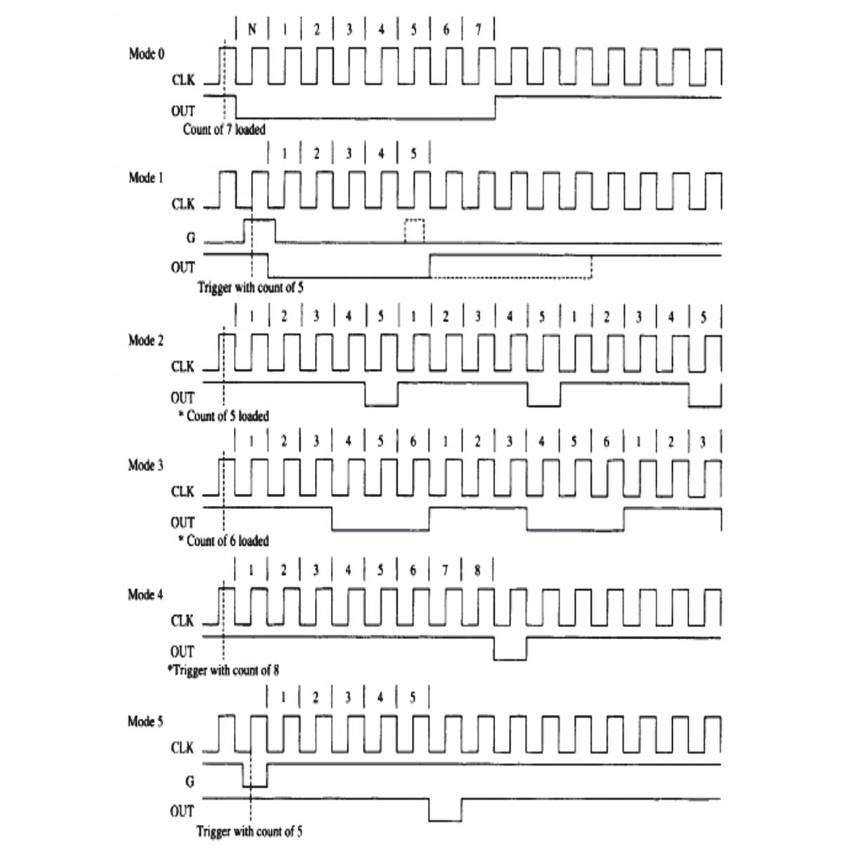
The Intel 8253 programmable timer has many different working modes. Besides mode 2, which generates a "meander" used for triggering maskable interrupts and generating square tones on the system speaker without CPU participation, there are others. One of them — mode 0 — produces single pulses of specified duration: the output sets to 1, remains unchanged for a specified time, then clears to 0 after the specified number of timer clock cycles.
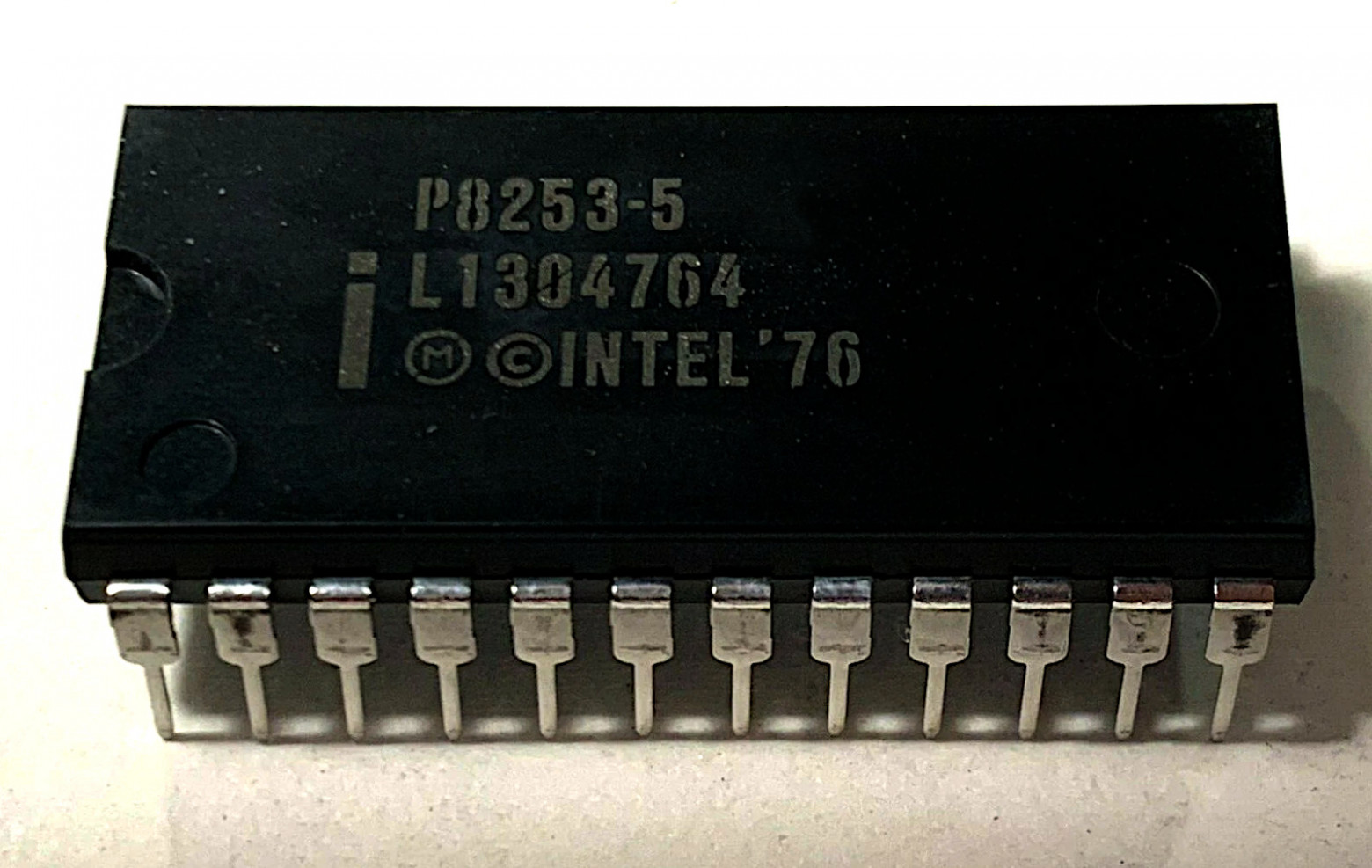
Channel 3 generates programmable maskable interrupts at a specified frequency — the processor periodically stops executing the main program and runs a short procedure (the interrupt handler), then continues executing the main code.
The timer interrupt procedure in MS-DOS tracks real time for clocks and calendars. This interrupt has an 18.2 Hz frequency — the minimum possible — but nothing prevents increasing it. If the computer has a sufficiently powerful processor — at least the fastest 286 at 25 megahertz, or an entry-level 386 — to execute the interrupt handler that frequently, these could be tens of kilohertz. And perhaps some time remains between interrupts for main program work!
The implementation concept: using mode 2, call interrupts at the needed frequency of around tens of kilohertz, and in the interrupt handler, using mode 0, generate speaker channel impulses of varying duration.
This technique's capabilities are limited by the timer clock frequency and counting precision. The 8253 input frequency is 1,193,182 hertz, and the counter-dividers' bit width is 16 bits. For DAC implementation, one must divide these clock pulses by sampling frequency and pulse duration — the DAC's conditional resolution. The sampling frequency should exceed the human hearing threshold; otherwise it is perceived as a background high-frequency whistle. The pulse duration ideally fits in an 8-bit value for launching with a single-byte write.
Optimal practice uses 64 clock pulses for maximum pulse duration — providing 64 conditional "volume levels" or "steps." Dividing 1,193,182 by 64 gives the maximum possible sampling frequency for this resolution: 18,643 hertz, slightly below the hearing threshold. One can increase the sampling frequency by reducing DAC dynamic range to 32 or even 16 "steps," but this increases noise and requires more computer resources for the higher sampling frequency. Increasing resolution makes no sense, as the carrier frequency would fully enter the audible range and be heard as a constant high-frequency whistle.
Games and Programs
Unfortunately, not so many games used this technique. And possibly, besides sound cards' imminent arrival, another strange and unfortunate reason exists.
This technology for digitized reproduction on a timer with PWM, quite obvious even then, was patented by Steve Witzell in 1989 (patent US5054086A), and under the RealSound name was licensed to various companies for game use.
Perhaps this patent's existence slowed widespread adoption in commercial American products, but fortunately didn't stop developers from other countries and demo scene enthusiasts, who employed similar methods in their projects.
Original RealSound was successfully applied in Access Software and Legend Entertainment games from 1987 to 1993. Crime Wave (1990) provides an excellent example capturing the era's spirit.
The French company Loriciel simultaneously used its own speaker digital sound implementation in games. Interestingly, this company's main hit is the rather controversial Jim Power, to which the author contributed significantly.
Perhaps the most famous Loriciel development is Mach 3. Space Racer (1988) provides another example.
Pinball Fantasies (1995) by Digital Illusions — now responsible for the Battlefield series — represents one of the most notable speaker digital sound examples. Besides speaker support, the game successfully supported many other sound devices and remained memorable not only for speaker quality but for the music itself.
This example demonstrates the possibility of implementing high-quality digital sound simultaneous with gameplay on a 386DX33-level computer. Pinball Fantasies plays ordinary four-channel tracker music in MOD format, output to any selected sound card.
Digital Illusions' founders came from the demo scene, and from there came other founders — authors of various "tracker" format music editors. Coincidentally, many MS-DOS trackers also support PC Speaker as a sound device option, including the most popular Fast Tracker II and Impulse Tracker.
Certainly, one cannot forget the main pillar of all speaker digital sound nostalgia, of which legends are already told — the Windows 3.1 driver, also working in Windows 95. Its implementation's characteristic feature was the complete freeze of all action on screen, including mouse cursor movement, during digital sound playback.
Actually, there were even two such drivers: speaker.drv from Microsoft itself, and the alternative speakr.drv, developed by John Ridges. An analogous driver existed for Windows' main contemporary alternative — the "half-OS" OS/2, called sprkdd.sys.
From more modern digital speaker sound examples, one can turn to demo scene products: the Area 5150 demo (2022). The author contributed and discussed this on , but created an ordinary monophonic speaker soundtrack. However, the remarkable single-channel digital music in the demo's ending belongs to another author, cTrix.
DIY Implementation
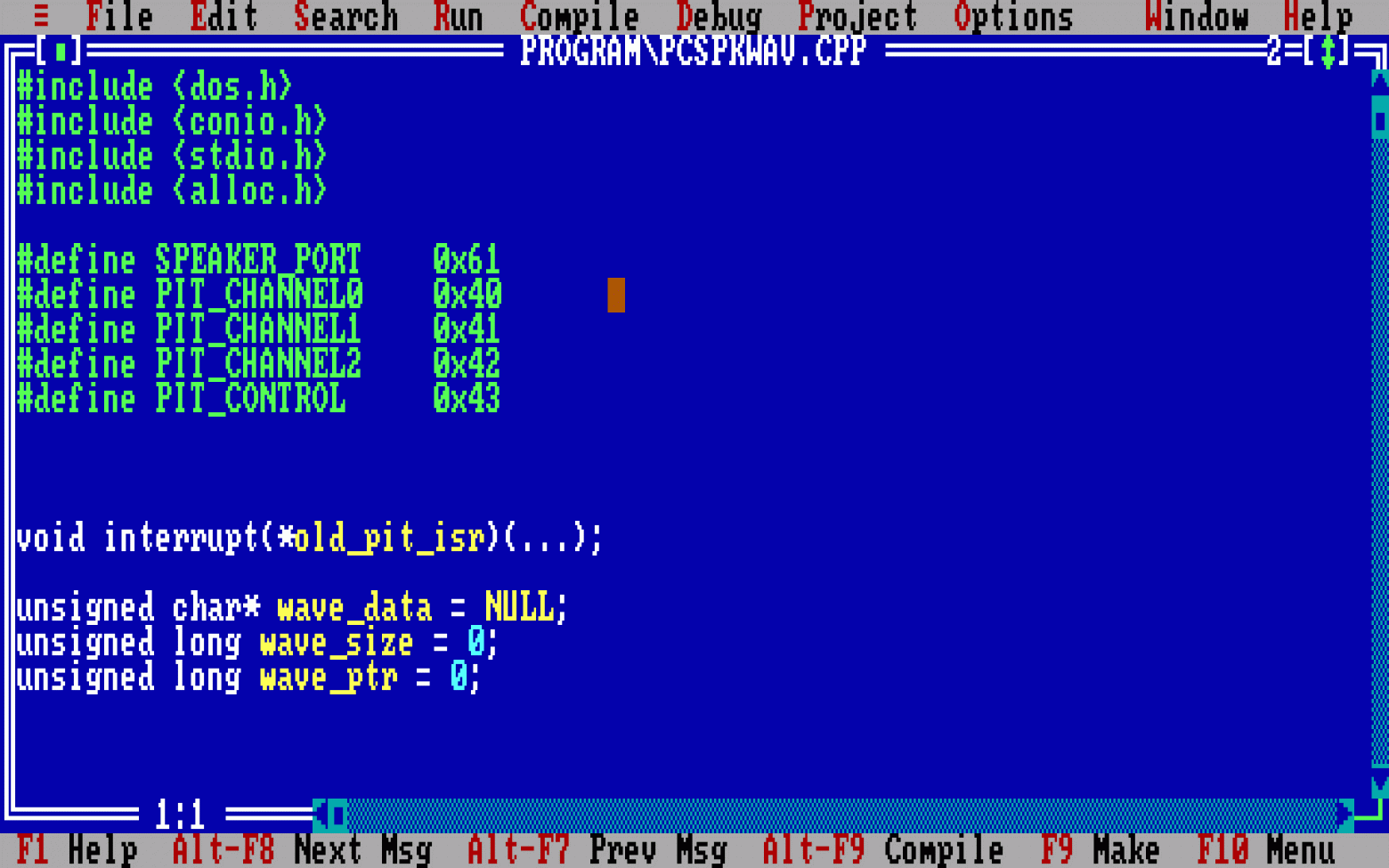
With the technical background sections concluded, it's time for a practical example — the simplest 8-bit sound file player, working in real mode under MS-DOS. For simplicity, there is no disk loading and buffering — the file must fit entirely in the standard 640 kilobytes of RAM. Also, no optimization for simplicity.
For simplicity, the example was written in C using Borland C++, without assembly inserts. Therefore, it requires a more powerful processor than it could. A proper assembly implementation could work on an 8086.
#include <conio.h>
#include <stdio.h>
#include <alloc.h>

#define SPEAKER_PORT    0x61
#define PIT_CHANNEL0    0x40
#define PIT_CHANNEL1    0x41
#define PIT_CHANNEL2    0x42
#define PIT_CONTROL     0x43

void interrupt(*old_pit_isr)(...);

unsigned char* wave_data = NULL;
unsigned long wave_size = 0;
unsigned long wave_ptr = 0;

void interrupt new_pit_isr(...)
{
    if(wave_ptr < wave_size)
    {
        outportb(PIT_CHANNEL2, wave_data[wave_ptr++]);
    }

    old_pit_isr();
}

int main(int argc, char *argv[])
{
    if(argc < 2)
    {
        printf("Usage: pcspkwav.exe filename.wav (must be 8-bit mono, under 18.9 kHz)\n");
        return 0;
    }

    /* read file into RAM */

    FILE* file = fopen(argv[1], "rb");

    if(!file)
    {
        printf("Error: Can't open %s\n", argv[1]);
        return -1;
    }

    fseek(file, 0, SEEK_END);

    wave_size = ftell(file);

    fseek(file, 0, SEEK_SET);

    wave_data = (unsigned char*)malloc(wave_size);

    if(!wave_data)
    {
        printf("Error: Can't allocate RAM for sample\n");
        fclose(file);
        return -1;
    }

    fread(wave_data, 1, wave_size, file);

    fclose(file);

    unsigned long sample_rate = wave_data[0x18] + (wave_data[0x19] << 8) + (wave_data[0x1a] << 16) + (wave_data[0x1b] << 24);

    printf("Playing %s ", argv[1]);
    printf("(%lu bytes, ", wave_size);
    printf("%lu hz)\n", sample_rate);

    /* set play pointer, skip WAVE header */

    wave_ptr = 0x2c;

    /* pre-convert wave data into 6-bit samples for direct PWM output */

    for(unsigned long i = wave_ptr; i < wave_size; ++i)
    {
        wave_data[i] = wave_data[i] >> 2;
    }

    /* set custom timer interrupt handler at sample rate */

    unsigned long period = 1193180 / sample_rate;

    outportb(PIT_CONTROL, 0x36);
    outportb(PIT_CHANNEL0, period & 255);
    outportb(PIT_CHANNEL0, period / 256);

    /* set PIT mode to channel 2 active, mode 0, LSB only */

    outportb(PIT_CONTROL, 0x90);

    /* enable speaker output */

    outport(0x61, inport(0x61) | 3);

    /* set new interrupt handler */

    old_pit_isr = getvect(0x08);

    setvect(0x08, new_pit_isr);

    /* wait while sample plays via interrupt */

    while(wave_ptr < wave_size)
    {
        printf("%lu\r", wave_ptr);
    }

    /* restore normal timer interrupt at ~18.2 Hz */

    outportb(PIT_CONTROL, 0x36);
    outportb(PIT_CHANNEL0, 0);
    outportb(PIT_CHANNEL0, 0);

    setvect(0x08, old_pit_isr);

    /* disable speaker output */

    outport(0x61, inport(0x61) & ~3);

    /* unload wave data */

    free(wave_data);

    return 0;
}
Conclusion
A successful combination of IBM PC timer capabilities practically invited creative use. As the saying goes, in skilled hands even one bit becomes a balalaika — which resulted in fairly decent digital sound on the most primitive sound device.
Unfortunately, this technology didn't achieve wider adoption when it was truly needed. Nevertheless, it remains a most curious artifact in the cultural layer of computer sound history. And I, as a digital archaeologist, continue my excavations.
FAQ
What is this article about in one sentence?
This article explains the core idea in practical terms and focuses on what you can apply in real work.
Who is this article for?
It is written for engineers, technical leaders, and curious readers who want a clear, implementation-focused explanation.
What should I read next?
Use the related articles below to continue with closely connected topics and concrete examples.





