Deceived on Everything: Examining a Fake Tablet Flooding Online Marketplaces
The manufacturer lied about every single spec — from the processor, RAM, and storage to the cameras, battery, and screen. A deep teardown of the Lingbo A2 tablet reveals complete fraud in pretty packaging.
If you want the short version: the manufacturer and seller deceived on every single characteristic — from the main chip, RAM and storage volumes, all the way to cameras, battery, and screen. A complete fake in pretty packaging.
Details below.
What's Happening on Marketplaces, and Which Model We'll Study
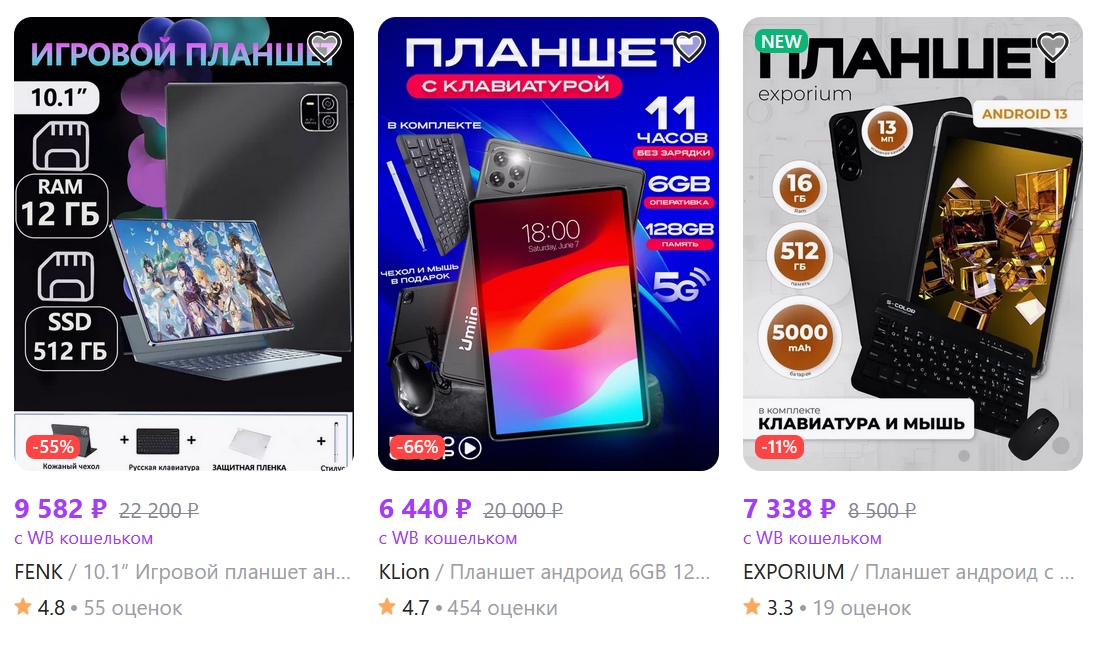
On online marketplaces in the sub-$100 price segment for tablets, it's a complete mess. Options with real specifications can be counted on one hand (mostly from established brands); everything else represents ancient ultra-budget platforms from 2016 that have been assigned fictitious RAM and storage capacities of 4/6/8/12/16 GB and 128/256/512/1024 GB respectively. They also attribute fresh Android versions, impressive cameras, high-capacity batteries, and 8-core processors.
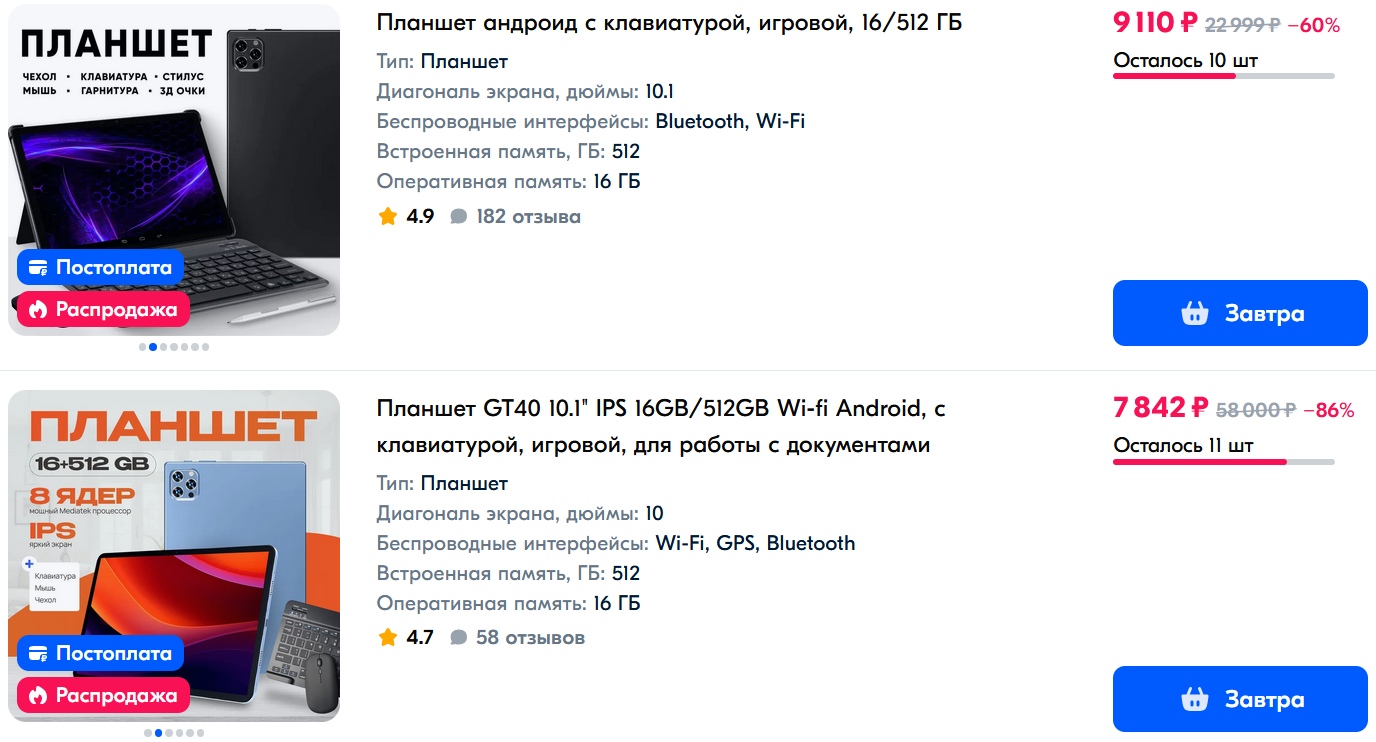
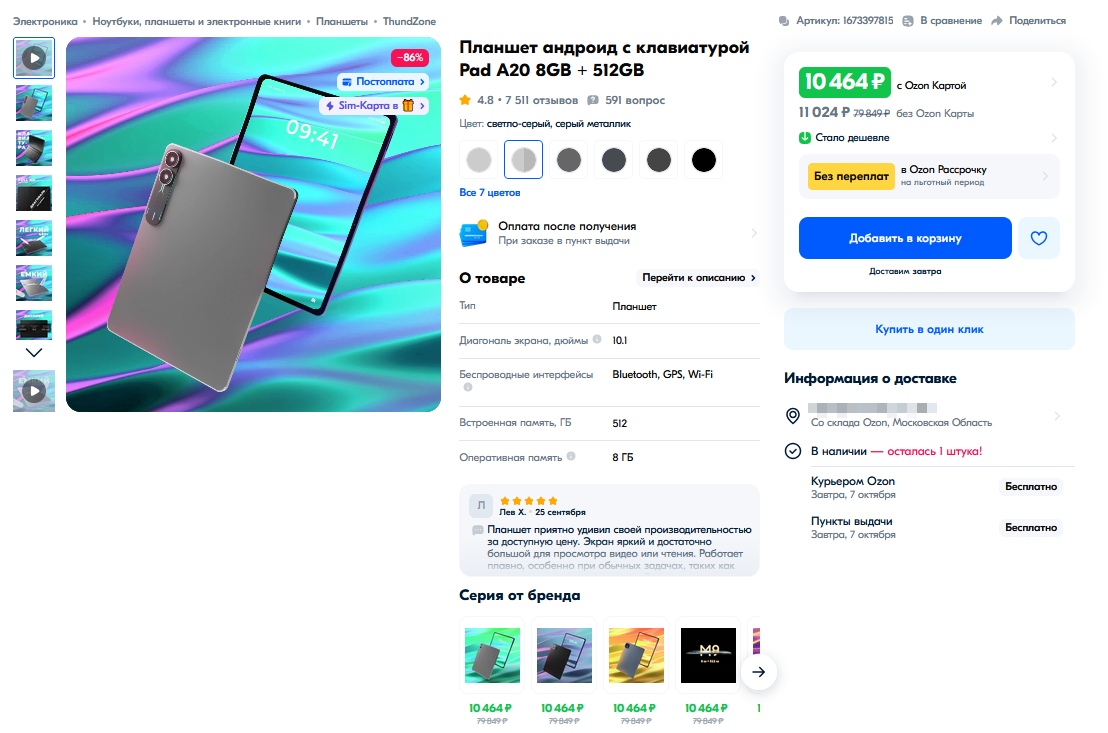
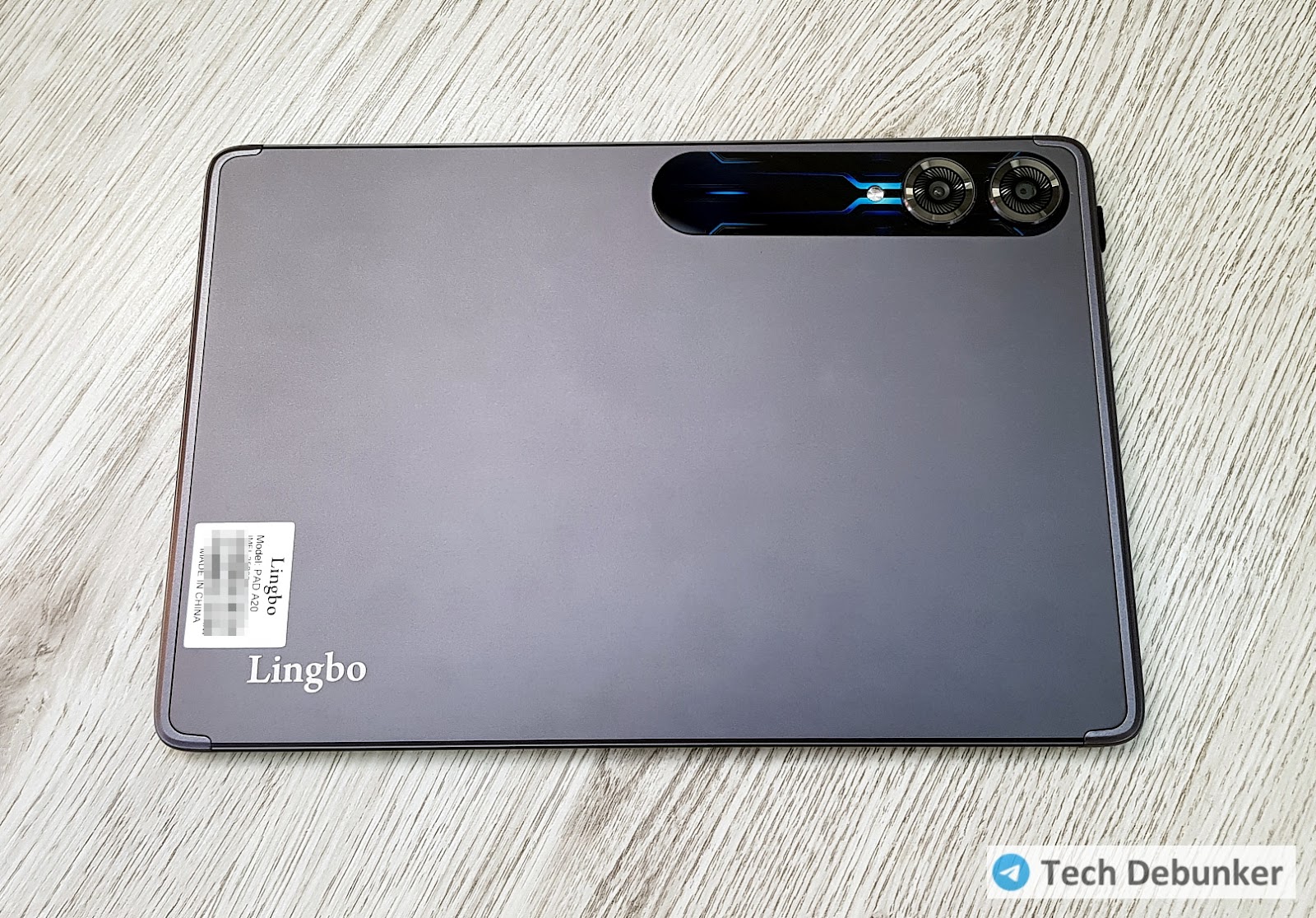
To show what these tablets actually are, I picked a fairly popular model — the Lingbo A2. The price constantly bounces around between $75 and $105.
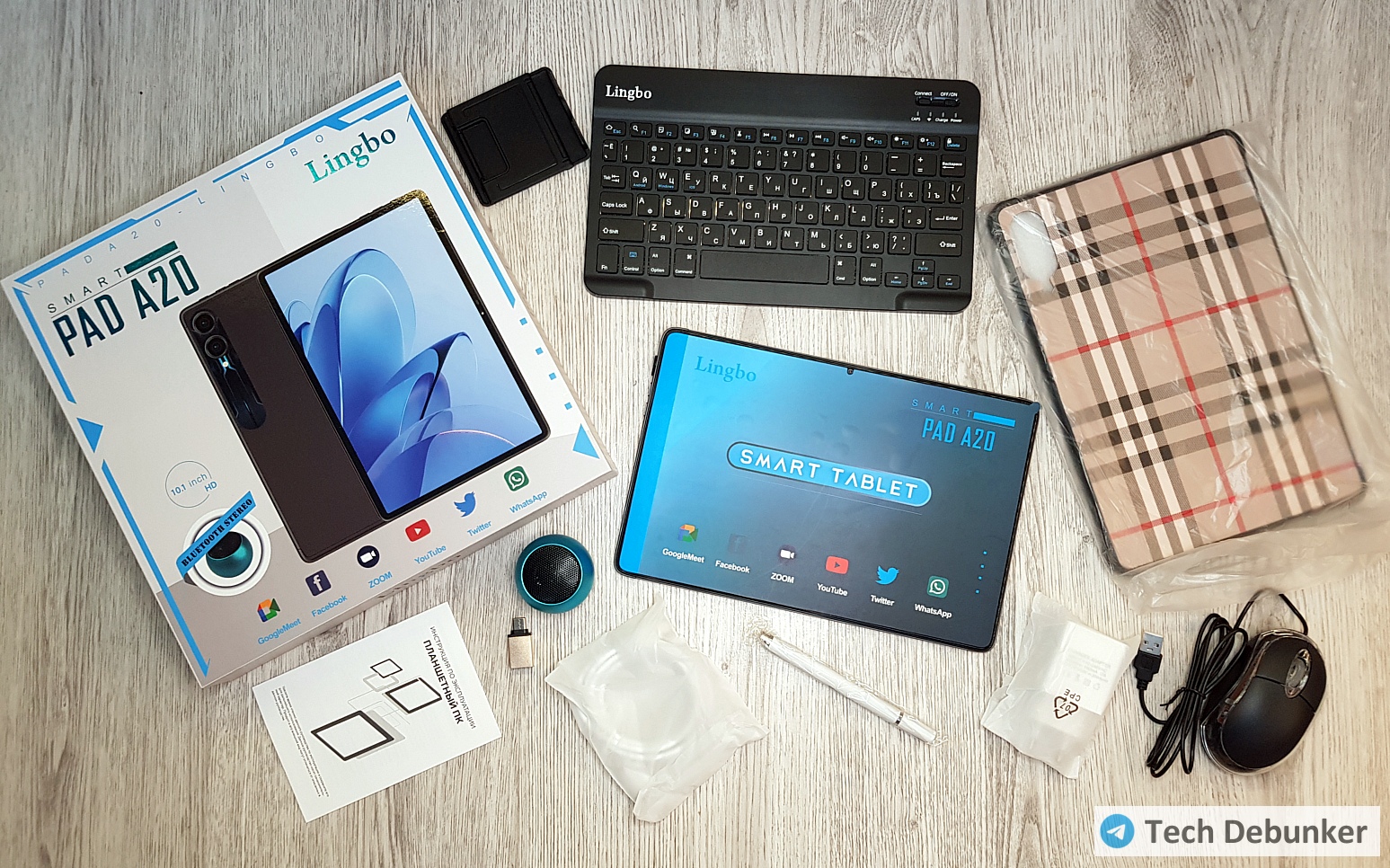
The manufacturer promises an 8-core processor and generally impressive specifications.
The variant with 8 GB RAM and 512 GB storage isn't even the most outrageous. For the same money, they offer tablets with 16 GB RAM and 1 TB storage. While many buyers might suspect deception in those extreme claims, they'd fully believe more modest-looking specifications. So I picked the more conservative option.
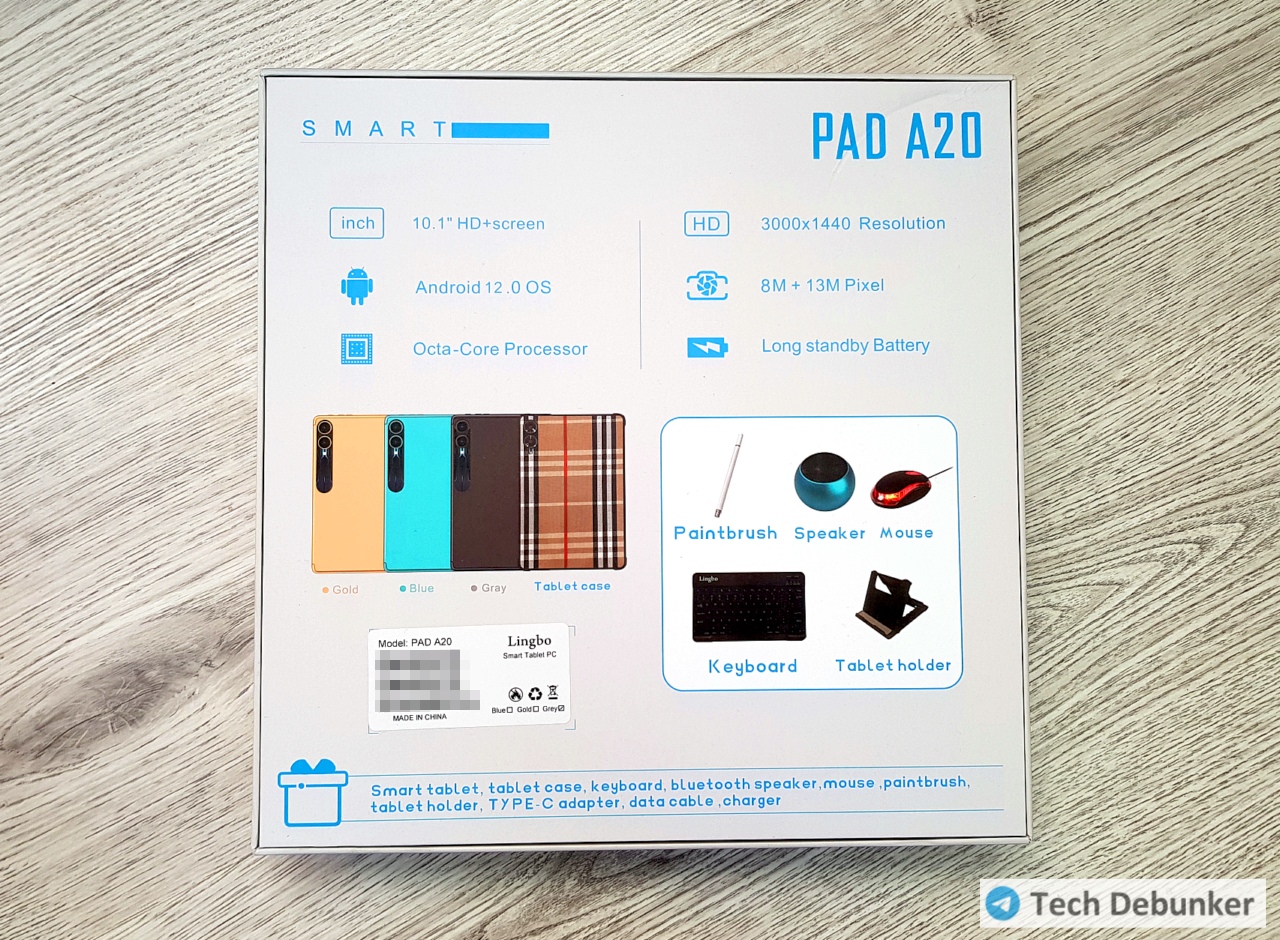
Besides 8 GB RAM and 512 GB storage, the manufacturer and seller claim:
- 8-core processor (though the product card states 4-core at 1.3 GHz — already contradicting themselves)
- 10-inch screen at 3000×1440 resolution (product card shows 1920×1080)
- 13 MP and 8 MP cameras (product card shows 13 MP and 5 MP)
- 8000 mAh battery
- Android 12
What's in the Box
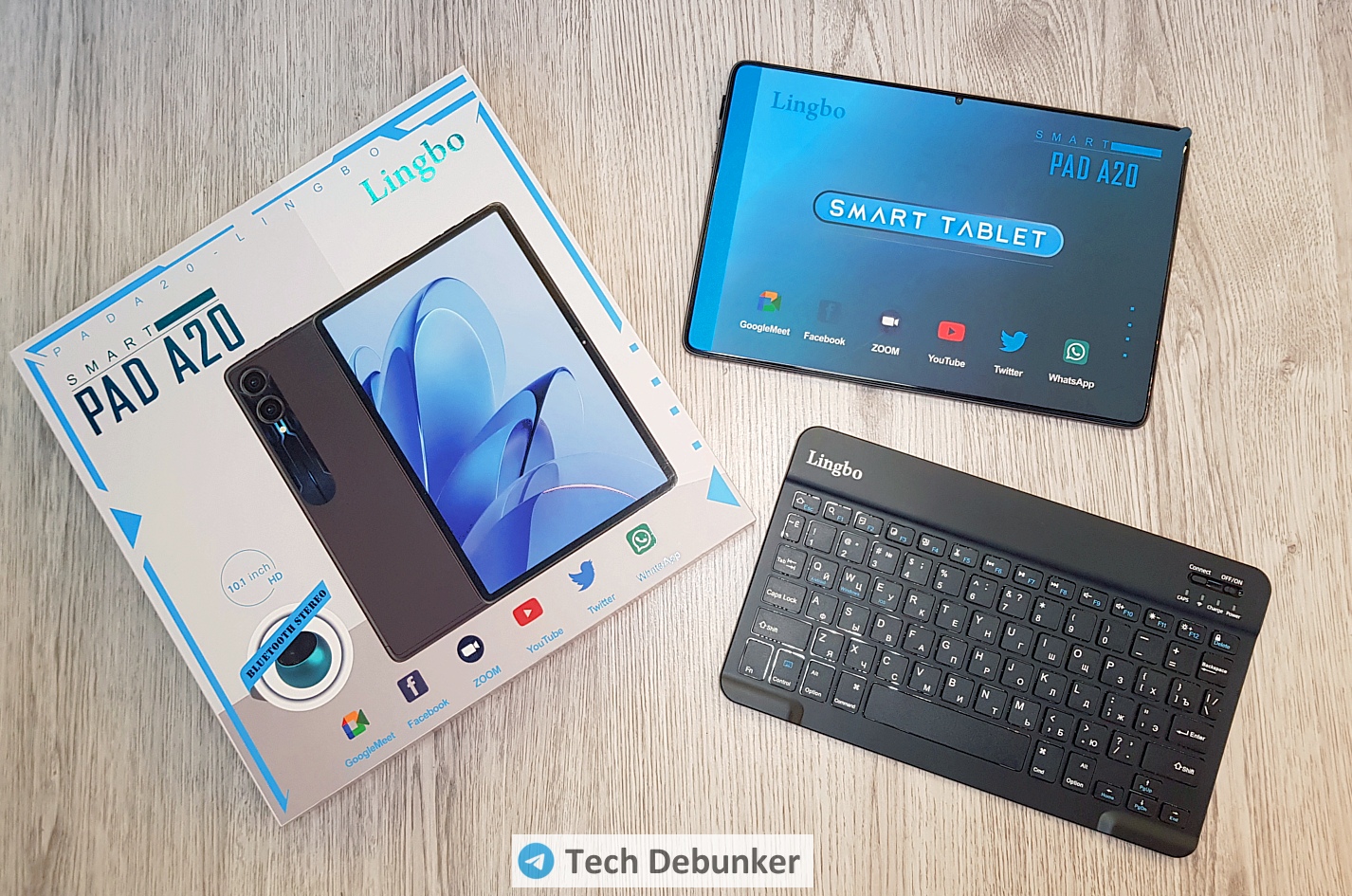
Inside the box: the tablet itself, a Bluetooth keyboard, a wired mouse with a USB-A to Type-C adapter, a stylus, a miniature Bluetooth speaker, a stylish case, a stand, a SIM tray ejector tool, a charger with cable, and brief instructions. Everything designed to make the buyer feel like they hit the jackpot. The only thing missing is an envelope stuffed with cash.
An important detail: the product listing has 7,510 reviews with an average rating of 4.8! And just ten days before my purchase, there were only 539. Where that explosive growth came from is a separate question entirely.
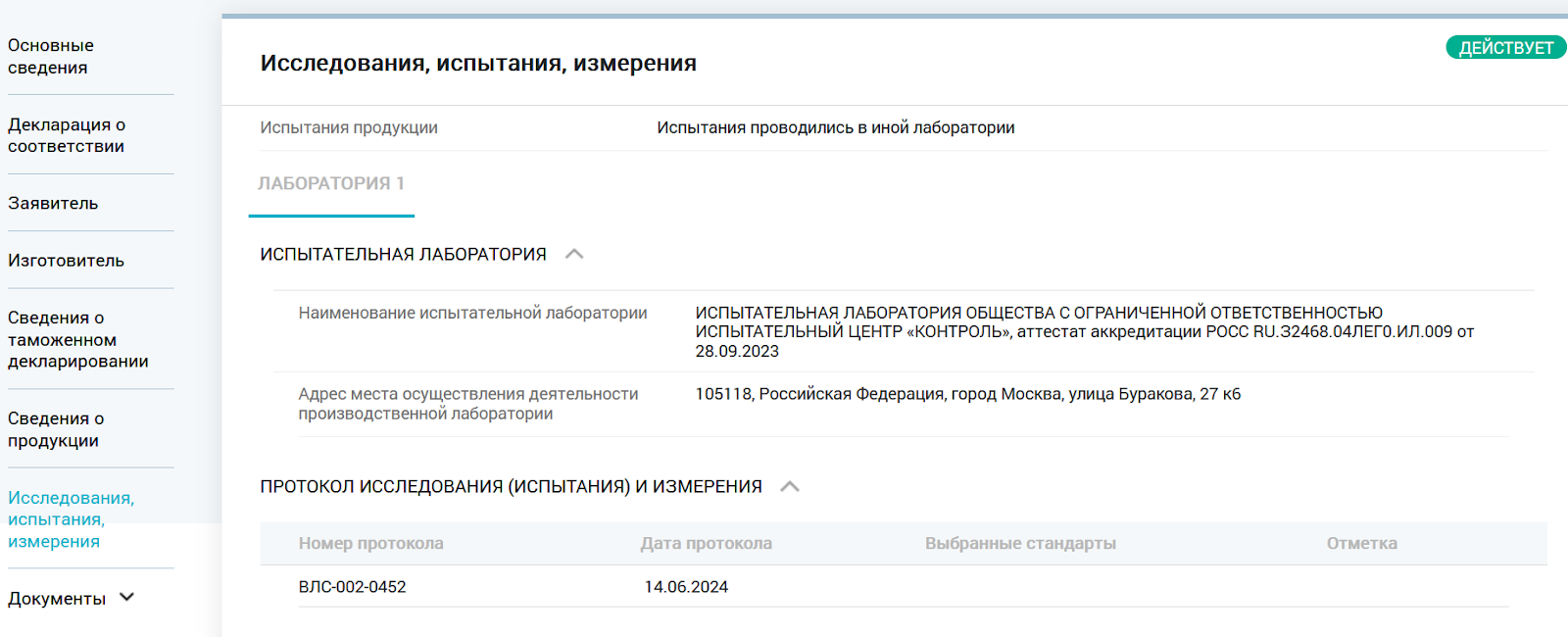
The product also has a customs declaration and fresh compliance certificates. Formally these interest nobody, but the buyer sees a "Product Verified" badge, which can also influence the purchase decision.
In reality, all stated specifications except the screen diagonal are a lie. Time to dive into the details.
SoC and RAM
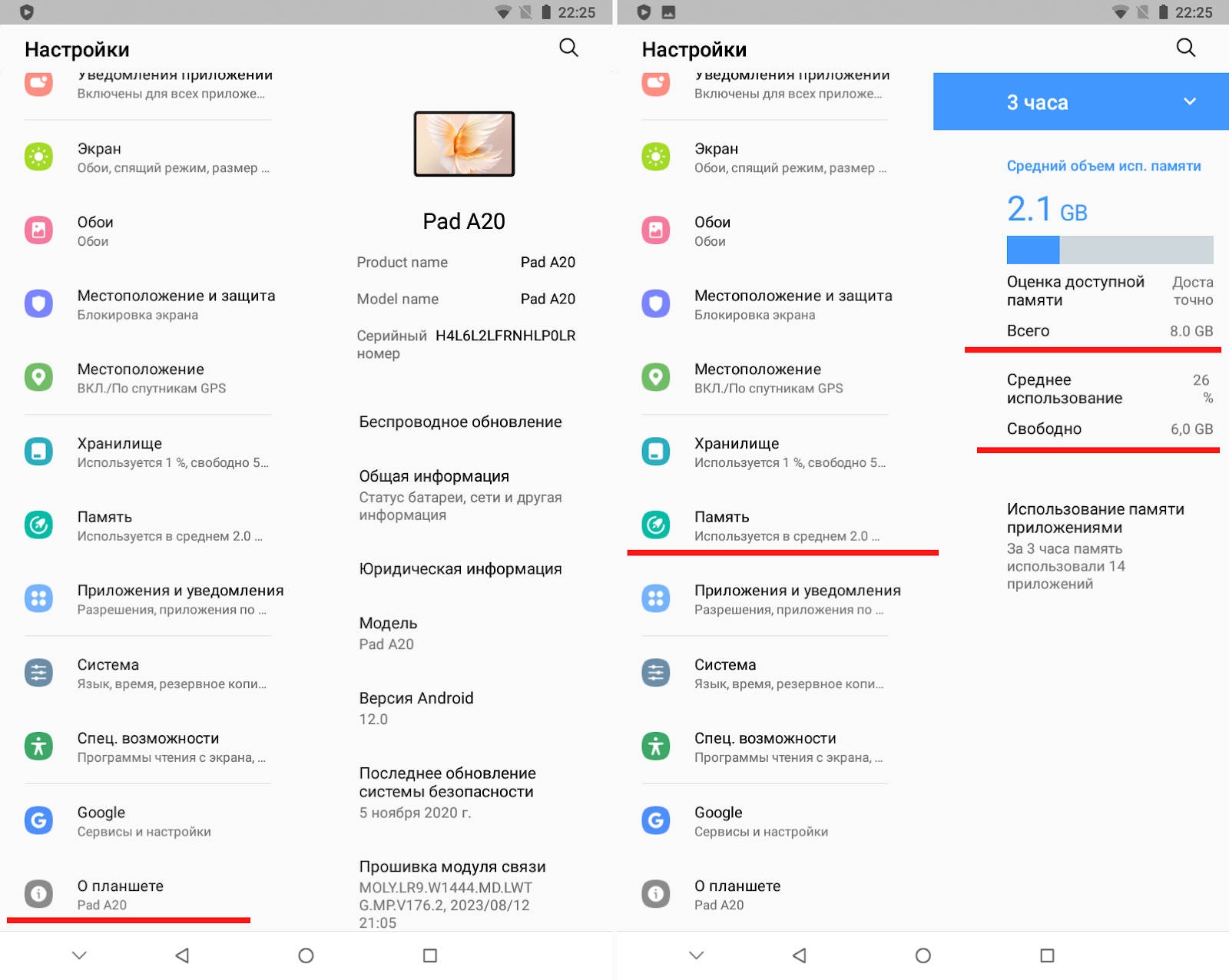
The system settings nowhere indicate which SoC is installed in the tablet. Only RAM volume information is shown.
As a subtle hint, the system reports it averages 2 GB of memory usage — a value that never changes. That would be strange if the tablet actually had 8 GB. Meanwhile, popular diagnostic apps AIDA64 and CPU-Z see no deception.
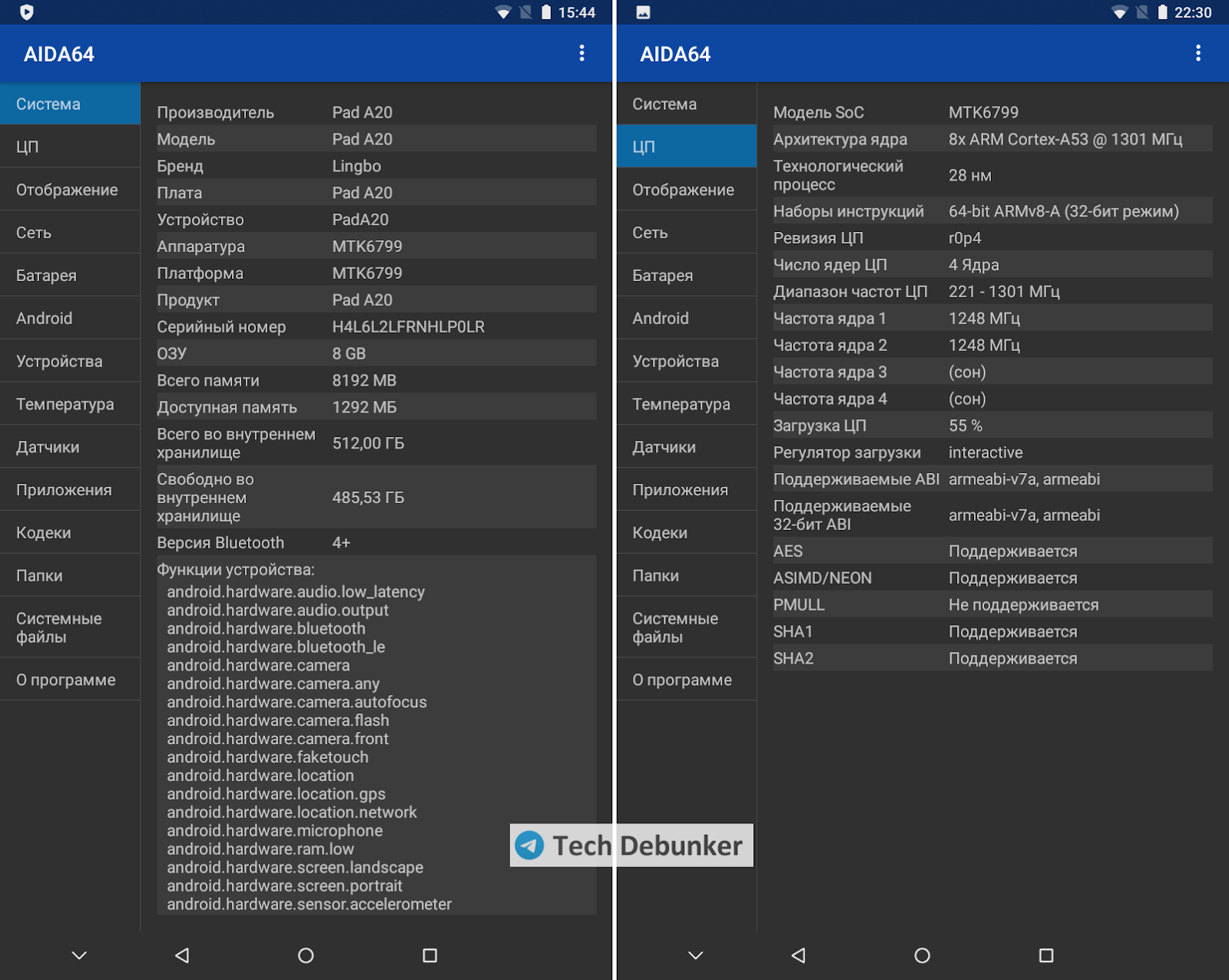
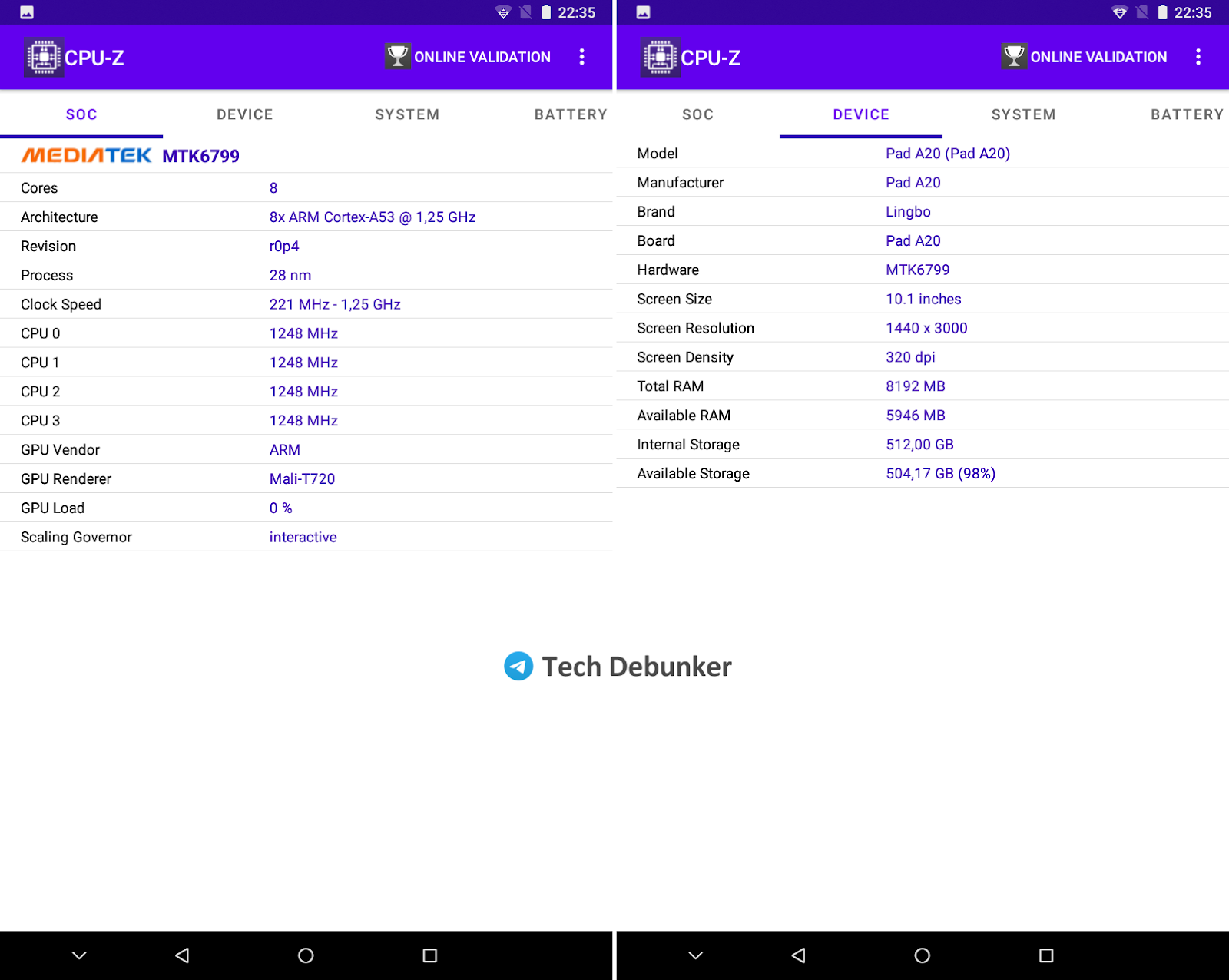
But inconsistencies appear with the SoC. Both applications report some "MTK6799." No such chip exists, but there is an MT6799, better known as the MediaTek Helio X30 from 2017 — a 10-core beast with two ARM Cortex-A73 at 2.6 GHz, four Cortex-A53 at 2.2 GHz, and four Cortex-A35 at 1.9 GHz.
With their Chinese magic, they managed to bungle both the chip name and core count, since AIDA64 and CPU-Z report only eight cores — all Cortex-A53. But looking at individual core monitoring, the truth starts showing: instead of ten or eight cores, only four are listed, with a maximum frequency of ~1.25 GHz.
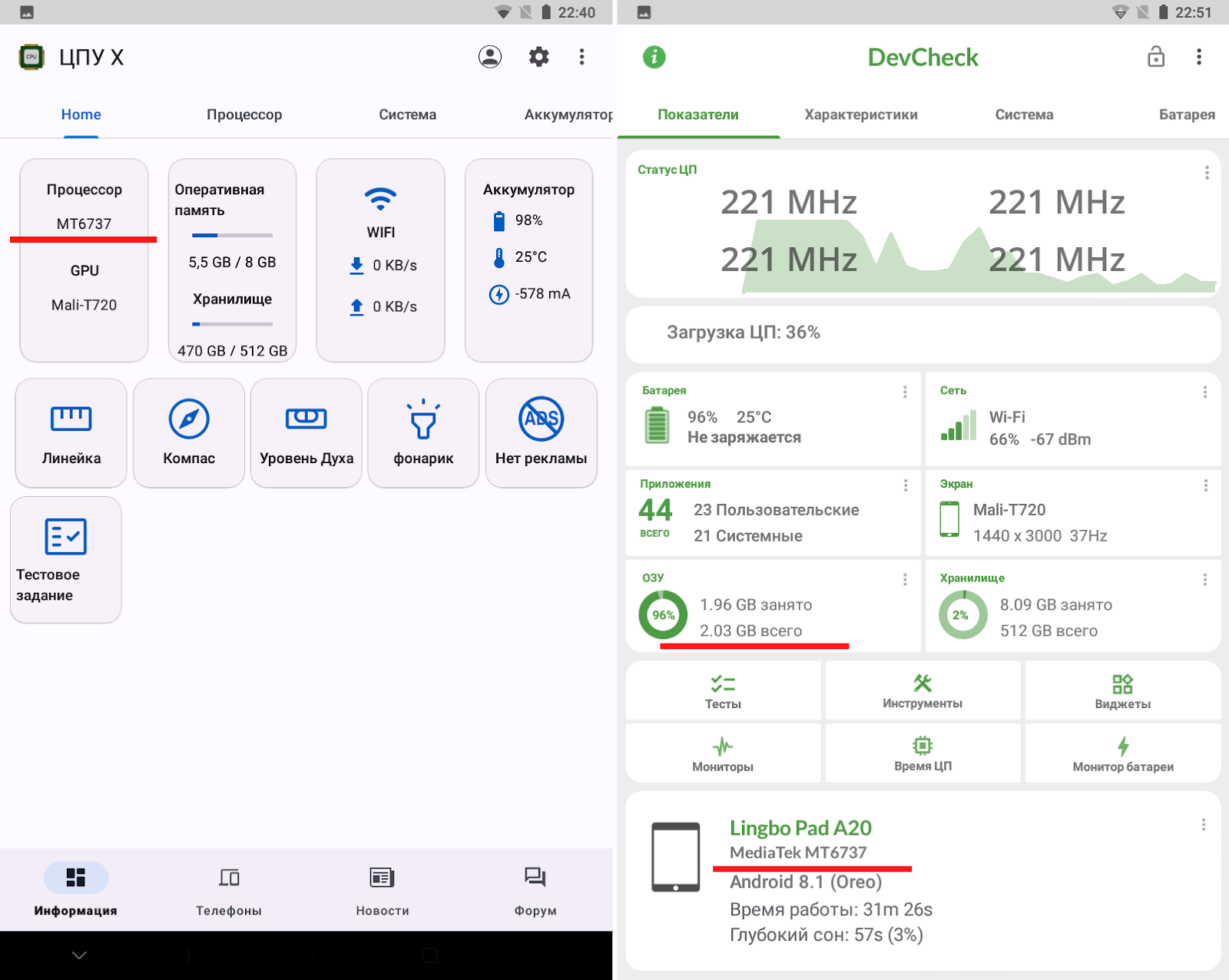
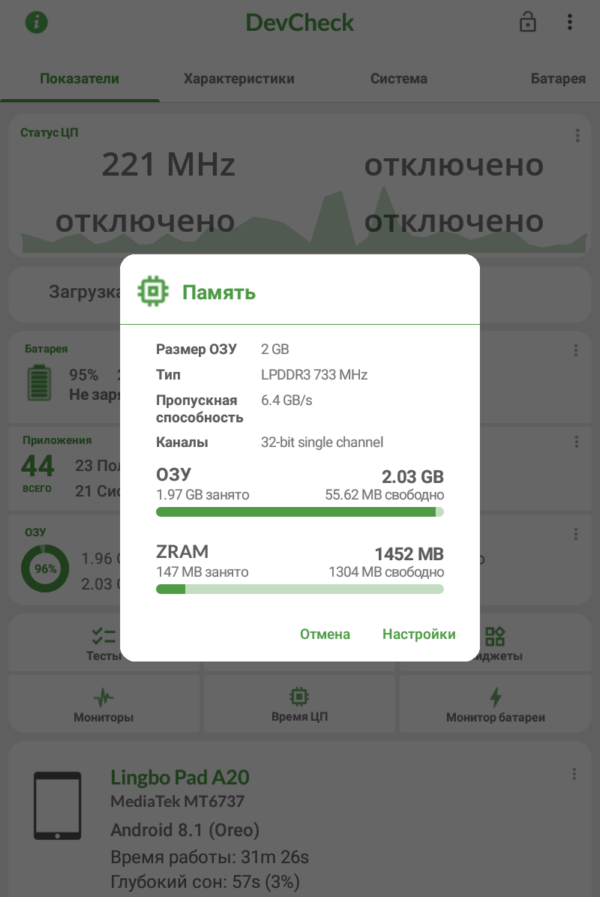
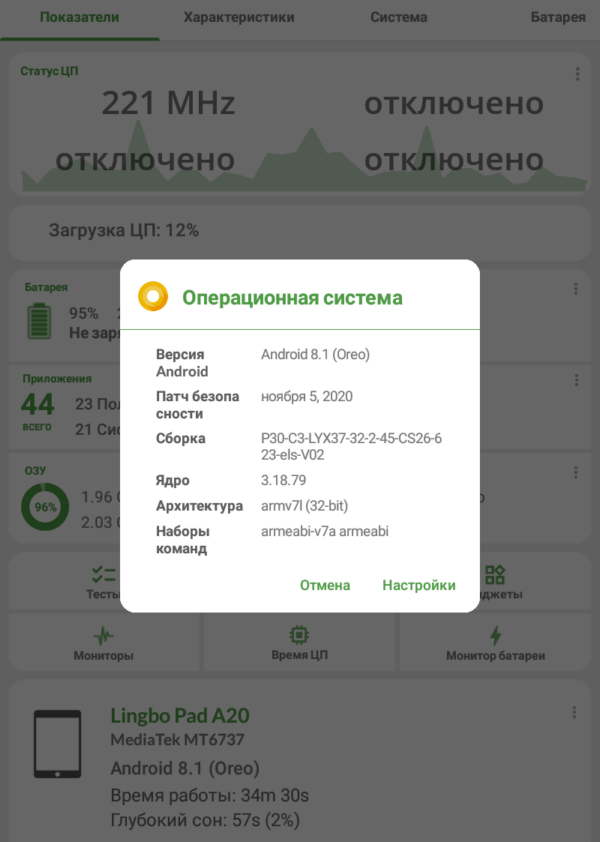
Further testing led to CPU-X and DevCheck, which revealed the true chip model. The latter additionally reported the correct RAM volume.
Reality: a basic MT6737 from 2016 with four Cortex-A53 cores at 1.25 GHz and 2 GB of RAM.
Storage
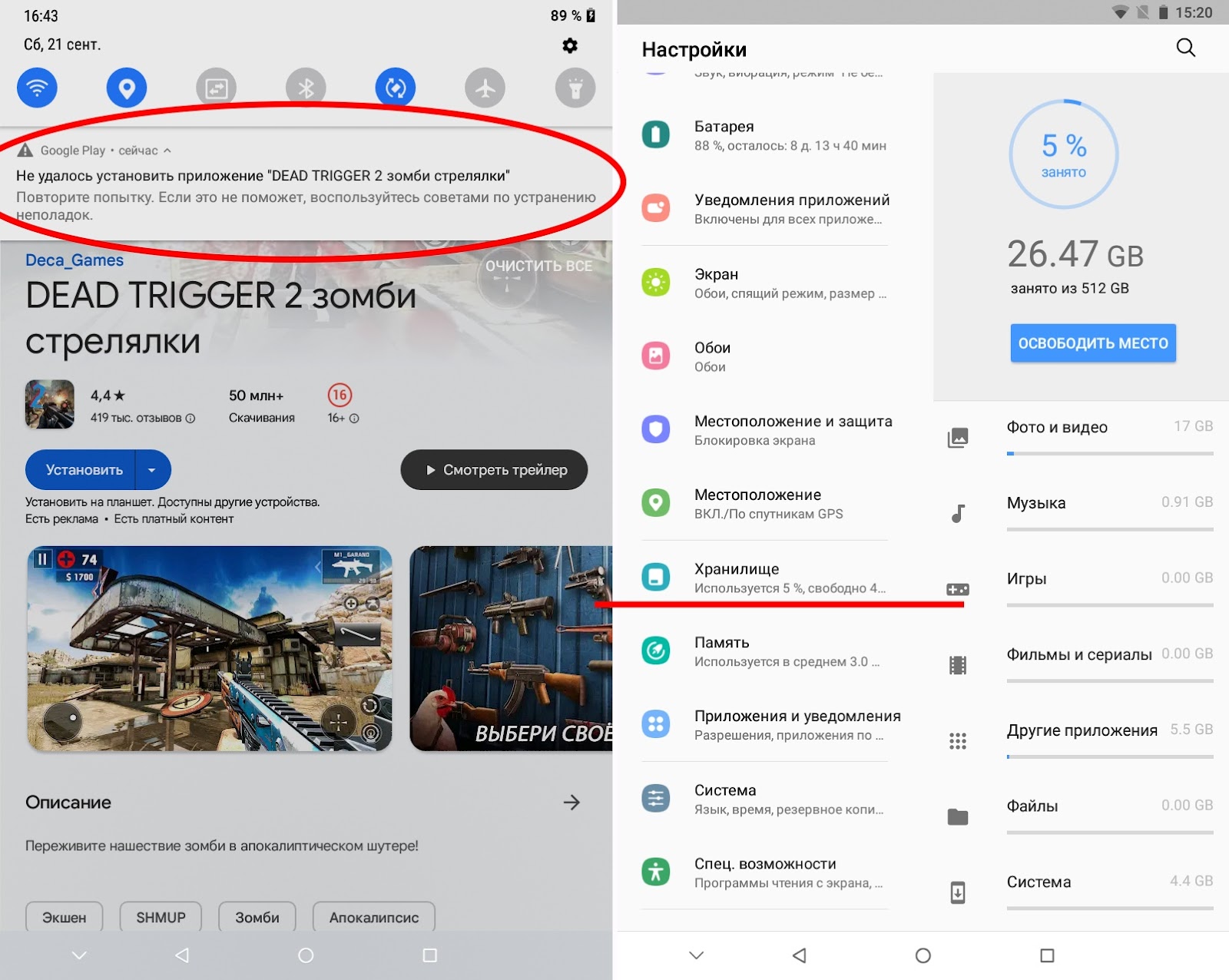
This is where things get even more interesting. All the aforementioned diagnostic applications failed to show the real storage volume — that alone is unfortunate. But what's even worse: the manufacturers somehow disabled error messages related to storage. The result? When storage fills up, Android and all applications simply stop working. Sometimes a vague "couldn't complete action" error slips through, but often there's nothing at all — and you're left guessing whether your copy/install/save operation succeeded or silently failed.

Windows 10 simply cancels copy operations to the tablet without showing any messages, while everywhere the system displays ~480 GB free.
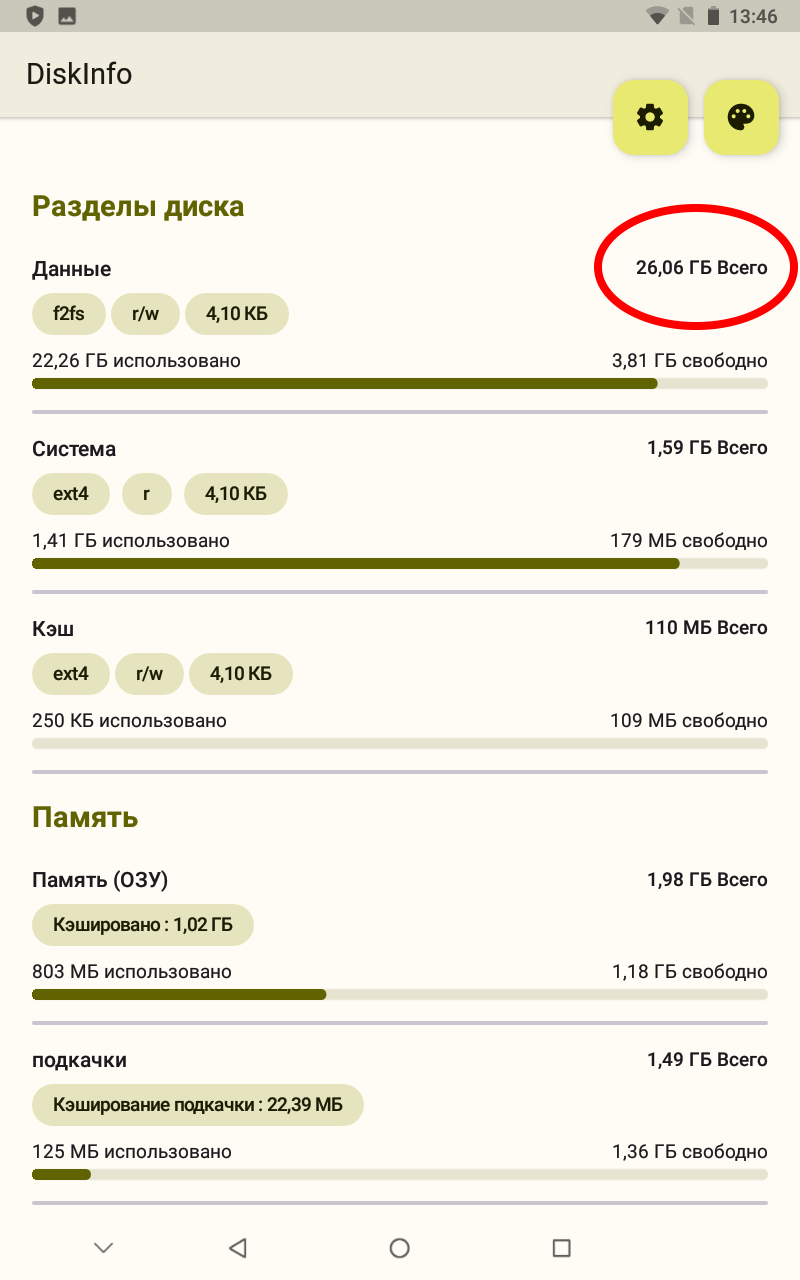
Through tedious experimentation, I determined the tablet can't store more than ~26 GB of user data. Including system partitions, we arrive at a storage capacity of 32 GB instead of the promised 512 GB.
Manually filling storage with data to determine the real volume is a tedious task. After testing a dozen more applications, I found one — DiskInfo — the only one that showed the real storage volume.
Cameras
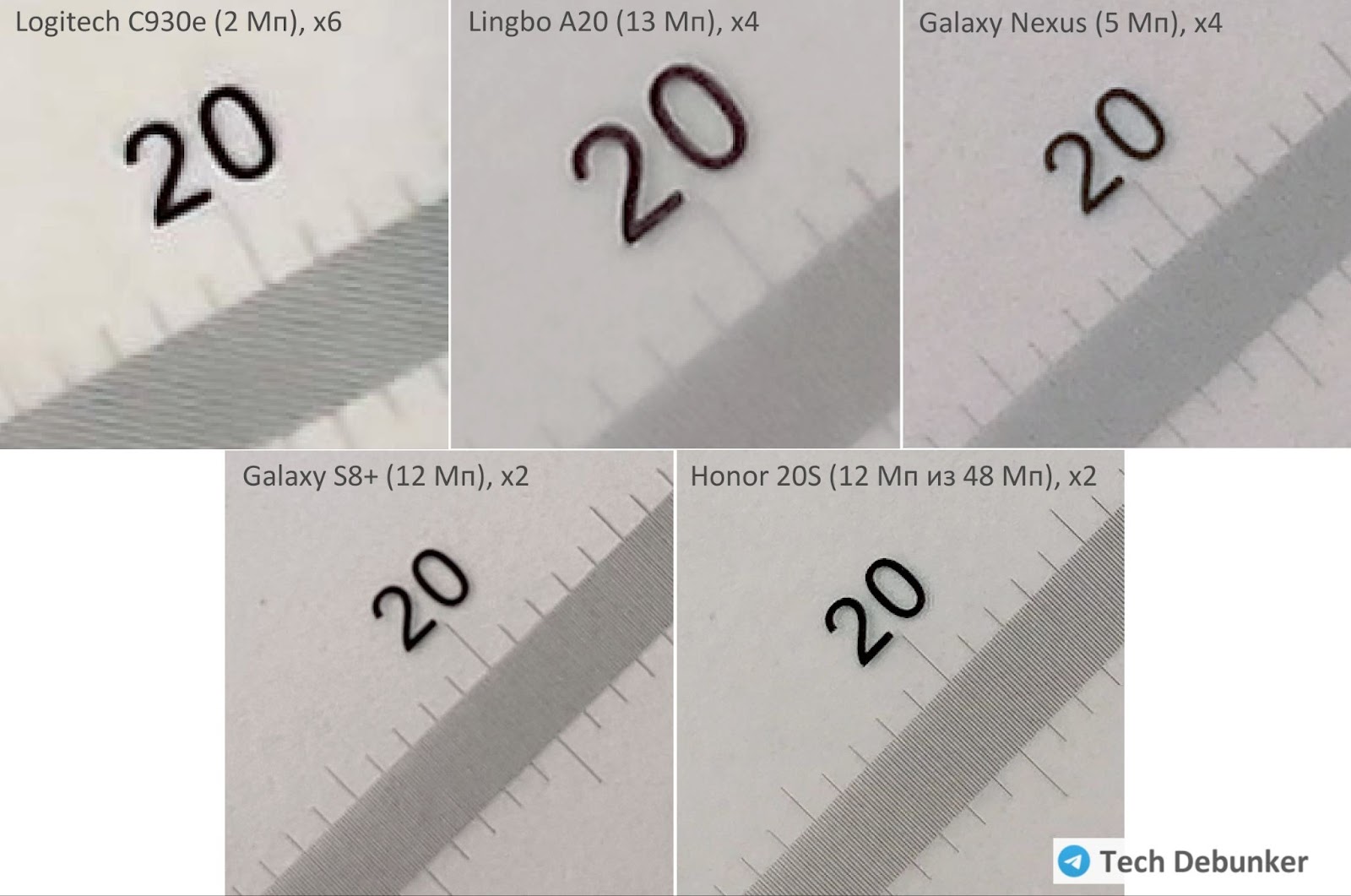
Of course they had to deceive here too. I didn't aim to fully evaluate camera quality — it's obviously terrible. But since they specified 13 MP and 5 MP (or 8 MP depending on where you look), I could at least try to verify these claims.
Lacking a proper optical bench, I resorted to comparing Lingbo A20 shots with cameras of known resolution. I photographed a microscope ruler at an angle, then checked which resolution allowed seeing 0.1 mm divisions without turning to mush.
The results speak for themselves. Setting the Lingbo's main camera to 13 MP in settings, frames came out at 3264×2448 — corresponding to only 8 MP. Shot detail doesn't even match the 5 MP camera on an ancient Galaxy Nexus. My impression is that a ~5 MP sensor is installed, the image is stretched to 8 MP, then slightly blurred to hide the artifacts.
The front camera at maximum settings produces 1600×1200 frames, corresponding to 2 MP. There's little point discussing shot quality.
The main camera records video at 1280×720 at 14 fps. Settings allow lower resolution but nothing higher.
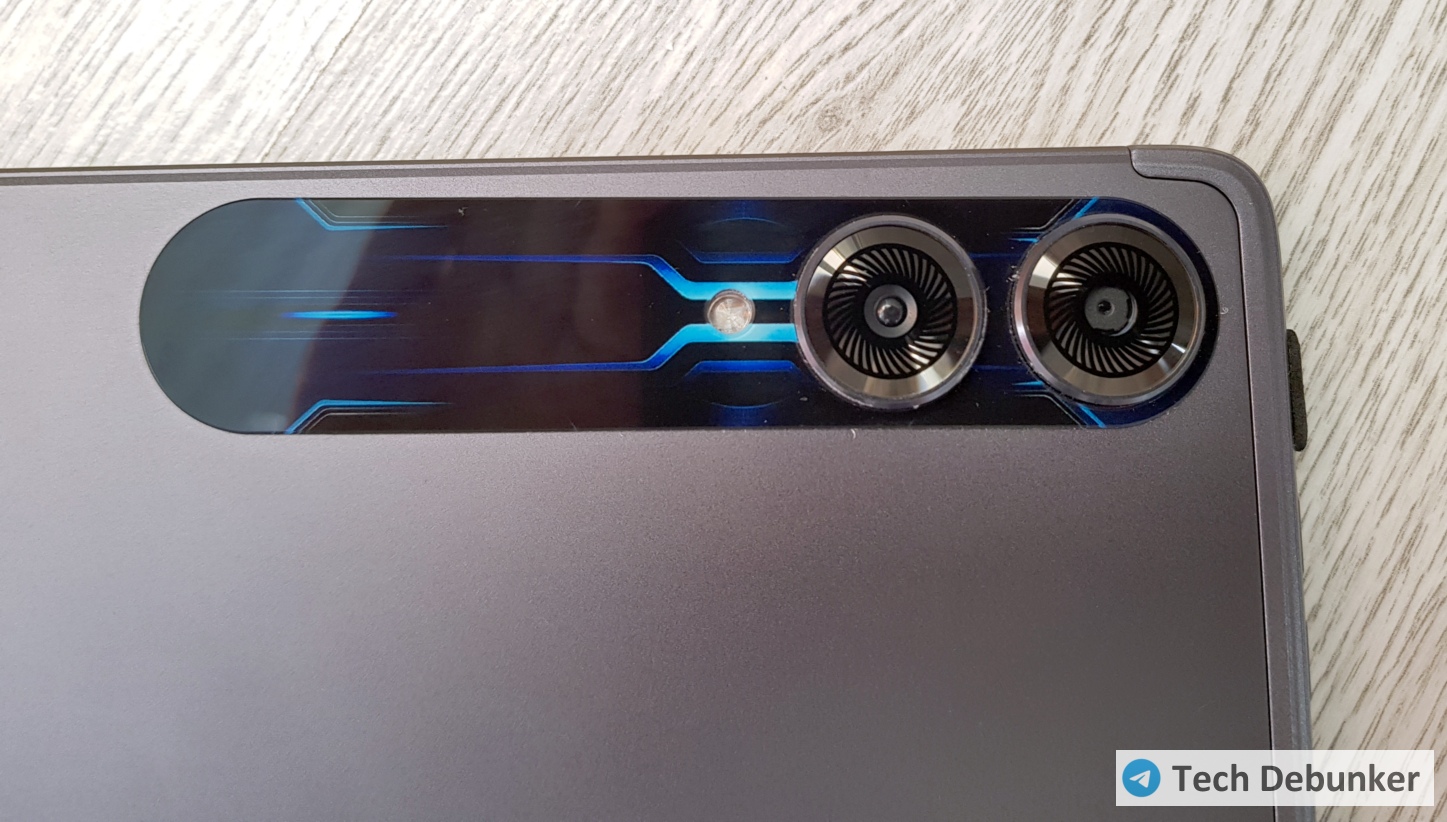
The cherry on top: the crooked decorative sticker around the camera lenses — one of which serves a purely decorative function. Inside is a plastic ball imitating a micro-lens over a nonexistent sensor.
Essentially, it's a fake chasing a fake.
Battery and Charger
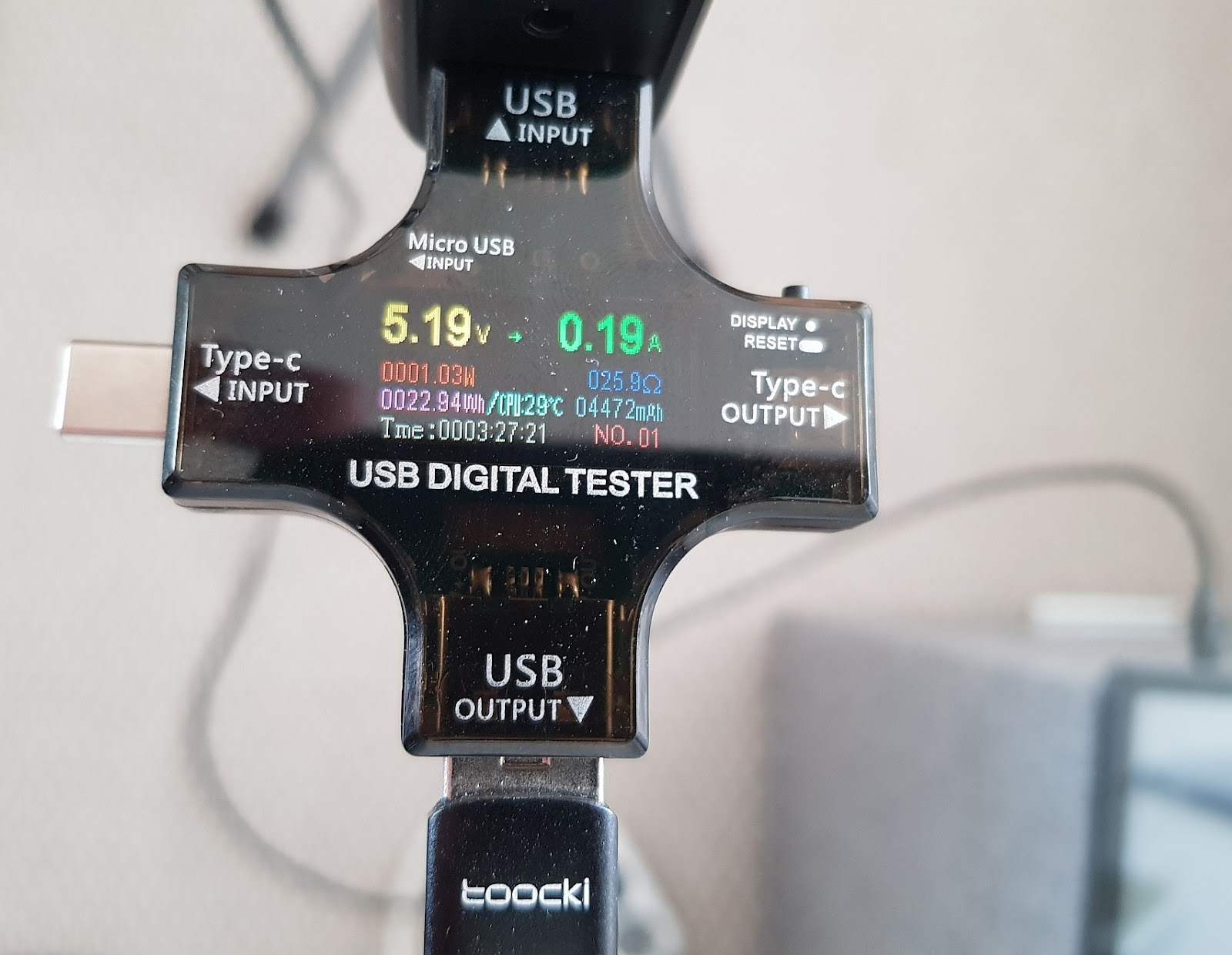
Here things are perfectly terrible. Let's start with the built-in battery capacity. The promised 8000 mAh should correspond to 28.8–29.6 Wh depending on specific cell characteristics. However, when I fully discharged the tablet and charged it while powered off, it drew only 23 Wh from the power supply. Accounting for charging circuit efficiency, we arrive at a real battery capacity of exactly 5000 mAh.
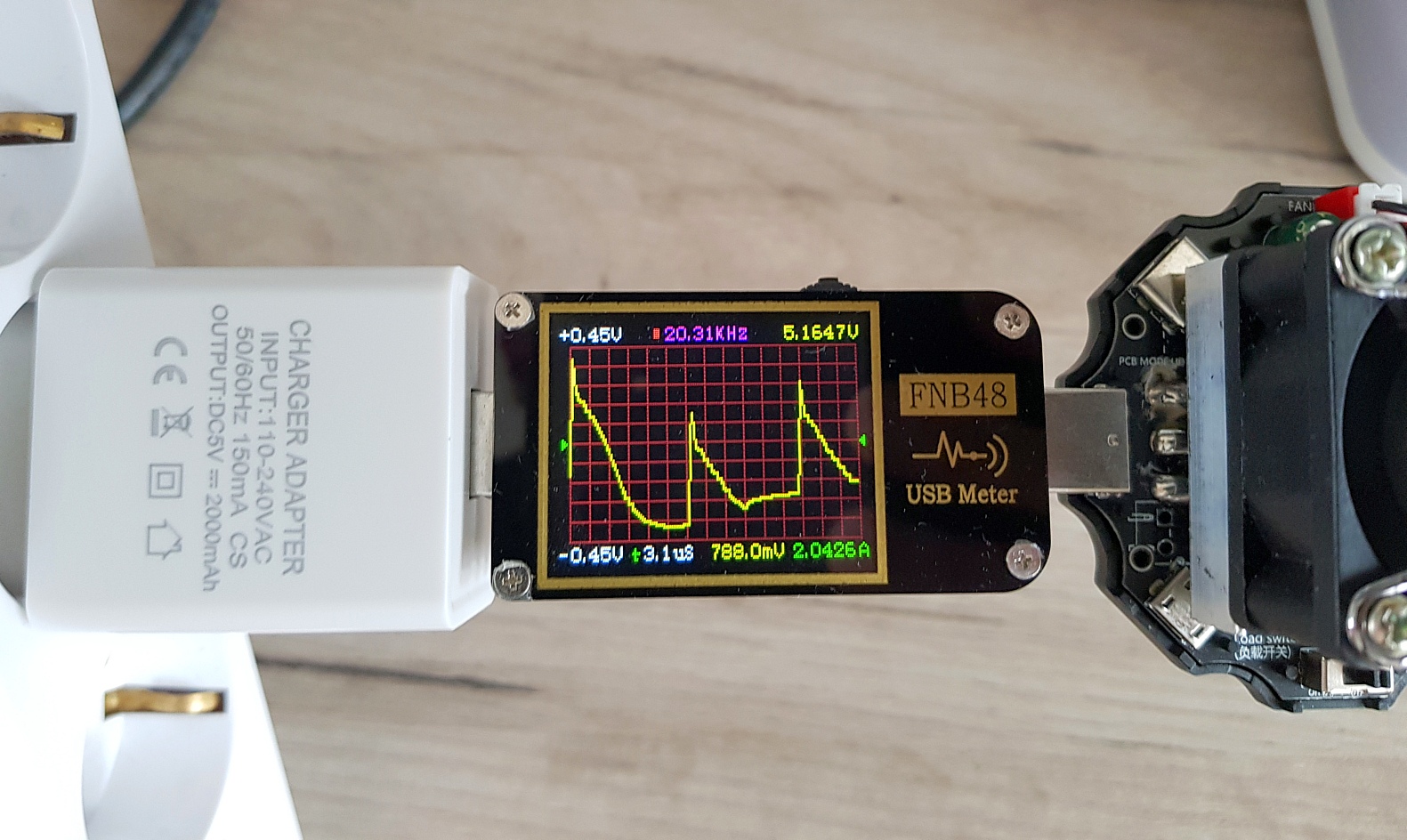
But the included charger is the real shocker — complete trash. It formally outputs the promised 2 A (10 W), but the voltage ripple is absolutely hellish: at maximum load it reaches 0.8 V, compared to the standard norm of 0.05–0.1 V.
The battery won't suffer from this immediately, but electronics subjected to such electrical abuse won't last long.
Charging takes 3.5 hours — like the old days. The process proceeds in strange jolts: eight seconds of steady ~1.5 A current, then one second where it drops to zero. An endless cycle.
Screen
Once again, it's unfortunate that most diagnostic applications stubbornly display the screen resolution as 3000×1440 — even cooler than an iPad Pro Retina (2420×1668).
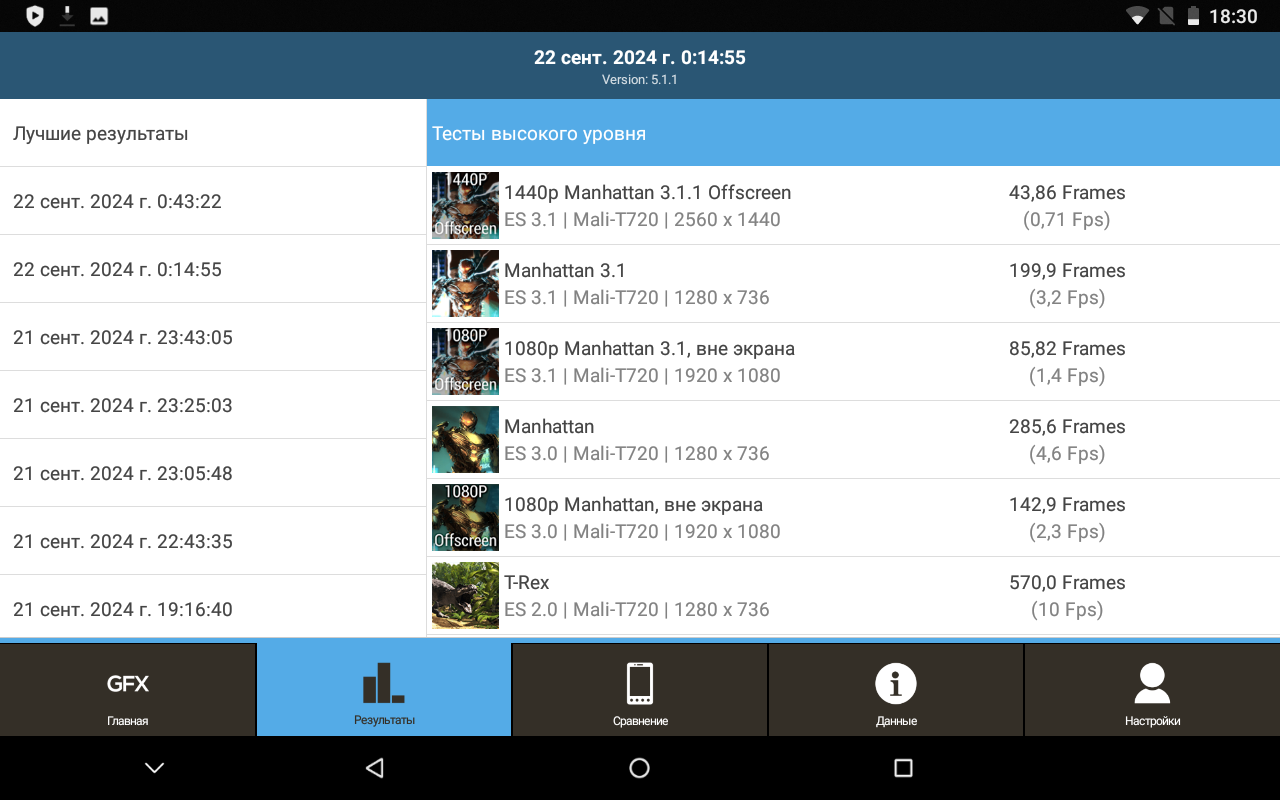
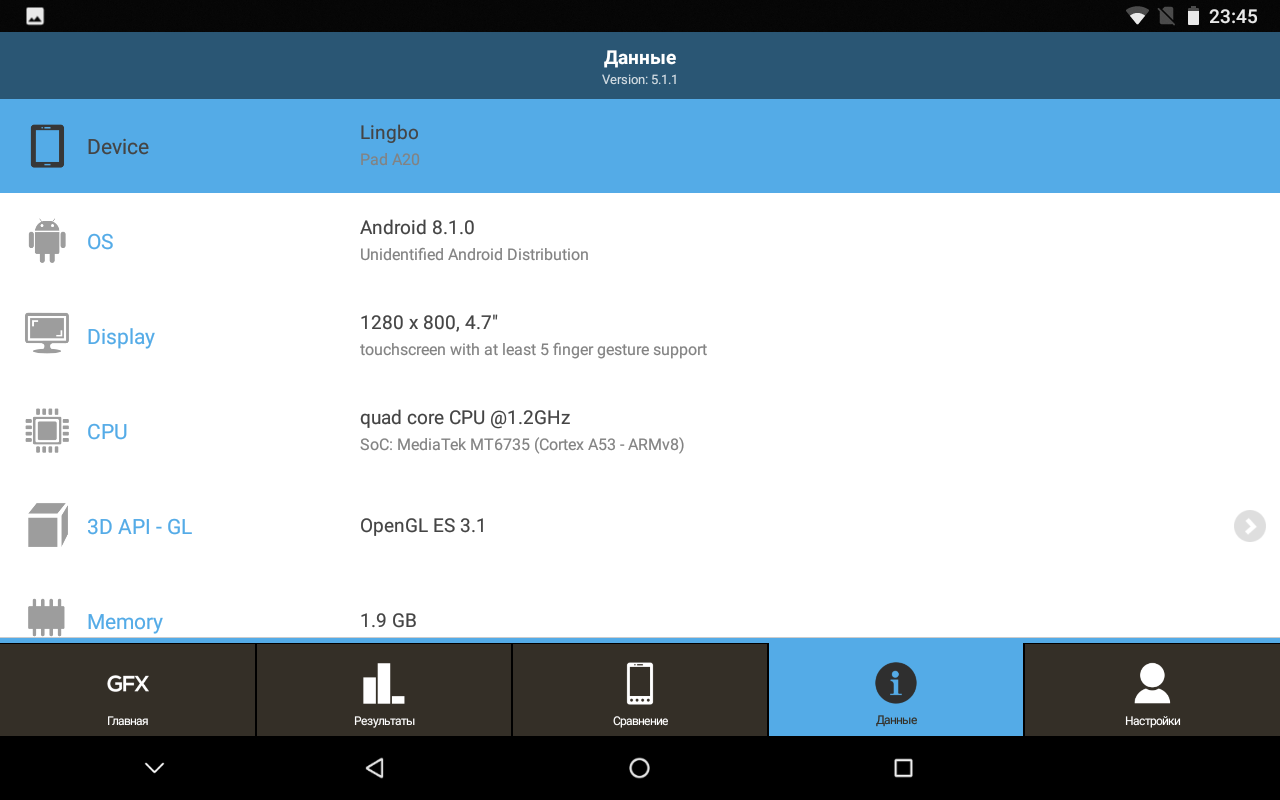
Of all utilities, only CPU-X and the GFXBench test showed the truth. Notably, GFXBench also correctly displayed the SoC and RAM volume.
The actual matrix has a 1280×800 resolution. Screenshots confirm the same size.
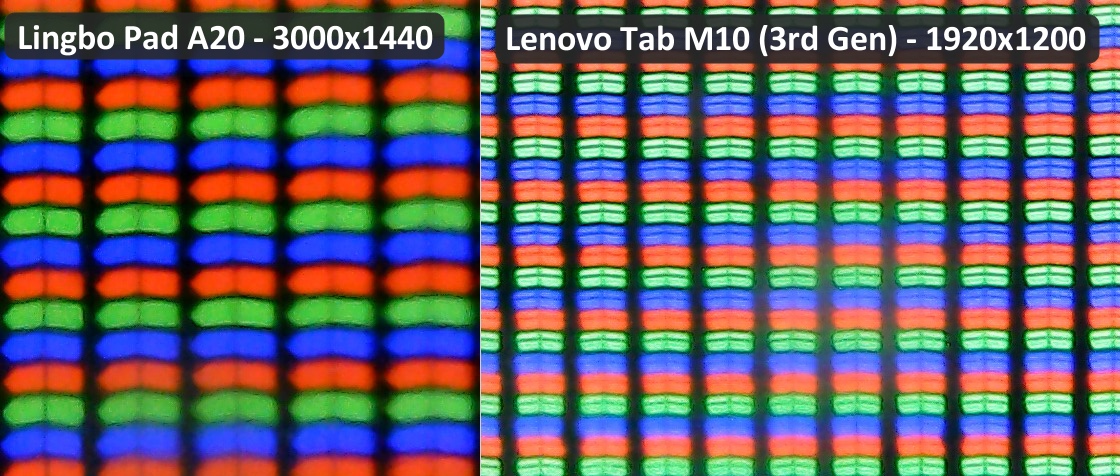
If any doubts about correctness remain, here are photos of two tablet matrices under a microscope, taken at equal magnification:
On the right for comparison is a 10-inch Lenovo Tab M10 (3rd Gen) matrix at 1920×1200 resolution. By counting pixels fitting in one span (15 and 22 respectively), we confirm the Lingbo has roughly 1280×800 pixels.
There's one nuance: the MT6737 chip specifications indicate a maximum supported resolution of only 1280×720. How the SoC handles a 1280×800 matrix is a curious question.
First impressions of the screen: you immediately see a cheap product. The image, fonts, and icons are always blurry. The resolution is clearly insufficient for a 10-inch screen. On the other hand, viewing angles are decent — the matrix is clearly IPS. They probably don't make TN panels for tablets anymore.
OS and Other Details
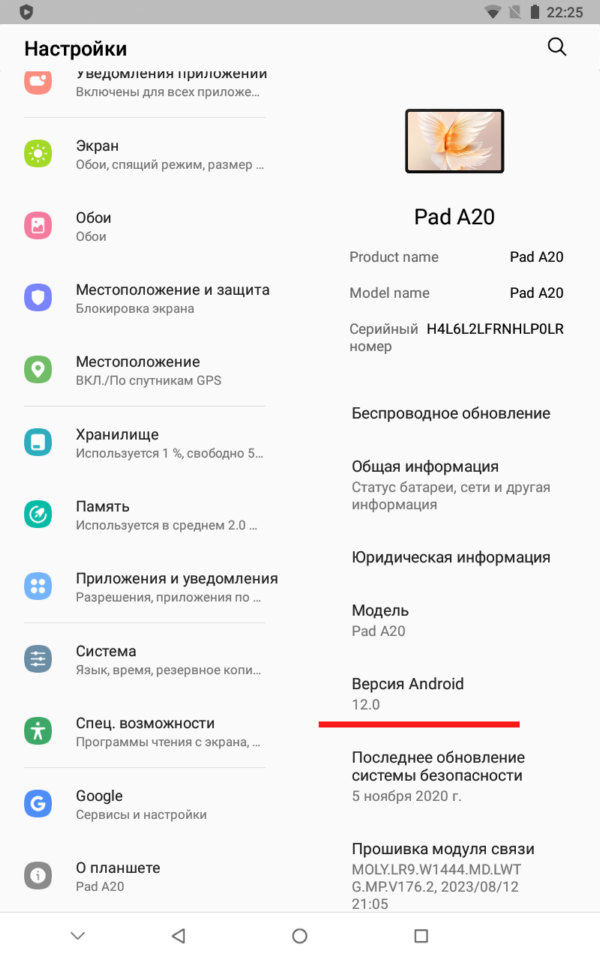
They promise Android 12. The same version is displayed in the tablet's settings, and confirmed by AIDA64 and CPU-Z.
But CPU-X, DevCheck, and GFXBench all say we're dealing with Android 8.1 (Oreo).
Because of the ancient OS, it's impossible to install various test applications — GeekBench included. You'll certainly encounter other apps that refuse to work with this outdated system.
Other drawbacks include an unpleasant rattling speaker, an incredibly dim LED flash (flashlight), and a slippery plastic case.
Performance Tests
Unfortunately, GeekBench 6 refused to install on this ancient platform. But the database contains test results for similar tablets with MT6737 chips. Maximum scores: 125 / 320 points for single-thread and multi-thread modes.
For comparison, here are test results for a tablet at the same price from an established brand with a Unisoc Tiger T310 chip (1 Cortex-A75 core at 2.0 GHz, 3 Cortex-A55 cores at 1.8 GHz), 4 GB RAM, and 64 GB storage: 440 / 820 points. That's three times faster for the same money.
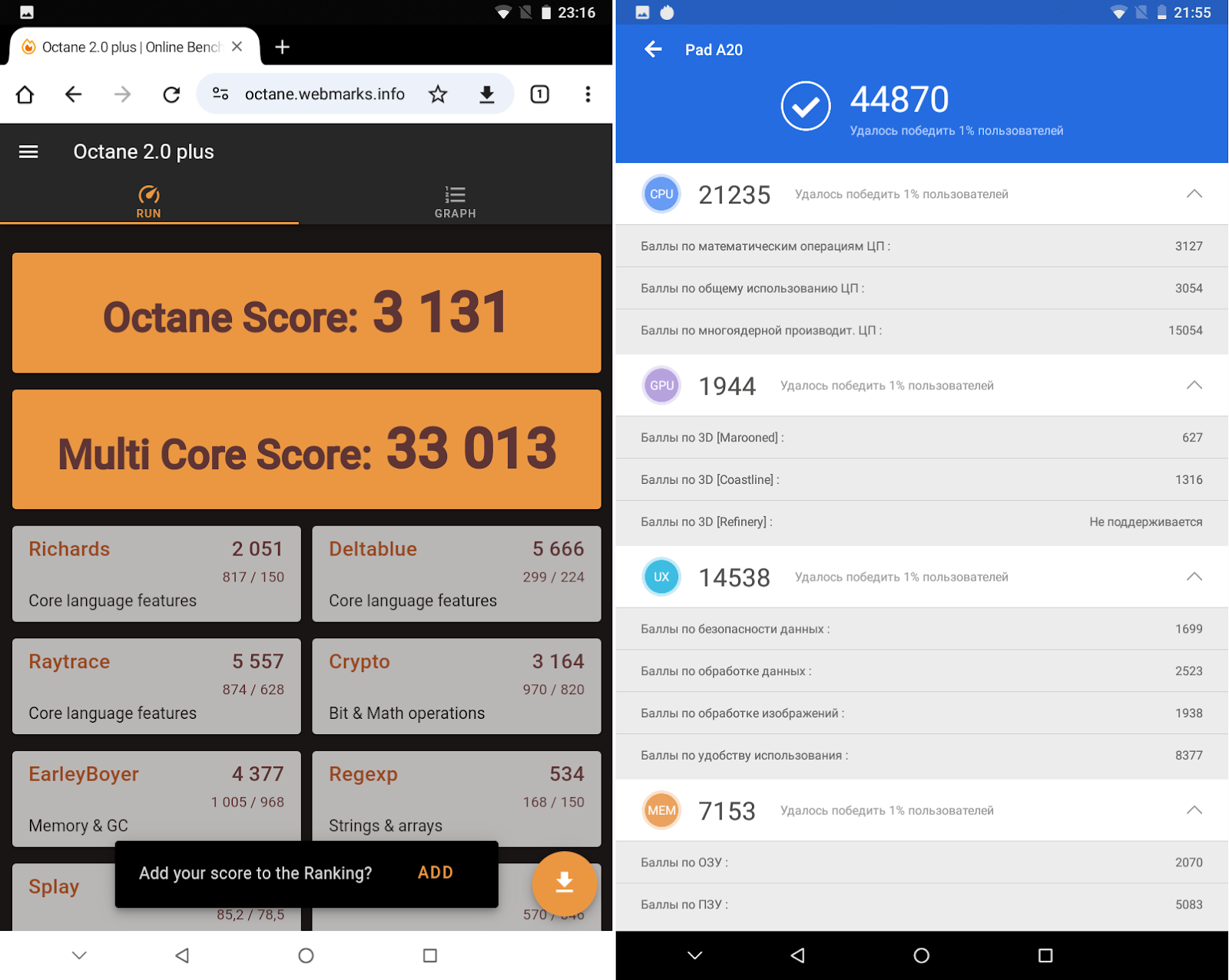
For reference, here are several other test screenshots that I managed to run on the Lingbo Pad A20. Feel free to compare with your own devices.
Summary of Deceptions
| Component | Advertised | Actual |
|---|---|---|
| SoC | 8-core processor | 4-core Cortex-A53 (MT6737, 2016) |
| RAM | 8 GB | 2 GB |
| Storage | 512 GB | 32 GB |
| Screen | 3000×1440 | 1280×800 |
| Main camera | 13 MP | ~5 MP |
| Front camera | 8 MP | 2 MP |
| OS | Android 12 | Android 8.1 Oreo |
| Battery | 8000 mAh | 5000 mAh |
Not Worth the Price
Is there a decent tablet for the same money? Absolutely. For the same price at legitimate retailers, you can find a model with an 8-core chip, 3 GB RAM, 32 GB storage, and Android 11. Spend a little more and you'll find 10-inch tablets with 4 GB RAM and 64 GB storage. These real specifications are twice what the Lingbo actually offers, with an SoC that's three times faster.
There's absolutely no reason to buy such a Frankenstein — why pay more for a bundle of problems and glitches?
Besides the massive Lingbo fake invasion, identical counterfeit tablets exist under the brands W&O, Oulestor, X-Prime, and Umiio. I'm listing them specifically so people can find this review through search.
How to Detect Fakes
Here's a list of diagnostic applications that help determine real specifications. Unfortunately, the popular AIDA64 and CPU-Z failed to see through the deception — likely because the manufacturers substituted data exactly where these utilities look for it.
- Real RAM volume: Use DevCheck. Other applications either partially detect fakes or see no problems. Alternatively, install the bulky GFXBench, which also correctly identified the SoC and real memory volume.
- Storage volume: Only the DiskInfo application showed the truth. The alternative is manually filling storage with data until the system starts canceling operations.
- Real screen resolution: CPU-X and the GFXBench test showed correct values. An alternative method: take a screenshot and check its dimensions.
- Correct OS version: CPU-X, DevCheck, and GFXBench all reported the truth.