Computer Networks for Beginners
A comprehensive beginner's guide to computer networking that explains fundamental concepts like IP addressing, subnet masks, MAC addresses, routing, TCP/UDP protocols, NAT, and IPv6 using accessible postal service analogies.
This article is intended for those who are just starting to understand IT and are still confused by terminology. Here we'll cover the most important things you need to know about computer networks: how devices find each other, how data travels from point A to point B, and why all of this actually works.
Basic Terms
Physical Infrastructure
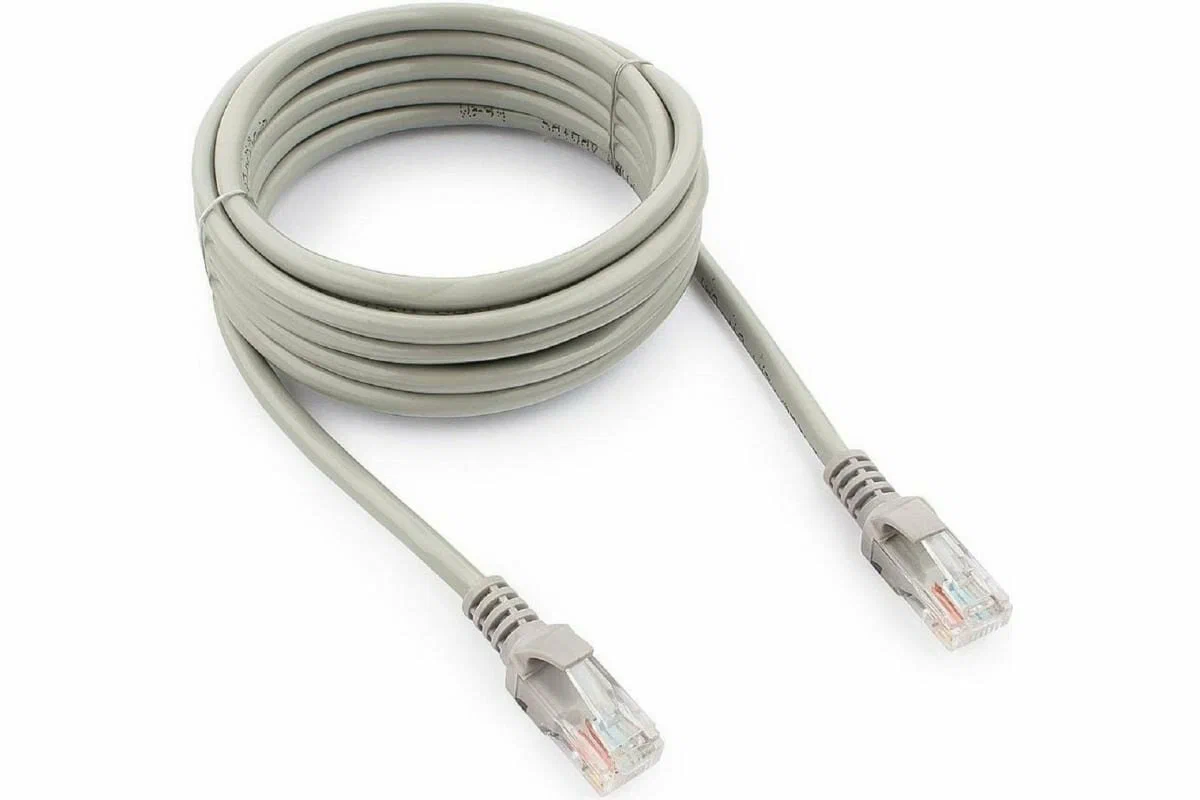
Link is simply a connection between two computers — typically twisted pair cables or fiber optics.
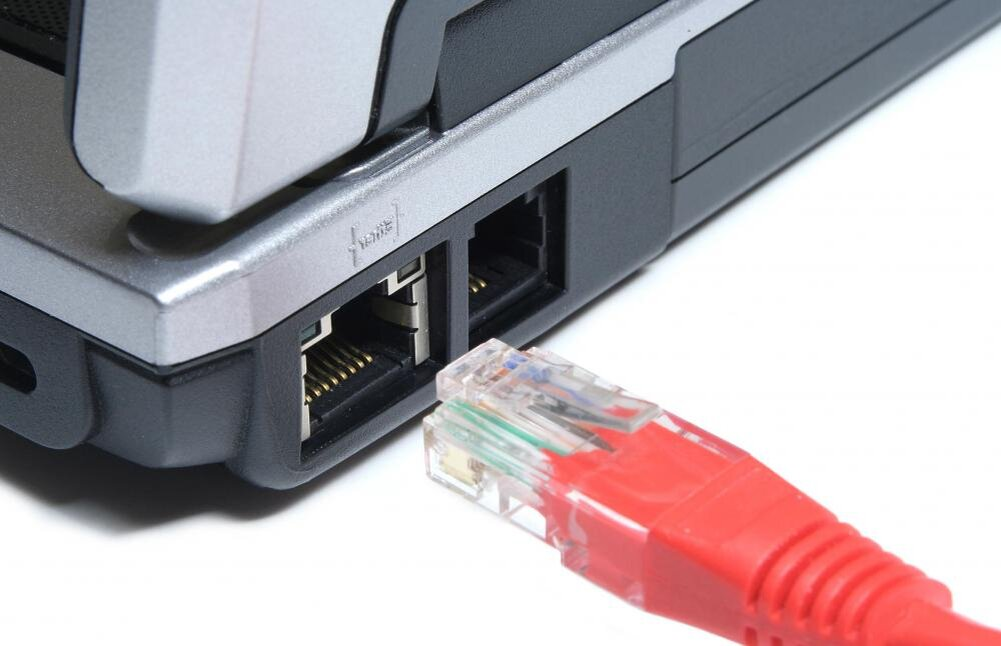
Ethernet is the technology that enables computers to connect into a local area network (LAN) and exchange data using wires.
Network Interface is the physical port where cables connect, controlled by the operating system.

Network Topologies
Point-to-Point: Two computers connected by a single cable — the simplest possible network.
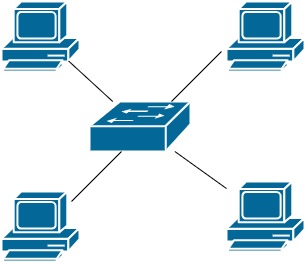
Star Topology: Multiple devices connected to a central device (a switch). This is the most common topology in modern local networks.
Key Devices
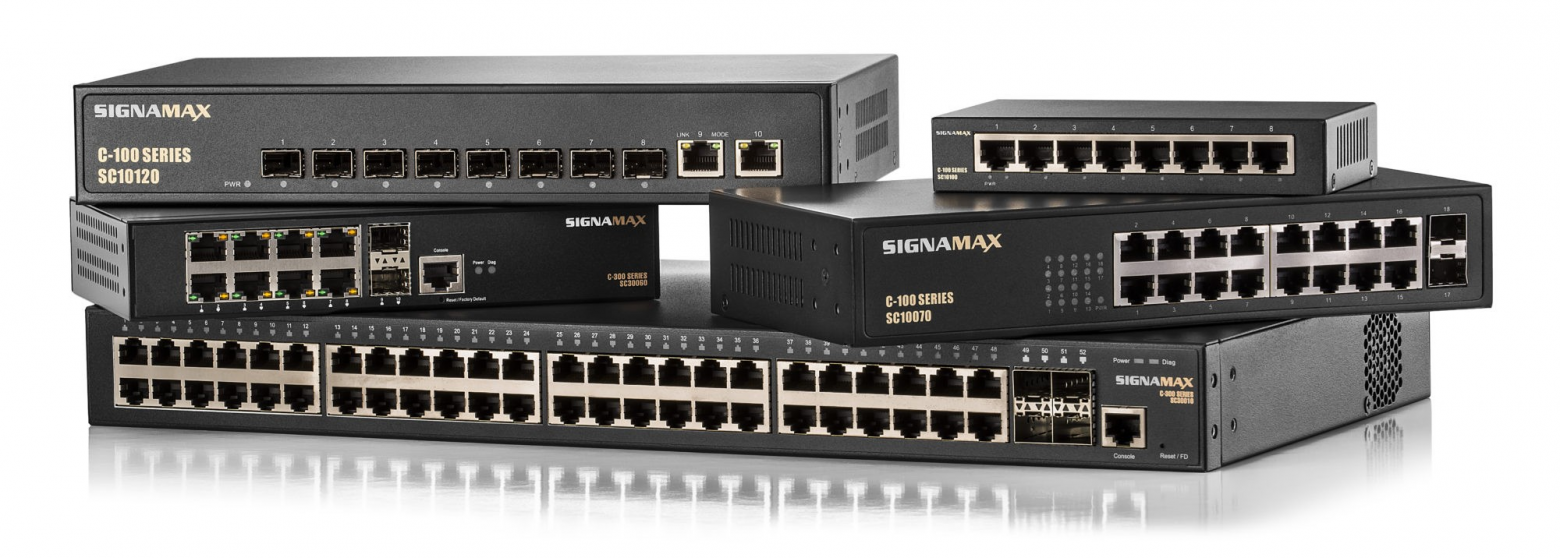
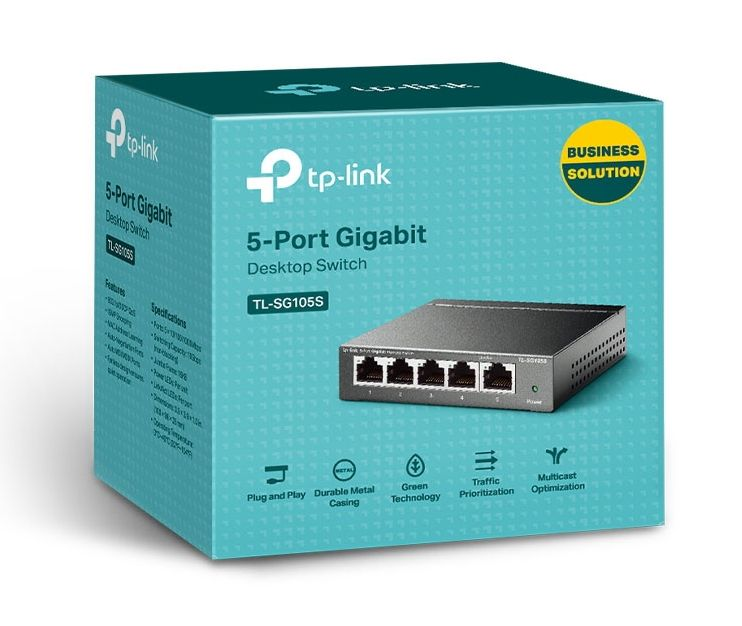
Switch (Kommutator): A device that receives a signal from one computer and forwards it to another computer for which the signal was intended. It operates at Layer 2 (Data Link) and uses MAC addresses to make forwarding decisions.
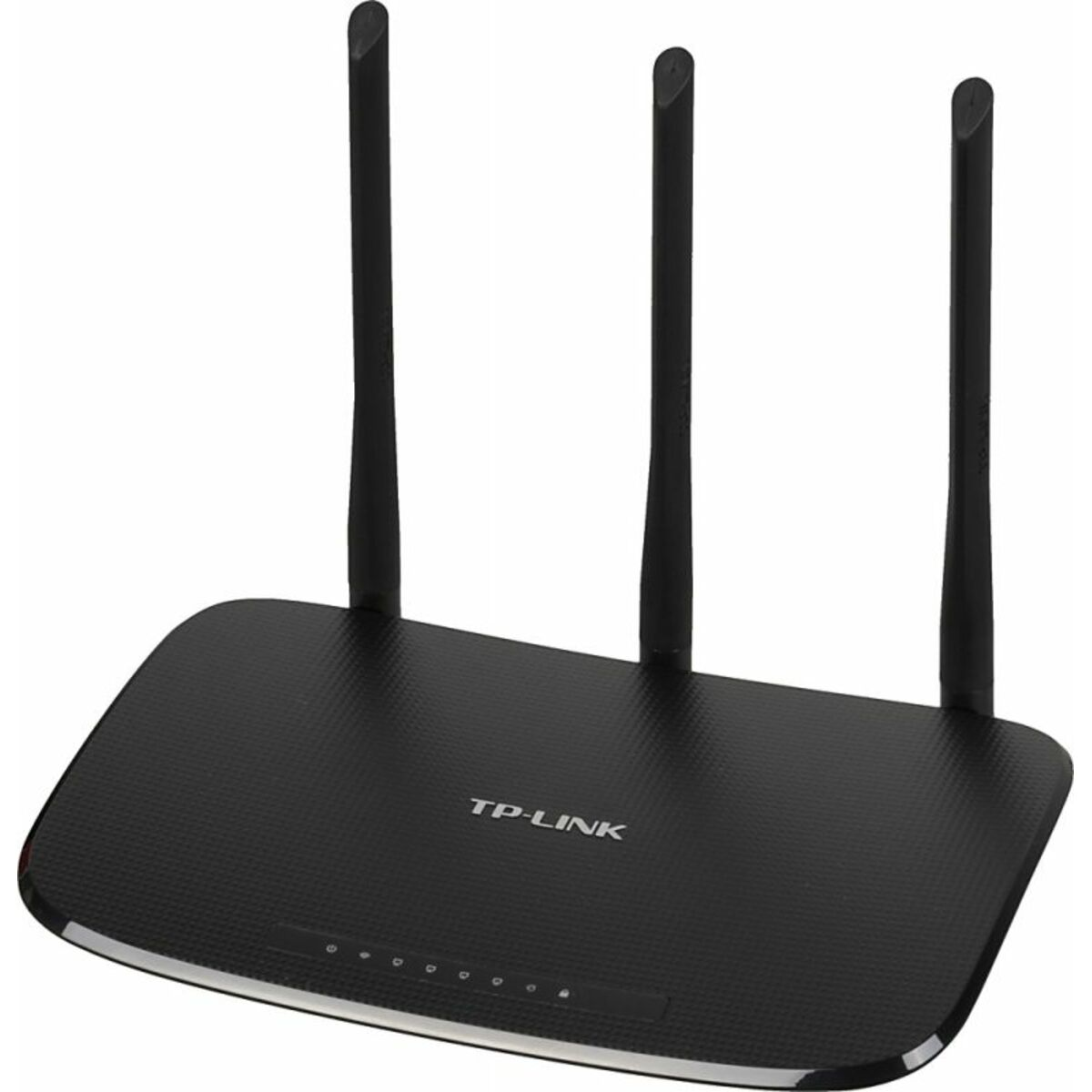
Router: Forwards data between different networks, choosing the optimal path for delivery. It operates at Layer 3 (Network).
MAC Addresses
A MAC address is a unique "number" of a network device, assigned by the manufacturer and theoretically permanent (though it can be changed).
Format example: F8:63:3F:28:4E:CE
Broadcast address: FF:FF:FF:FF:FF:FF — used for network-wide communication.
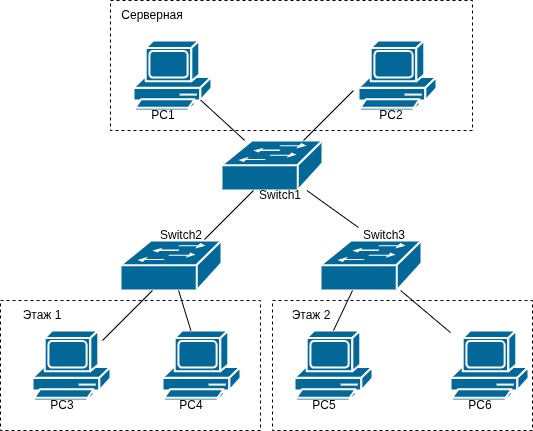
The switch maintains a switching table that maps ports to MAC addresses, allowing it to forward frames correctly. A security note: an attacker can spoof a MAC address on their device within the network.
IP Addressing (IPv4)
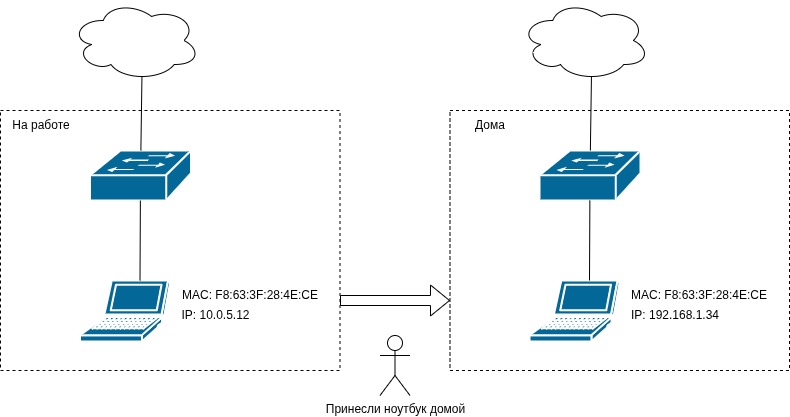
IP is a network layer protocol. IP addresses are logical (changeable), unlike MAC addresses which are physical (permanent).
Example: 192.168.1.100
An IPv4 address consists of 32 bits (4 octets of 8 bits each). The decimal range is 0.0.0.0 to 255.255.255.255, which gives approximately 4.3 billion combinations.
Reserved Addresses
0.0.0.0— "any address," a server listening on all interfaces255.255.255.255— broadcast request for the entire network- Private ranges:
10.0.0.0/8,192.168.0.0/16,172.16.0.0/12(approximately 18 million combinations)
Subnet Mask
An IP address is divided into two logical parts:
- Network portion (subnet address): identical for all devices in the same subnet
- Host portion (host address): unique per device
Think of it like a postal address: the subnet address is the house number, and the host address is the apartment number.
The mask notation /X indicates that the leftmost X bits are the network portion.
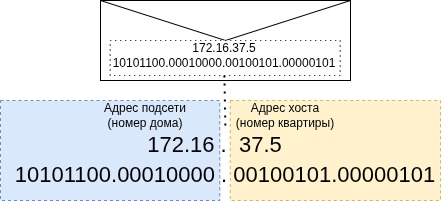
Example 1: 172.16.37.5/16
In binary: 10101100.00010000 | 00100101.00000101
- Network address:
172.16.0.0/16 - Host address:
0.0.37.5 - Host range:
172.16.0.1 – 172.16.255.254 - Capacity: 65,534 devices
- Broadcast address:
172.16.255.255
Example 2: 172.16.37.5/24
- Network address:
172.16.37.0/24 - Host range:
172.16.37.1 – 172.16.37.254 - Capacity: 254 devices
- Broadcast address:
172.16.37.255
Example 3: 172.16.37.5/12 (crossing octet boundaries)
- Network address:
172.16.0.0/12 - Host range:
172.16.0.1 – 172.31.255.254 - Capacity: 1,048,574 devices
- Note: Addresses span from
172.16.x.xthrough172.31.x.x
How Subnets Communicate
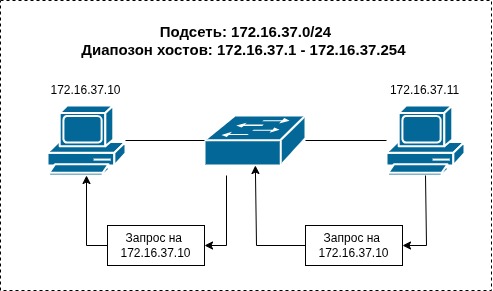
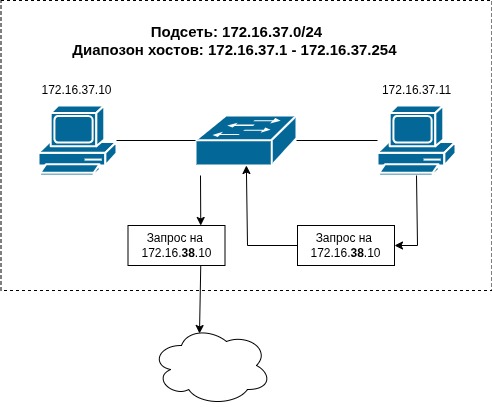
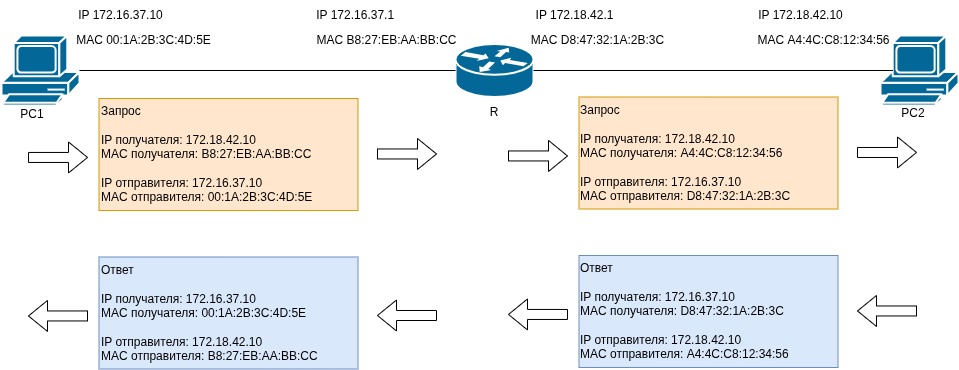
When a device wants to send data, it compares the target IP against its subnet mask:
- Same subnet: Send directly via the switch (Layer 2)
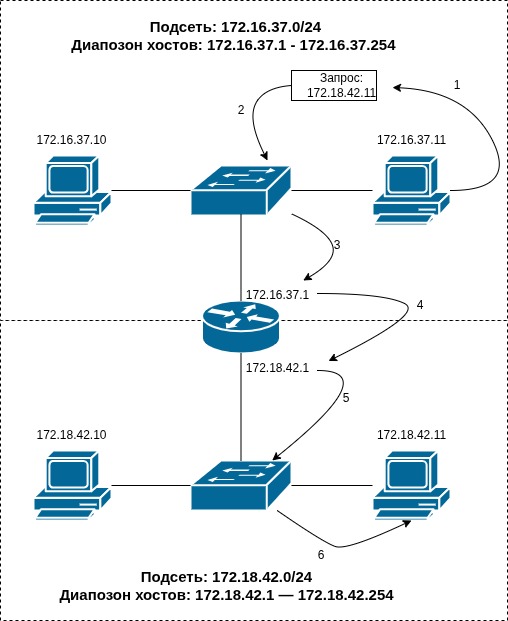
- Different subnet: Forward to the router (Layer 3)
If the IP address doesn't belong to the subnet, we send it to the router. The router sits at the boundary of subnets, possessing interfaces in multiple networks.
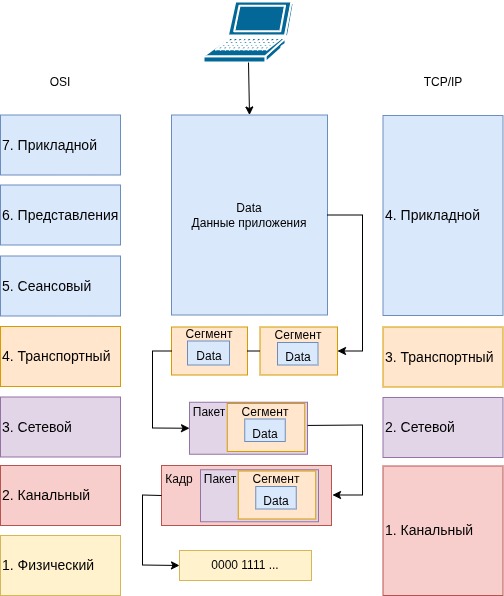
Frame Encapsulation Process
- The application creates data
- The transport layer segments data and adds source/destination ports
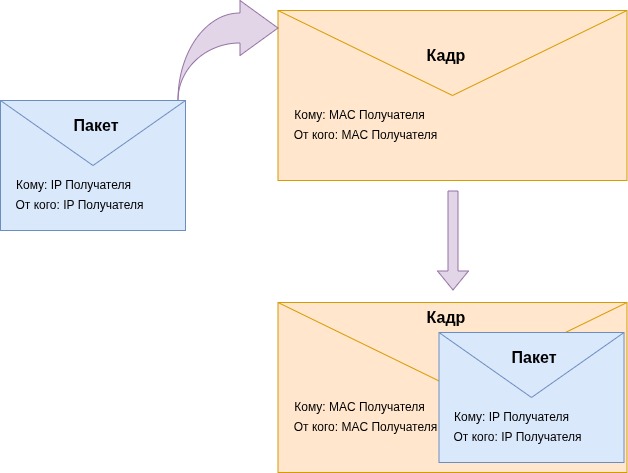
- The network layer creates a packet with source/destination IPs
- The link layer creates a frame with source/destination MAC addresses
- The frame is transmitted through the wire
Think of it as "sending an envelope inside an envelope" — packets are nested within frames.
Multi-Router Networks
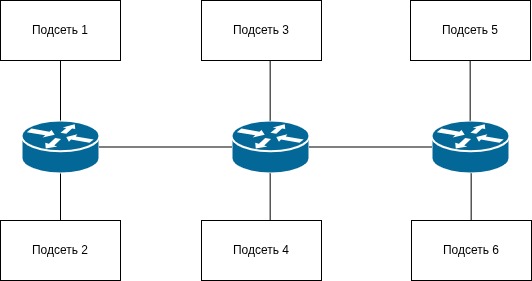
Routers are connected to other routers. They maintain routing tables to forward packets across multiple hops to reach their final destination.
DHCP Server
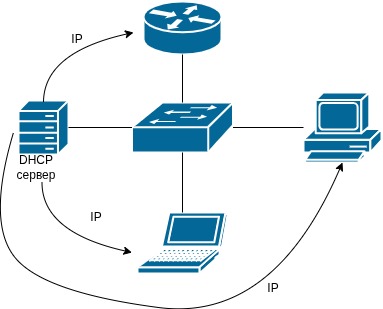
DHCP is an automatic IP address distributor. It knows the subnet range and dynamically assigns addresses to devices. This is used in home networks, cafes, and enterprises where devices frequently connect and disconnect.
The OSI Model and TCP/IP Stack
Layer Mapping
- Application Layer (TCP/IP Layer 4): Combines OSI Layers 5-7. Programs prepare data for transmission.
- Transport Layer (TCP/IP Layer 3): Segmentation into ~1.5KB chunks, protocol selection (TCP vs UDP), port assignment.
- Network Layer (TCP/IP Layer 2): IP addressing, routing between subnets. Key device: Router.
- Link Layer (TCP/IP Layer 1): MAC addressing, physical transmission (electrical/optical/radio). Key device: Switch.
Transport Layer Protocols: TCP and UDP
TCP (Transmission Control Protocol)
TCP guarantees that data will be delivered. It resends failed segments. Use cases: anything where we need to receive every byte — file downloads, email, web browsing.
UDP (User Datagram Protocol)
UDP follows a "fire and forget" approach — it sends and moves on. There's no retransmission. Use cases: anything where losing part of the data isn't critical — video calls, streaming, online gaming.
Ports and Sockets
Ports
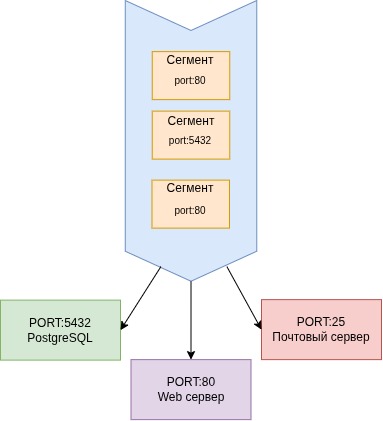
Ports range from 0 to 65,535 and map segments to the correct program. Common examples:
- HTTP: port 80
- PostgreSQL: port 5432
- SMTP (mail): port 25
Sockets
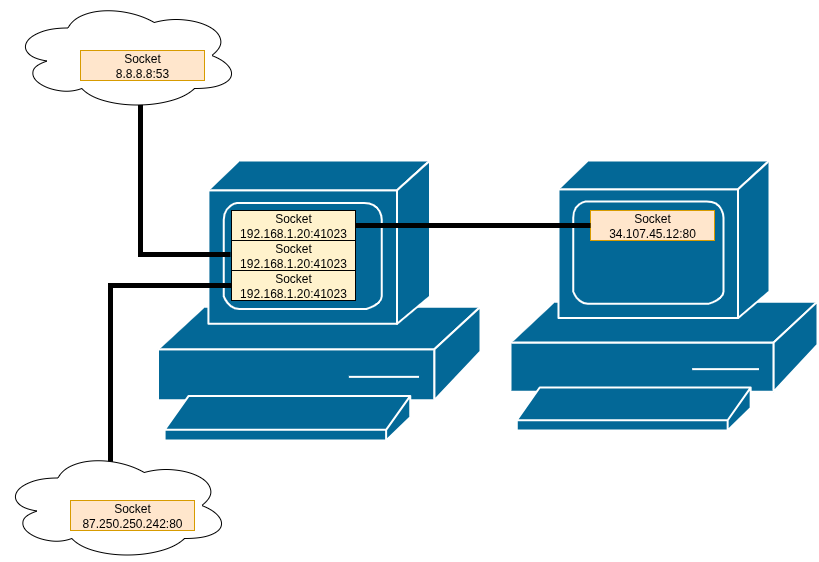
A socket is a software interface that binds an IP address to a port. The notation is IP:PORT (e.g., 192.168.1.100:41000). Sockets distinguish simultaneous connections from the same device.
NAT (Network Address Translation)
The problem: Limited IPv4 addresses (approximately 4.3 billion) are insufficient for global internet growth.
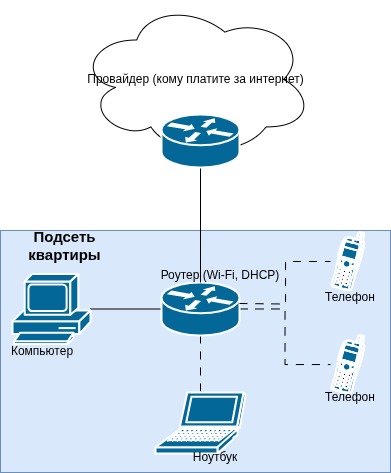
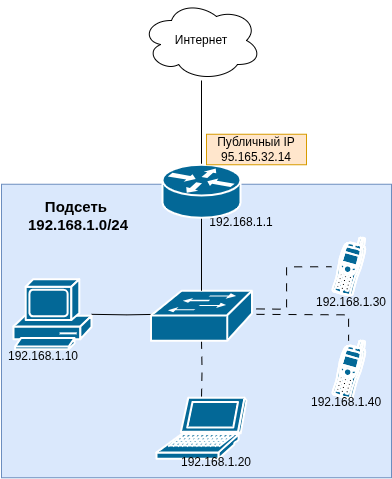
The solution: Give one public IP to an entire network. A single public IP represents the entire private subnet.
How It Works
- Private subnet:
192.168.1.0/24(many devices) - Public IP (WAN):
95.165.32.14(single address) - Translation table: Tracks which socket belongs to which internal device
Example scenario: A husband and wife simultaneously query Yandex from the same home network. The husband's request goes out as socket 95.165.32.14:41000, the wife's as 95.165.32.14:41001. The router uses port numbers to distinguish responses and route them to the correct device.
IPv6
IPv4 address exhaustion led to the development of the next-generation protocol.
Structure
IPv6 uses 128 bits (8 groups of 16 bits) compared to IPv4's 32 bits. This provides 2^128 addresses — vastly more than humanity needs.
Format Examples
Full form: 2001:0db8:85a3:0000:0000:8a2e:0370:7334
Compressed form: 2001:db8:85a3::8a2e:370:7334
Abbreviation rules:
- Drop leading zeros:
0db8becomesdb8 - Replace consecutive zero groups with
::(once per address)
Advantages
- Vastly larger address space
- Built-in encryption support (IPsec)
- No broadcast addresses needed
Adoption Barriers
- Incompatibility with IPv4, requiring additional configuration
- Existing router infrastructure lacks IPv6 support
- NAT provides a sufficient workaround for current needs
FAQ
What is this article about in one sentence?
This article explains the core idea in practical terms and focuses on what you can apply in real work.
Who is this article for?
It is written for engineers, technical leaders, and curious readers who want a clear, implementation-focused explanation.
What should I read next?
Use the related articles below to continue with closely connected topics and concrete examples.





