Ancient graphics: from text to video games
For many years now, pixel graphics have successfully coexisted in the gaming industry, along with the latest graphics technologies, in almost the same form in which it existed in games for home computers and game consoles of the 80s and 90s. Its return to gaming monitors in the l
Editor's Context
This article is an English adaptation with additional editorial framing for an international audience.
- Terminology and structure were localized for clarity.
- Examples were rewritten for practical readability.
- Technical claims were preserved with source attribution.
Source: original publication
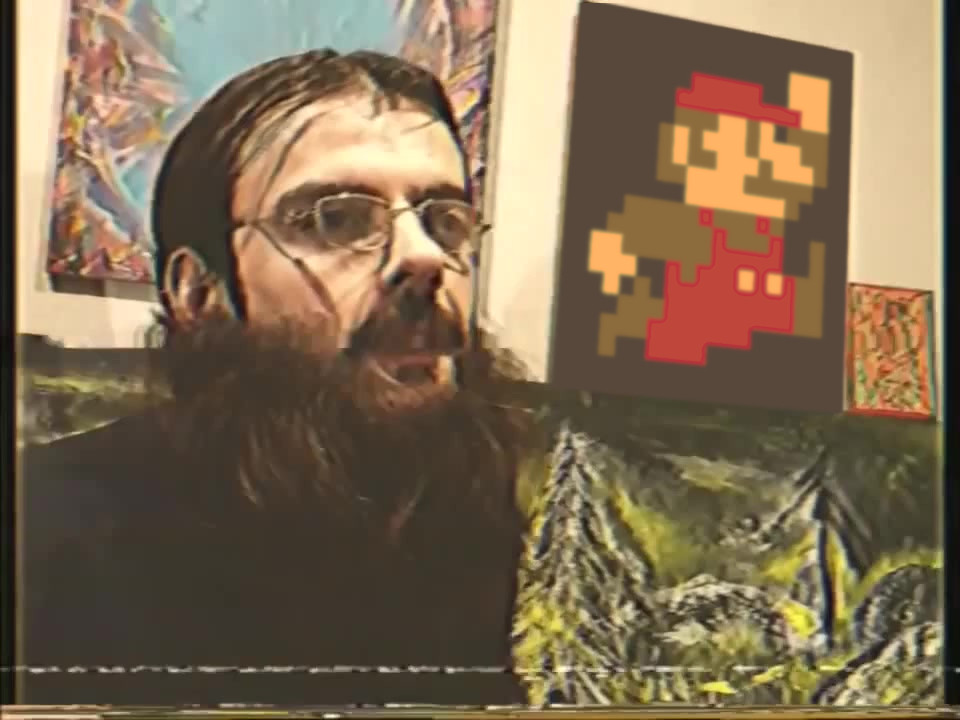
For many years now, pixel graphics have successfully coexisted in the gaming industry, along with the latest graphics technologies, in almost the same form in which it existed in games for home computers and game consoles of the 80s and 90s. Its return to gaming monitors in the late 2000s seemed like a short-lived retro fad, but once it returned, pixels were here to stay.
Despite the apparent conceptual simplicity, pixel graphics of the past hide many secrets and nuances, thanks to which it became what we know it now. In this article we will reveal some of them. Let's talk about text and graphic video modes, symbols, tiles, sprites, palettes, attributes, and the resulting visual aesthetics in video games of the past.
▍ Contents
- What kind of cubes are these?
- Text video modes
- From text to graphics
- ZX Spectrum
- Spectrum and clashing
- TMS9918 and all, all, all
- Commodore 64
- Famicom, NES and Dandy
- Genesis and so on
- Creative attributes
- Conclusion
▍ What kind of cubes are these?
In the mid-1990s, with the advent of real-time 3D polygon graphics and high-quality pre-rendering technology, it seemed that flat, hand-drawn pixel graphics were a thing of the past. At that time, the skill of pixel artists had reached a very high level, but the public was hungry for fundamentally different, new games, and pixels at the peak of their development became a thing of the past, keeping company with weaving bast shoes and listening to gramophone records.
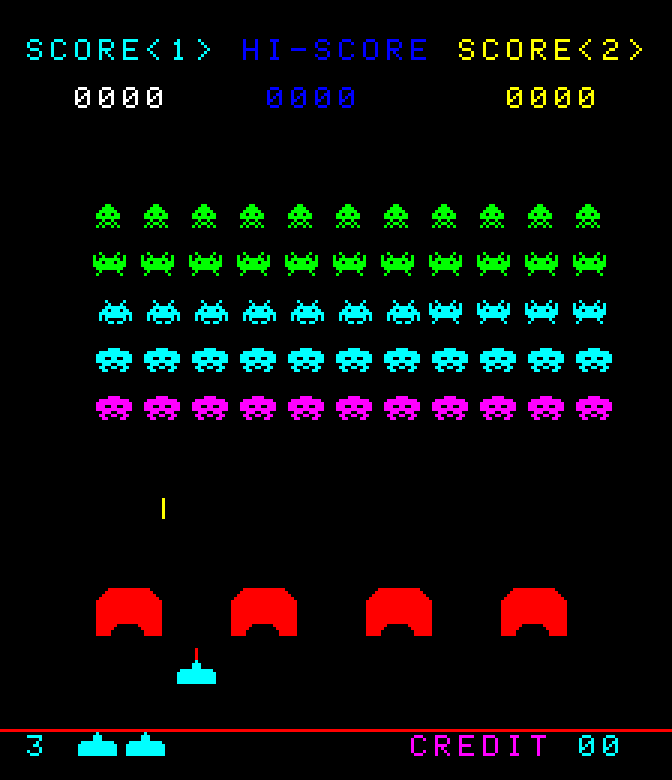
It took polygonal graphics a decade to go from scary, angular pinocchios with muddy textures to cute characters and detailed settings. When the rapid development of technology ended, and polygons moved from the category of the cutting edge of progress to commonplace, it turned out that pixel graphics turned into a special aesthetics, which now looks no longer outdated, but simply different - it has become a different type of fine art that has independent artistic value.
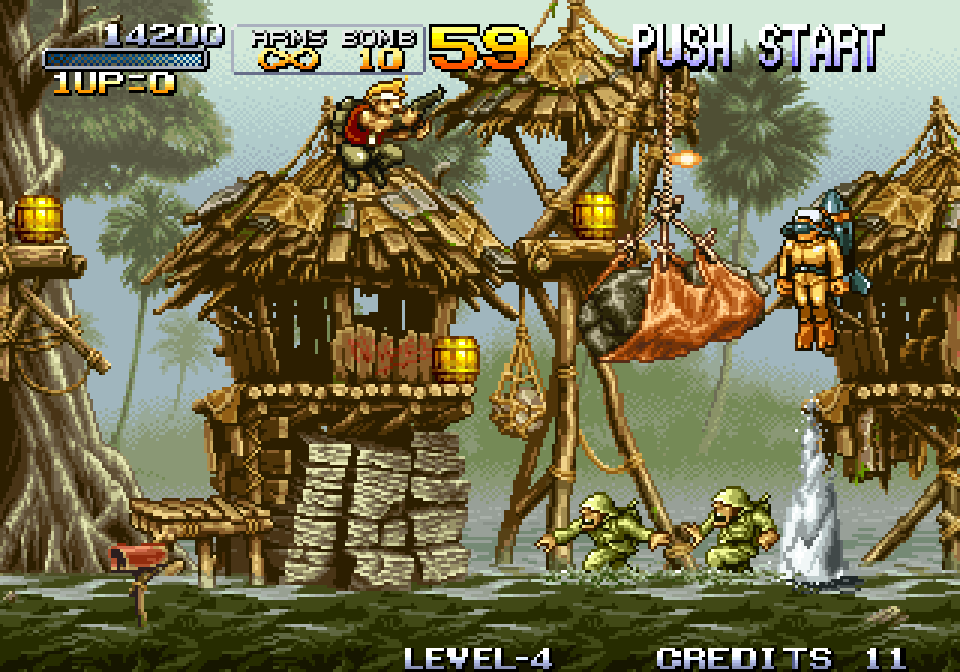
By that time, a fashion for retro had emerged, and against the backdrop of the success of digital re-releases of past hits, some major developers released new games made in classic pixel graphics (Mega Man 9, Contra ReBirth). Their success was also appreciated by indie developers. They happily adopted pixel graphics, because it is often easier and cheaper to create it with a small team of artists (unless we are talking about AAA-class pixel masterpieces like Metal Slug). Since then, hundreds of successful pixel projects have been released, although not all of them managed to capture the aesthetics of the games of the past, and many became interesting in their own way, but a very free fantasy on the topic.
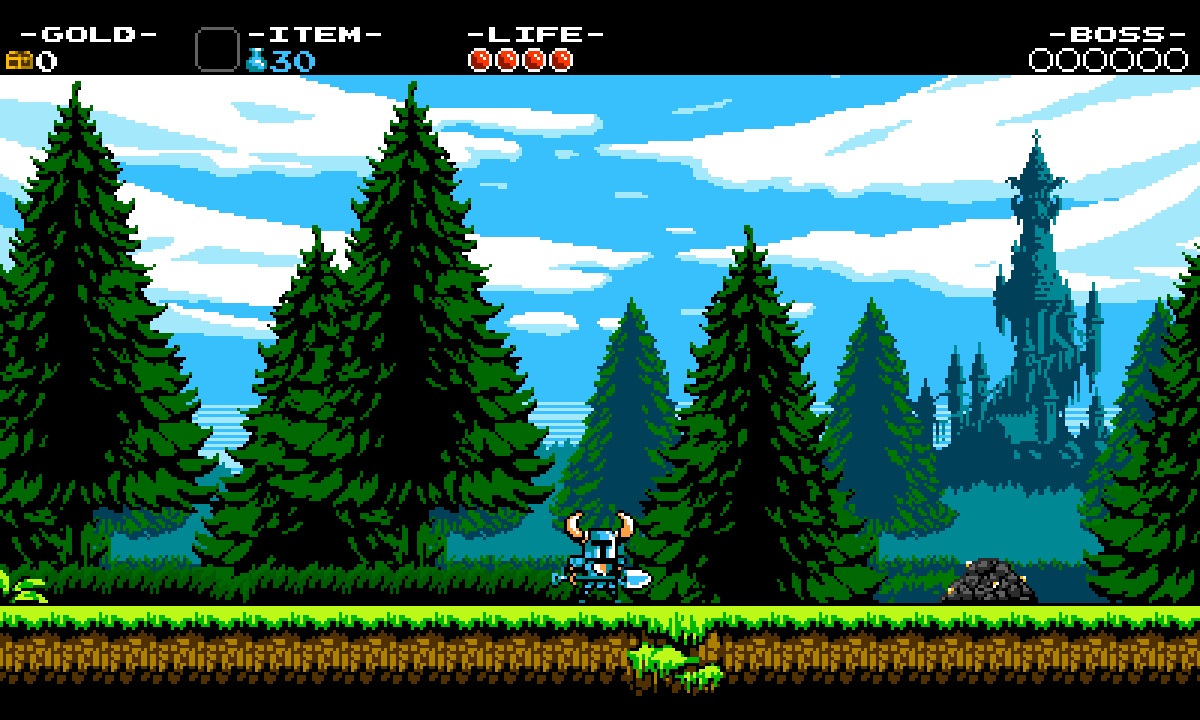
It would seem that in pixel graphics everything is very simple: large multi-colored cubes, from which, like a mosaic, conventional images are put together, and the determining technical parameters are only the number of squares themselves and the set of their colors, that is, geometric resolution and palette. However, this is only a very general idea. In fact, the secret behind the pixel art aesthetics of past cross-platform games—what makes them distinct and visually distinct across different computers and consoles—lies deeper, on several different levels, related both to the technical features of the gaming systems of the past and to specific drawing techniques.
In addition to limited resolution and color options, gaming systems of the past had other, less obvious technical limitations that pixel artists of the past had to masterfully work around and exploit. The best of them did this so well that when first acquainted with their work in our time, the viewer does not even suspect that there are any additional difficulties here. However, before the advent of 32-bit platforms, quite ingenious and unique restrictions were almost always present on every single gaming platform. Their presence greatly influenced the artistic component, down to the possible content, detail, composition and stylization of the picture, and in many ways this determined a certain common denominator by which graphics for different platforms could be distinguished.
The technical limitations discussed in this article are closely related to the conceptual transition that occurred in the architecture of microcomputers when they were reoriented from business (word and number processing) to video games as the main type of software. Therefore, in many ways the story will concern not only the limitations and the visual aesthetics they generate, but also the technical side of the process of this transition.
▍ Text video modes
Historically, visualization of computer results began far from the graphics we are used to today. At first it was just blinking lights, then a teletype - a printing device that produced a text printout on paper. Over time, the teletype was transformed into a computer video terminal, doing everything the same, but on the screen, and its main feature, inherited from its electromechanical predecessor, was operation exclusively in text mode, and strictly sequential, without the ability to change the information previously displayed on the screen (move the cursor), embedded deep in its device. It was in this form that work with the screen was implemented in one of the first personal computers in history, the Apple I (1976). It's easy to guess that the lack of ability to display information at a given location on the screen made it almost impossible to create dynamic video games.
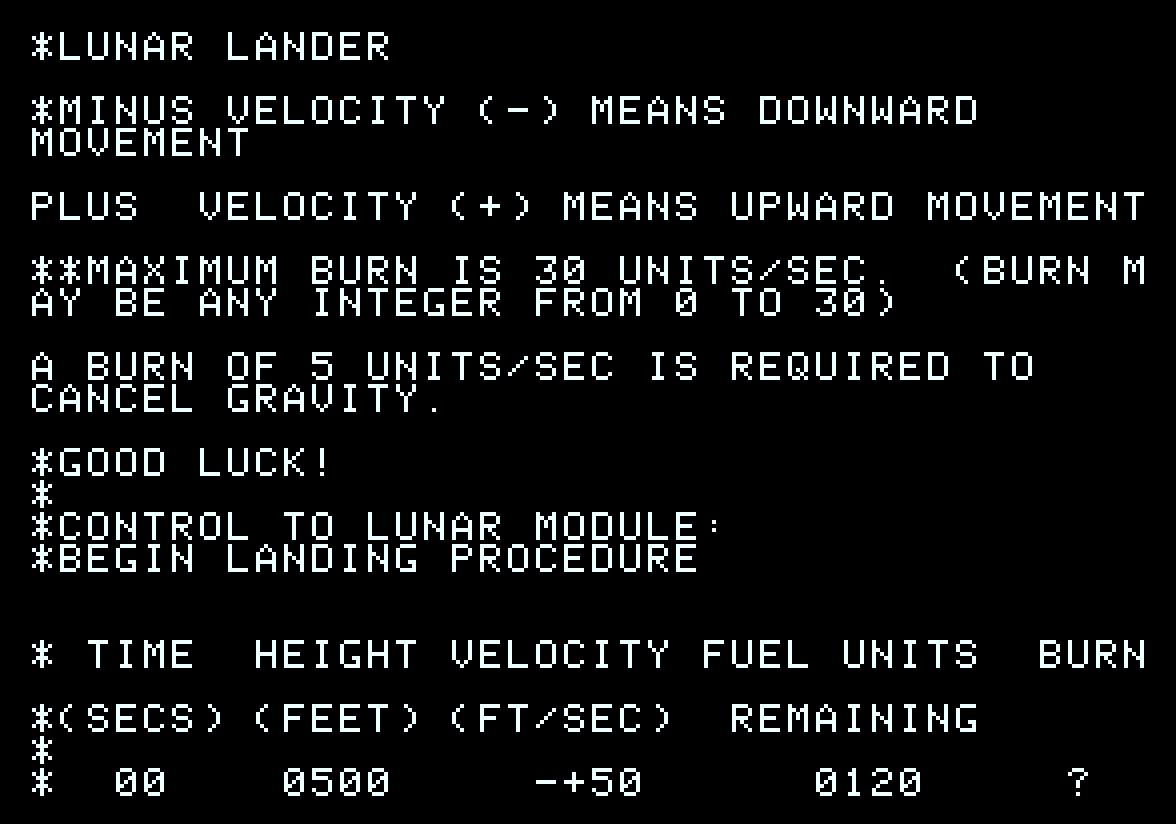
Text video mode allows you to operate only with whole characters on the screen. Due to this, it compares favorably with its economical consumption of RAM and processor time - very valuable resources in microcomputers of the late 1970s, when RAM was very expensive. To display a page of text on the screen, you only need one or two kilobytes of RAM. A weak processor can handle processing this amount of data to quickly update the screen without any problems. The price for these conveniences is a certain complication of the video adapter device, or video card - it must be able to form a picture from characters in ROM and text in RAM on the fly, as the beam passes through the raster.
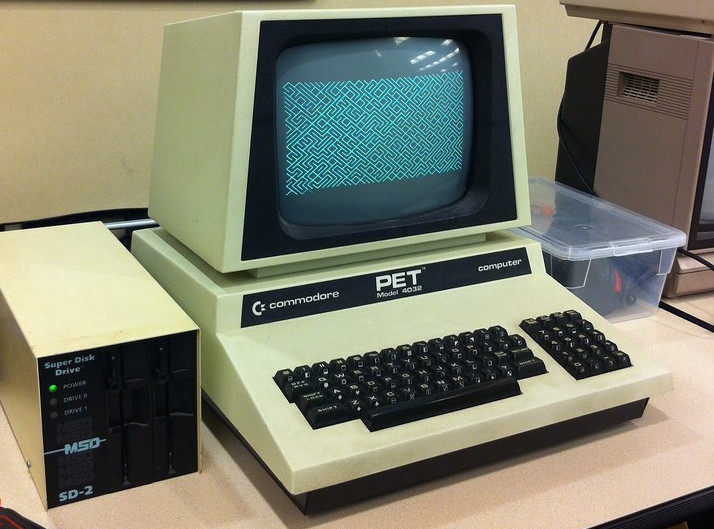
Early implementations of text video modes in microcomputers, such as the Commodore PET (1977), allowed the display of one or more pages of text of 40x25 or 80x25 monochrome characters, arranged in a regular grid - in so-called "familiarities". The symbol images were stored in a small ROM, installed when the computer was manufactured, and could not be changed by software. The entire text page became available to the processor, and now it could update the text in any part of the screen, which means that any kind of games became possible. For at least some minimal visual manipulation of the image, a large number of pseudographic characters were stored in the font ROM on the same PET, and each character was presented in two versions - normal and inverse image. Thus, one bit in the 8-bit character code worked as an inversion attribute, and this can be considered the beginning of the concept of “attributes”: a set of bits that set display options for a single fixed area of the screen. Typically this was a color choice and the attributes were called "color" but sometimes other options were present.
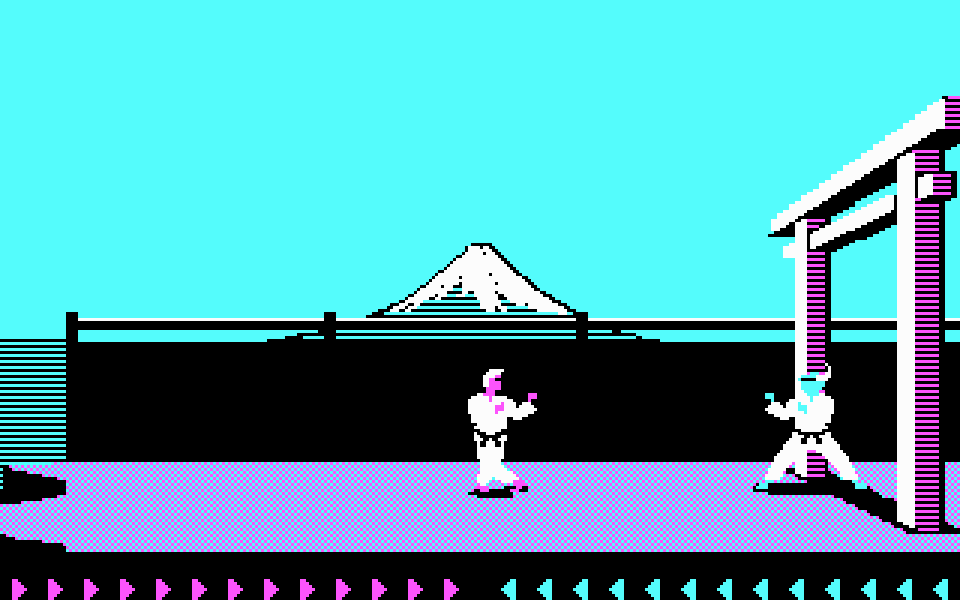
The first video adapters were built on logic chips, but since the task of displaying text became standard, specialized LSIs appeared to solve it, such as the Motorola 6845 and Intel 8275. They added broader support for attributes: now it was possible to set characters on the screen to blink, underline, increase brightness, and even change color. The CGA video adapter for the IBM PC platform (1981) was built on the 6845 controller, in which the implementation of character attributes took on its modern, most practical form: each character on the screen is allocated two bytes, one for the 8-bit number (code) of the character in the font, the other for the color of the character and its background, four bits each, 16 colors. In this case, it was possible to select a mode in which the number of background colors was limited to eight, and the remaining bit worked as an attribute of the character blinking - a funny vestige, probably preserved from the times when the video terminal could not return to the previously displayed text in order to implement blinking in software.
▍ From text to graphics
The defining property of the classic graphic video mode is the ability to programmatically change the color of each individual pixel on the screen - what is called all points (or pixels) addressable. Therefore, working with arbitrary bitmaps requires significantly more memory. If the text mode, which displays 40x25 characters of 8x8 pixels on the screen, requires only 1000 bytes of RAM, the graphic monochrome mode of the same resolution will require 8000 bytes.
Technically, the device of a graphic video adapter is somewhat simpler than a text one, but now the central processor is forced to do what the more complex hardware did. For example, to output visually identical text with the same resolution, now instead of writing one byte with a character code, you need to read eight bytes with a character image from the main memory or ROM and write to the corresponding video memory area. Thus, the problem of switching from text to graphic mode is not only the increase in the number of expensive memory chips - although this alone was more than enough to be a determining factor in the early 1980s - but also the need to ensure that the screen is updated quickly enough using a low-power microprocessor.
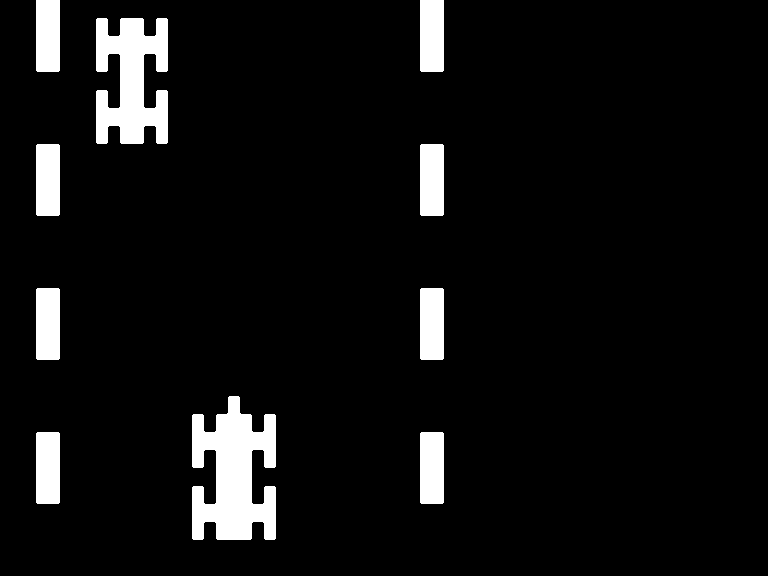
The transition process began quite simply. The first fully graphical modes were monochrome or very little color, and had no display options: one or two bits simply set the color of each dot. For example, the RCA CDP1861 video controller chip, on the basis of which one of the first game consoles in history, RCA Studio II (1977), was built, generated a graphic raster ranging in size from 64 by 32 to 64 by 128 monochrome pixels (always 64 pixels wide, with a different number of lines), one bit per point, which required only 256-1024 bytes to describe the screen RAM. The four-color CGA graphics mode used two bits per dot, and a resolution of 320x200 required 16,000 bytes of memory, which created problems with screen redraw speed in the era of the Intel 8088 processor, operating at a frequency of about 4.7 MHz, and made it very difficult to create dynamic games with smooth animation.
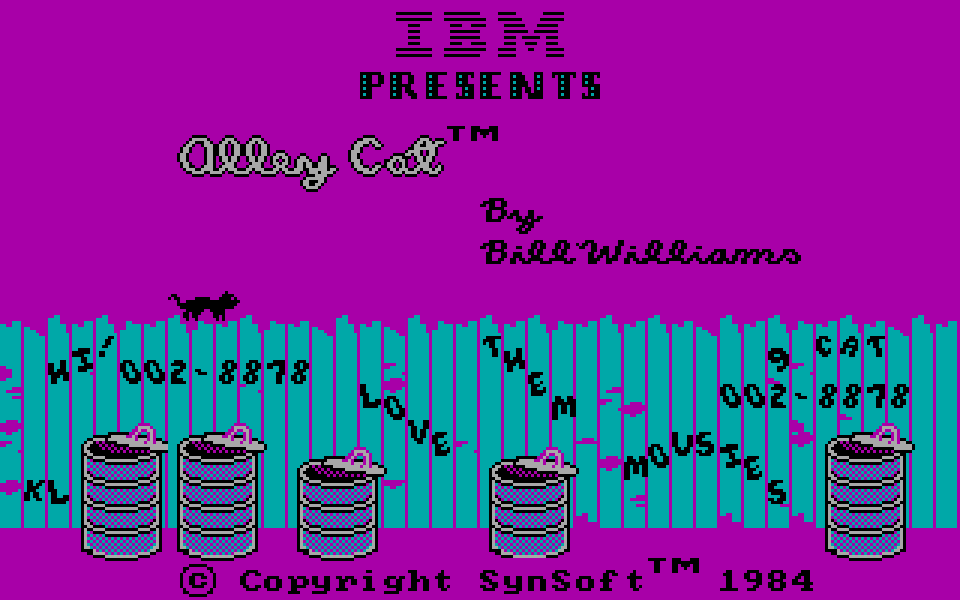
With the development of the video game industry, it needed more advanced visualization tools, with higher resolution and more colors, but at the same time it was necessary to extremely reduce the cost of devices in order to ensure economic feasibility - at that time it was already on the verge of what was possible, it was impossible to simply install more memory and a more powerful processor. In the process of solving this problem, engineers were looking for compromise software and hardware solutions that, on the one hand, would allow them to display interesting graphics, and on the other, optimize memory consumption and operating speed. In the process of their development, of course, the previous experience of creating text video terminals was used, and in the end it turned out to be useful.
At that time, two main approaches to displaying graphic content were formed, which in the process of engineering search were often mixed in varying proportions in specific individual computer models.
The first approach is full-fledged graphic raster modes with limited color resolution. Typically, they allowed the display of (relatively) high-resolution graphics without restrictions on their content, addressing all individual pixels, but with large memory consumption, and, as a result, often with significant restrictions on color display, resolution and screen refresh rate. This approach was used primarily in home computers of the late 1970s and early 1980s, as well as some video game consoles, and eventually became the only one used in modern times.
The second approach is the so-called tile-sprite graphics, which underpinned the vast majority of third and fourth generation game consoles, from the early 1980s to the mid-1990s, as well as arcade machines of the same years. This is a compromise solution that imposes significant restrictions on visual content, but makes it possible to reduce the cost of devices and at the same time increase their performance. In essence, this is a more advanced text mode: images of font characters were replaced with graphic background elements and called them “tiles”, more colors were added and the ability to scroll the image pixel-by-pixel, but retained a regular grid and a limited number of character blocks from which the picture is built. For moving elements, we added hardware support for “sprites” - small images superimposed on top of a background layer (for example, a mouse cursor) without changing the background underneath them.
Of course, it is very difficult to consider everything that happened everywhere and at once in just a few years of very rapid development of computer technology, and to adequately reveal the historical significance of certain episodes within the framework of one short article. There's a lot to be left behind and a brief look at the decisions behind just a few of the most iconic platforms of this period - how they were designed, and what influence they had on both subsequent developments and visual aesthetics. Let's start, not quite in chronological order, with the most famous and beloved platform in our country.
▍ ZX Spectrum
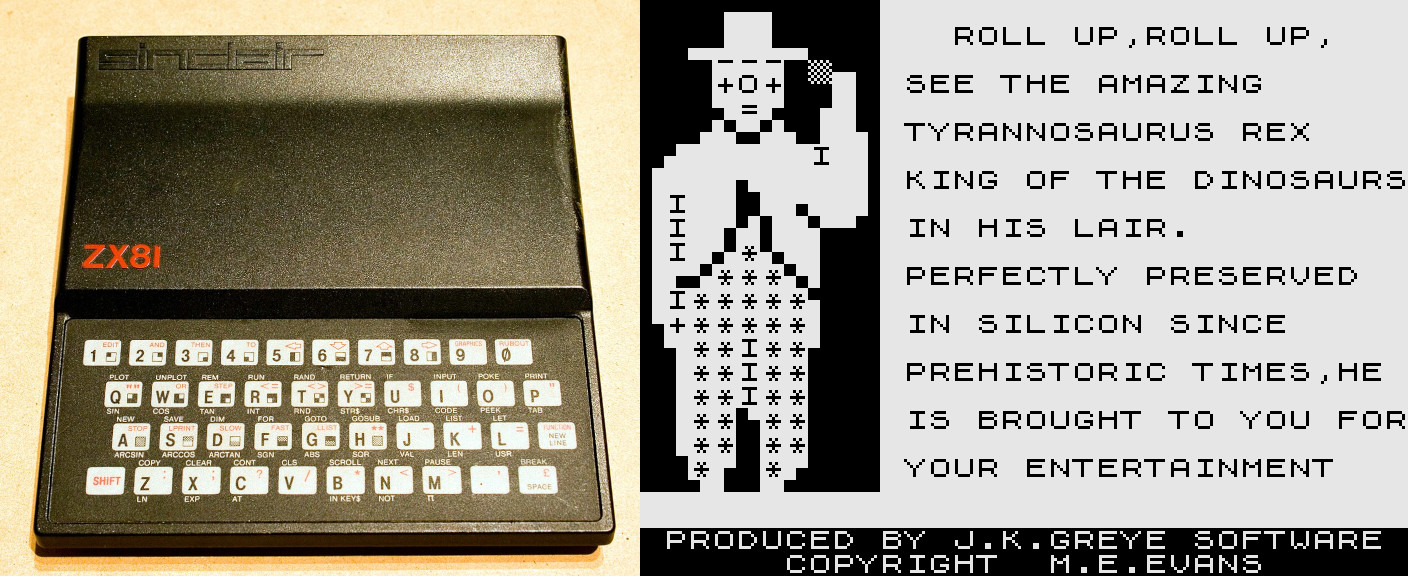
The first computer models from the British Sinclair Research, ZX80 and ZX81, released in 1980-1981, had only 32x24 monochrome text video mode. A very affordable price was the decisive competitive advantage of all the company’s products, therefore, in order to reduce the cost of design, the computer in the basic configuration had only one kilobyte of RAM, three quarters of which was occupied by the text screen buffer, and the central processor was actively involved in image formation, which greatly affected performance.
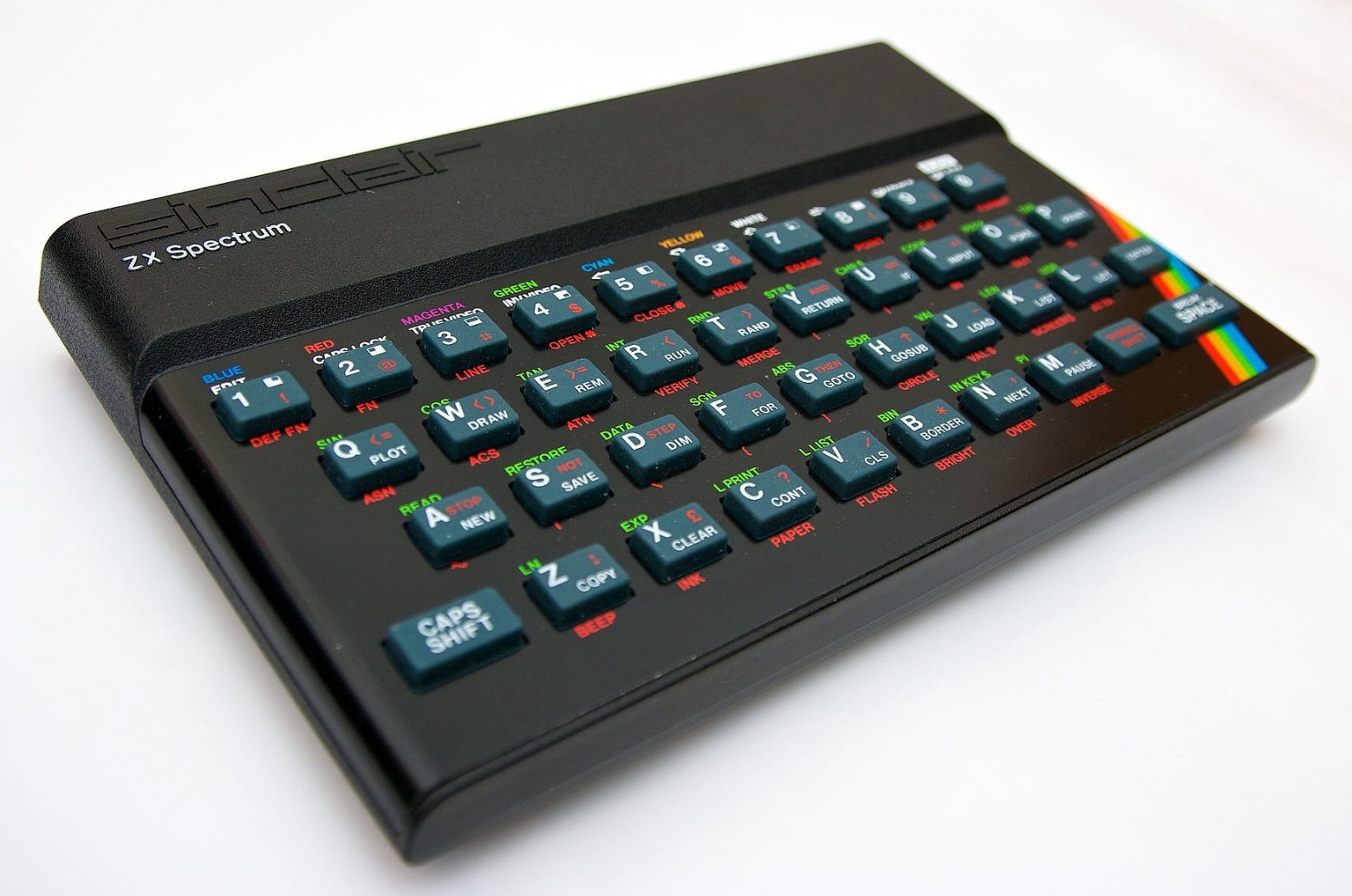
For the next model, the ZX Spectrum, which entered the market in 1982, engineers had to implement two new capabilities at once: graphics and color display. The ability to display 16-color graphics was even included in the name and symbols of the computer (rainbow corner). Since the central processor remained the same, and although it was freed from participation in the formation of the video signal, it was necessary to ensure sufficiently fast output of graphics, at least text, without complicating or increasing the cost of the device.
The task was slightly simplified by the transition from using static RAM to dynamic memory, which was cheaper, and in the basic configuration it was already 16 kilobytes. The more famous 48 KB model, which became the standard as memory prices fell, initially cost almost one and a half times more and was distinguished solely by the amount of memory installed on the board.
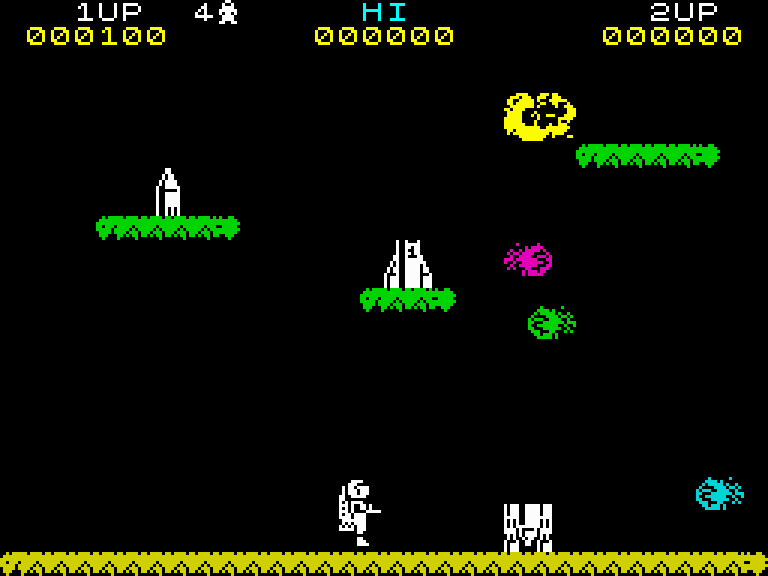
It is easy to calculate that if each pixel of the image could have its own color, one out of 16, a video buffer of 24 kilobytes in size would be required - much more than the entire amount of RAM of the younger ZX Spectrum model. However, Sinclair developers were able to get by with only 6.5 kilobytes, which also solved the problem of screen refresh speed. They did this by organizing the structure of the video buffer in the likeness of a text screen.
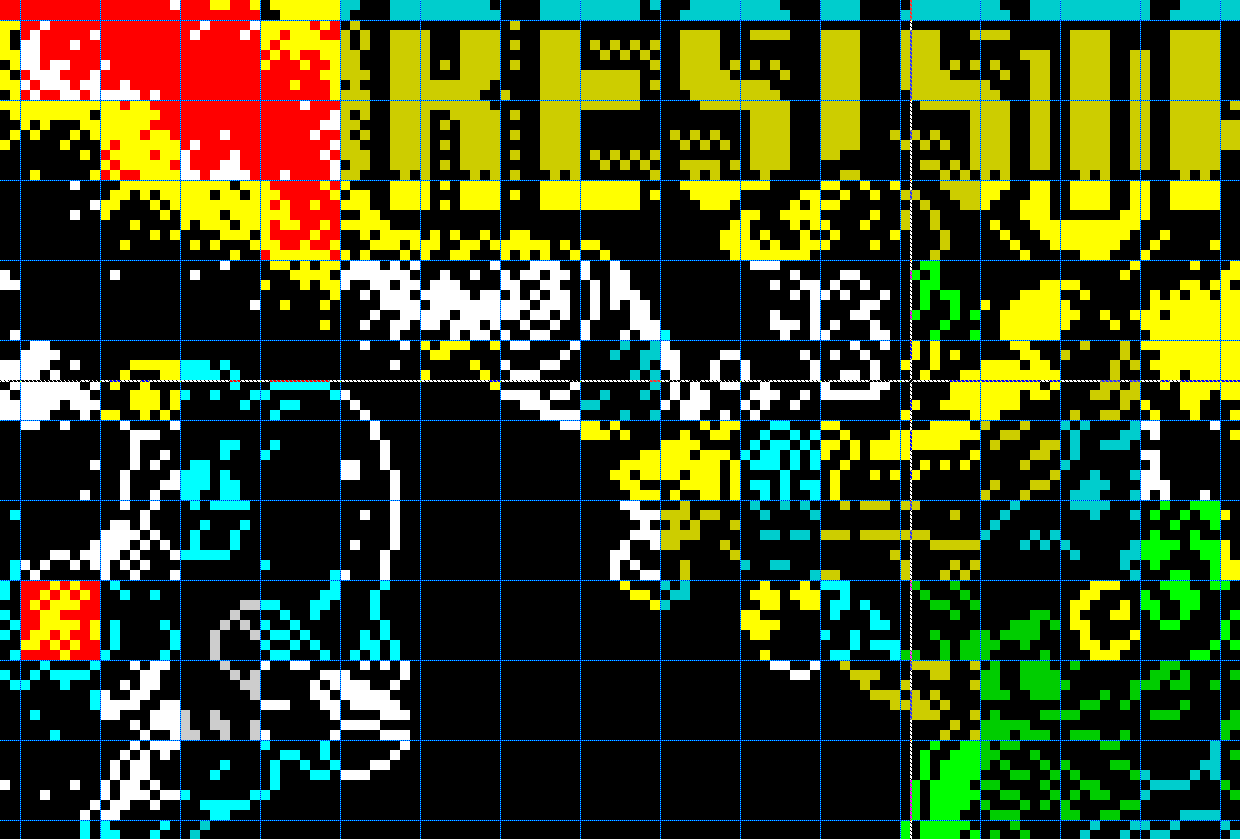
The ZX Spectrum has a single monochrome graphics mode with a resolution of 256 by 192 pixels, which, when using an 8x8 pixel font, is the same as the text resolution of previous models, 32 by 24 characters. To describe such a screen, 6144 bytes are enough. Coloring the image is done like a text screen, using attribute bytes assigned to each 8x8 pixel familiar block—an additional 768 bytes of data. The attribute specifies one of eight possible colors for all turned on pixels in a familiarity, another of eight colors for all turned off pixels, and also contains a common increased brightness bit and a blink bit.
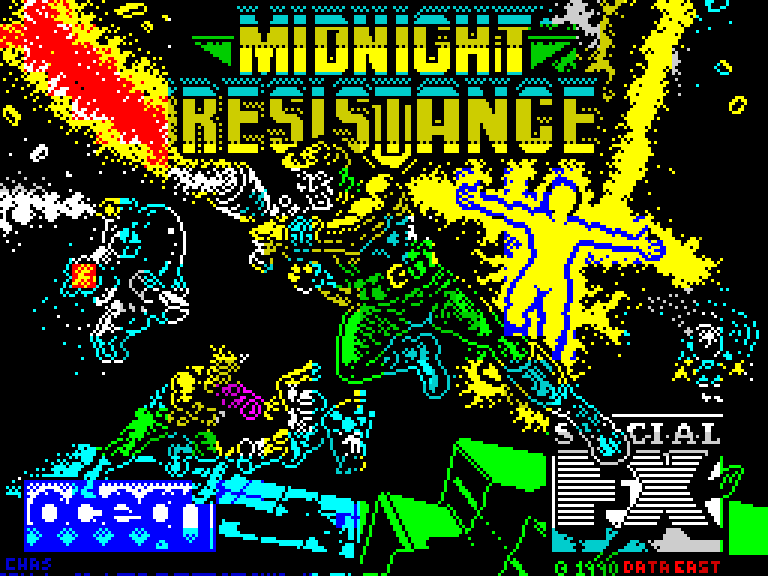
In practice, this limitation on image colorization means that within a single 8x8 pixel block, more than two colors can never be displayed at the same time. This had a very strong influence on visual aesthetics. Artists were forced to select the composition of the image and the arrangement of individual elements in such a way as to be able to paint them in the desired colors without getting unwanted color changes. Often details or proportions are sacrificed, or you have to choose a very unexpected coloring of the image, especially considering the rather unique, very bright and poisonous color palette.
To increase the speed of working with graphics, screen memory was organized in a very non-trivial way. This unusual solution is most clearly demonstrated by the sequence of loading an image from a cassette directly into the screen buffer, which is familiar to anyone who has encountered this platform at least as a player (many games do this). The image bytes are loaded from the cassette one after another, linearly, but the picture first appears on the screen in monochrome in alternating stripes in thirds, and then quickly turns into different colors.
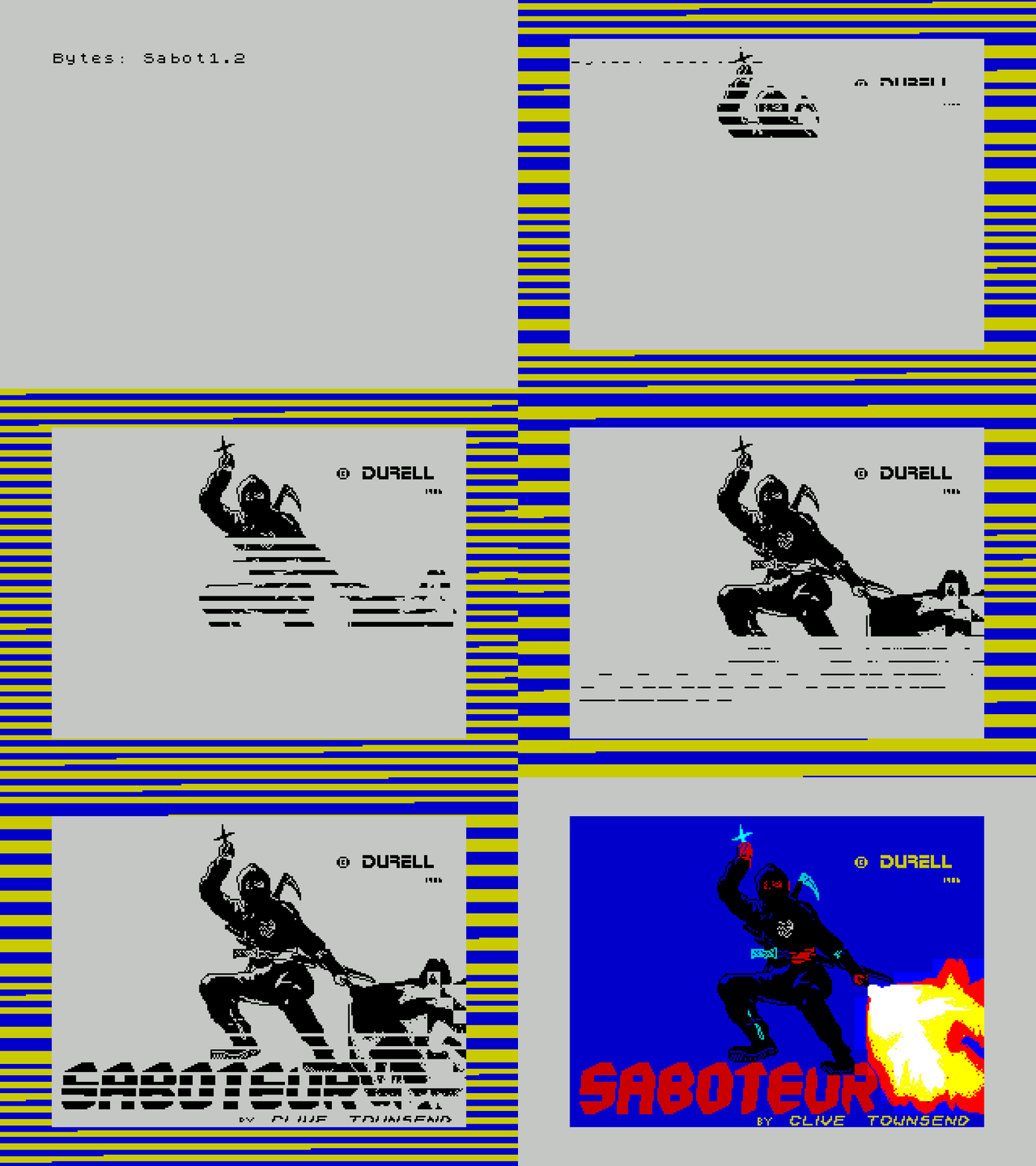
This very strange structure of screen memory with alternating strips at first, second and many subsequent glances actually makes sense. It is quite effective when rendering text programmatically: to move to an adjacent familiar place horizontally, the INC/DEC L operation is sufficient, and to move inside a familiar place to a line of pixels below or above - INC/DEC H. However, when implementing dynamic graphics in games, this was more of a hindrance than a help.
▍ Spectrum and clashing
Since the ZX Spectrum does not have hardware support for sprites, games are forced to programmatically draw all moving objects in the video buffer, overlaying several multi-colored images on top of each other. As a result, you have to choose which colors (the background or one of the objects) should be displayed in each of the blocks. This problem within the platform has the established name “attribute clash”. A similar problem exists on many other 8-bit platforms, sometimes known as "color clash" or "color spill".
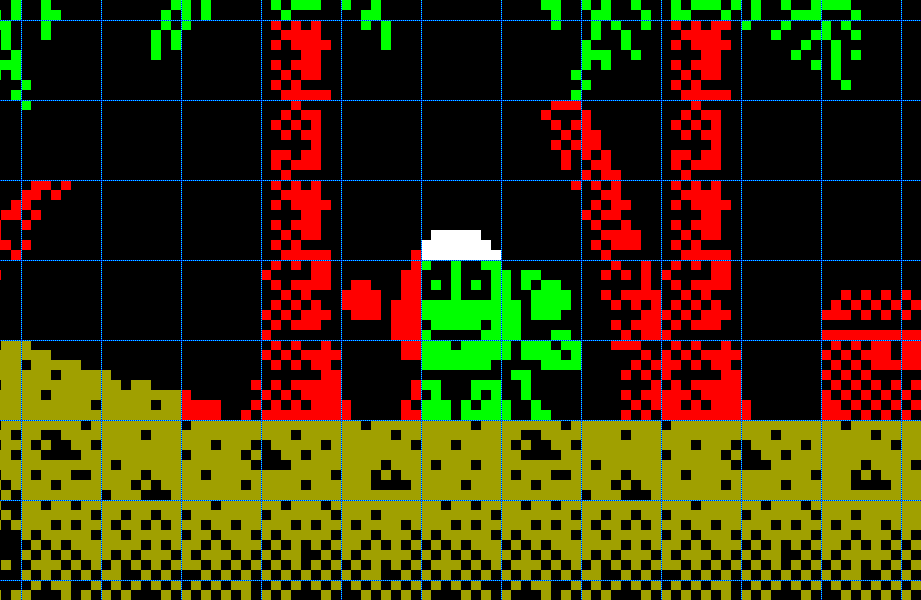
The problem of clashing constantly bothered developers, forcing them to look for ways to reduce the visibility of this artifact. There was no universal solution, but various techniques were invented for special cases that directly affected the design and appearance of games, which ultimately formed the recognizable visual aesthetics of the platform.
The easiest way to get rid of attribute conflict is to completely refuse to use color where such a conflict is possible. Therefore, many games on the ZX Spectrum are monochrome, at least in the main gaming area, and only the interface around this window is colored. Or the color is used very sporadically in the background, so that the characters never interfere with the game elements.
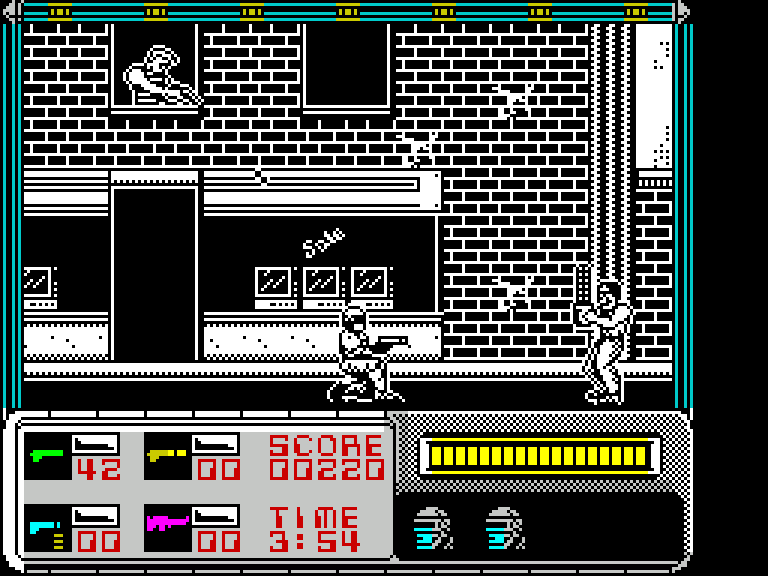
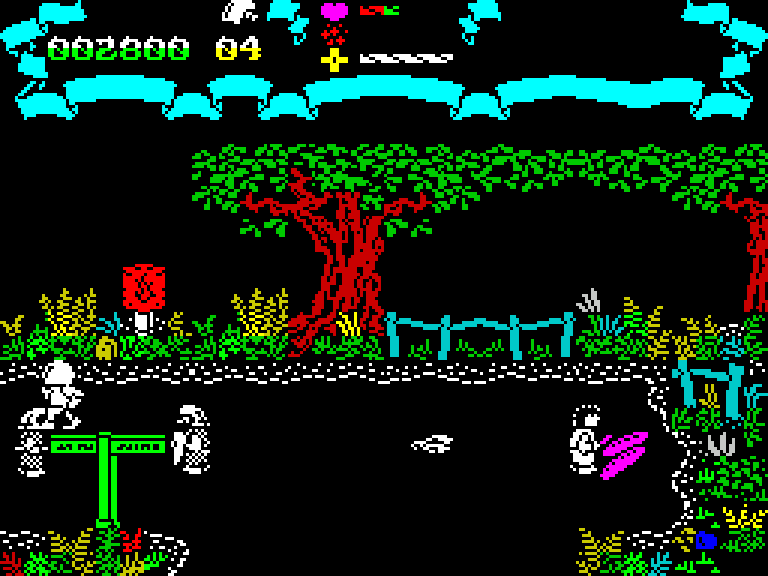
Another way is to use a mostly solid background in areas where game objects move. Typically, the color was black, and as a result, the platform was dominated by games with a space setting, or where the action takes place at night rather than during the day - think about how many torches you can see on the street in each part of Dizzy. And sometimes the game convention was even a day with a black background around it.
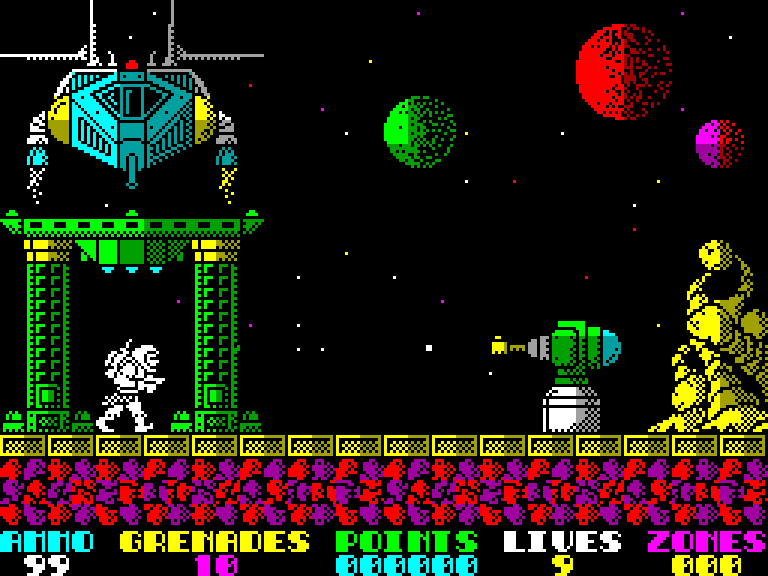
The most effective technique for avoiding clashing when using a black background was used in the games Exolon, Cybernoid, Rex, Jack the Nipper II, and several others. In them, all moving objects, when interacting with background elements, are drawn as if behind these elements, and more precisely, in familiar places where there is a background image, parts of the sprites are not displayed at all. This completely eliminates the attribute conflict and looks pretty good, although it does create a square mask that obscures the sprite where it intersects.
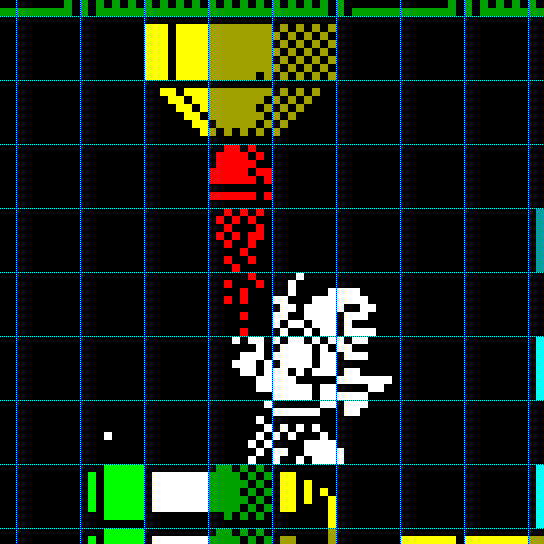
Attributes added the most headache to developers when implementing screen scrolling, since during smooth scrolling, two adjacent multi-colored elements changed color at their border abruptly, partially turning into each other’s colors. But even without scrolling, the characters, when moving around the screen, were colored in the background colors, or, conversely, the area of the screen surrounding them was colored in their own color.
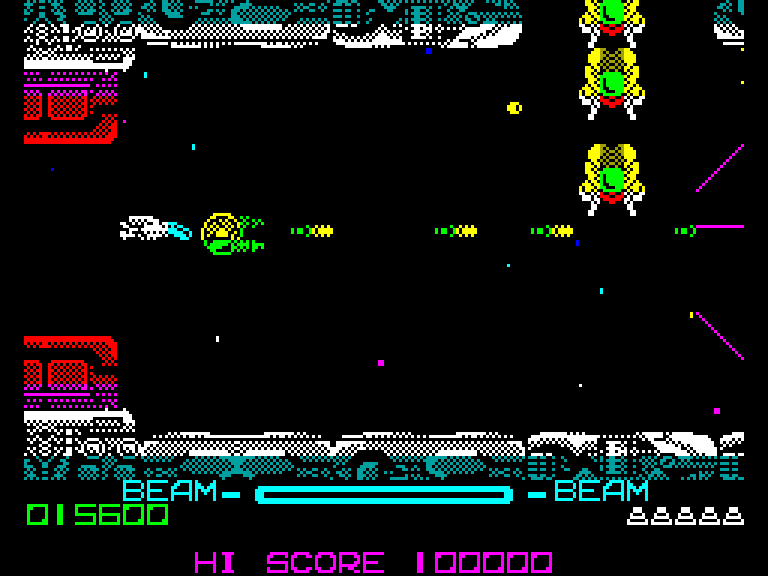
A number of smooth-scrolling games have also been quite successful at avoiding attribute conflict in background graphics through specific visual design. For example, when scrolling horizontally, the background was colored in stripes the width of the entire screen, and there were simply no color transitions within a line of the screen. Or between adjacent elements of different colors there was always a gap the size of one familiar space. Of course, there was a color conflict with moving objects, but, for example, in R-Type this problem was avoided by combining smooth scrolling of the background with the movement of all sprites throughout the entire familiarity. And in the game, Zynaps used a technique similar to Exolon, and although there is still some amount of clashing in the game, it works very well.
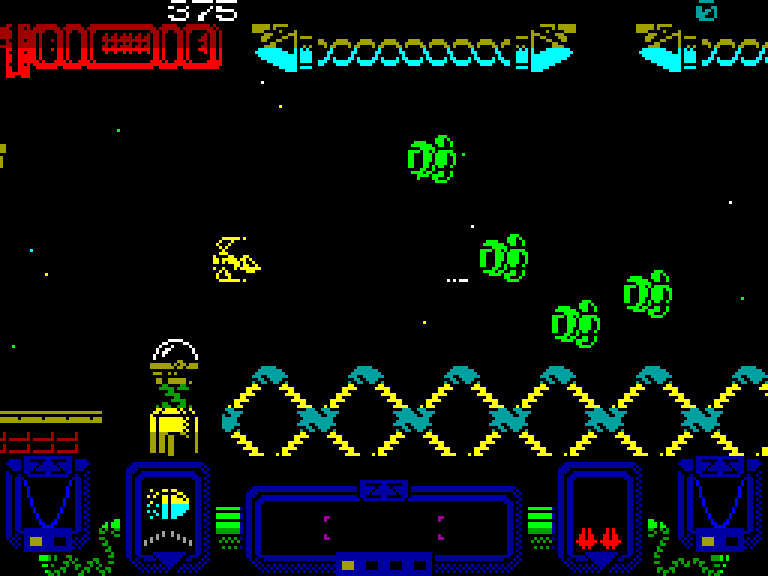
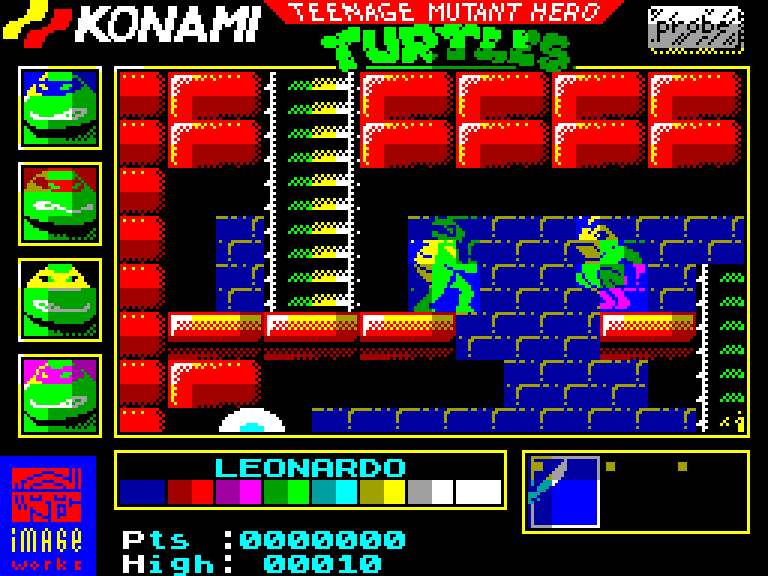
A rather controversial, but very effective way to deal with attribute conflicts was implemented in the games Savage, Astro Marine Corps, Teenage Ninja Mutant Turtles, and in the domestic Pinocchio. In them, the movement of all objects - both the background and sprites - took place over the entire familiarity, that is, with a step of 8 pixels. This created a rather unpleasant looking jerky movement, but allowed for maximum coloring of both the background and the characters. To reduce the noticeability of the square mask that appears around the characters with this method of overlaying them on the background, the characters themselves were drawn in the most square-nested way possible, so that their familiar spaces were either almost filled with graphic content or remained empty.
Despite color restrictions, a full graphics mode and direct access of the central processor to video memory at any time allowed the Spectrum to at least, often slowly and sadly, but still master visual scenes of any complexity. Due to this, it has a considerable number of fairly good ports of arcade hits that were released on this platform in great numbers, and is also not afraid of games with isometric and three-dimensional graphics, which its competitors, who have more optimized graphics solutions for specific tasks, cannot boast of, some of which will be discussed below.
▍ TMS9918 and all-all-all
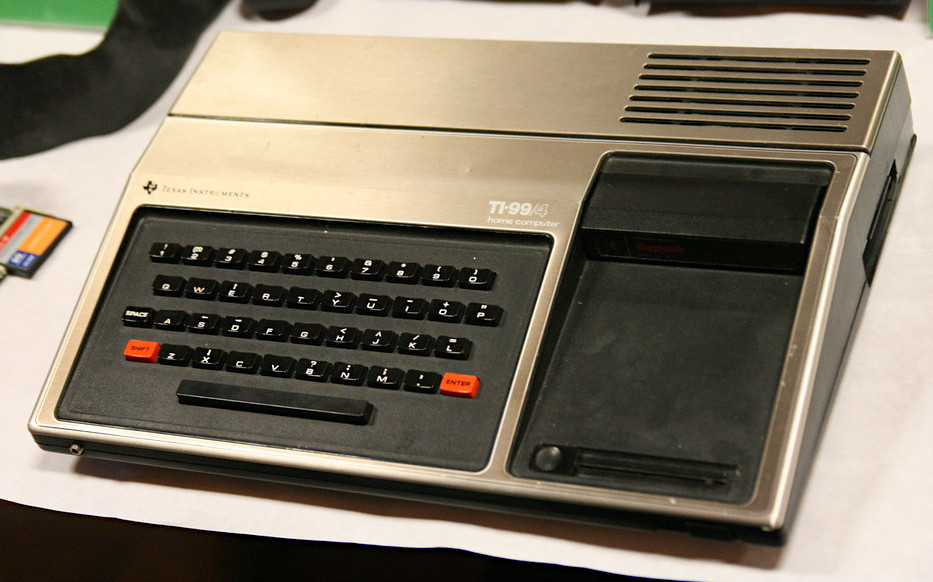
In 1979, Texas Instruments launched the world's first proprietary 16-bit personal computer, the TI-99/4. This very expensive machine had outstanding characteristics for its time - color graphics, a large amount of RAM, and a three-channel sound synthesizer. The computer itself was not a success for a number of reasons, but the hardware solutions underlying it left a significant mark on the industry.
One of these solutions is the TMS9918 video controller. The amount of video memory required for its operation was 16 kilobytes (eight dynamic RAM chips with an organization of 16384x1 bits). Probably, this very expensive solution in 1979 influenced the commercial failure of the TI-99/4 itself, but could become successful as part of dozens of other platforms in the early 1980s, when memory began to cost less - just mention the ColecoVision consoles (1982), Sega SG-1000 (1983) and the first generation MSX family of computers (1983).
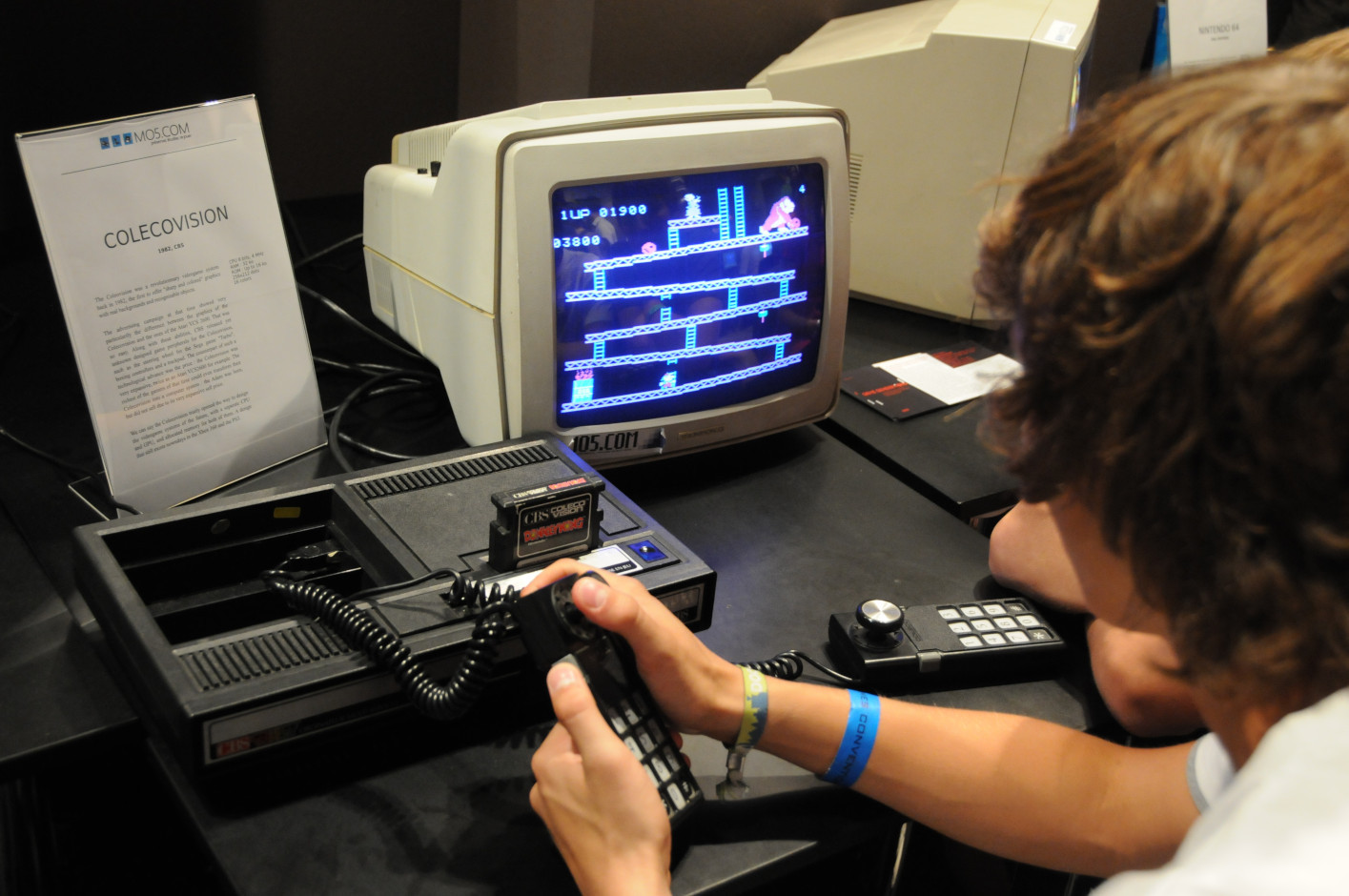
This video controller implemented several important architectural solutions that were used in many subsequent developments.
Firstly, there was a complete physical separation of the video system from the rest of the device: implementation in the form of a black box, represented by a video controller chip with a high degree of integration, which has only its own RAM among external components. All interaction between the central processor and the video system now went through the registers of the video controller. Due to this, the video controller received exclusive access to video memory at any time, allowing it to maximize its bandwidth potential in order to complicate visualization. The processor could now access video memory exclusively through the video controller, and only in certain, fairly short periods of time.
Secondly, the TMS9918 implemented the concept of hardware sprites - small moving images that were displayed on top of the graphic image on the fly, without software drawing them into the raster buffer. Such sprites existed before, for example in the Atari 2600. But it could display only two sprites, which were registers where graphics had to be placed directly as the scanning beam passed through the raster. The TMS9918 can display 32 sprites of 8 by 8 or 16 by 16 pixels, and they are presented as a simple list of their coordinates and pointers to graphics in video memory, which is much easier to use. It was this architecture that became the standard for many arcade machines and game consoles in the future.
Perhaps the most interesting thing is that the TMS9918 architecture literally captured the moment of transition from purely text-based video modes to graphic ones. The fact is that in the original version of the controller, TMS9918 without letters, only three video modes were implemented: two text and one pseudo-graphic, very low resolution. A little later, around 1981, the TMS9918A version appeared (it is its use that distinguishes the TI-99/4A computer from its predecessor without the letter A in the name), in which, based on one of the text modes, an additional high (normal) resolution graphics mode was implemented. It is this one that is the most interesting, but to understand the moment of transition, let’s consider them all.
Mode 0: monochrome text, 40 by 24 characters. An interesting feature of this mode is the font character size, 6x8 pixels. This gives a final resolution of 240 by 192 pixels. The font is downloadable, which allows limited display of graphics, but this mode is not very suitable for games, since neither color nor hardware sprites are available in it.
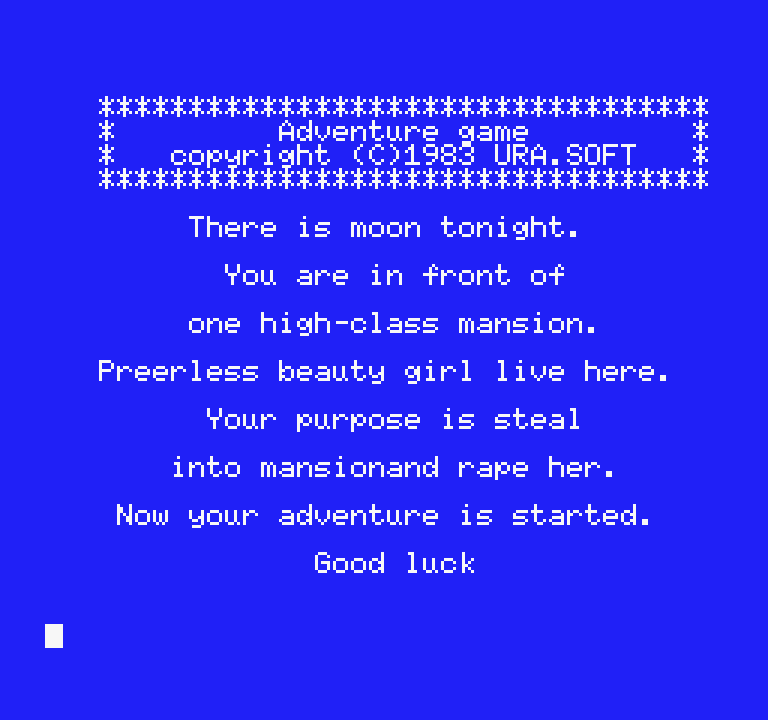
Mode 1: color text, 32 by 24 characters with a character size of 8x8, which gives a resolution of 256 by 192 pixels, the same as the ZX Spectrum. The font is also downloadable, consisting of 256 characters measuring 8 by 8 points. This mode implements a very specific color limitation. Groups of 8 font characters share one attribute byte that defines their color, regardless of where they are used on the screen. That is, you can color all the numbers with one combination of two colors (background and pattern), all the letters with another combination, and special characters with a third. Hardware sprites are also available in this mode, and is essentially a conceptual precursor to the tile-based sprite mode on later platforms such as the Famicom.
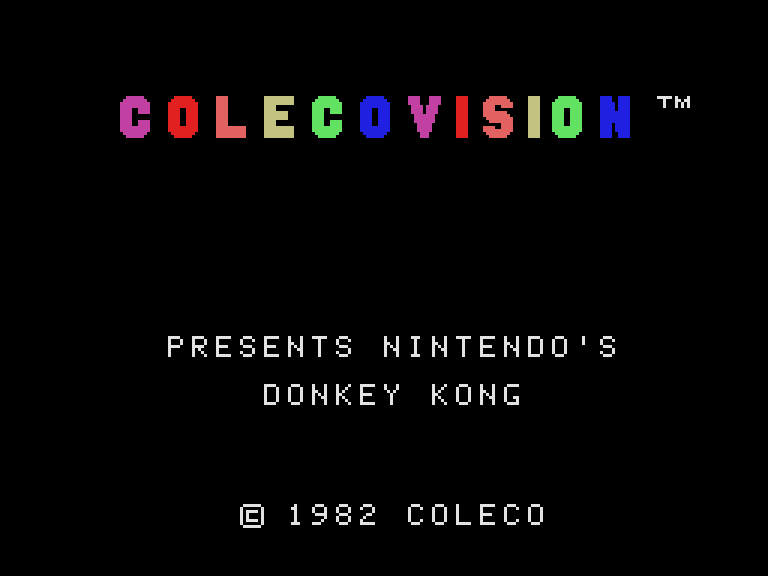
Mode 2: color graphics mode introduced in version 9918A. Main mode for games. In fact, this is a slightly modified mode 1, the same text screen 32 by 24 characters. However, it offers not one, but three different fonts of 256 characters, 8x8 pixels in size, each assigned to its own third of the screen. This opens up the possibility of personal addressing of each point on the screen. There are also different color restrictions: a combination of two colors is specified for each 8-pixel line of each character of each font. In other words, the color attribute size is 8x1 pixel, and the video memory is represented by a 32x24 byte buffer for character indices, three sets of 2048 bytes for three fonts. And three more 2048-byte sets of attributes for these fonts. A total of 13 kilobytes out of 16 available - quite a lot, considering the low speed of working with video memory. However, the screen structure with small attributes has reduced the problem of clashing, and such a clever organization of video memory, when used creatively, allows you to optimize manipulations with video memory in terms of speed and implement smooth pixel-by-pixel vertical scrolling without color artifacts.
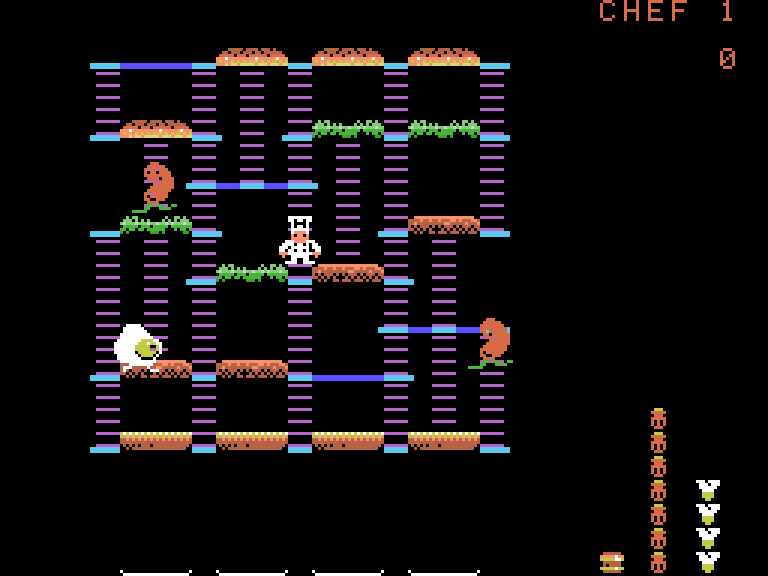
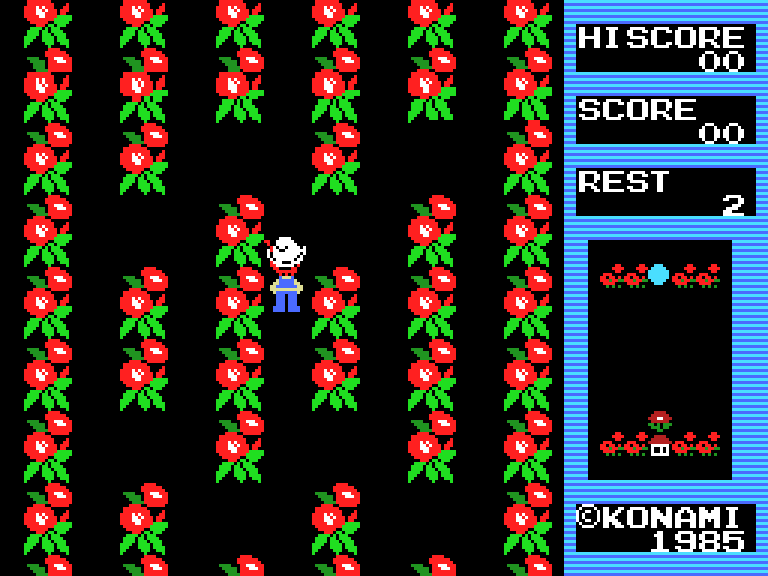
Mode 3: a very strange video mode, in which you can see echoes of the pseudo-graphics mode of the Intel 8275, and which was extremely rarely used in games. It offers a resolution of 64 by 48 large pseudo-pixels, consisting of four blocks of 4 by 4 real pixels. At the same time, the screen structure is still implemented in the form of a 32 by 24 character text screen and font. The character number is specified in the text buffer, and the character itself, instead of an image, contains two bytes that determine the color of each of the four pseudo-dots, and for each of the four lines of characters these are different two bytes out of eight. In total, the screen is described by a structure of 1728 bytes (768 bytes of text buffer and 1536 bytes of color information). This allows each pseudo-pixel to be assigned its own color, but at the cost of very low resolution and very confusing video memory organization.
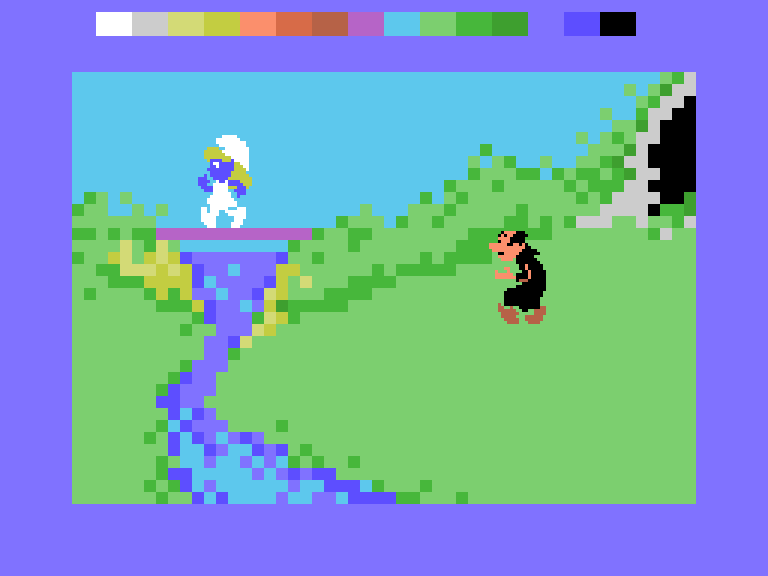
Compared to the ZX Spectrum, fewer color restrictions and support for hardware sprites made it possible to significantly reduce the problem of clashing, and display quite interesting color scenes without very noticeable artifacts. On the other hand, the availability of memory only through the video controller port greatly limited the possibilities for implementing games that require updating large areas of video memory - this began to take a lot of time. For this reason, platforms using the TMS9918 either have almost no 3D games or rear-view racing games, or they do exist, but they run very slowly.
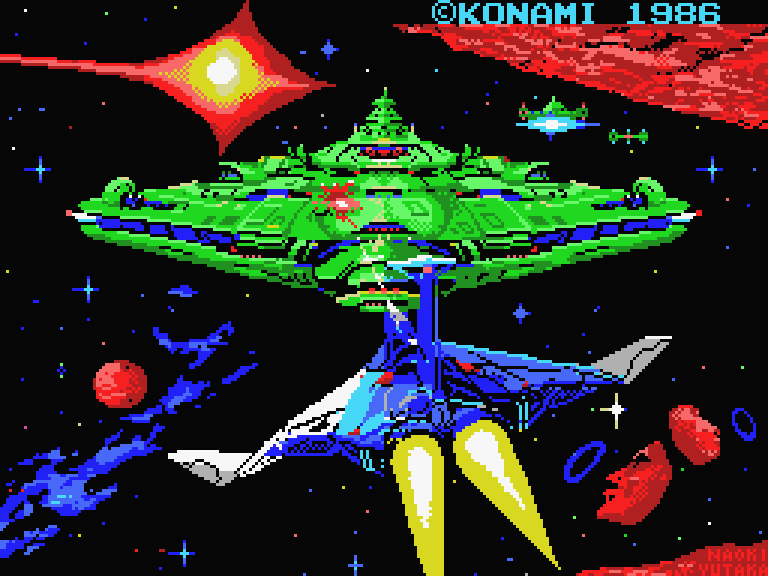
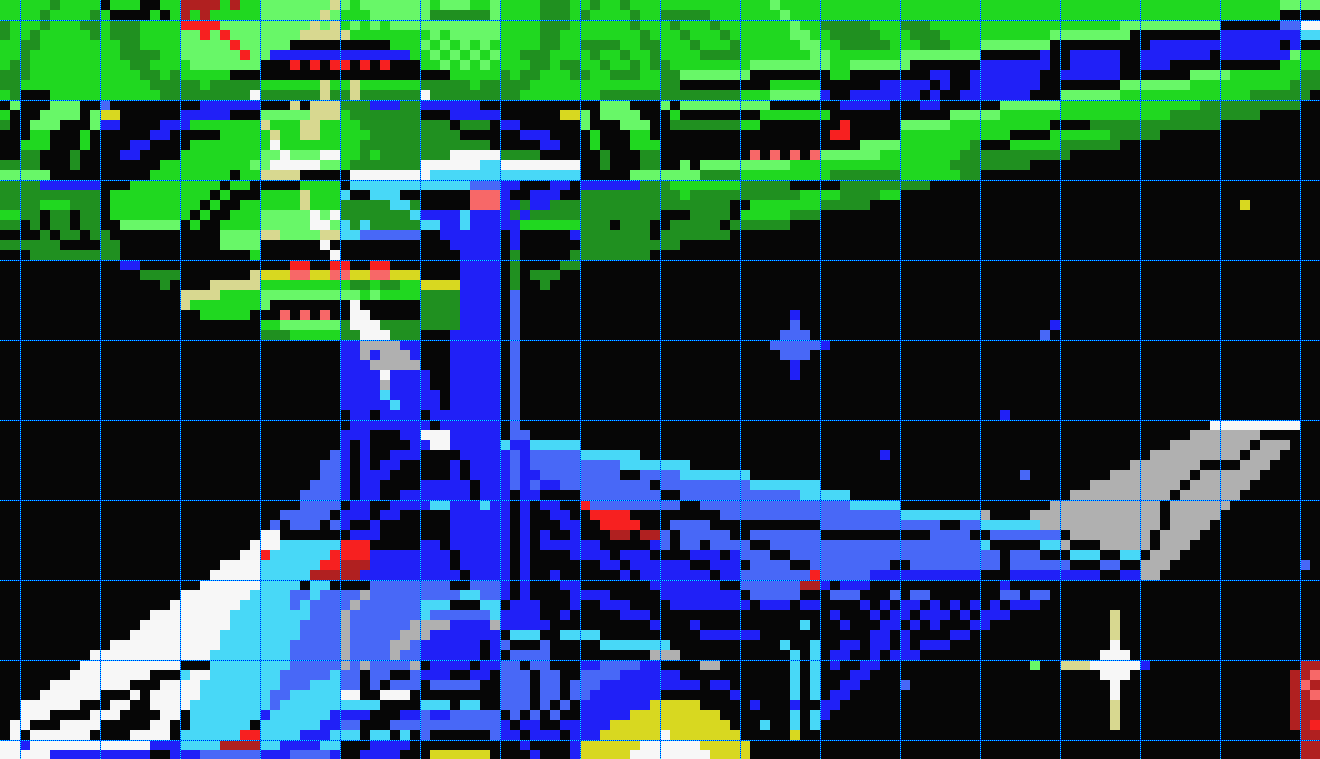
Subsequently, the video modes of the TMS9918 were copied and expanded in video controllers developed by Yamaha, which, among other things, formed the basis of the Sega consoles - Master System and Sega Genesis. In particular, in the Master System, for the purpose of backward compatibility with games for the SG-1000 and SC-3000, modes 1-3 were retained.
▍ Commodore 64
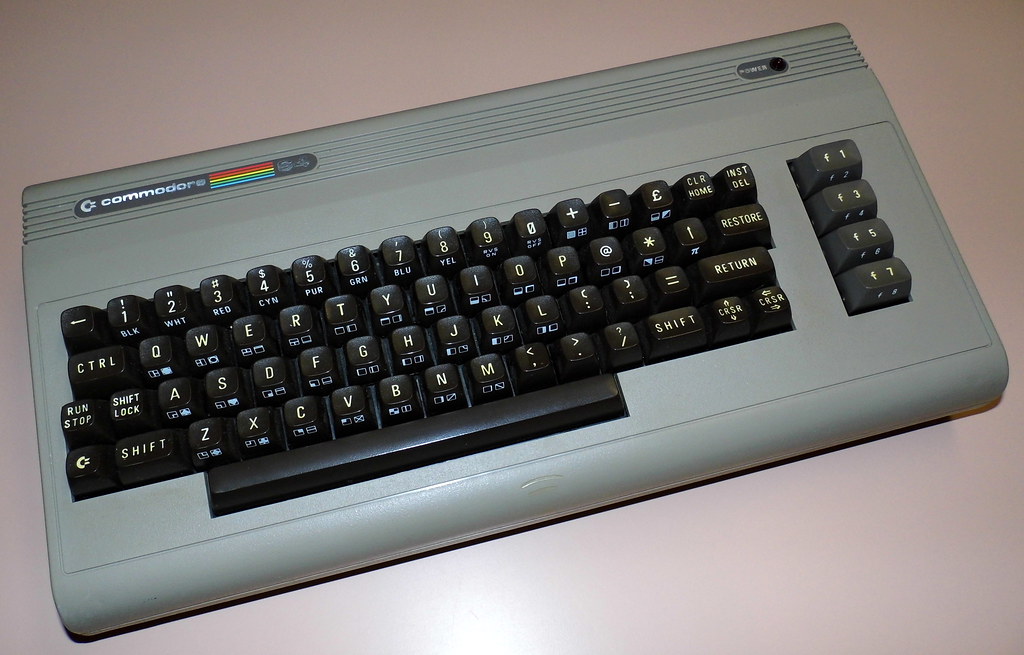
An interesting fusion of purely text, purely graphic and tile-sprite modes, illustrating the transition period between different graphics architectures, was also captured in the direct, much more advanced competitor of the ZX Spectrum - the Commodore 64 computer, which also entered the market in 1982.
Unlike the only graphical video mode of the ZX Spectrum, the C64 implements several text and graphic modes, as well as hardware sprites - although rather primitive compared to the TMS9918, they allow you to mask the presence of attributes and avoid coloring moving elements in the colors of background elements. In addition, sprites are available in any video mode, including mixed ones - you can switch video modes on the fly as the scanning beam passes through the frame, combining them and keeping the layer with sprites operational.
Also, the Commodore 64, along with early Atari computers and some Amstrad CPC modes, is one of the brightest representatives of the owners of, so to speak, wide-pixel graphics. Some graphics modes use double-width pixels, which reduces the horizontal resolution of the screen by half, but allows the same amount of memory to be used to store more colorful graphics. It also creates a distinct visual aesthetic, especially when combined with the C64's very specific palette.
Let's briefly look at all the main standard video modes.
Mode 0: text 40x25 high resolution (320x200). Can display up to 256 8 by 8 dot characters loaded into RAM. Each familiarity has an attribute byte in which you can set the color of the pixels in each familiarity by selecting one of the 16 available colors. The background color of all symbols is the same. 2000 bytes are used to describe the screen. Due to the presence of PETSCII pseudo-graphic characters in the standard computer font, this mode is useful for quite interesting-looking pseudo-graphics that can be effectively animated using a not very powerful processor, and sometimes even demos and games are made in it.
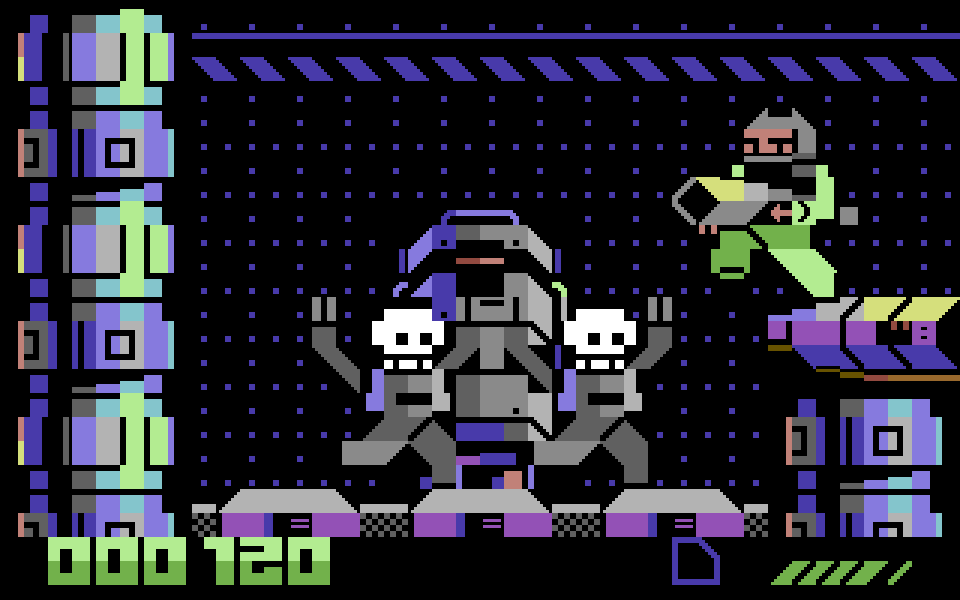
Mode 1: text 40x25 low resolution (160x200) with increased color depth. This is a wide pixel mode that makes it possible to display multi-color fonts, up to four colors per character, but with very specific limitations. Three of the four colors are set globally for the entire screen, and only the fourth color is taken from the symbol attribute, and this can only be the eight highest (with an index above 8) colors out of the available 16. The amount of screen memory is the same - 2000 bytes. This mode is also sometimes used in side-scrolling games, as it requires less memory manipulation and brings the video system closer to the tile-sprite concept found on game consoles.
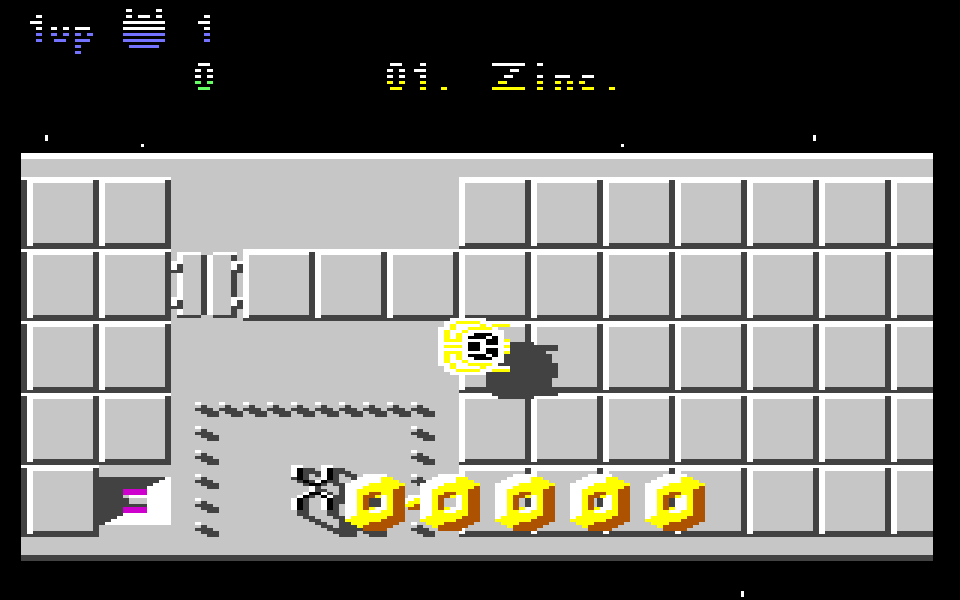
Mode 2: high resolution graphics mode (320x200). This mode is very similar to the ZX Spectrum graphics mode. It also has 8 by 8 dot familiar spaces, and each of them can be assigned a background color and an image color, any of a 16-color palette. The differences lie in the screen size, the lack of brightness and blinking attributes, and, of course, in the colors of the palette. The amount of screen memory is 9000 bytes - 8000 bytes for pixels and 1000 bytes for their attributes. This mode was often used when porting multiplatform games from the same ZX Spectrum, due to which they look very similar. However, in the hands of skilled artists, slightly different palettes and painting techniques within the same limitations create a very interesting visual aesthetic, noticeably different from the work of artists on the Spectrum.
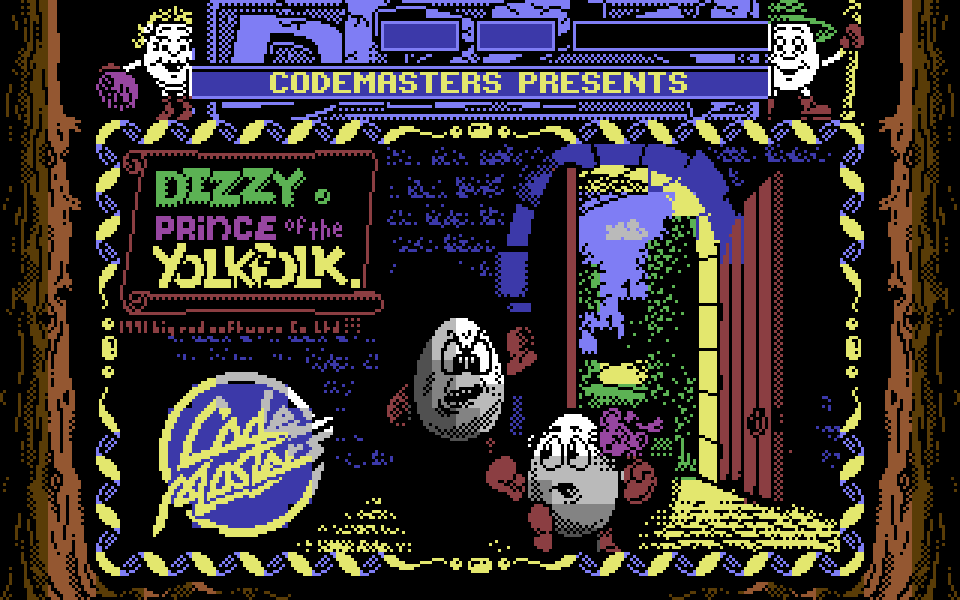
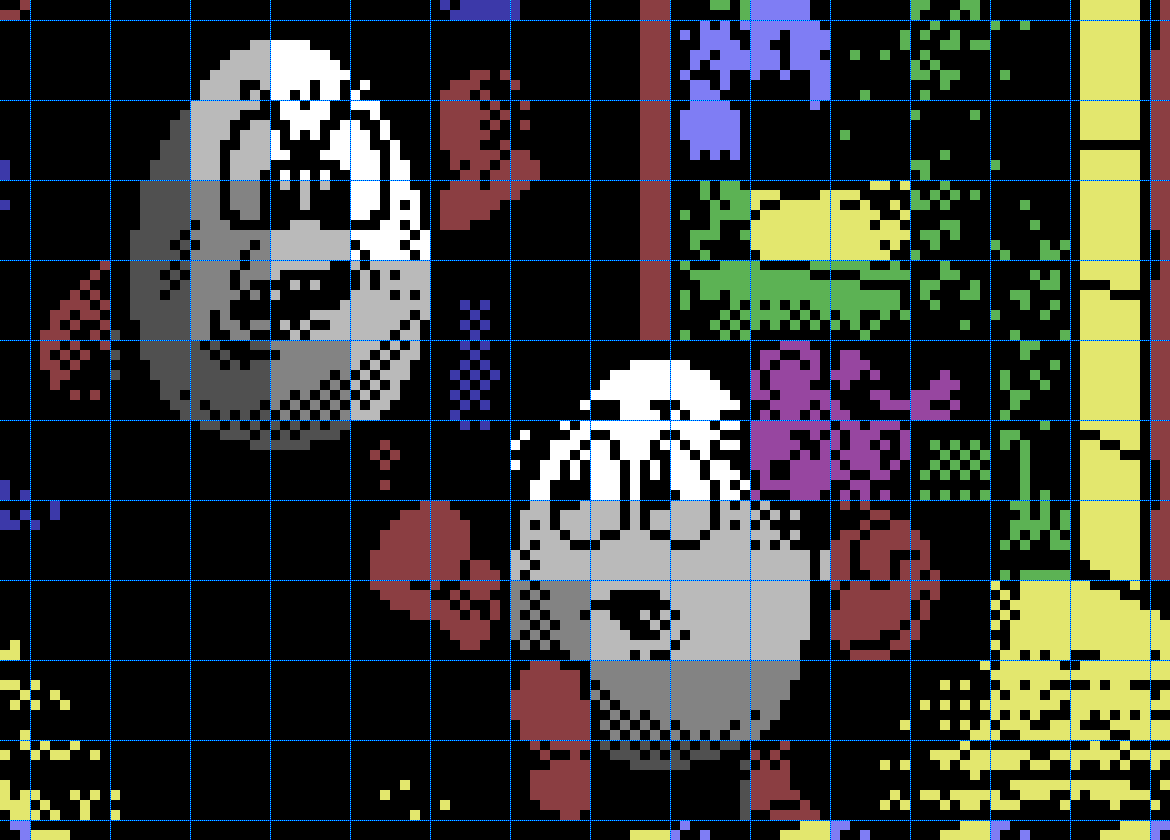
Mode 3: Low resolution graphics mode (160x200) with increased color depth. The most characteristic mode for the Commodore 64, which is its calling card: truly multi-color graphics with wide pixels. In this mode, it is possible to use four colors in each familiarity, any of the 16-color palette, however, one of the colors common to all familiarities is the background color. Despite the very large amount of screen memory, 10,000 bytes (8,000 bytes pixels, 2,000 bytes attributes), it was also quite actively used in programs for the C64.
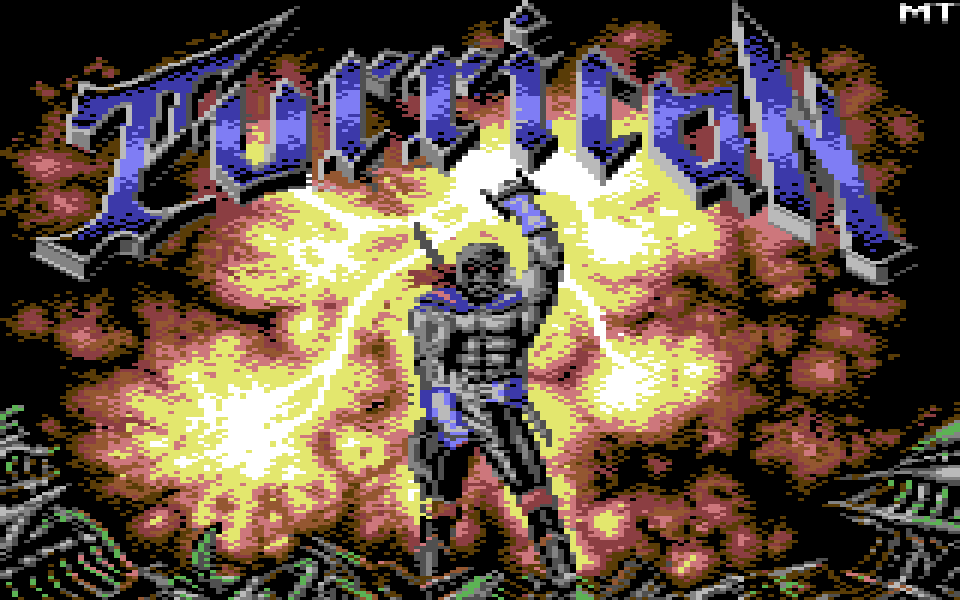
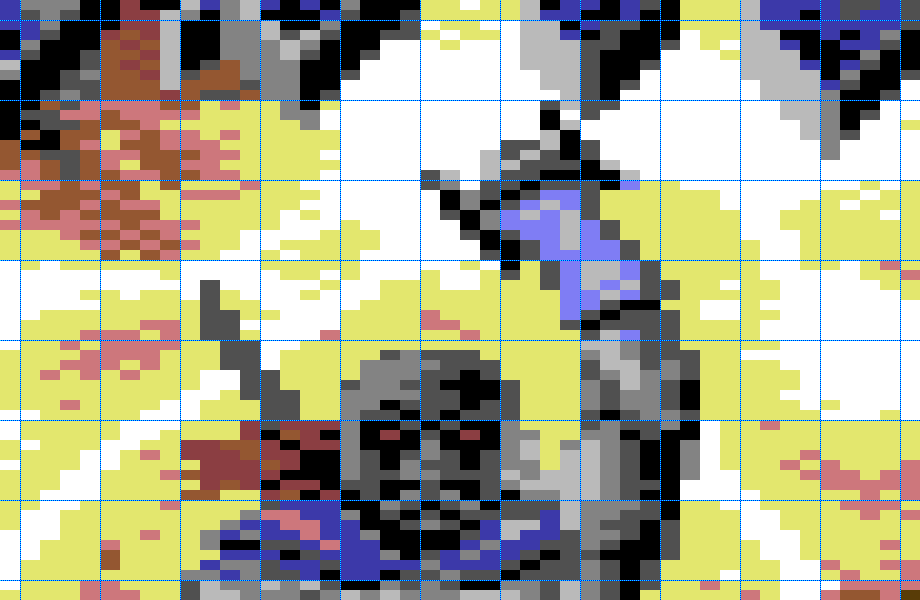
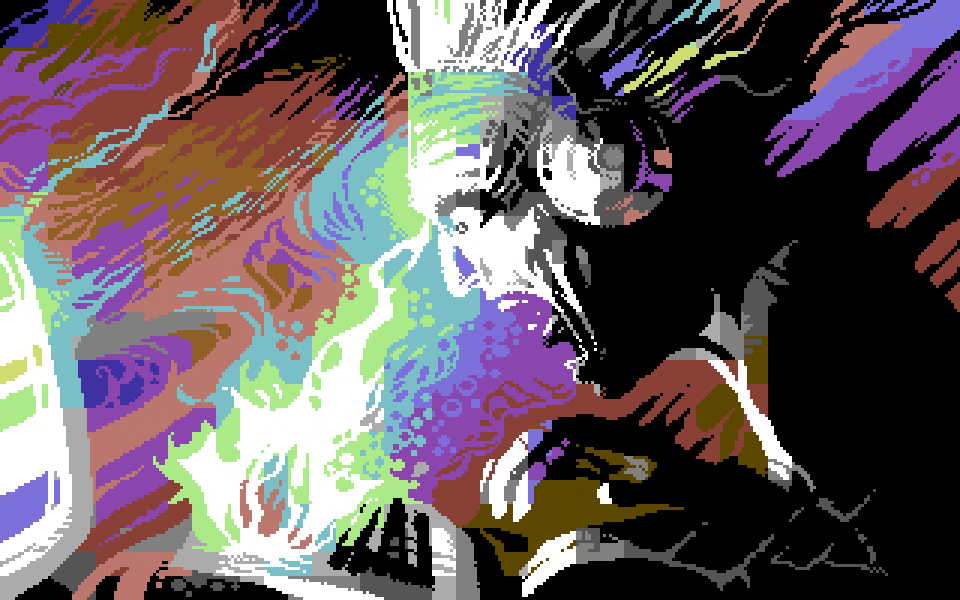
Since the Commodore 64 eventually became the main platform of the demoscene - a trend of technical creativity, the essence of which is largely about achieving what previously seemed impossible within the limited hardware capabilities - over the years, enthusiasts have come up with many non-standard, compromise video modes that mix existing capabilities and exploit undocumented features of the hardware. Among other things, this made it possible to remove some color restrictions - for example, to allow the use of any 16 colors in each pixel in 160x200 mode, and to display graphics that are very impressive by the standards of the platform, although usually at the cost of using all the computing resources of the processor.
The Commodore 64 also took another step towards tile-based sprite graphics, which was not implemented in the TMS9918. In addition to using text video modes for background graphics in games, it implements hardware pixel-by-pixel scrolling of the text layer, although in a very limited form: it is possible to shift it by 8 pixels horizontally and vertically. And the next logical step in the development of the idea was soon taken by Japanese engineers.
▍ Famicom, NES and Dandy
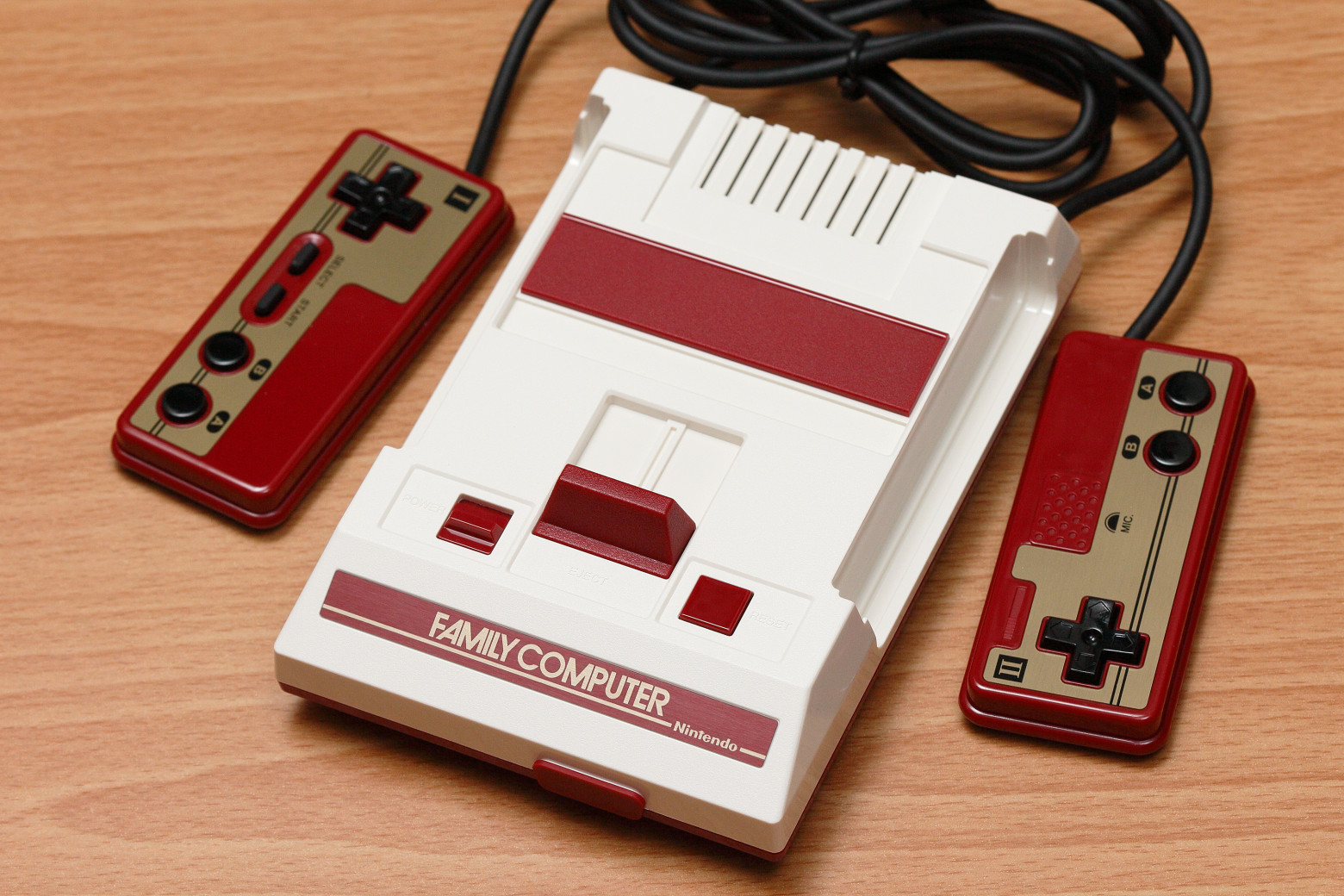
It is believed that Nintendo engineers looked specifically at the TMS9918 architecture (and at the general architecture of the ColecoVision game console built on it) when creating a graphics controller for their own Famicom console (1983), known in the West as the Nintendo Entertainment System (NES), and in our area under the name “Dandy”. Unlike their Western colleagues, they did not waste time on a rather awkward set of indigestible, compromise video modes with various non-trivial limitations in each, and made only one mode in which they finally formed the concept of tile-sprite graphics. This architecture was successful enough that over the course of ten years, increasingly visually impressive games were released on the Famicom, and a similar architecture was implemented in all competitor game consoles, both current and next generation.
The Famicom video controller displays two conceptually different graphics layers: the background layer and the sprite layer.
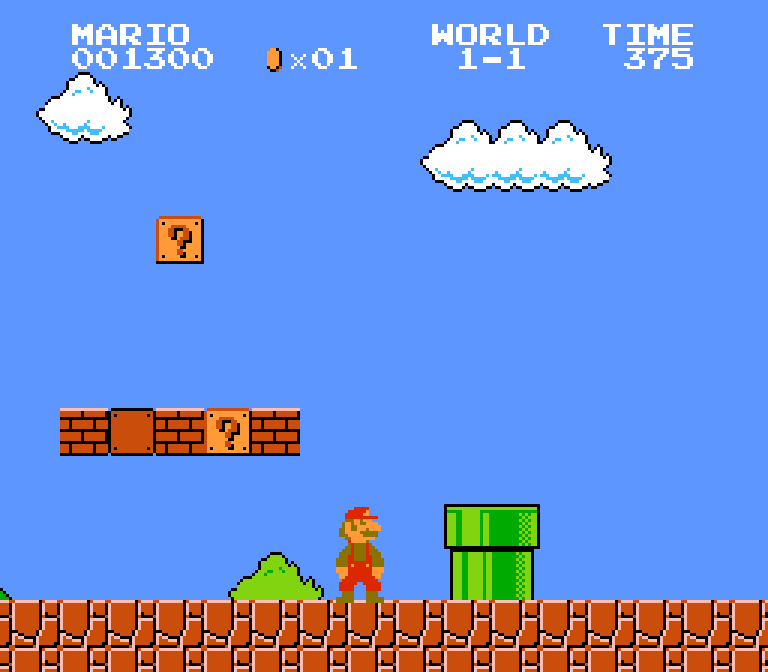
The sprite layer is similar to the sprites of the TMS9918 controller, but they themselves are a little smaller - 8 by 8 or 8 by 16 pixels, but multi-colored, four colors per pixel, and also with a choice of one of four programmable palettes. There can be up to 64 of them on the screen, and although this is the most valuable resource on the console, which is always in short supply, even with so many small sprites, game developers achieved very impressive results.
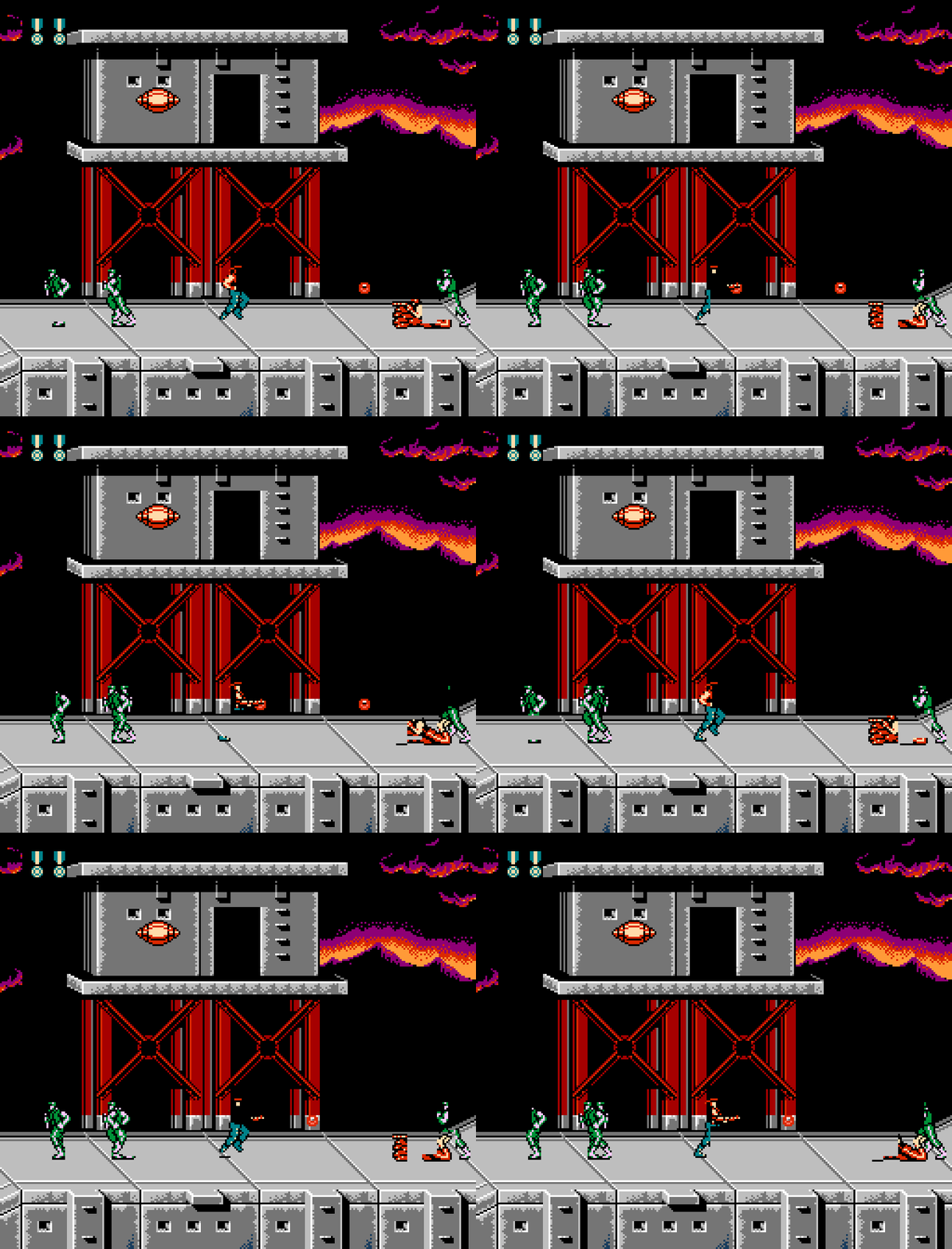
Like all platforms that support hardware sprites, the Famicom has a limit on the number of sprites that can be displayed simultaneously on one line of the screen - up to 8 pieces. If you exceed this number, the extra sprites are simply not displayed. To get around this problem, games have implemented a shuffle of the order of sprites, due to which, when the limit is exceeded, they do not disappear, but begin to wink. This happens quite often in games, and this signature visual artifact has become one of the recognizable visual features of the platform.
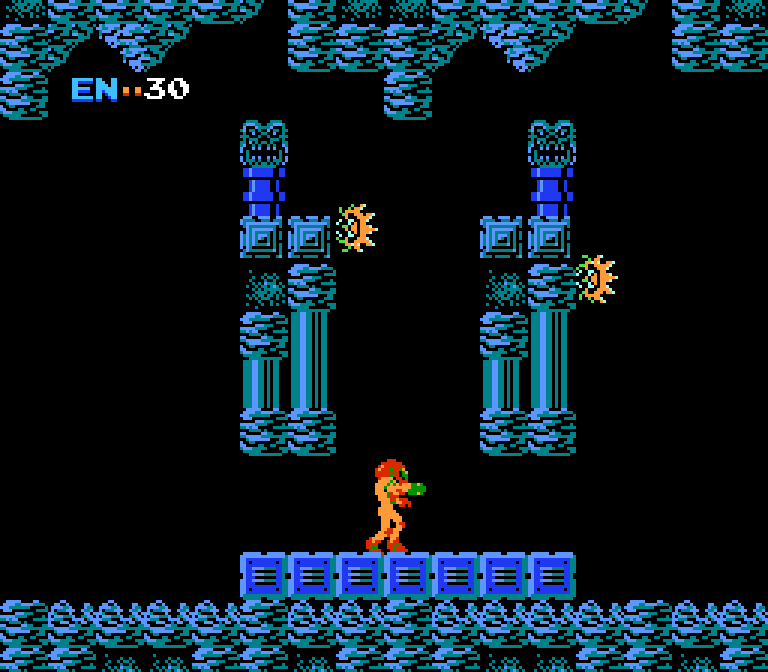
The background layer is essentially a text screen with a visible area of 32 by 30 characters, with 8 by 8 pixel characters from a set of 256 characters. It is distinguished from regular text mode by the presence of smooth scrolling, the size of the text buffer is larger than the screen, and can have a size of 64 by 30 or 32 by 60 characters. Like sprites, characters are four-color. There are also attributes for additional coloring of background characters by choosing one of four palettes, separate from the sprite palettes. The Famicom can display up to 25 colors on screen: all characters have one common background color, all sprites have one color that is always transparent, four palettes with three different colors for characters, and four palettes with three different colors for sprites.
A set of 256 characters is enough to fill less than a third of the screen with unique, non-repetitive graphics. It can be changed, but usually this happens between levels, and within one screen or one whole level of the game, one map, the entire image needs to be built from these repeating elements, which requires a very creative approach. But even such limited graphics in the right hands can produce visually interesting, varied images.
Unlike many other platforms, the attribute size is not equal to the character size: it is applied to a group of four characters, that is, a 16 by 16 pixel block. This small detail greatly influenced the visual aesthetics of most games on the platform, especially the early ones - this is clearly visible in Super Mario Bros, Bomberman, Lode Runner, Battle City and many others. Due to the small number of graphic elements that can be displayed on the screen at the same time, it was easier for developers not to try to disguise transitions from one set of colors to another, but rather to make these transitions explicit, and build levels from clearly defined blocks measuring 16 by 16 or 32 by 32 pixels. Over time, artists have learned to make better use of available resources and mask these transitions, but overall this square-nested way of constructing game maps has become one of the most visually noticeable features of the platform.
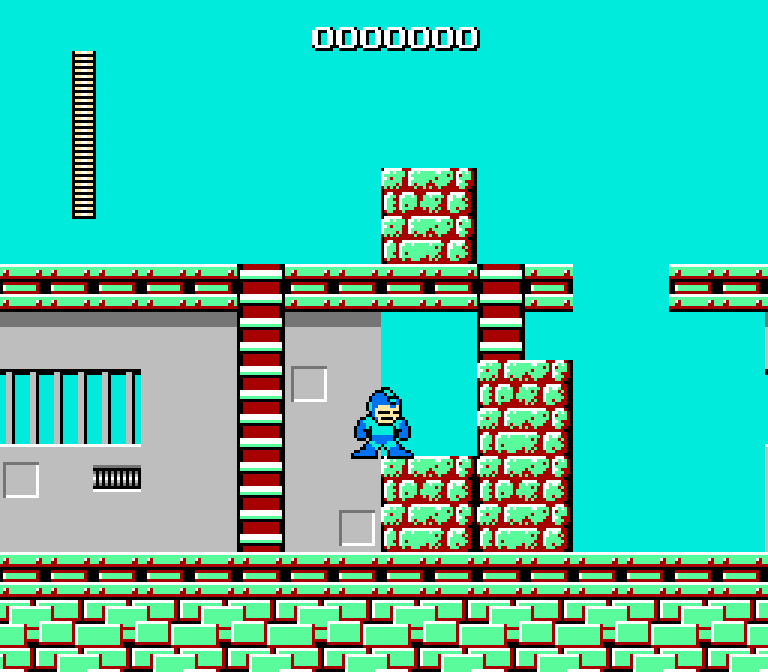
The video controller has an open system bus connected to the cartridge connector, which gave the system a great deal of flexibility, and probably helped maintain its relevance for ten years. The cartridge board can use ROM of font characters, or RAM with loading of characters from ROM code, or a large ROM control circuit, which allows you to instantly replace the entire set of characters or part of it, and thus increase the number of characters simultaneously displayed on the screen or animate the background layer. The most advanced hardware extensions can even increase the number of characters in a font to 16384, and reduce the attribute size to 8x8. Unfortunately, the use of these solutions in real games was very limited, since they appeared towards the end of the console's life cycle and were relatively expensive.
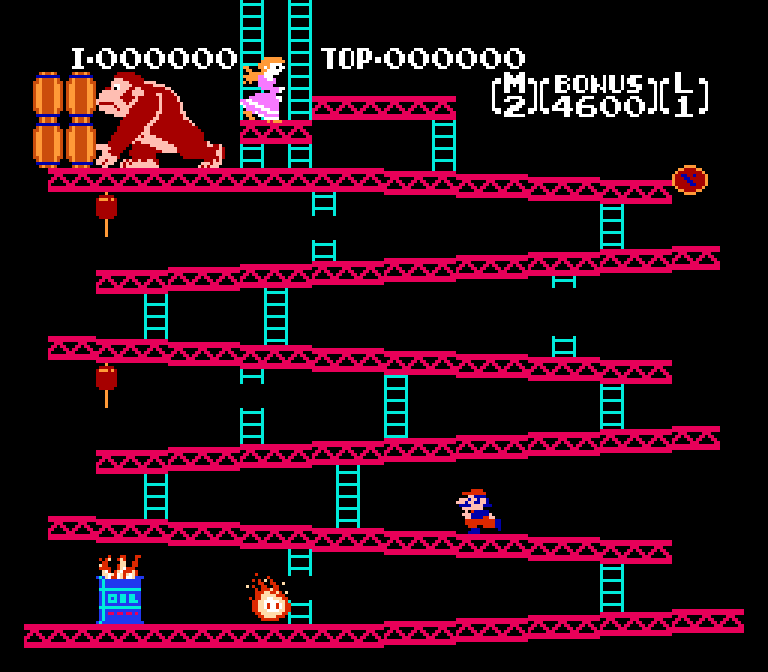
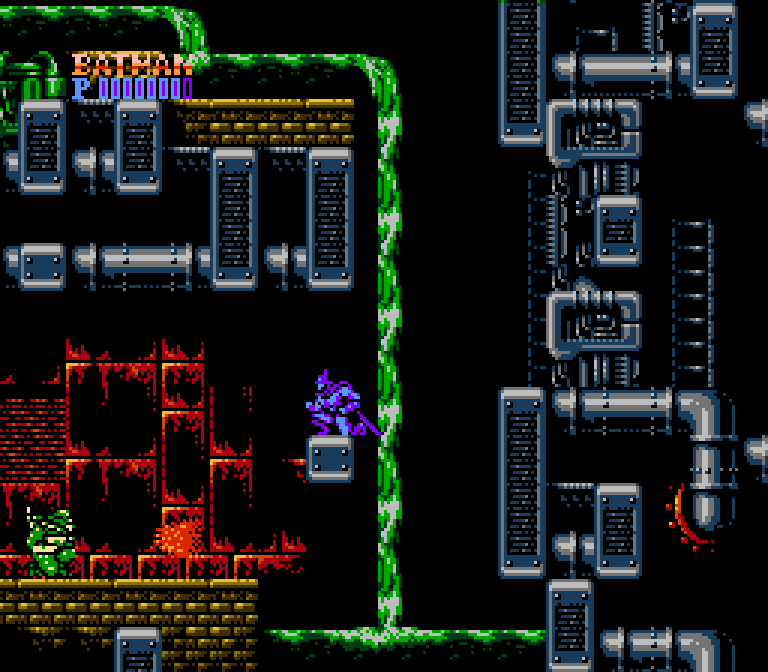
All these optimizations have led to the fact that, on the one hand, the Famicom copes very poorly with arbitrary visual scenes, especially with 3D graphics, which are quite good for the ZX Spectrum and even the C64. Even to display basic static, detailed images, such as loading screens in games for these computers, the Famicom has to resort to special tricks. On the other hand, as history has shown, such a video system architecture copes well with dynamic two-dimensional games - platformers in the spirit of Super Mario Bros, action films like Contra, and the like. No small achievement, considering that the original task assigned to the engineers around 1982 was simply to ensure that ports of the Galaxian and Donkey Kong arcade games could run at close to the quality of their original versions. In the case of the Famicom, it can be said that we are not just talking about a technology that defined visual aesthetics, but a technology that defined the prevailing genres of games for two generations of gaming systems to come.
▍Genesis and so on
A few words about the further development of the tile-sprite concept. It reached its peak in gaming systems of the fourth generation, which started in 1987 - in the 16-bit Sega Genesis and Super Nintendo, in the conventionally 16-bit PC Engine (TurboGrafx-16), as well as in contemporary arcade gaming machines.
The concept retained all the features that took shape in the Famicom, but showed quantitative and qualitative growth. More video memory, standard 64 kilobytes. Due to the introduction of a DMA controller into the architecture, it takes more time to access video memory from the central processor. The number of simultaneously displayed sprites has increased and their size has increased. More symbols displayed simultaneously on the background layer - enough to show a unique image on the entire screen. There are more background layers themselves - from two on the Genesis to three or four on the SNES. More colors - Now always 16 colors per sprite or tile point, each sprite and tile can be assigned one of several 16-color sets of colors, and these colors are chosen from a richer palette of shades - 512 on the Genesis, and even 32768 on the SNES. The set of tile attributes has also expanded; in addition to choosing a palette, it is now possible to individually flip each character on the screen horizontally or vertically, as well as change its priority so that it is displayed before or behind other background layers and sprites.
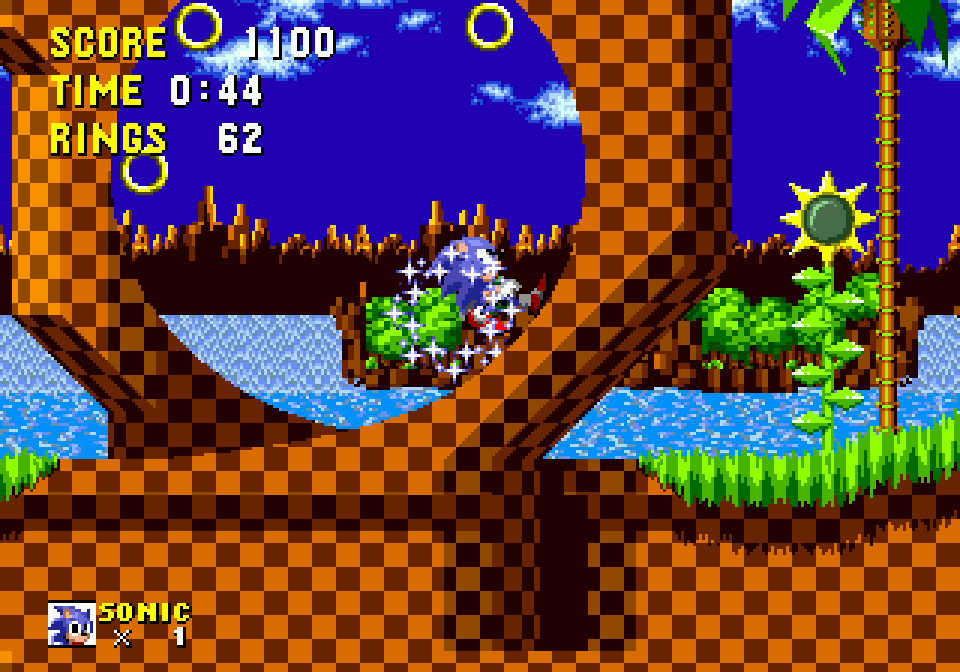
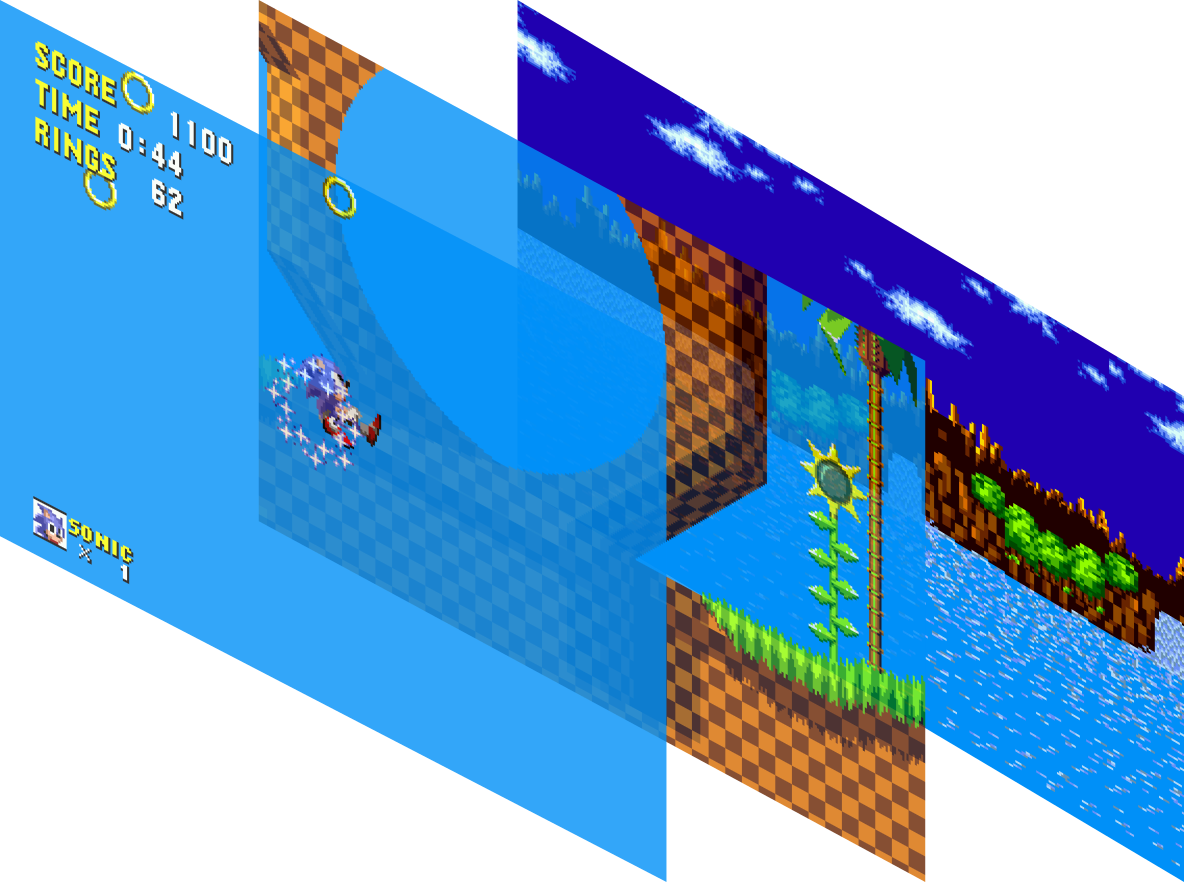
These changes made it possible to diversify the visual stories, the implementation of which was difficult in the days of the Famicom. A variety of detailed images and images that do not fit into a grid of tiles, such as 3D games, are again possible. Of course, we still had to convert the graphics to tile format, but the speed remained acceptable.
These softer restrictions began to have less of an impact on visual aesthetics. Remnants of their influence can be seen in the limited number of blocks used to build the levels, and slight traces of the 8-pixel grid in the design. A new visual aesthetic characteristic of 16-bit graphics also emerged. First of all, this is, of course, the effect of parallax, simulating the depth of the scene due to the movement of its different elements at different speeds. There are also images on the background instead of solid fills, sometimes dithering to obtain intermediate shades, and some visual effects specific to individual platforms (slight background tilts on the Genesis, translucency and especially smooth color gradients on the SNES).
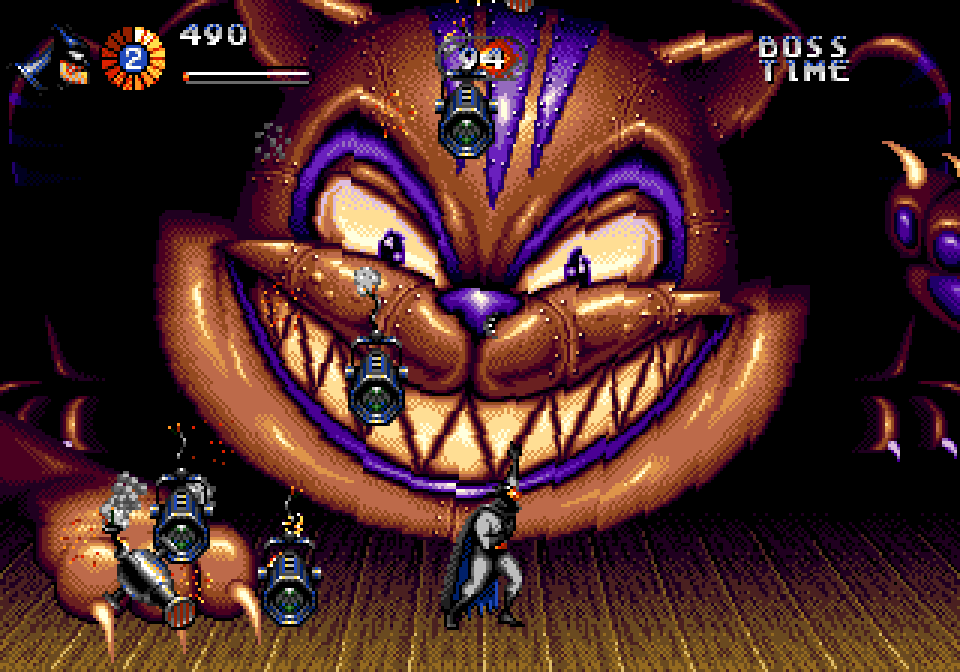
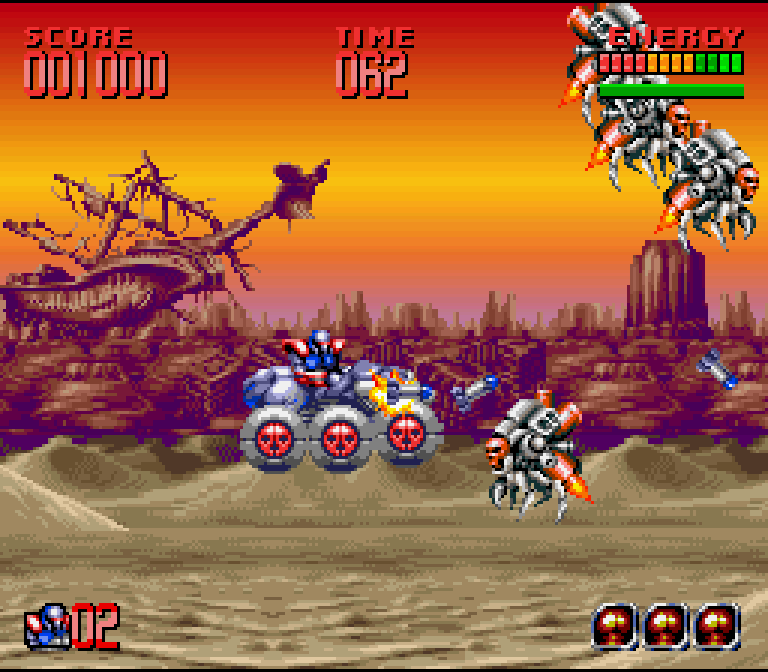
Already in this generation there were the first signs of a paradigm shift, for example, Neo-Geo uses exclusively sprites, and the only classic tile layer is used there to display points and auxiliary text messages. This approach, coupled with a huge amount of video memory (tens of megabytes), removed almost all restrictions and allowed pixel artists to bring their skills to perfection, creating unique, very detailed game locations with almost no repeating elements.
At the same time, the more expensive home and personal computers on which the gaming industry also flourished—the Amiga, the Atari ST, the IBM PC with 386 and 486 processors, and many lesser-known ones—took a different path, mostly combining various approaches with full graphics modes, bitplanes, hardware sprites, or pure software rendering. Typically, this allowed for much greater flexibility in visual storytelling at the cost of slower operation, but more powerful processors made it possible to compensate for this problem. As a result, this made Doom possible and ushered in the next, fundamentally different era of visualization in games. However, this is a completely different story.
▍ Creative attributes
The concept of color attributes is definitely a sticking point for artists. But sometimes, thanks to a creative approach, you can get benefits from it, or at least interesting effects. The examples I know of of this use of attributes mostly concern the ZX Spectrum, but there are a couple of examples for the Famicom.
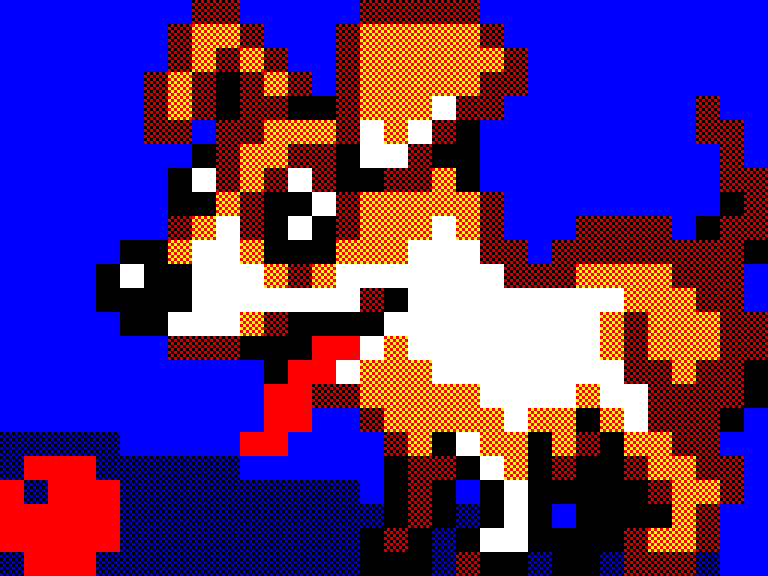
One of the features of color attributes is the ability to form images using them without accessing pixels at all. In other words, you can paint an 8 by 8 pixel square on the screen by writing eight bytes in screen memory corresponding to these pixels, or you can get the same visual result by writing just one attribute byte. This creates an improvised ultra-low screen resolution of 32 by 24 pixels, in which each pixel can have a different color.
This feature is often used on the ZX Spectrum for various purposes. This includes speed optimization and various computationally complex effects in the demo and 256-byte intros. There is also the so-called 53c mode - when all the pixels of the screen are filled with a checkerboard grid, the combination of different background and image colors in the attributes gives a conditional imitation of new shades of color (53 in total, hence the name) that are not available in the standard Spectrum palette. This mode is loved by the organizers and participants of various competitions, since such a low resolution without difficult-to-understand color restrictions allows even novice artists unfamiliar with the platform to draw meaningful images.
Another feature that attributes enable is a type of steganography. If you set the same color for the background and the image in a familiarity, the contents of the screen memory describing the pixels of this familiarity will not give any visual difference. This effect on the ZX Spectrum was used both to hide various copyright inscriptions on loading screens, and for purely practical purposes: in conditions of a lack of RAM in cassette copiers, part of their code was placed in the screen memory, and large-sized service inscriptions were displayed in the appropriate place on the screen, using only attributes.
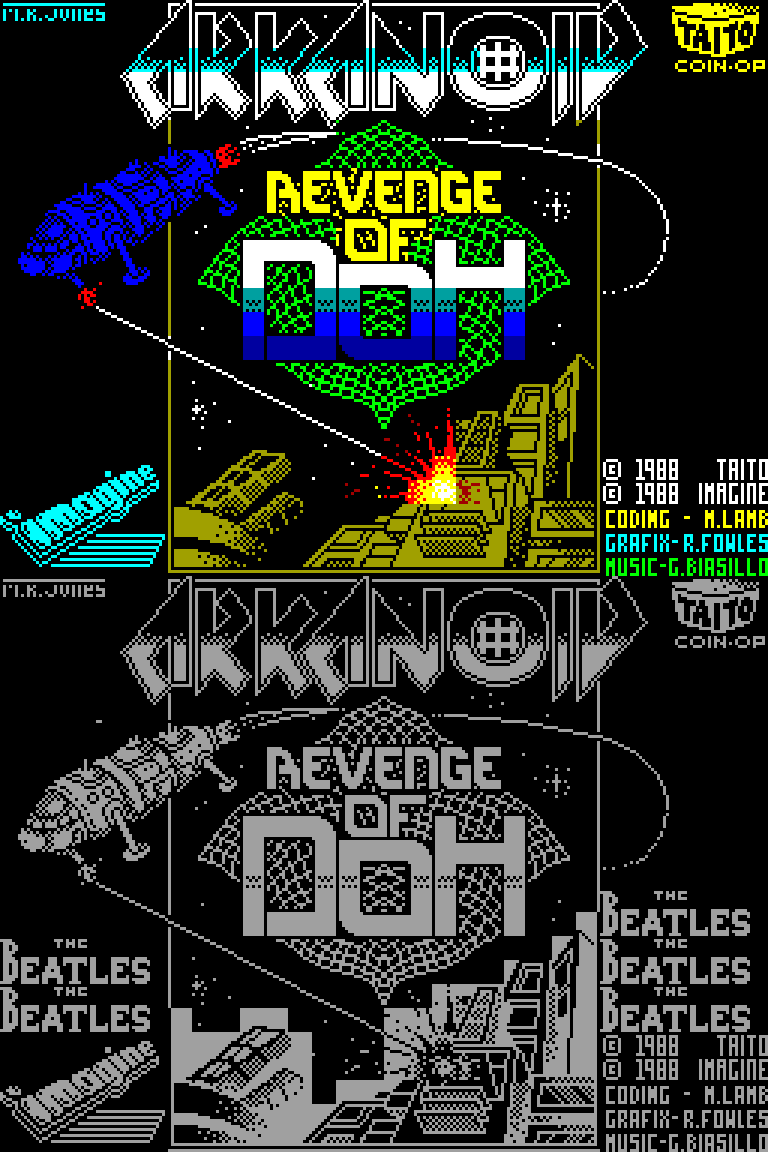
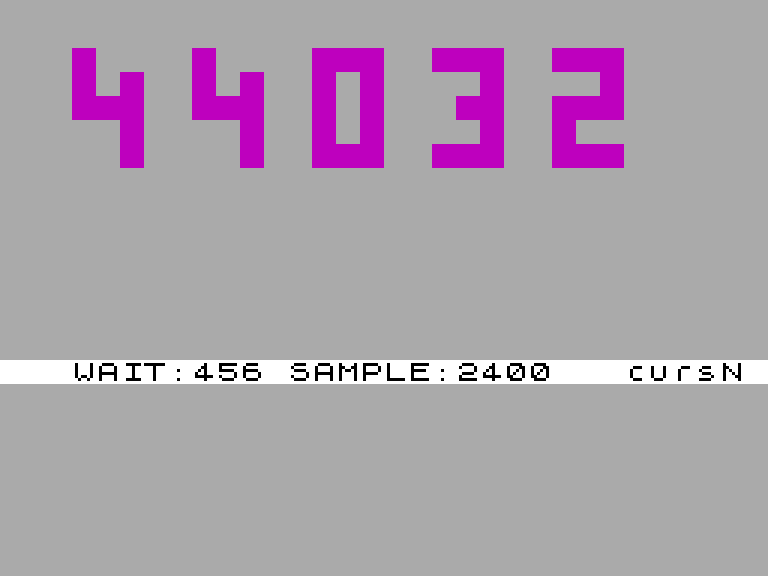
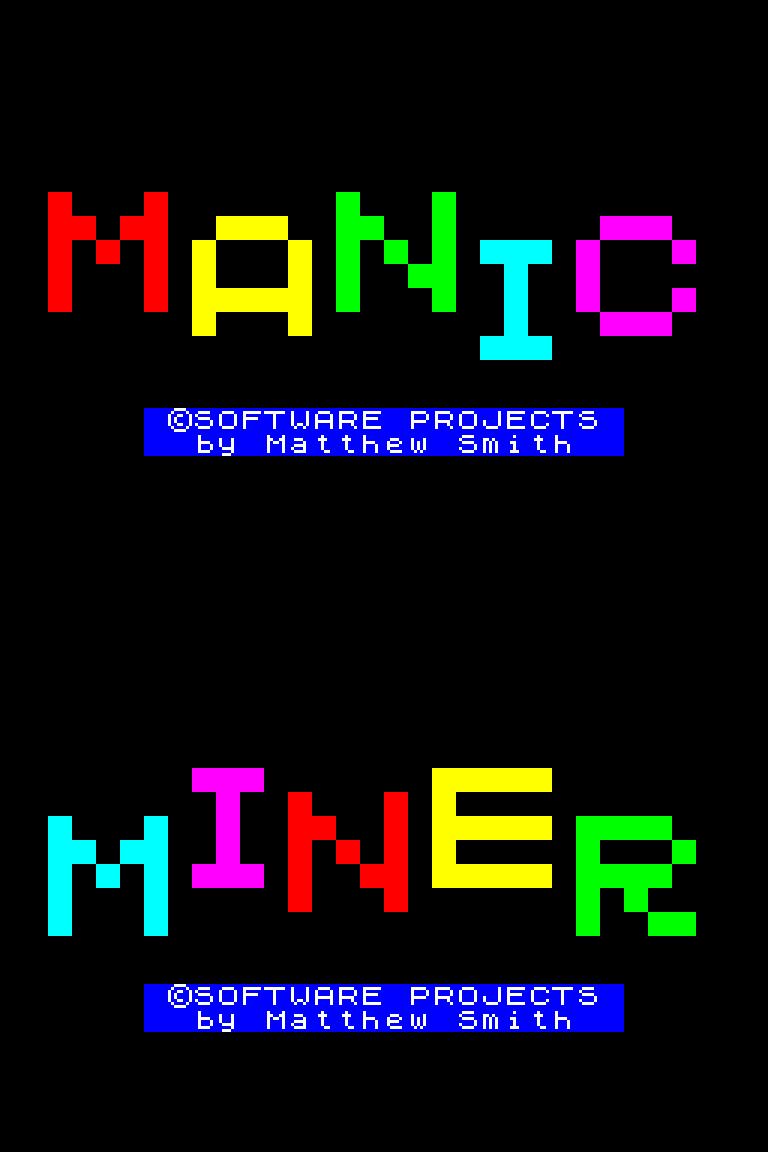
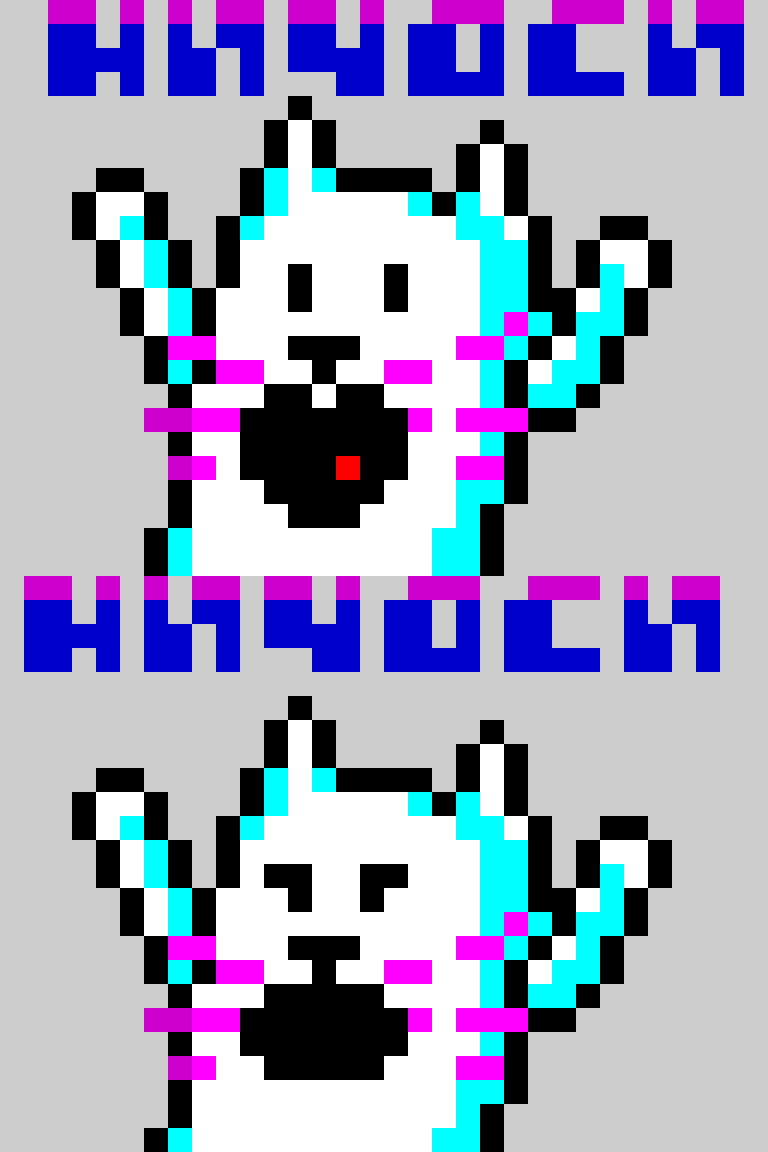
Another example of creative use of the least useful feature of the ZX Spectrum, namely the blinking feature, is attribute animations. When you set the blinking flag in a familiar place, the background colors and images in it change places twice per second. With the help of a cleverly planned arrangement of attributes, some of which blink, you can create an animation from two frames. It could be just two winking inscriptions, or it could be a surprised cat (more examples with blinking tag Flash on ZX-Art).
On the Famicom, it is easy to see the attributes by removing or slightly inserting the cartridge while the console is running. When ROM or RAM with graphics is not connected to the cartridge board, the set-top box reads the FF byte instead of graphics. The color attribute data is located in the RAM of the video controller, and thus they appear on the screen in the form of filled squares.
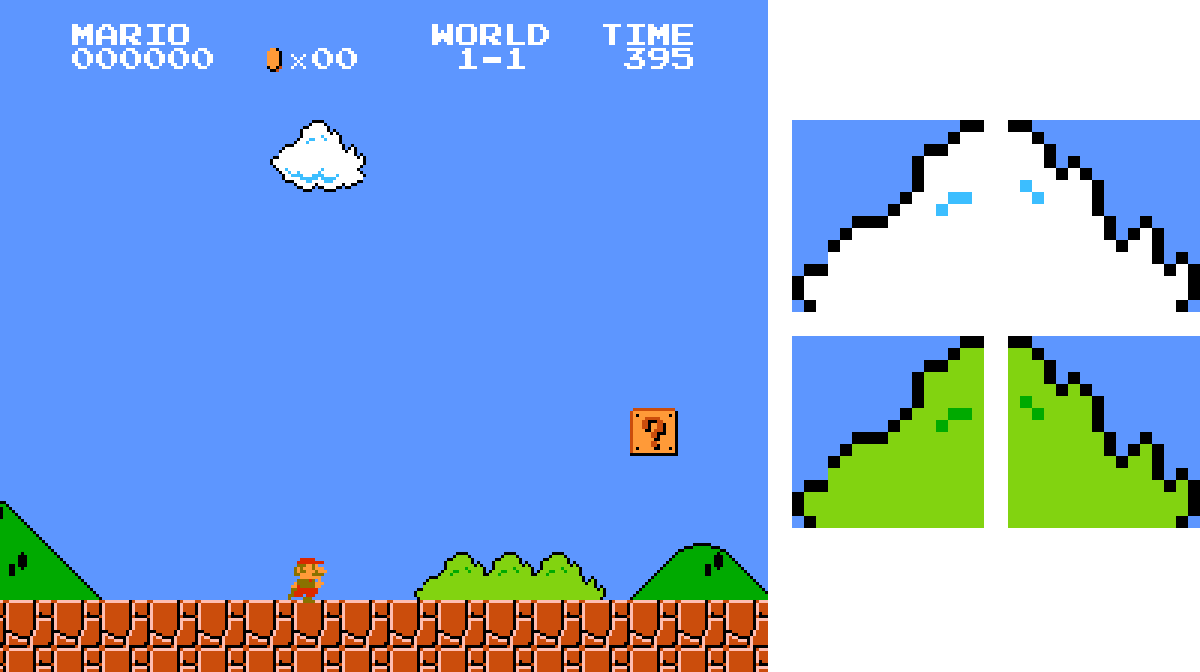
Due to the rather large size of the attributes on the Famicom, their practical use by analogy with the ZX Spectrum is difficult. More often they are useful for painting the same object in different colors, such as the famous example of a cloud and a bush in Super Mario Bros. This is also convenient for coloring lines of text in different colors and highlighting menu items.
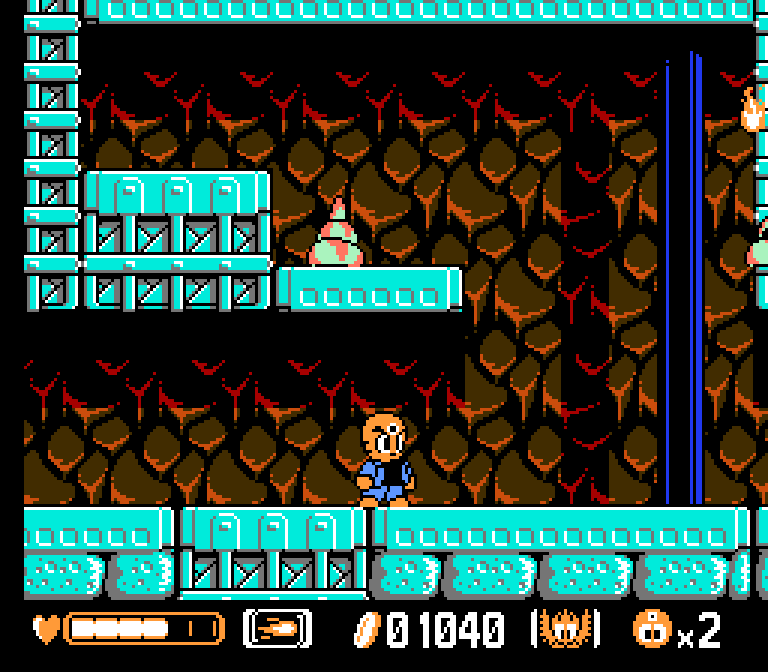
A rather interesting special case of repainting can be seen in Mitsume ga Tooru (everyone’s favorite “three-eyed one”). In the second location of this game, a parallax effect is implemented due to additional scrolling in the video memory of the graphics content of background pattern tiles (similar to Battletoads and a number of other games). This background pattern uses two different attributes, coloring it a lighter and a darker shade. This creates a convincing translucent shadow effect.
▍ Conclusion
With the advent of the fifth generation of gaming systems and more powerful personal computers in 1993, the performance of the 32-bit processors used in them and the amount of memory in units of megabytes, as well as the emergence of specialized graphics processors to accelerate rasterization, made the techniques discussed in the article irrelevant. However, getting to know them can be useful for understanding the process of formation of the visual aesthetics of games of the past, for example, for subsequent authentic recreation of it in modern retro projects, or creating your own recognizable visual style.
Telegram channel with prize draws, IT news and posts about retro games?️

Why This Matters In Practice
Beyond the original publication, Ancient graphics: from text to video games matters because teams need reusable decision patterns, not one-off anecdotes. For many years now, pixel graphics have successfully coexisted in the gaming industry, along with the latest graphics technologies, in almos...
Operational Takeaways
- Separate core principles from context-specific details before implementation.
- Define measurable success criteria before adopting the approach.
- Validate assumptions on a small scope, then scale based on evidence.
Quick Applicability Checklist
- Can this be reproduced with your current team and constraints?
- Do you have observable signals to confirm improvement?
- What trade-off (speed, cost, complexity, risk) are you accepting?
FAQ
What is this article about in one sentence?
This article explains the core idea in practical terms and focuses on what you can apply in real work.
Who is this article for?
It is written for engineers, technical leaders, and curious readers who want a clear, implementation-focused explanation.
What should I read next?
Use the related articles below to continue with closely connected topics and concrete examples.





